Export any of seven analytics reports as a PDF or deck, with your logo on the cover, scoped per client.
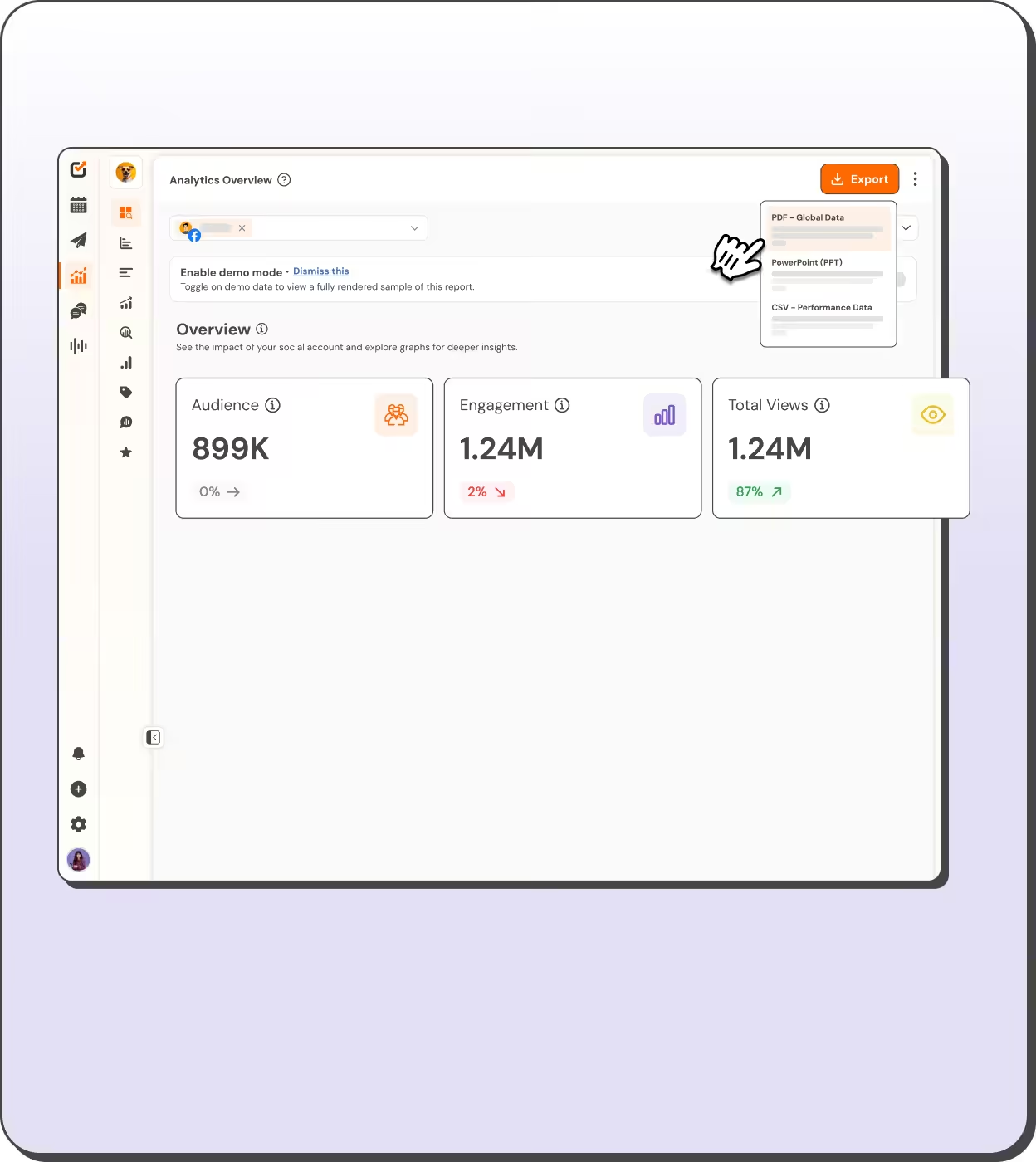

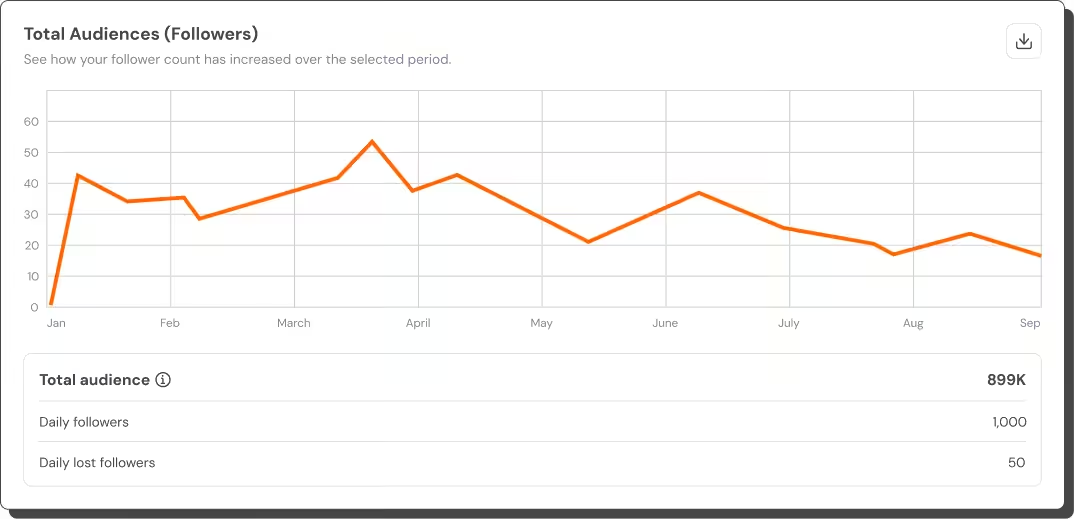


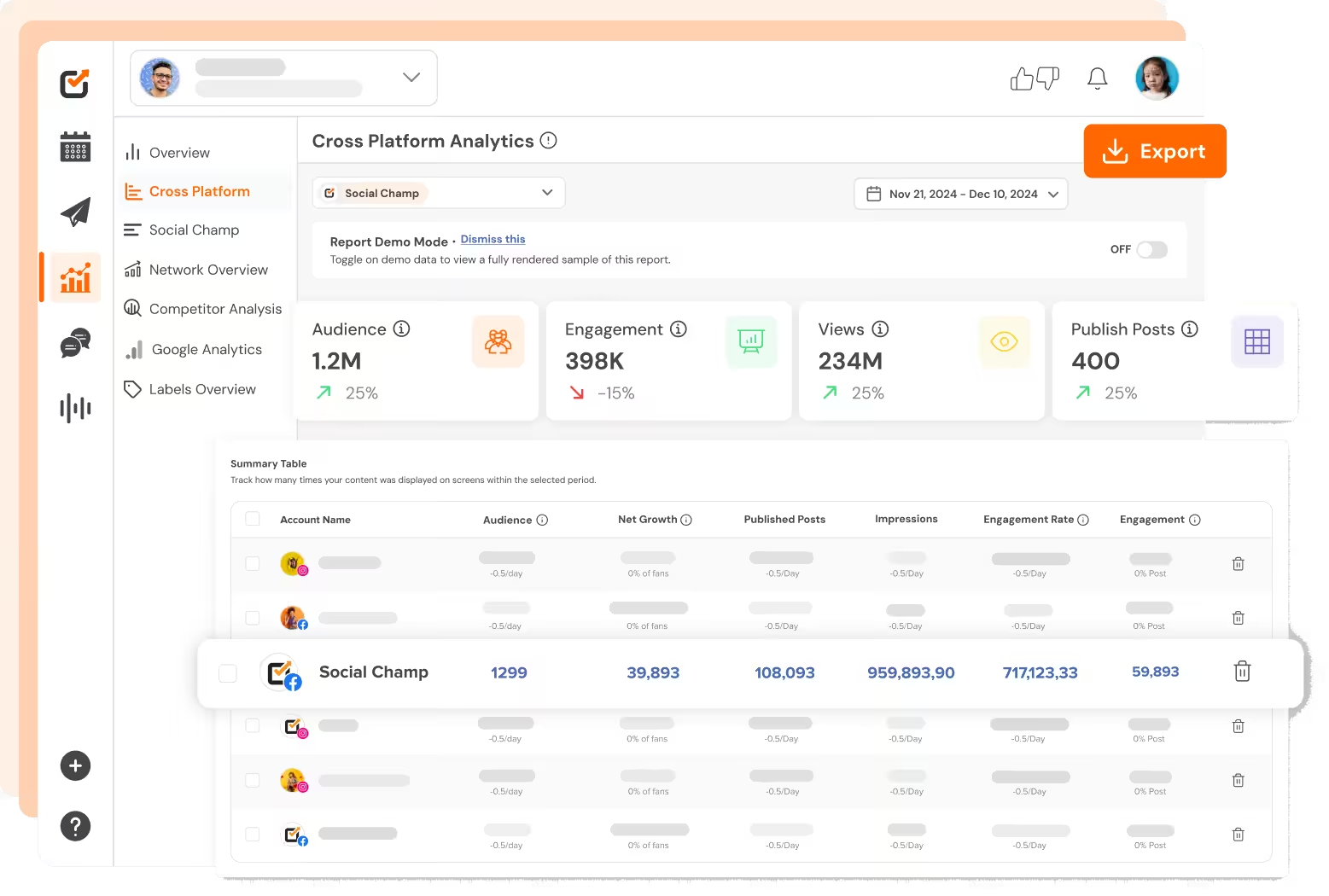
Every analytics surface exports: overview, cross-platform rollups, post labels, engage labels, team performance, review and reputation, and listening. Pick PDF for the inbox or PPT for the meeting, and the finished file lands in your email when the render completes.
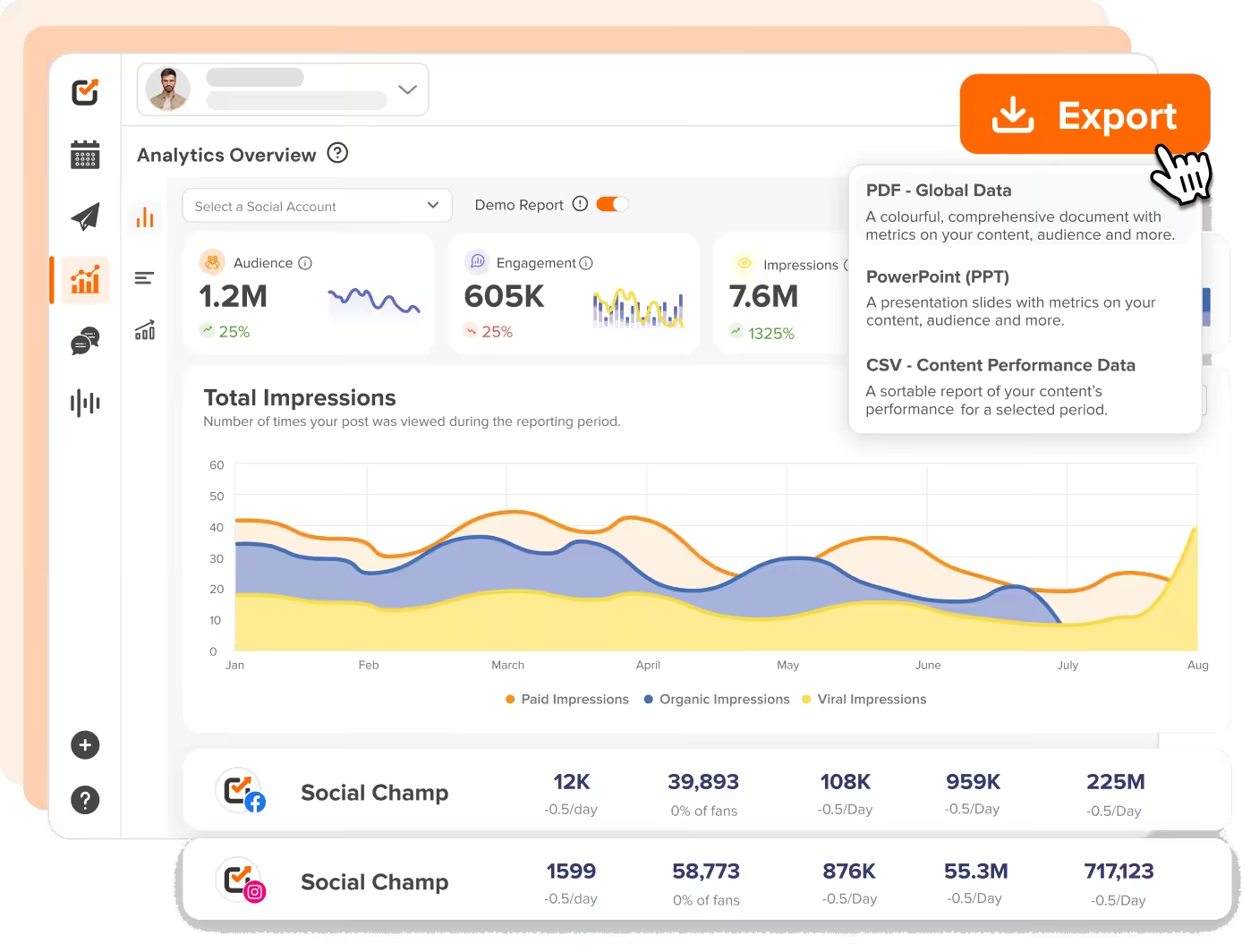
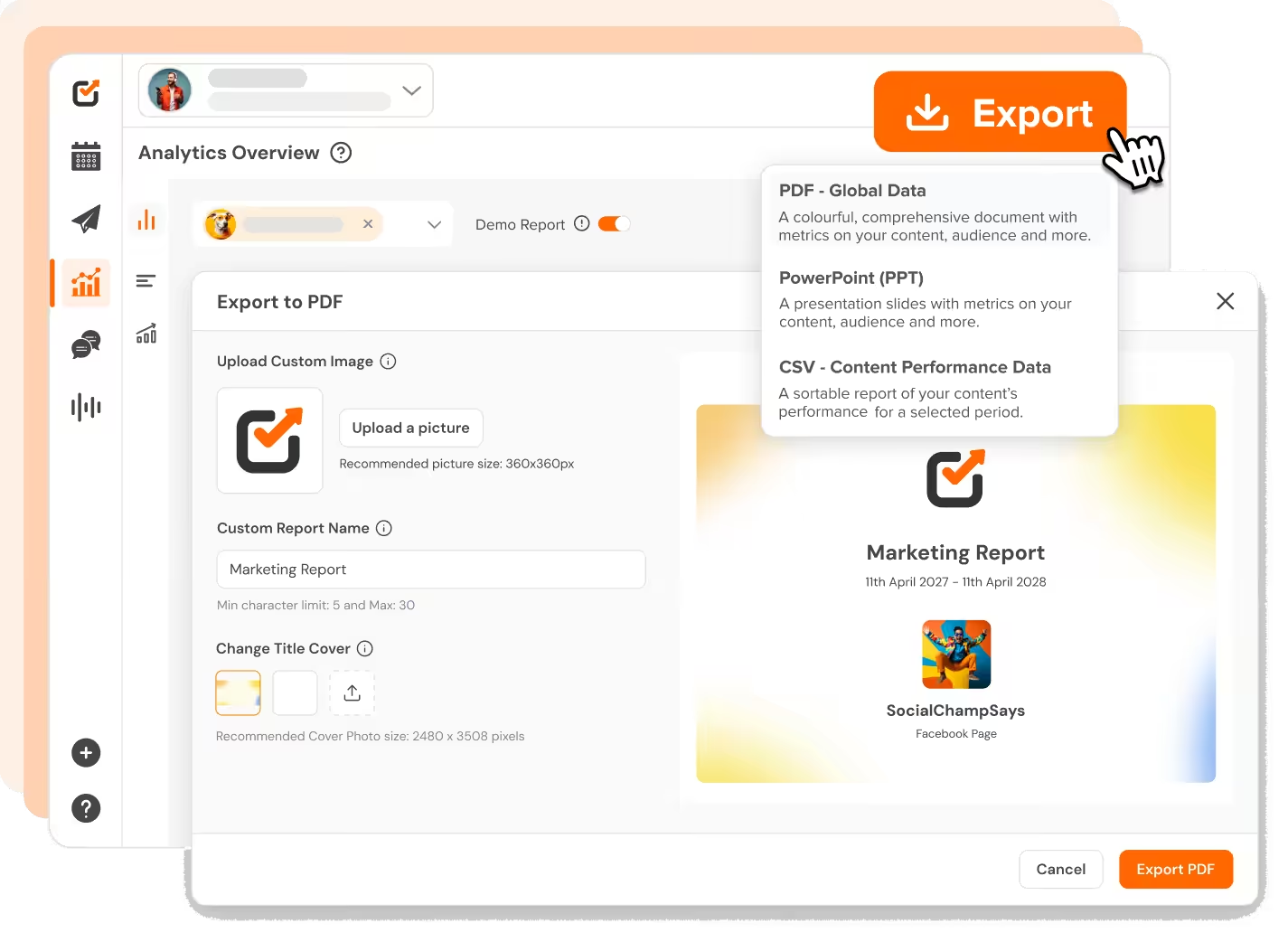
Upload your agency logo and a cover image when you export, and the report opens on your brand. Every chart inside stays automatic, so the branding costs you two clicks, not an afternoon.
Workspaces keep every client’s accounts, posts, and numbers separate. A report pulls only from the workspace you export it from, so a client never sees another client’s data.
The PPT export turns the same report into slides, one section per page. Walk into the monthly call with the numbers already formatted instead of screenshotting dashboards at midnight.
You can manage all your favorite social platforms via Social Champ
Start Free Trial


History kept long enough that year-on-year comparisons hold up.

Review and approve from the iOS and Android apps.

“Social Champ is the tool that I use the most for my social media efforts. It's the cleanest and most efficient tool that I've found.”

“Social Champ isn't just a usual scheduling tool - it satisfies your inner-geek, boosts productivity, & effectiveness for SMM.”

“Social Champ is an innovative solution that helps you publish your content in an intelligent way to maximize exposure.”

“Social Champ helped us grow our reach by 30% while making content planning, publishing, and collaboration effortless.”

Big-league tools. Small-league price.
Start Free TrialYour favorite tools work where you do.
You no longer have to jump between apps. Social Champ's integrations enable you to use your favorite tools within the app.







A useful client report covers audience growth, impressions, engagement, and top posts for the period, compared against the previous one. Social Champ’s exports include these per platform automatically. The cross-platform report adds a combined view, so the client sees the whole picture on one cover.
Open the analytics report you need, choose Export, and pick PDF or PPT. Add your logo and a cover image if you want the report branded, then confirm. The render runs on our servers and the finished file arrives in your email, usually within minutes.
Yes. Each export accepts a logo and a cover image before it renders, so the document a client opens starts with your brand. Persistent workspace-level branding is not available yet, which means you upload once per export rather than once per client.
Seven: the analytics overview, cross-platform rollups, post-label analytics, engage-label analytics, engage team performance, review and reputation, and social listening. Each exports to PDF and PPT from the same menu, and the finished file arrives by email once the render completes.
Not yet. Exports are generated on demand and emailed to you when the render completes, and there is no recurring schedule to configure today. For a live view between reports, shared calendar links give clients a no-login window into the current plan and its posts.
Plan, publish, and report across 12+ platforms.