HeyOrca is a great tool. Its calendar looks clean, and your clients can preview posts easily. But if you’re looking for the best HeyOrca alternatives, you might be hitting those little roadblocks that make you wonder if there’s something better out there.
Maybe you’re a small business finding that the monthly fees stretch your budget thin. Or you need to post on platforms that HeyOrca doesn’t support yet. If cost is the main worry, Social Champ has a Free plan, and its paid plans begin from $4/month.
That’s why I’ve researched HeyOrca competitors that might match your needs and budget better.
I’m about to introduce you to 8 platforms that could change the way you think about social media management.
Short Summary
- HeyOrca’s limited platform coverage pushes users to explore other options.
- Its workspace-based pricing becomes costly as teams grow.
- Some missing features, such as RSS feeds, may frustrate users.
- Social Champ offers an affordable, scalable, all-in-one management solution.
- Other tools like Later and Sendible cater to different team needs.
Still Managing Social Media the Hard Way?
Why Users Seek HeyOrca Alternatives
After researching and comparing HeyOrca with other alternatives, I found that there are some reasons why users may switch to other options.
Let me walk you through the main issues that push teams to look for HeyOrca alternatives.
-
Limited Platform Coverage
One of the main reasons is the limited platform coverage.
HeyOrca covers Facebook, Instagram, LinkedIn, TikTok, and Threads, but what happens when your client wants to expand to newer networks?
I’ve seen agencies scramble when they needed to add some channels’ features that weren’t available.
Apps like HeyOrca often focus on the big players and leave gaps elsewhere.
If you’re managing diverse clients, you might find yourself needing tools like HeyOrca that support more platforms from day one.
-
Pricing Challenges for Growing Teams
HeyOrca offers a workspace-based pricing model, which sounds great until you start scaling.
Adding new brands may cause a small agency’s costs to double. Each workspace means another monthly fee.
For growing businesses, this creates a tough choice: limit growth or find a cheaper HeyOrca alternative.
Usually, many businesses find that the tools with per-channel and user-based pricing cost less as they expand.
-
Feature Limitations
HeyOrca covers the basics well, but it lacks some features that some alternatives offer.
You won’t find Auto RSS feeds to pull content automatically. Twitter thread scheduling isn’t available either.
Additionally, there’s no built-in AI image generator to create visuals on the fly.
When you see HeyOrca similar tools offering these time-saving features, you start wondering what else you’re missing.
These aren’t deal-breakers for everyone. But if any of these issues sound familiar, exploring options that might be better than HeyOrca for your specific needs makes perfect sense.
Featured Article: Brandwatch Alternatives for Social Media Management
My Top HeyOrca Alternatives at a Glance
| HeyOrca Alternative | Best For | Starting Price |
| Social Champ | Agencies, Enterprises, and SMBs seeking flexible multi-channel management | $4/mo |
| Buffer | Solopreneurs and small businesses needing simple, cost-effective publishing | $5/channel/mo |
| Hootsuite | Enterprise brands and multi-account teams focusing on high-volume scheduling | $99/user/mo |
| Sprout Social | Data-driven marketing teams and corporate customer care units | $79/seat/mo |
| Later | Visual creators and Instagram/TikTok-focused content planners | $18.75/mo |
| Agorapulse | Mid-sized agencies and social managers prioritizing inbox and community management | $79/user/mo |
| Sendible | Client-focused marketing agencies needing customized reporting and scheduling | $35/mo |
| Loomly | Collaborative marketing teams requiring structured visual campaign planning | $49/mo |
Ready to Save Time and Sanity?
Top 8 HeyOrca Alternatives for 2026
Now, let’s talk about the platforms to find the best HeyOrca alternatives that actually solve the problems we discussed.
Here’s a curated list of 8 tools that offer better value, more features, or both.
-
Social Champ
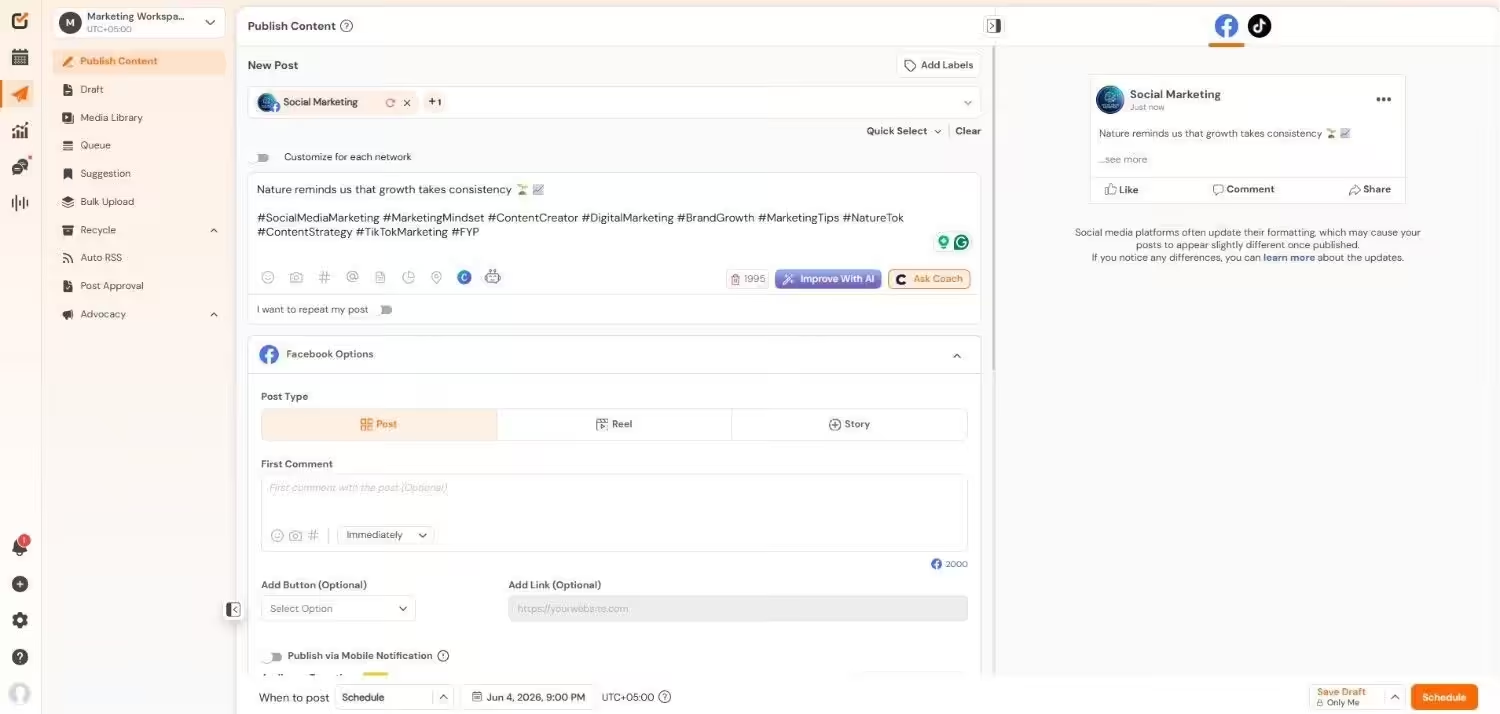
Social Champ’s Dashboard Social Champ tops my list, and for good reason.
This platform gives you everything HeyOrca offers, plus features that’ll make you wonder why you waited so long to switch.
Social Champ stands out because it combines powerful automation with a user-friendly interface.
You get enterprise-level features at small business prices. The platform handles everything from content creation to performance analysis without making you jump between different tools.
Most importantly, it scales with your business growth, instead of penalizing you with higher costs per calendar. For teams searching for HeyOrca alternatives for small business, Social Champ delivers serious value without the enterprise price tag.
Standout Features
- You can schedule posts across 12+ platforms with a bulk upload that saves hours of manual work.
- There’s a visual calendar that shows your entire content strategy at a glance with drag-and-drop editing.
- This feature allows you to track performance with detailed reports that actually help improve your strategy.
- You can manage all comments, messages, and mentions from one unified dashboard.
- There’s role-based access that lets team members work together without stepping on each other’s toes.
- It also allows you to monitor brand mentions and spy on competitor strategies automatically.
Pricing
Social Champ comes with two pricing models, including a Pay-Per-Profile and a Flat-Rate model.
Here’s what you get in the Pay-Per-Profile:
- Starter, which costs $4 and has 1 user. In this plan, you can manage 1 social account.
- Growth, which costs $8 and has unlimited users. In this plan, you can manage 1 social account.
These plans also offer discounts as you scale. Here’s how much you can save in the Starter:
- For 1-10 social accounts: $4
- For 11-20 social accounts: $3
- For 21-40 social accounts: $2
- For 41+ social accounts: $0.50
Here’s how much you can save in the Growth:
- For 1-10 social accounts: $8
- For 11-20 social accounts: $3.50
- For 21-40 social accounts: $2.50
- For 41+ social accounts: $1
With Social Champ, you also get Flat-Rate bundles, which are:
- Free, which costs $0 and has 1 user. In this plan, you can manage 3 social accounts.
- Standard, which costs $23 and has 2 users. In this plan, you can manage 6 social accounts. This plan also comes with add-ons for accounts. You can add another account for $5/account.
- Professional, which costs $47 and has 5 users. In this plan, you can manage 12 social accounts. This plan also comes with add-ons for accounts. You can add another account for $4/account and pay $8/user for another user.
- Agency, which costs $119 and has unlimited users. In this plan, you can manage 30 social accounts. This plan also comes with add-ons for accounts. You can add another account for $3/account.
- Enterprise, which is Custom and has unlimited users. In this plan, you can manage unlimited social accounts.
Social Champ also supports: Instagram, Facebook, TikTok, LinkedIn, YouTube, Threads, Pinterest, X, Google Business Profile, Bluesky, Mastodon, and WhatsApp Business
Why Do It Manually When You Can Automate It?
Let Social Champ handle the busywork while you focus on creative strategy. Try it now! -
Buffer
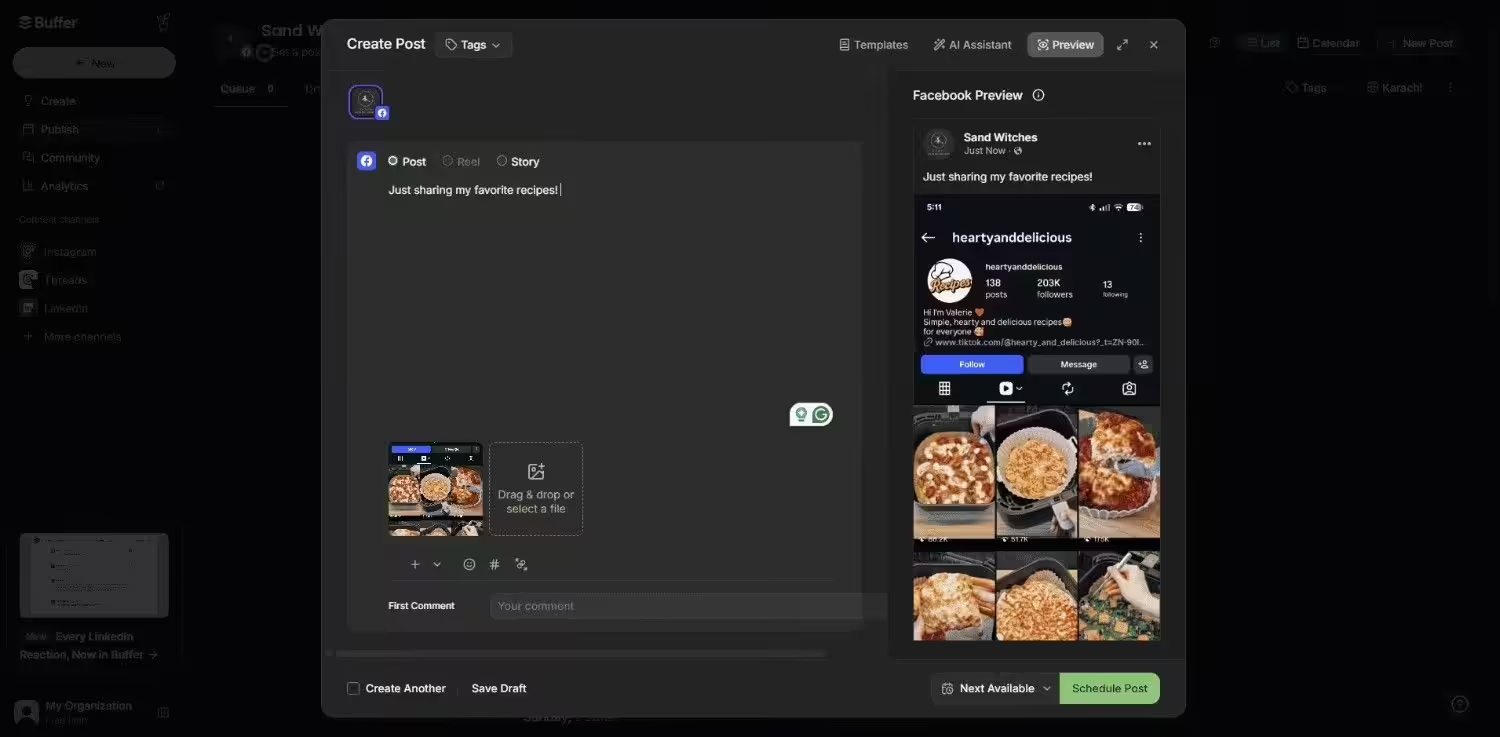
Buffer’s Dashboard If you value simplicity, Buffer is a solid choice among free HeyOrca alternatives and paid options. I appreciate how Buffer focuses on core features without overwhelming you with options.
Standout Features
- You can create posts with built-in editing tools that polish your content before publishing.
- There’s auto-scheduling that posts content when your audience is most active.
- It allows you to track clicks, engagement, and reach with a clean, easy-to-read report.
- You can respond to comments and messages directly from the Buffer dashboard.
- There are team approval workflows that keep everyone aligned without endless email chains.
Pricing
Buffer offers three plans, including:
- Free, which costs $0 and has 1 user. In this plan, you can manage 3 social accounts.
- Essentials, which costs $5 and has 1 user. In this plan, you can manage 1 social account.
- Team, which costs $10 and has Unlimited users. In this plan, you can manage 1 social account.
Buffer also supports: Facebook, Instagram, X, Bluesky, Google Business Profile, LinkedIn, Mastodon, Pinterest, Threads, TikTok, and YouTube
-
Hootsuite
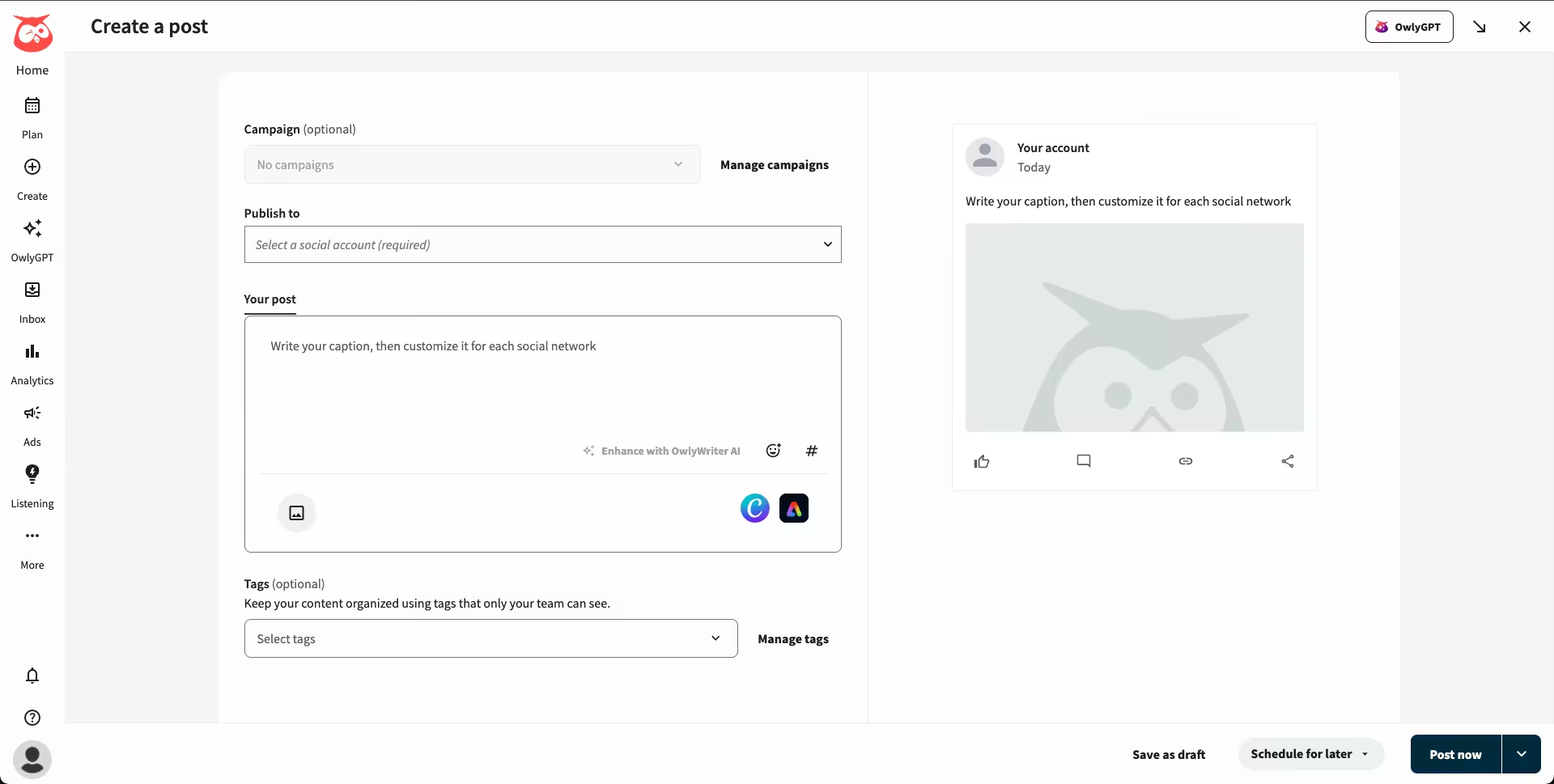
Hootsuite’s Dashboard When people ask about HeyOrca vs enterprise-grade platforms, Hootsuite is often the first to come to mind. It’s been around forever and shows up for larger companies.
Standout Features
- You can schedule posts across multiple networks with content creation tools built right in.
- There’s comprehensive reporting that shows ROI across all your social channels.
- Its social listening feature allows you to monitor brand mentions and industry trends in real-time.
- You can also create, manage, and track social media ads from the same dashboard as organic content.
Pricing
Hootsuite offers four plans, including:
- Standard, which costs $99 and has 1 user. In this plan, you can manage 10 social accounts.
- Professional, which costs $199 and has 1 user. In this plan, you can manage Unlimited social accounts.
- Advanced , which costs $399 and has 1 user. In this plan, you can manage Unlimited social accounts.
- Enterprise, which is Custom and has Unlimited users. In this plan, you can manage Unlimited social accounts.
Hootsuite also supports: Facebook, Instagram, TikTok, LinkedIn, X, YouTube, Pinterest, Threads, WhatsApp, Google Business Profile, and Bluesky.
-
Sprout Social
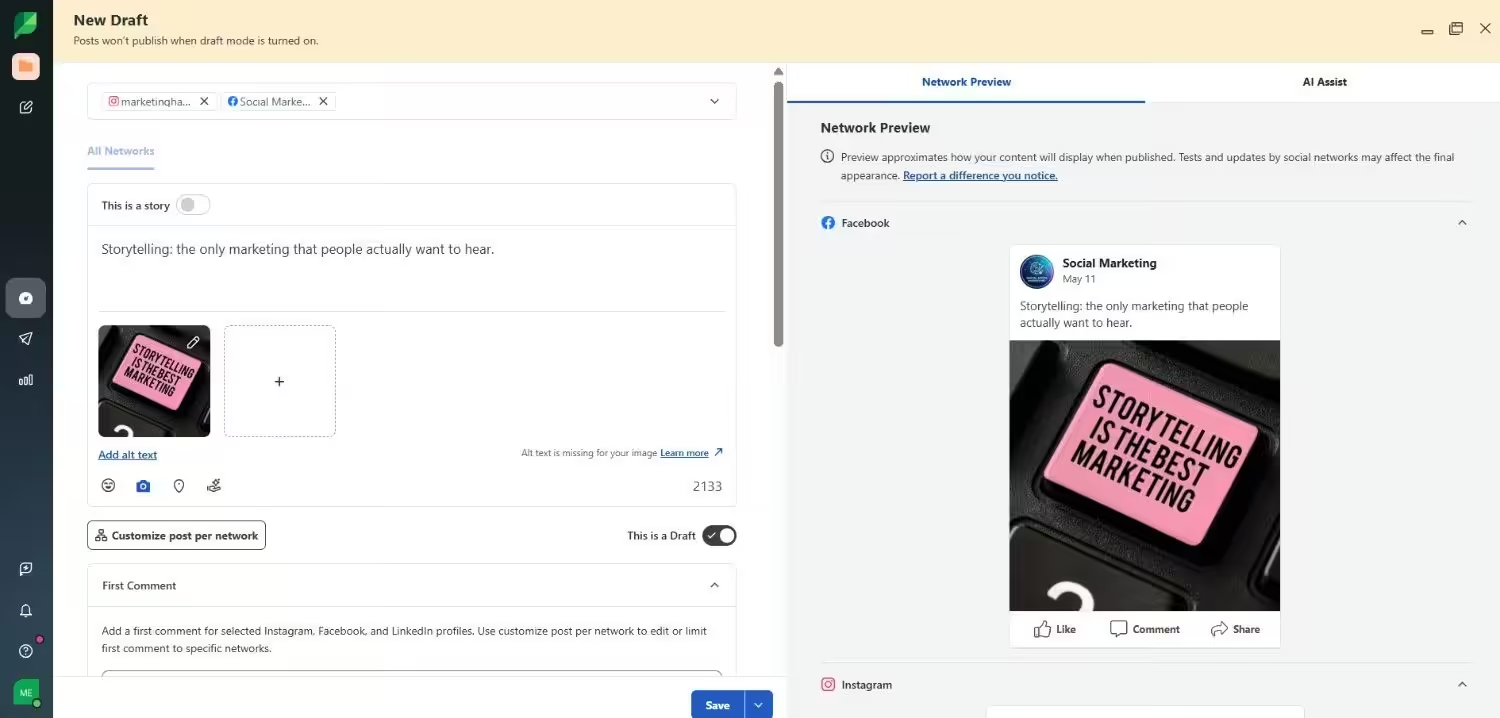
Sprout Social’s Dashboard Sprout Social positions itself as a premium HeyOrca alternative. The price reflects that positioning, but you get enterprise-level features that justify the cost for larger teams.
Standout Features
- You can schedule posts with optimal timing suggestions based on audience activity.
- There’s a unified inbox that turns customer service into relationship-building opportunities.
- It allows you to create custom reports that prove social media ROI to stakeholders.
- You can also assign tasks, set permissions, and track team productivity from one dashboard.
Pricing
Sprout Social offers five plans, including:
- Essentials, which costs $79 and has 1 user. In this plan, you can manage 5 social accounts.
- Standard, which costs $199 and has 1 user. In this plan, you can manage 5 social accounts.
- Professional, which costs $299 and has 1 user. In this plan, you can manage unlimited social accounts.
- Advanced, which costs $399 and has 1 user. In this plan, you can manage unlimited social accounts.
- Enterprise, which is custom and has custom users. In this plan, you can manage unlimited social accounts.
Sprout Social also supports: Facebook, Instagram, X, LinkedIn, Pinterest, TikTok, YouTube, Threads, Bluesky, WhatsApp, Reddit, Tumblr, and Google Business Profile
-
Later
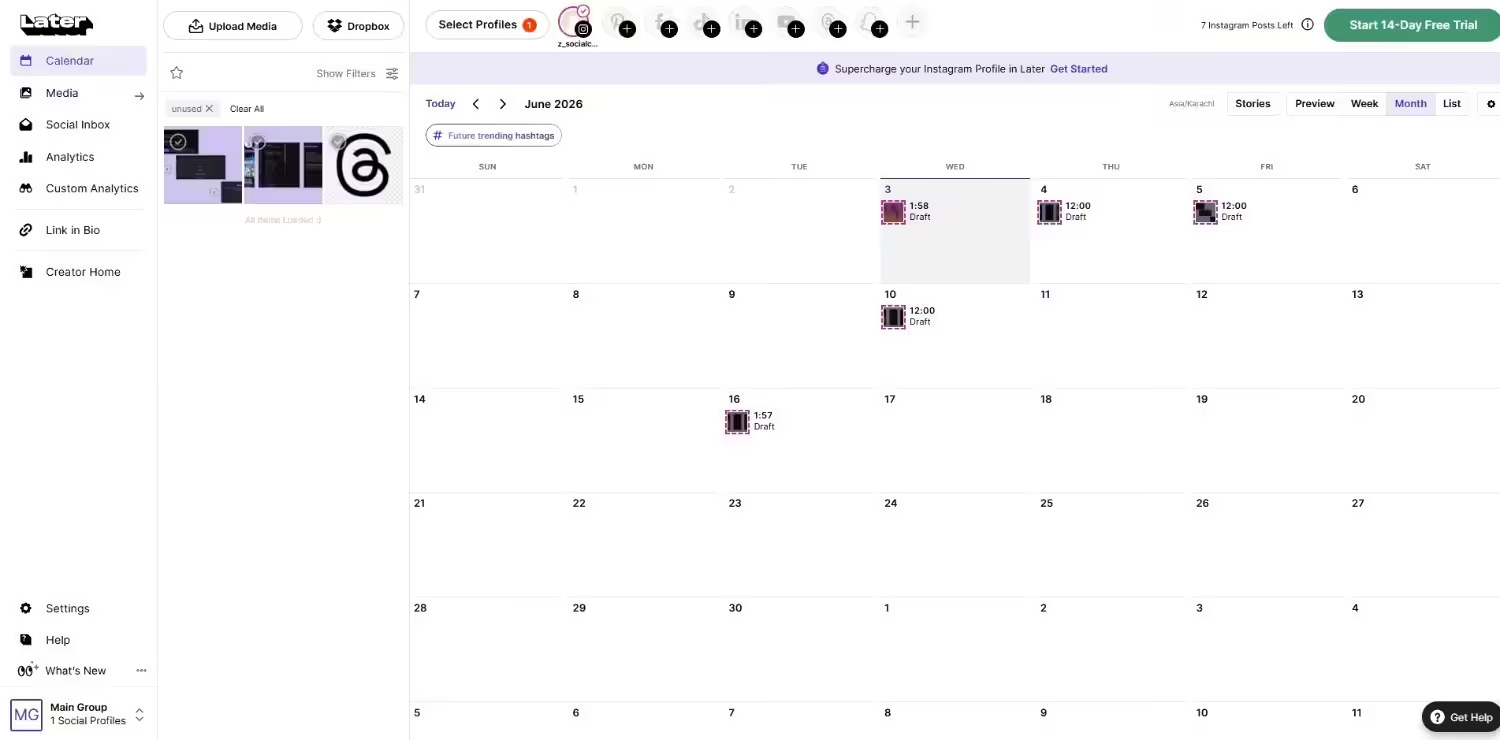
Later’s Dashboard Later started as an Instagram scheduler and expanded from there. It’s one of the more affordable alternatives to HeyOrca while maintaining solid functionality.
Standout Features
- It lets you plan your Instagram feed visually and schedule posts to go live automatically.
- There’s AI-powered caption writing that creates engaging copy based on your images.
- Its content creation tools allow you to edit photos and create Stories without leaving the platform.
- You can track which posts drive the most website traffic and sales.
- There are approval workflows that keep content quality high across team members.
- You can also manage comments and DMs from all connected accounts in one place.
- With its social listening feature, you can find user-generated content and track brand mentions.
- It also allows you to turn your Instagram bio into a clickable landing page that drives traffic.
Pricing
Later offers four plans, including:
- Free, which costs $0 and has 1 user. In this plan, you can manage 8 social accounts.
- Starter, which costs $18.75 and has 1 user. In this plan, you can manage 8 social accounts.
- Growth, which costs $37.50 and has 2 users. In this plan, you can manage 16 social accounts.
- Scale, which costs $82.50 and has 4 users. In this plan, you can manage 48 social accounts.
Later also supports: Instagram, Facebook, Threads, Pinterest, TikTok, LinkedIn, YouTube, and Snapchat.
-
Agorapulse
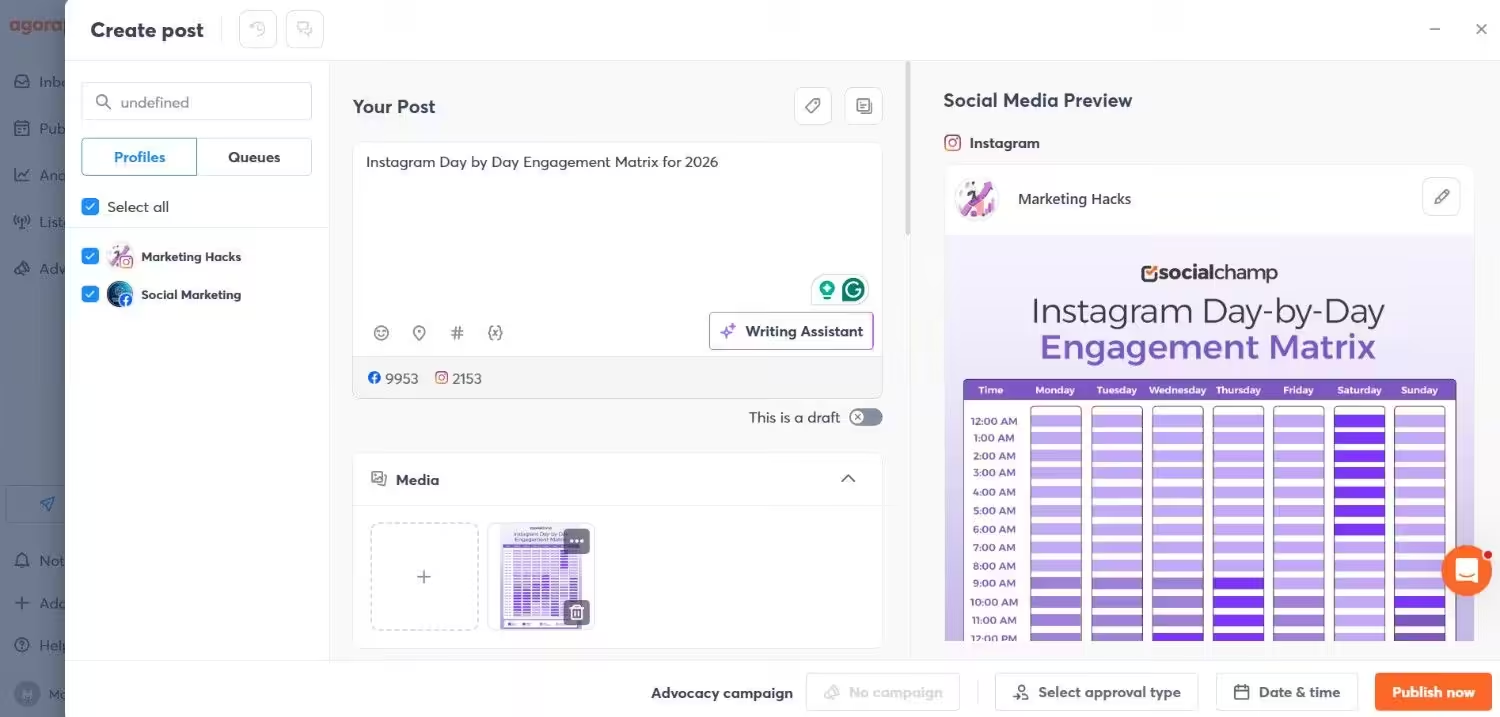
Agorapulse’s Dashboard Agorapulse strikes a nice balance between features and usability.
French-built but globally focused, it offers capabilities that make it a strong HeyOrca alternative for many use cases.
Standout Features
- Agorapulse allows you to schedule posts with smart queuing that automatically finds the best posting times.
- There are team assignment features that distribute workload evenly across your team.
- Its productivity feature allows you to bulk schedule content and automate repetitive tasks.
- You can manage all social interactions from a unified inbox with response templates.
- There’s brand monitoring that alerts you when people mention your company online.
- You can also create white-label reports that impress clients with a professional presentation.
Pricing
Agorapulse offers four plans, including:
- Standard, which costs $79 and has 1 user. In this plan, you can manage 10 social accounts.
- Professional, which costs $119 and has 1 user. In this plan, you can manage 10 social accounts.
- Advanced, which costs $149 and has 1 user. In this plan, you can manage 10 social accounts.
- Custom, which is Custom and has Custom users. In this plan, you can manage Unlimited social accounts.
Agorapulse also supports: Facebook, Instagram, Threads, X, LinkedIn, YouTube, Pinterest, Google Business Profile, TikTok, Bluesky, and Reddit
-
Sendible
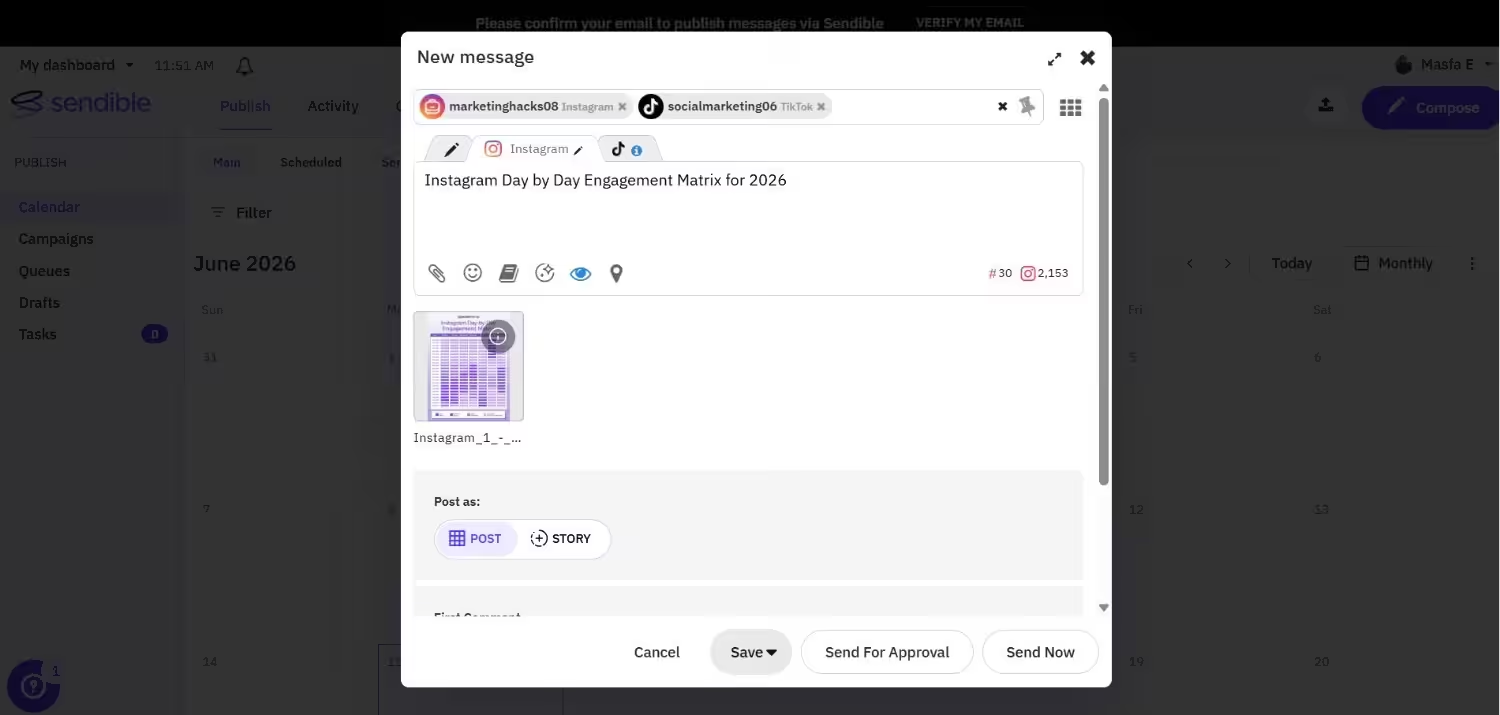
Sendible’s Dashboard If you own an agency, then Sendible is a great option as it targets agencies specifically.
The feature set reflects that focus, which makes it one of the best HeyOrca competitors that actually understands agency workflows.
Standout Features
- You can schedule content across multiple client accounts with bulk upload capabilities.
- Its content discovery tools help you find trending topics in your clients’ industries.
- It allows you to assign client accounts to specific team members with role-based permissions.
- You can manage all client social interactions from one dashboard with response tracking.
- There’s also white-label reporting that presents your work under your agency branding.
Pricing
Sendible offers five plans, including:
- Core, which costs $35 and has unlimited users. In this plan, you can manage 6 social accounts.
- Plus, which costs $99 and has unlimited users. In this plan, you can manage 18 social accounts.
- Premium, which costs $199 and has unlimited users. In this plan, you can manage 42 social accounts.
- Elite, which costs $299 and has unlimited users. In this plan, you can manage 90 social accounts.
- Enterprise, which costs $750 and has unlimited users. In this plan, you can manage 300 social accounts.
Sendible also supports: Facebook, Instagram, TikTok, X, LinkedIn, Google Business Profile, YouTube, Threads, and Bluesky
-
Loomly
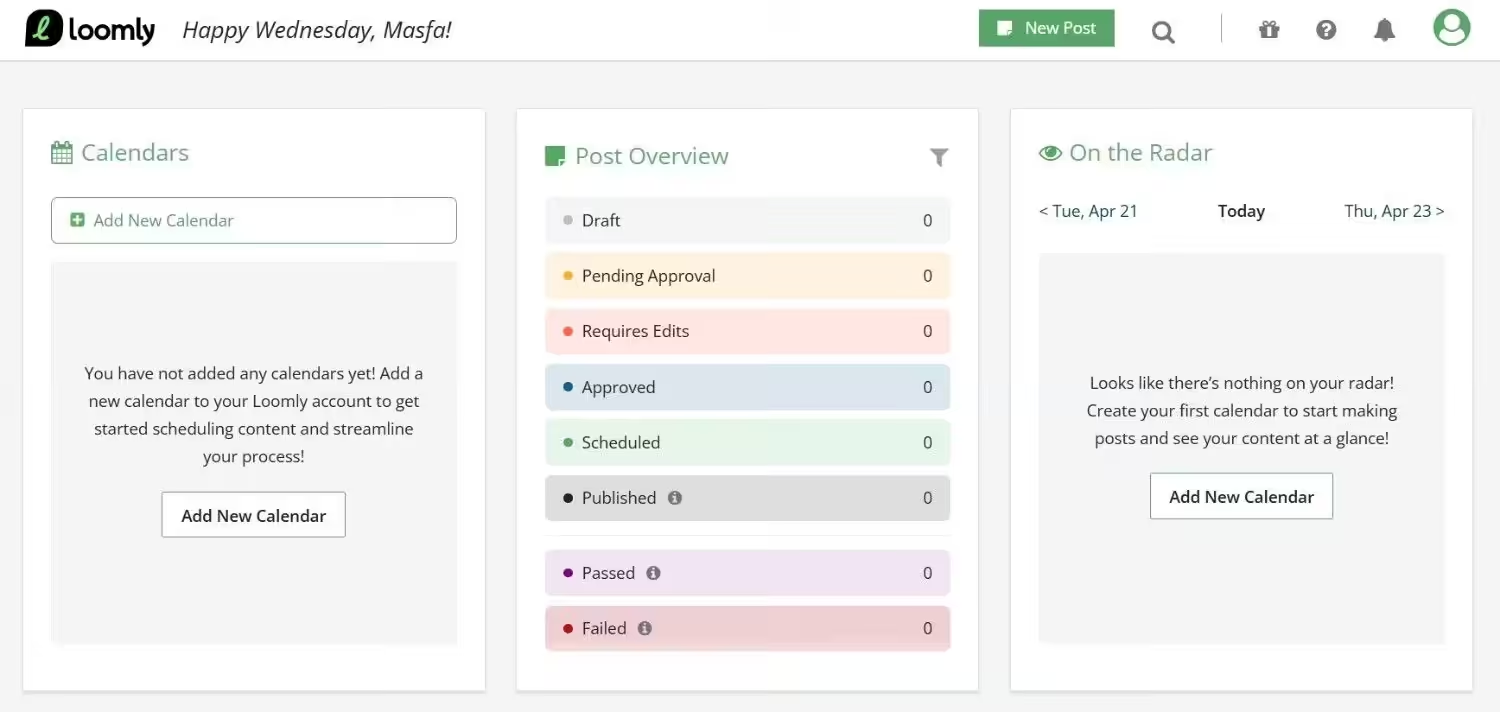
Loomly’s Dashboard Loomly brings content inspiration to social media management. If your team struggles with content ideas, this might be the perfect HeyOrca alternative for creative teams.
Standout Features
- You can schedule posts with optimization tips that improve engagement before publishing.
- Its approval workflows ensure content quality while maintaining posting schedules.
- The content creation feature allows you to create posts with built-in templates and brand asset libraries.
- You can also respond to comments and messages directly from your content calendar.
- There are performance analytics that show which content types work best for your audience.
Pricing
Loomly offers four plans, including:
- Free, which costs $0 and has 1 user. In this plan, you can manage 3 social accounts.
- Starter, which costs $49 and has 3 users. In this plan, you can manage 12 social accounts.
- Beyond, which costs $249 and has Unlimited users. In this plan, you can manage 60 social accounts.
- Enterprise, which is Custom and has Unlimited users. In this plan, you can manage 61+ social accounts.
Loomly also supports: Instagram, LinkedIn, Facebook, TikTok, YouTube, Threads, Google Business Profile, Pinterest, and Snapchat
Each of these HeyOrca similar tools brings something different to the table. Your choice depends on your specific needs, team size, and budget. The key is finding the platform that fits your workflow instead of forcing your workflow to fit the platform.
Featured Article: Best Post Planner Alternatives
Choosing the Right HeyOrca Alternative for Your Needs
When you find the perfect platform among all these HeyOrca alternatives, the process doesn’t have to feel overwhelming.
Let me walk you through some examples so you can see yourself in these situations and choose the right option according to your needs.
-
Budget-Conscious Teams and Startups
Let’s say you’re running a small marketing agency with three clients and a monthly budget of around $200 for tools.
Here’s what I’d recommend. You can start with Social Champ’s and Later’s free plans to test the waters. Social Champ also offers you budget-friendly options with its plan Starter, which costs $4.
You get enterprise-level features and AI tools that make you look more professional than your budget suggests.
-
Growing Agencies Managing Multiple Clients
Now, picture this scenario.
You started with three local restaurants and now manage twelve clients. HeyOrca’s workspace pricing means you’re paying $600/month just for scheduling. That’s eating your profit margins.
With other tools, such as Social Champ, you can manage all three clients without having to pay that much. HeyOrca vs flat-rate or per-profile pricing can mean the difference between profit and loss at scale.
-
Enterprise Teams Needing Advanced Features
Let’s think about a Fortune 500 company with legal compliance requirements.
You need approval workflows and Salesforce integration. Your IT department has security requirements that rule out smaller platforms.
Sprout Social, Social Champ, and Hootsuite make sense here despite higher costs.
Yes, you’ll pay $99+ per user, but you avoid explaining to legal why your tool doesn’t track content approvals.
-
Content-Heavy Teams Struggling With Ideas
Here’s a common situation.
You manage B2B software social media, posting five times daily. By Wednesday, you’re staring at blank calendars.
In this case, Loomly can help you with its content suggestions based on trending topics.
Leave HeyOrca Behind.
Conclusion
You’ve got 8 solid HeyOrca alternatives to choose from, each solving different problems.
The truth is, there’s no one-size-fits-all solution. Your perfect platform depends on your budget, team size, and specific pain points.
If you’re budget-conscious, Social Champ at $4/month per channel gives you enterprise features without the enterprise price tag.
For advanced features when budget isn’t your concern, Sprout Social or Hootsuite delivers enterprise-grade capabilities.
The key is matching your workflow to the platform, not the other way around.
Take advantage of free trials also. You can test the features that matter most to your daily operations.