

Okay, so you’re here after getting tired of scrolling through Reddit threads, G2 reviews, and YouTube comparison videos just to find an answer to the Hootsuite vs Sprout Social question?
Don’t worry. I tested both tools and wrote this guide so you don’t have to spend time thinking which one deserves your money.
Let me give you the tea. Hootsuite pricing starts at $99/month for one user only. On the other hand, Sprout Social starts at $79/month for one user, too.
That means both tools are already expensive and get more expensive when you add an extra team member. Also, both are rich in features that you’ll pay for but never use.
In this guide, I’m going to show you:
- An honest look at both tools and who they serve
- A real feature comparison that skips the marketing spin
- Where both tools provide a better value, and where they don’t
- A third option that might save you thousands per year
Before you drop your credit card on either platform, test a tool (Social Champ) without the commitment, with no credit card required. Try it for free!
Short Summary
- Hootsuite starts at $99/month and lets you post on 11+ networks. Sprout Social starts at $79/month and also supports 11+ networks.
- Sprout Social’s reports look like they came from a design agency. Hootsuite’s reports look like they came from a spreadsheet. Both give you the same data.
- Both tools charge per user. A five-person team pays rent money every year just to schedule posts.
- Sprout Social’s inbox loads faster and makes more sense. Hootsuite’s inbox has more features, but hides them in menus.
- Social Champ does 80% of what both tools do at 20% of the price. I tested it. It works.
- Don’t buy the most expensive tool. Buy the tool your team will actually use.
A Quick Overview of Hootsuite vs Sprout Social
First, let me give you a quick overview of both tools. Since you already know what social media management is, I will tell you what these two deliver.
What Is Hootsuite?
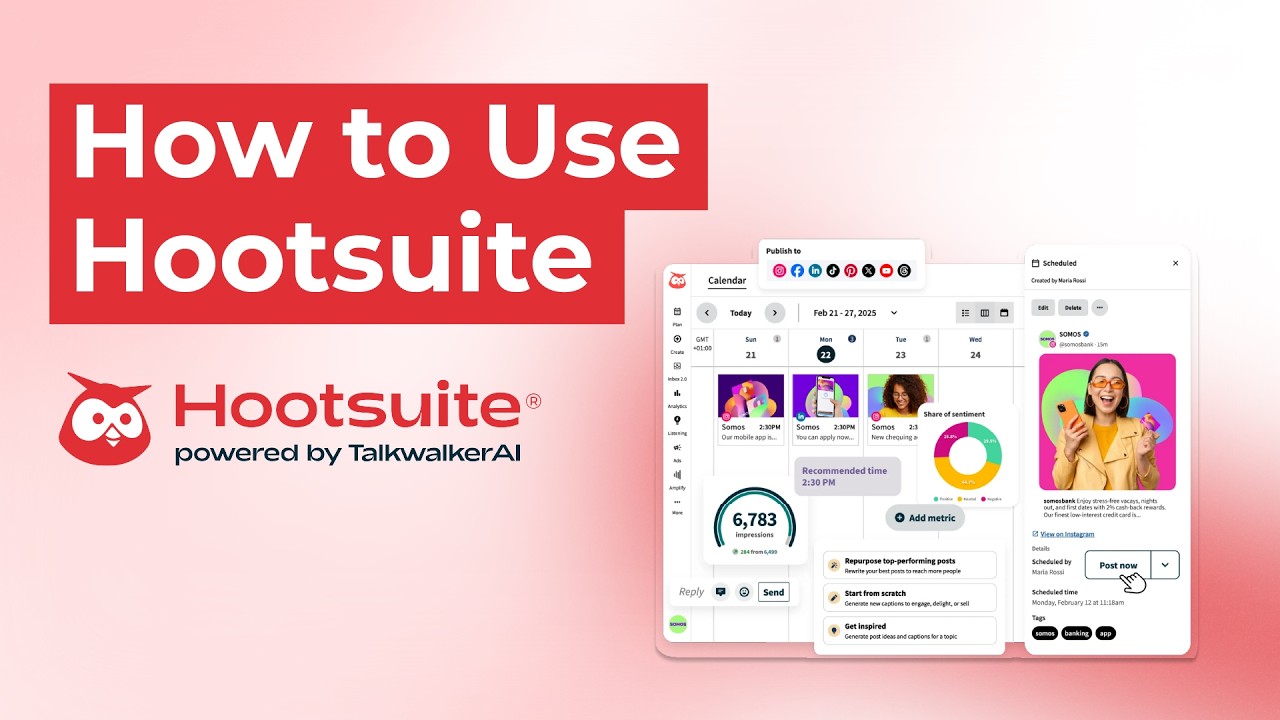
You may already know that Hootsuite has been around since 2008. It has developed from a simple scheduler to a massive platform that now does everything. It lets you connect over 11 social media platforms, including Facebook, Instagram, TikTok, LinkedIn, X, YouTube, Pinterest, Threads, WhatsApp, Google Business Profile, and Bluesky.
When I dug into Hootsuite’s feature list, I found that this platform offers AI content generation through Wisdom, a centralized social inbox, advanced analytics with competitor tracking, and social listening with 13 months of historical data.
Additionally, it has employee advocacy tools, multi-step approval workflows, message masking for data security, and collision detection so the team members don’t reply to the same message.
Basically, the platform is best for medium to large businesses and enterprises. So, if you have a team of 10 people who manage 50 accounts, Hootsuite is a good fit. But if you’re an individual who works alone, this tool isn’t your thing.
Featured Article: Brand24 vs Mention: The Honest Comparison From a Team That Has Tried Both
What Is Sprout Social?

And when it comes to Sprout Social, it has a clean, green dashboard. When I used this tool, I realized why people pay for such premium platforms. This green platform was founded in 2010 and is now famous for its polished analytics and a smart inbox that really makes sense.
Sprout Social also connects to 11+ platforms, including Facebook, Instagram, X, LinkedIn, Pinterest, TikTok, YouTube, Threads, Bluesky, WhatsApp, Reddit, Tumblr, and Google Business Profile
What I found in Sprout Social’s feature list is that it offers a unified smart inbox, advanced social listening with sentiment analysis, competitor analysis, and detailed audience demographics.
In addition, it offers automated chatbots, employee advocacy tools, custom report builders, and CRM integrations.
The tool is best for medium- to large-sized businesses, data-driven marketing teams, and agencies that need to produce reports for clients. That means, if you want weekly performance charts in a PDF to send to your boss, Sprout Social makes that easy. But if you just need to schedule memes for your small business, you’ll pay for features you’ll never use.
Read the full Buffer vs Social Champ breakdown to see how the budget champ stacks up against the OG scheduler.
Sprout Social vs Hootsuite: Key Differences at a Glance
Now that you’ve got an overview of both tools, let’s get into the details that I compared for you.
Scheduling and Publishing
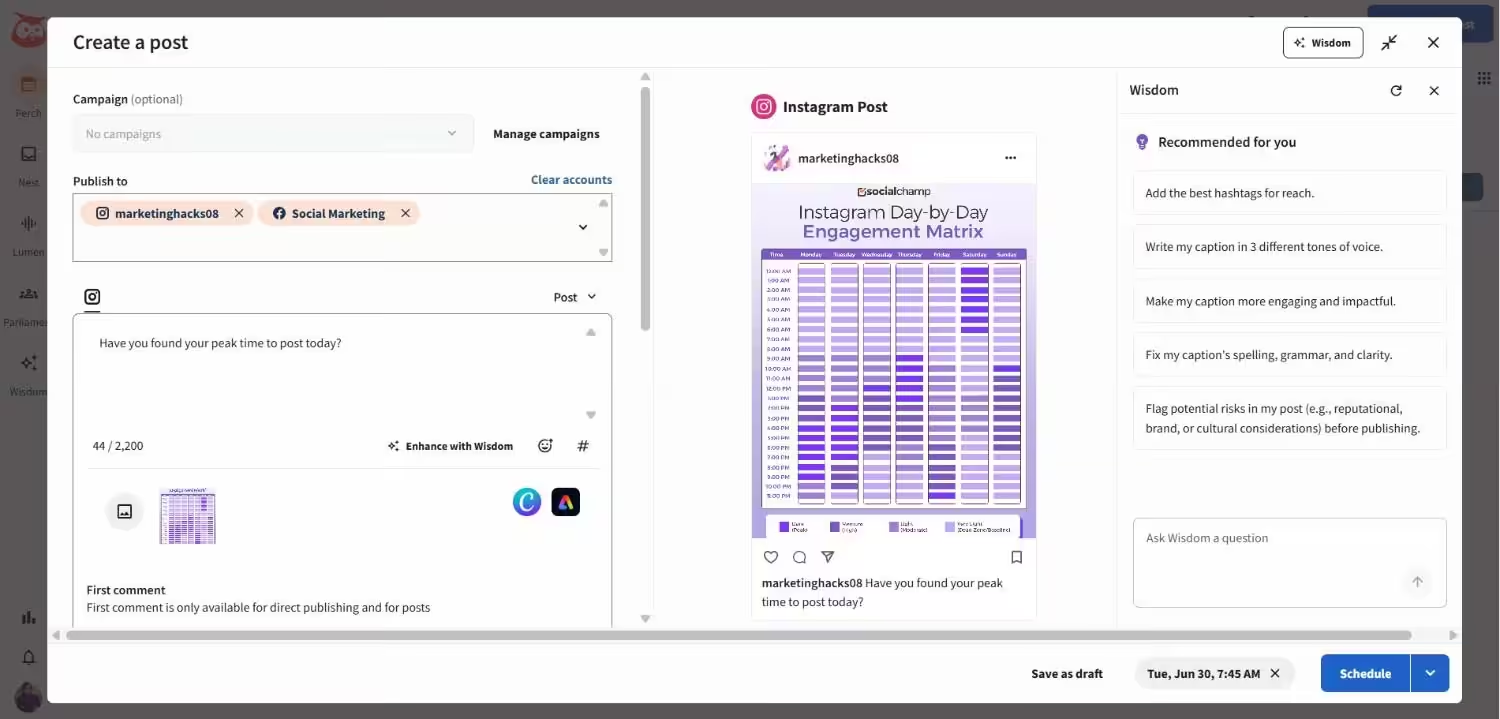
Let’s start with the basics. When you open Hootsuite, it hits you with the massive composer. You can connect 11+ platforms, upload in bulk, and schedule unlimited posts. Also, there’s a Canva integration built right in.
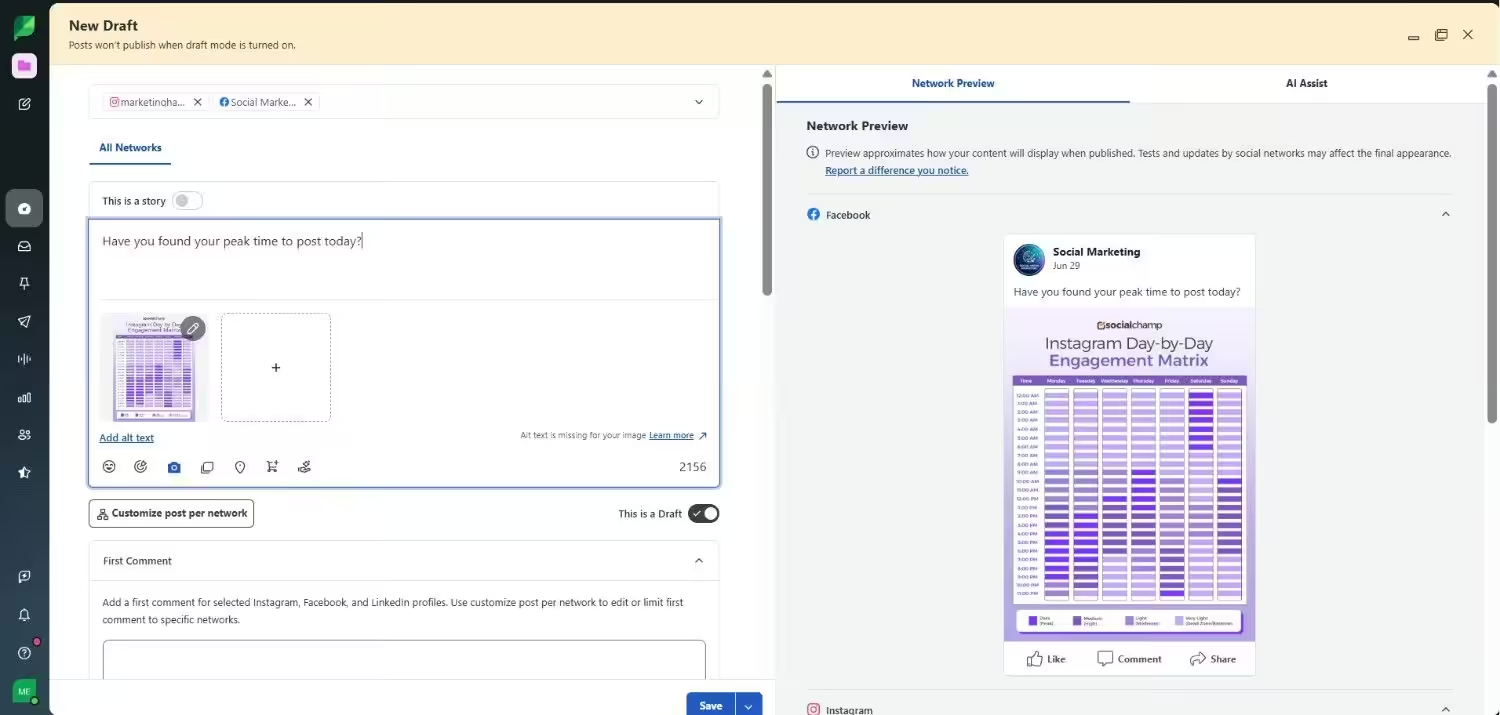
Sprout Social also lets you connect to over 11 platforms. Here, you’ll get a calendar to map out your whole week, queue automation, and Instagram grid planning. You can schedule your content for more than a week within 10 minutes.
Both platforms are good in their own way at scheduling and publishing. However, if your focus is only on scheduling, these tools are too much for your needs.
If you compare Buffer vs Later, you’ll know that both tools are obsessed with visual scheduling, while Sprout Social is more focused on analytics, and Hootsuite feels more like a command center.
| Feature | Hootsuite | Sprout Social |
|---|---|---|
| Networks | 11+ | 11+ |
| Bulk Scheduling | Up to 350 posts | Limited |
| Visual Planner | Yes | Yes |
| Stories/Reels Scheduling | Yes | Yes |
Social Inbox
If I talk about Hootsuite’s social inbox, it pulls messages from Facebook, X, LinkedIn, Instagram, and WhatsApp. You can assign stuff to teammates. You can hide sensitive data with message masking. Additionally, there’s collision detection, so that two team members don’t reply to the same DM.
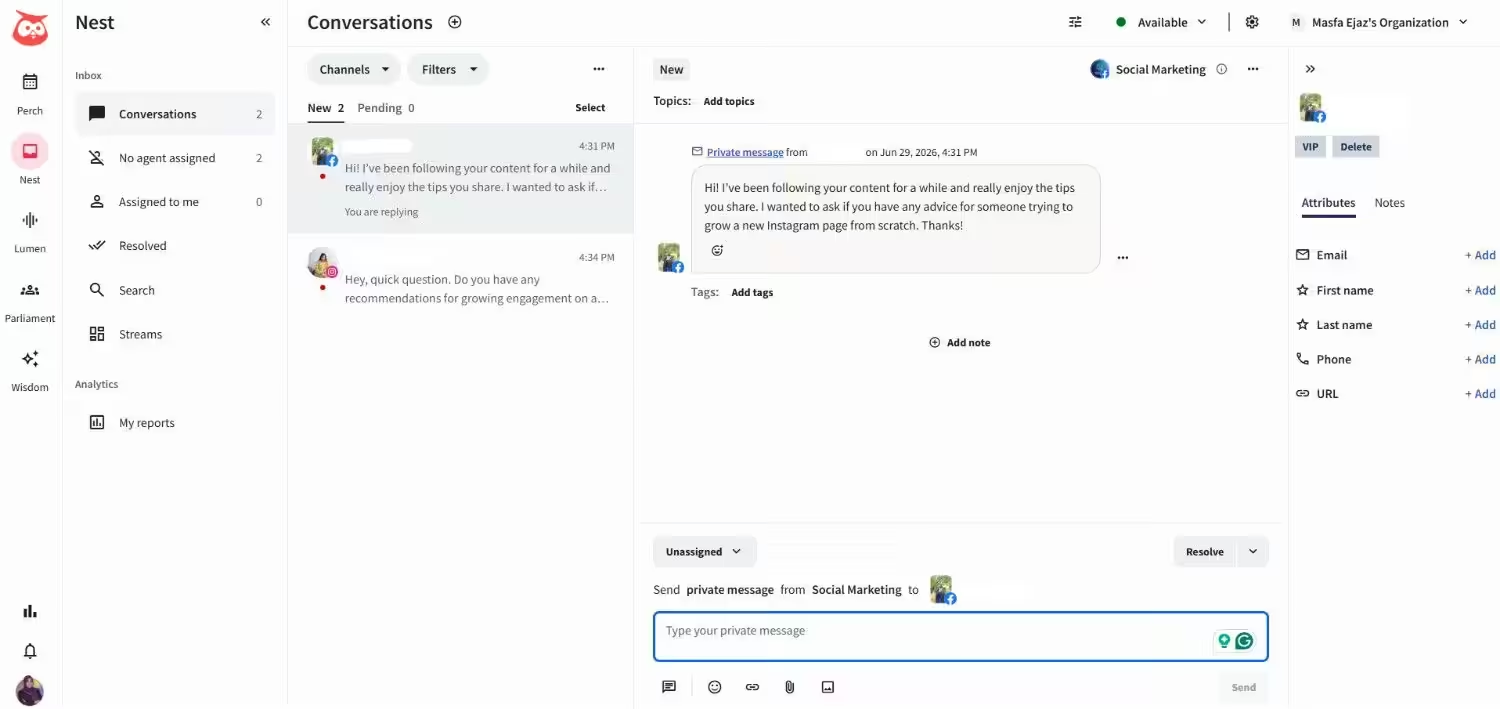
And when it comes to Sprout Social’s smart inbox, it’s one of the best things I have tested. It’s a unified inbox, where you can manage messages, comments, and replies across Facebook, Instagram, X, LinkedIn, and TikTok. You can even sort by message type, tag everything, and sync with Salesforce or HubSpot.
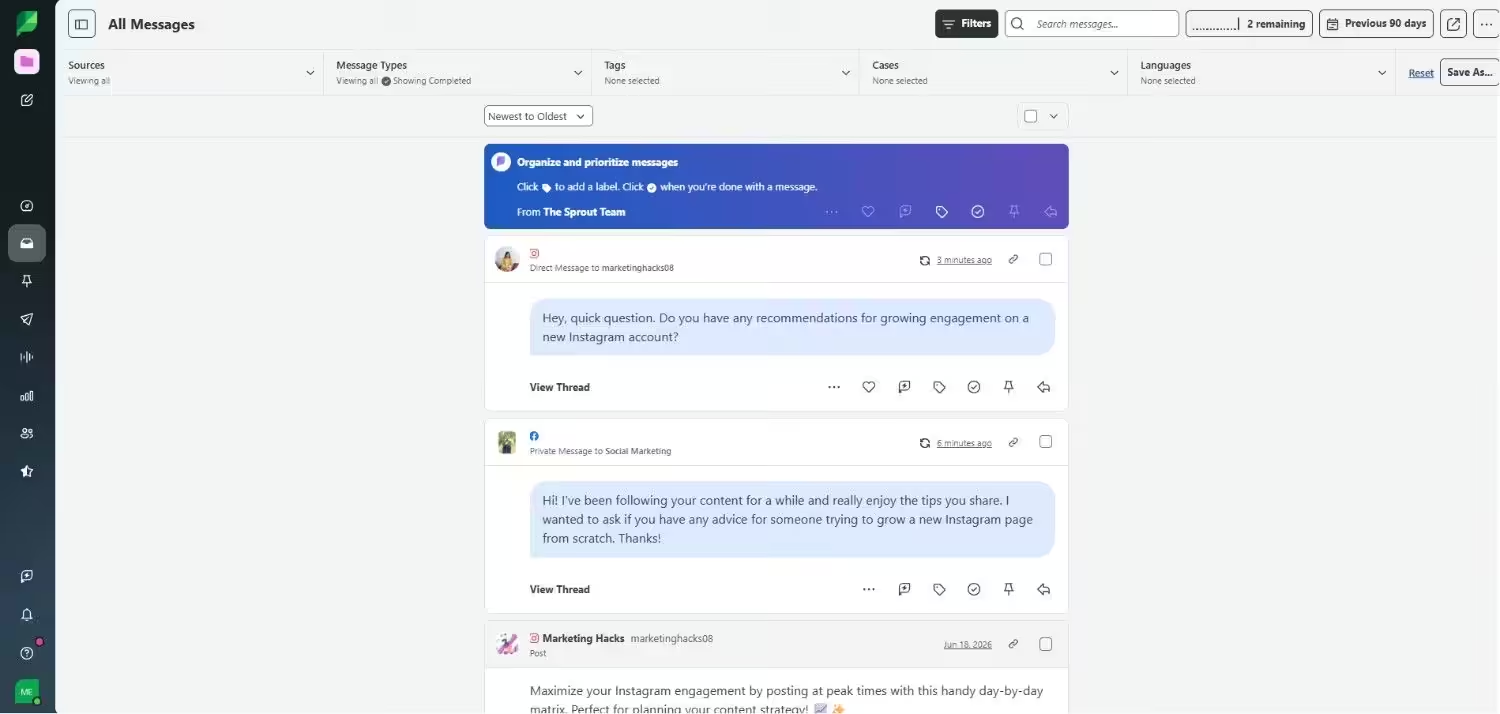
I compared both, and I feel Sprout Social’s inbox loads faster, and its filters really make sense. On the other hand, Hoosuite’s inbox hides features in menus. You’ll take longer to find the features you want to use.
The things that I liked about each inbox are:
- Hootsuite (Message masking for sensitive data and collision detection)
- Sprout Social (Clarity in filters, loads faster, and CRM integrations)
Analytics and Reporting
At Hootsuite, you’ll get cross-platform analytics, competitor tracking, team performance metrics, and ROI reporting for paid campaigns. It also offers pre-built templates and custom report builders.
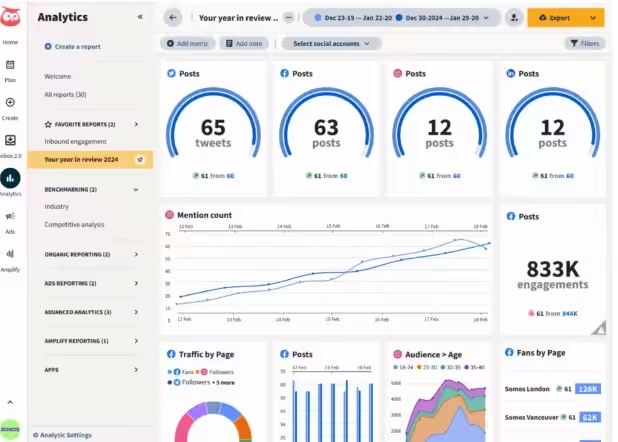
You can also schedule automated reports to email your clients or boss weekly. And if you need white-label reports, you can get them on higher-tier plans.
On the other hand, Sprout Social provides audience demographics and engagement trends that you can read easily, competitor analysis that shows you where you stand, custom reports with your brand colors, and PDF exports that look professional.
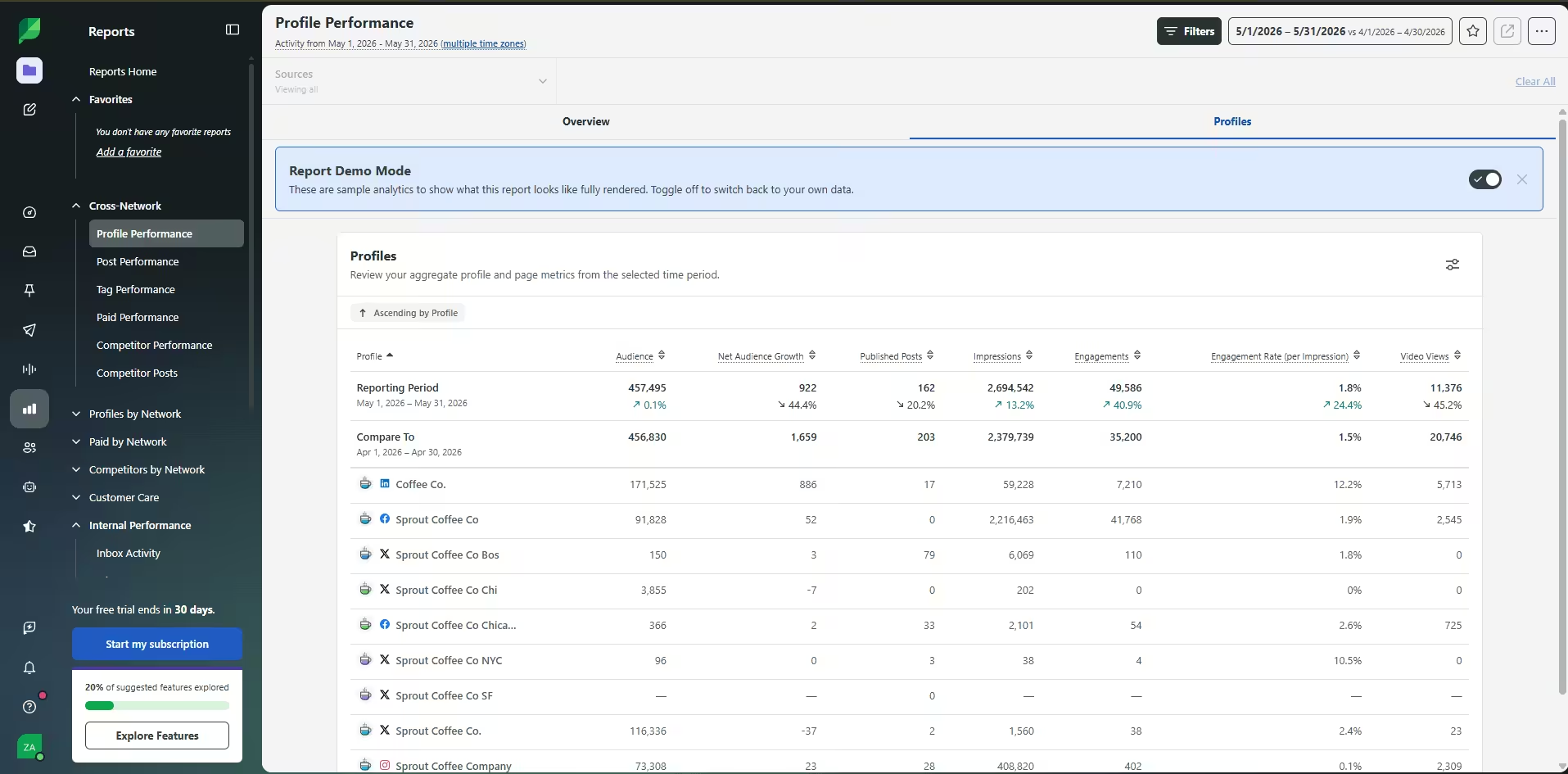
I realized that Sprout Social’s reports are easier to digest than Hootsuite’s. While Hootsuite provides you with more numbers, you have to work harder to find the point.
Earlier, I compared Sprout Social and Social Champ and found that Sprout Social’s reports are good, but Social Champ can give you the same insights without draining your budget.
| Feature | Hootsuite | Sprout Social |
|---|---|---|
| Custom Reports | Yes | Yes |
| White-Label | Yes | Yes |
| Competitor Tracking | Yes | Yes |
| Paid Social ROI | Yes | Yes |
| Team Performance | Yes | Yes |
| Report Scheduling | Yes | Yes |
Social Listening
If you want to know what people are talking about your brand, Hootsuite is worth the investment. You’ll get 13 months of historical data, sentiment analysis, image recognition, and Blue Silk AI, which summarizes trends so you don’t drown.
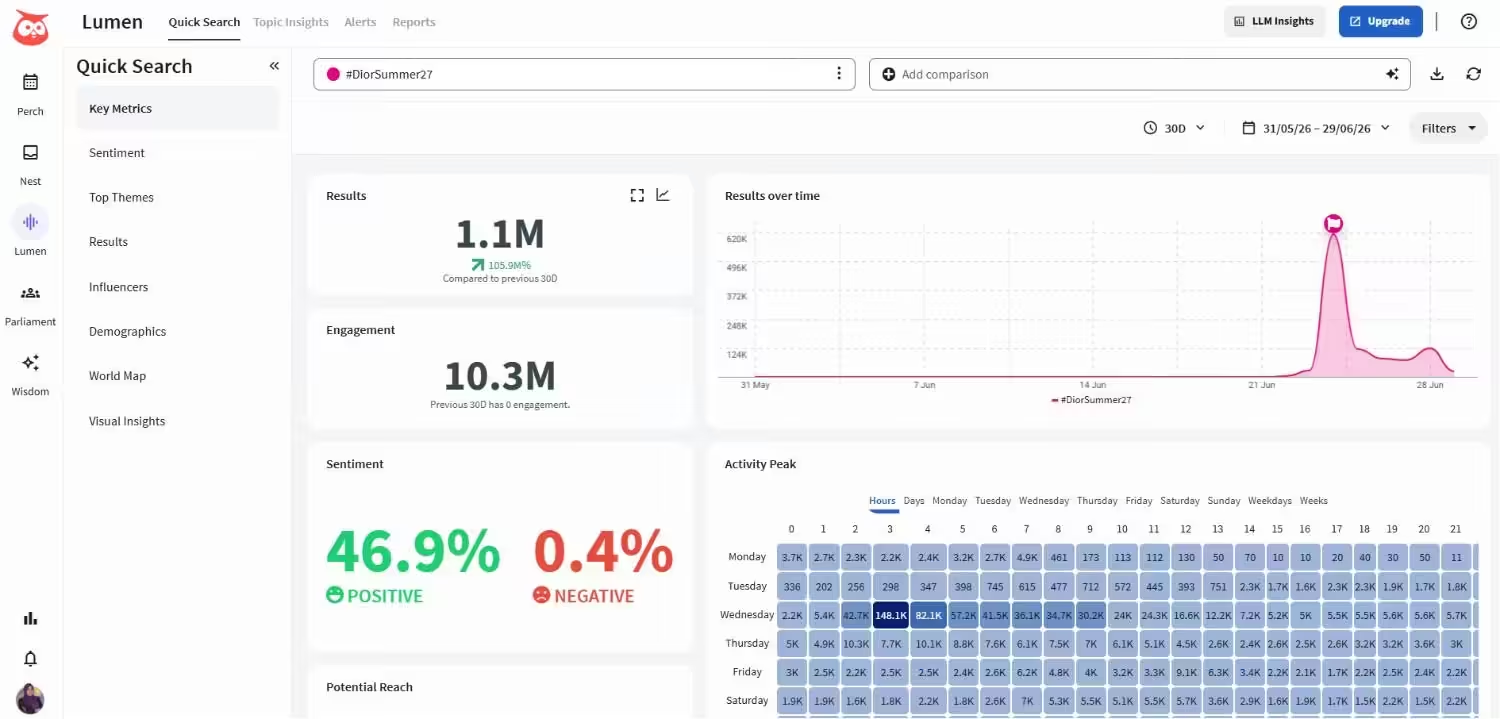
Sprout Social listens too. You’ll get sentiment analysis, trend tracking, competitor benchmarking, and spike alerts when your brand blows up.
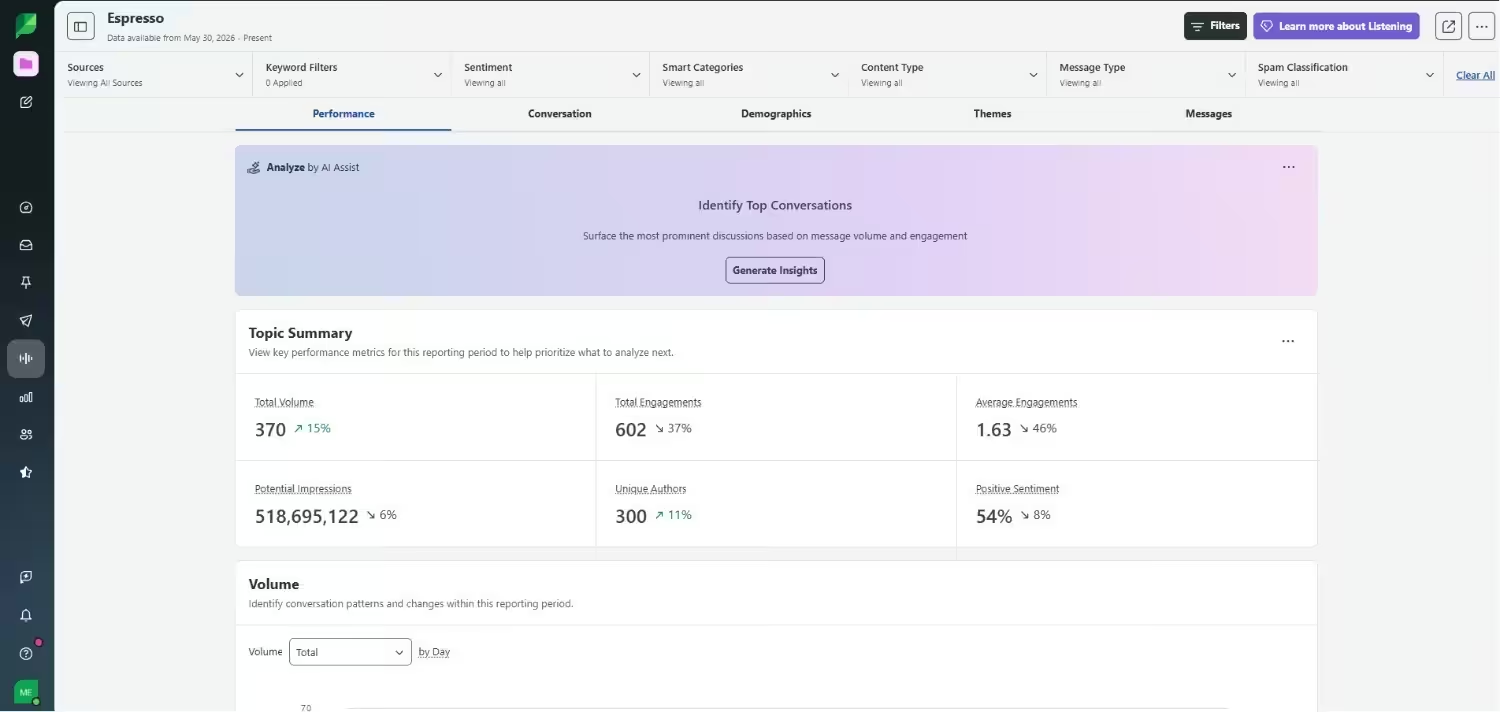
However, Sprout Social doesn’t offer social listening as a default feature in its plans. You need an add-on, and only on higher-tier plans. Hootsuite also makes you upgrade to get deeper listening features.
AI and Automation
These days, every social media tool is talking about AI. But what’s important is how much value it brings.
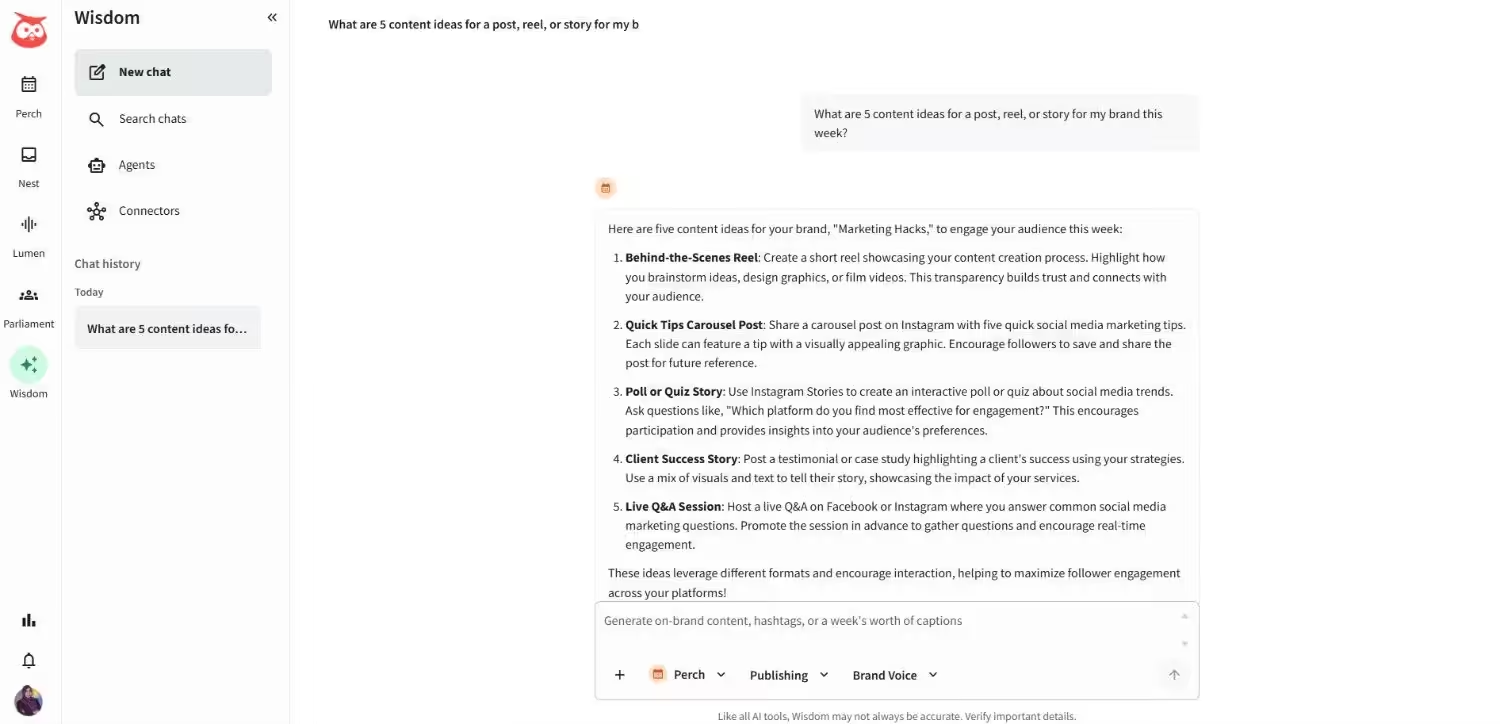
Hootsuite’s social-first AI agent, also called Wisdom, writes captions, suggests hashtags, generates content ideas, and supports chatbots and auto-replies, which feels decent.
Sprout Social also has an AI assistant that helps you write captions and suggests content ideas. What I genuinely feel is useful is its message routing feature because it saves me from manually sorting messages.
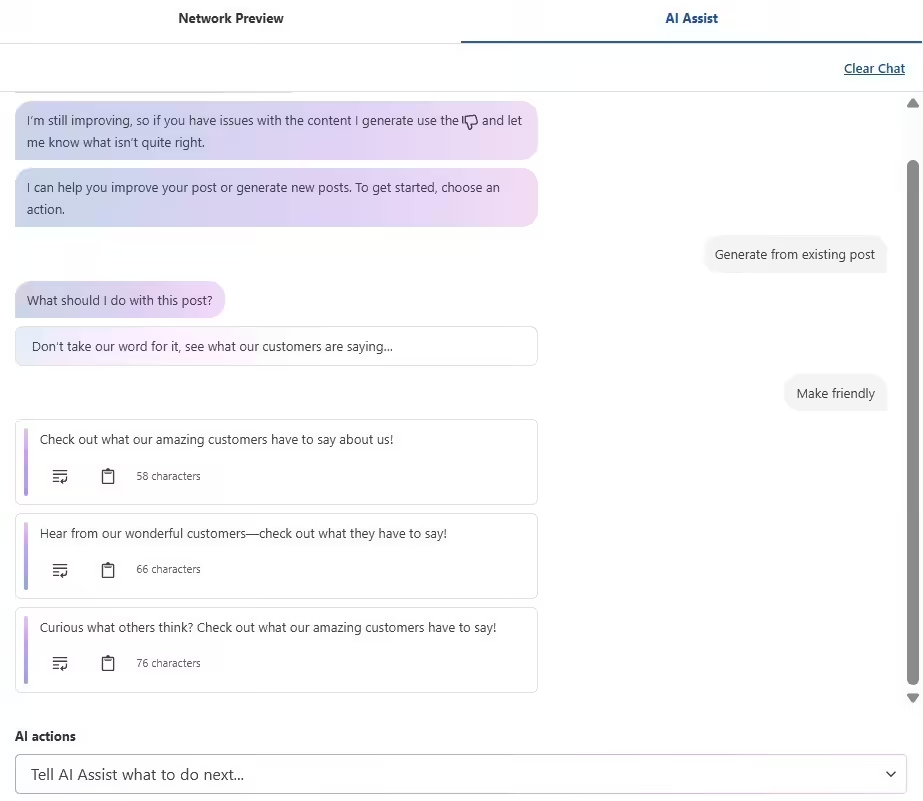
If I compare both tools, Hootsuite’s AI caption writer is much better, and Sprout Social’s AI saves more time. But neither can replace a human.
You can check the Buffer vs Hootsuite comparison to see how cheaper tools handle AI.
Team Collaboration
If you work with a team, then this part is important too. Both tools are good for team management, but their approaches are different.
Hootsuite offers detailed approval workflows, custom permissions, and internal notes. I feel this setup works well, but small teams may find it complicated. Also, Hootsuite offers per-user pricing, so when you add a team member, your cost will increase.
Sprout Social keeps it simpler. It offers approval workflows, team permissions, and a shared calendar. You can also easily assign tasks to your team. Sprout Social offers a per-seat pricing model, which means the cost will increase every time you add a new seat.
When I compare them, Hootsuite gives you more control, while Sprout Social gives you better metrics of team performance and reporting. If you run a large business, Hootsuite is a good option. But for simple team management, Sprout Social is a more practical choice.
| Feature | Hootsuite | Sprout Social |
|---|---|---|
| Approval Workflows | Multi-Step | Multi-Step |
| Collision Detection | Yes | Yes |
| Role-Based Permissions | Granular | Standard |
| Team Performance Tracking | Basic | Advanced |
| Internal Notes | Yes | Yes |
Pricing
Okay, let’s talk about pricing now because I think most people get confused here.
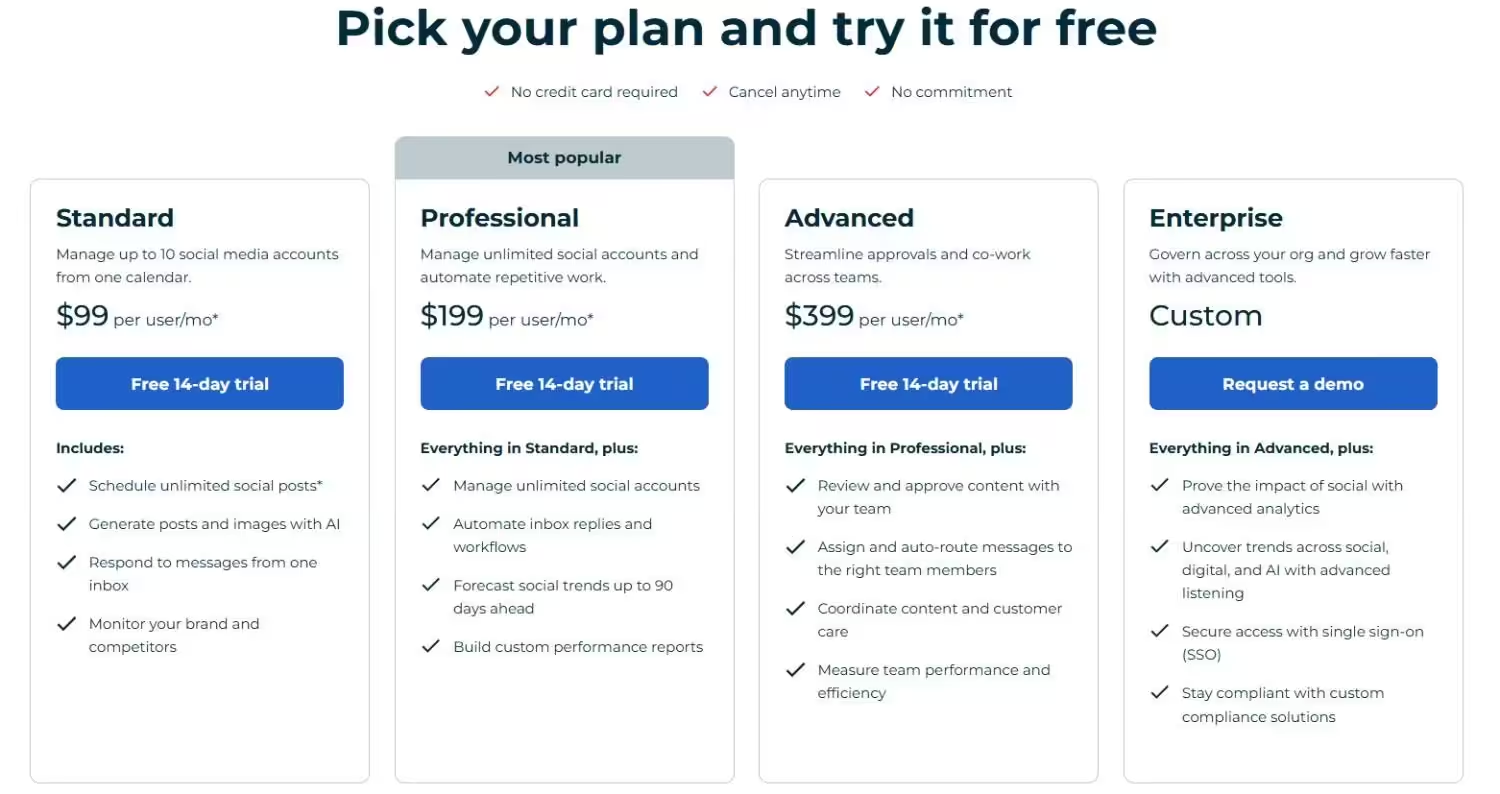
Hootsuite’s pricing starts at $99/month. In this plan, you get 1 user, 10 social accounts, basic analytics, and unlimited scheduling of social media posts.
If you go towards its Professional plan, it costs $199/month. Here you can connect unlimited social media accounts and get detailed analytics. Then it offers the Advanced plan, which costs $399/month, and the Enterprise plan, which is Custom. You have to contact the team to get a quote.
On the other side, Sprout Social’s pricing starts at $79/month, and you can connect up to 5 social profiles, track performance, and get post-level reporting. Its Standard plan starts at $199/month, and it gives you 1 user, 5 social profiles, a consolidated inbox, and collaboration tools.
Then, there’s a Professional plan which costs $299/month, and you get unlimited social profiles, AI assist, and message tagging. Its Advanced plan starts at $399/month, where you get more advanced features. And then, the Enterprise plan, which is custom. You have to schedule a demo to get this plan.
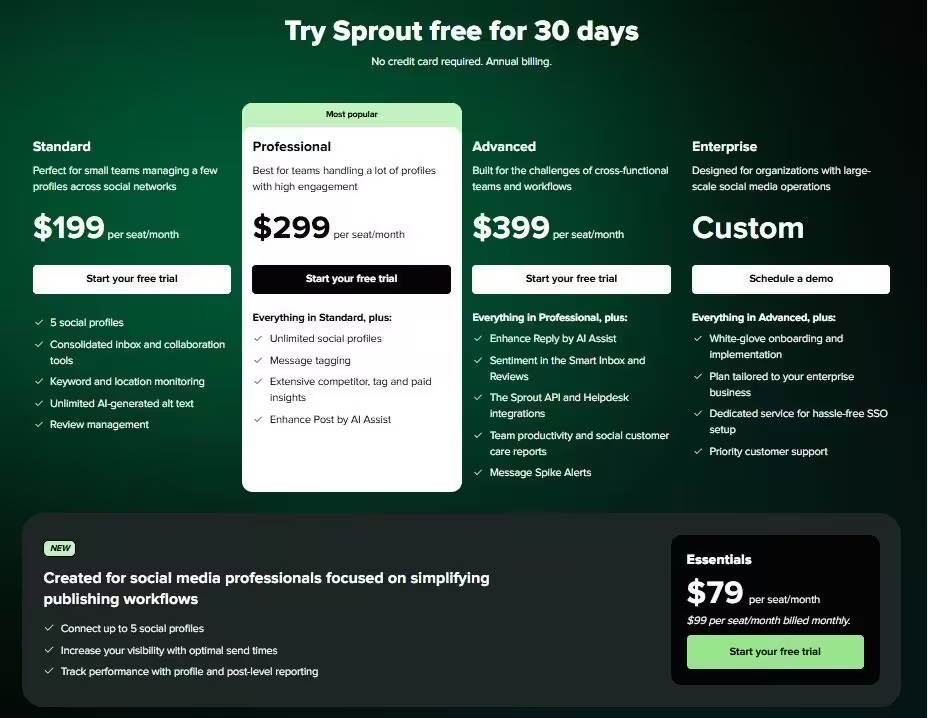
One thing you should know about both tools is that they use per-user and per-seat pricing. That means, if you have a team of 5 members, you have to pay extra for every team member.
I’m not saying these tools aren’t worthy. They are good, but I recommend you get an idea of the total cost before you sign up, because there are many more social media scheduling tools available in the market that can fit your budget and requirements better.
| Plan Tier | Hootsuite | Sprout Social |
|---|---|---|
| Base / Budget Tier | — | $79/month billed annually and $99/mo billed monthly (Essentials: 1 seat, up to 5 social profiles) |
| Entry Plan | $99/month (Standard: 1 user, up to 10 social accounts) | $199 /month (Standard: 1 seat, 5 social profiles) |
| Mid Plan | $199/month (Professional: 1 user, Unlimited social accounts) | $299/month (Professional: 1 seat, unlimited social profiles) |
| Top Plan | $399/month (Advanced : 1 user, team features) | $399/month (Advanced: 1 seat, team features) |
| Enterprise | Custom (Request a demo) | custom (Schedule a demo) |
Seen Enough? Here Is the Shortcut.
Now I know you’re thinking, “What tool should I choose?” Basically, it depends on your priorities and needs. Let me help you decide what’s a good fit for you.
Choose Sprout Social
- If you send weekly reports to your clients and want them to look professional, Sprout Social is a good option. It helps you create charts and PDF reports so clean that you don’t even need a professional designer. And they also create a good impression in client meetings.
- If your sales team uses Salesforce or HubSpot, then Sprout Social can be useful for you. It connects to Salesforce and HubSpot out of the box. Your social team and sales team can finally speak the same language.
- If your team spends a lot of time in the inbox daily, then Sprout Social’s Smart Inbox is best for this. The inbox loads fast, the filters are easy to understand, and it’s very simple to assign and organize messages. If customer support or community management is part of your daily tasks, this feature can save you time.
- If you can afford the tool. Sprout Social starts at $79/month, that too for a single seat. And if you upgrade, it becomes more expensive, which means small businesses may not be able to afford this tool. But if you’re an agency and you have to send detailed reports to your clients, then the cost is worth it.
- If brand monitoring is non-negotiable for you. But Sprout Social offers social listening only as an add-on, not as a default feature. That means you have to pay extra for it.
In short, Sprout Social is a great choice for you if:
- You send professional reports to your clients daily.
- Your team uses Salesforce or HubSpot.
- Your team spends most of its time on inbox management.
- You have enough budget to pay for every extra seat.
- You don’t compromise on brand monitoring.
Choose Hootsuite
- If you’re active on multiple social media platforms, Hootsuite is a good option. It lets you connect to more than 11 social networks, which include WhatsApp, Bluesky, Google Business Profile, and Threads.
- If you want more advanced features for less, Hootsuite gives you enough value. Its pricing starts at $99/month and includes 10 social media platforms, whereas in Sprout Social, you get 5 social profiles even at $199/month. You also get unlimited scheduling of social media posts, basic analytics, and a centralized social inbox.
- If you need granular team controls. You can set permissions by account, by feature, or by role. If you have a big team and need to give each member different access levels, it gives you more control.
- If you want AI that writes your captions. Hootsuite’s Wisdom feels useful because it writes captions, suggests hashtags, and converts old content formats to the new ones. I’m not saying it’s perfect, but if you want to write normal social media posts, it can help you a lot and save your time.
- If you can use a feature-rich dashboard. Hootsuite’s dashboard may feel busy when you first look at it. But once you’re used to it, its features feel impressive.
In short, go for Hootsuite if:
- You post on multiple social media networks.
- Your budget is more than $99.
- You manage a large team with complex permissions.
- You want to generate captions and content ideas from AI.
- You can handle a busy dashboard and want more features.
Featured Article: Sprinklr vs Sprout Social: Ultimate Social Scheduling Comparison
What’s the Best Alternative to Hootsuite and Sprout Social?
Let me tell you something important you may want to hear. No doubt, Hootsuite and Sprout Social are both good tools. But I know many people face the problem when they have to compromise on features or budget. As your team grows, both tools get expensive.
That’s why I decided to look for the third option. An option that offers scheduling, analytics, inbox management, and many advanced features, but without enterprise-level pricing.
And that’s where I found Social Champ.
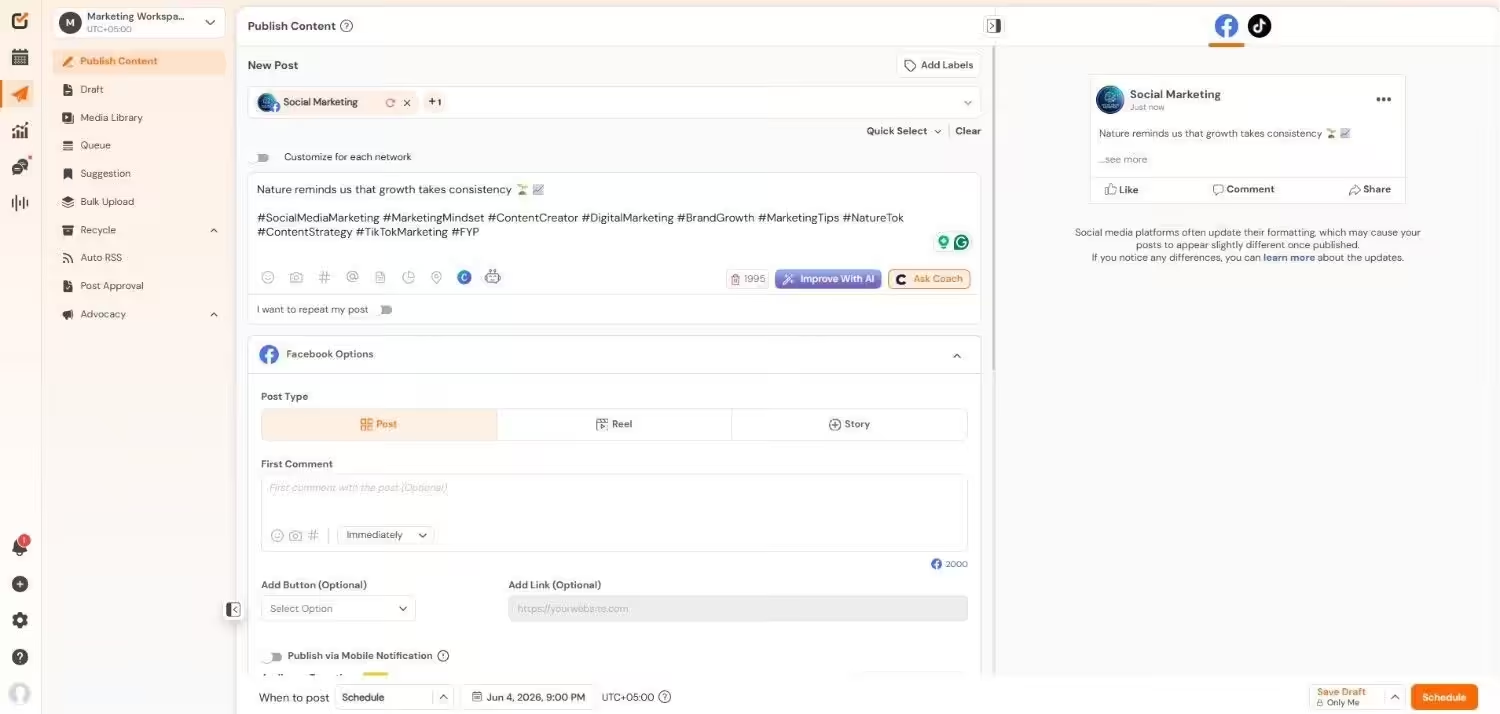
Why I Started Finding the Third Option?
After testing Hootsuite and Sprout Social, I realized many people who use Hootsuite or Sprout Social pay for extra features that they never use. Some don’t even use social listening, and small teams don’t need approval workflows.
Then I started checking Reddit discussions, G2 reviews, and I found Social Champ mentioned in the same breath as Buffer and Later.
I signed up for a free trial, and honestly, it surprised me a lot.
What Social Champ Really Offers?
Social Champ lets you connect to more than 11 social media networks at a more reasonable price. It supports Instagram, Facebook, TikTok, LinkedIn, YouTube, Threads, Pinterest, X, Google Business Profile, Bluesky, Mastodon, and WhatsApp Business.
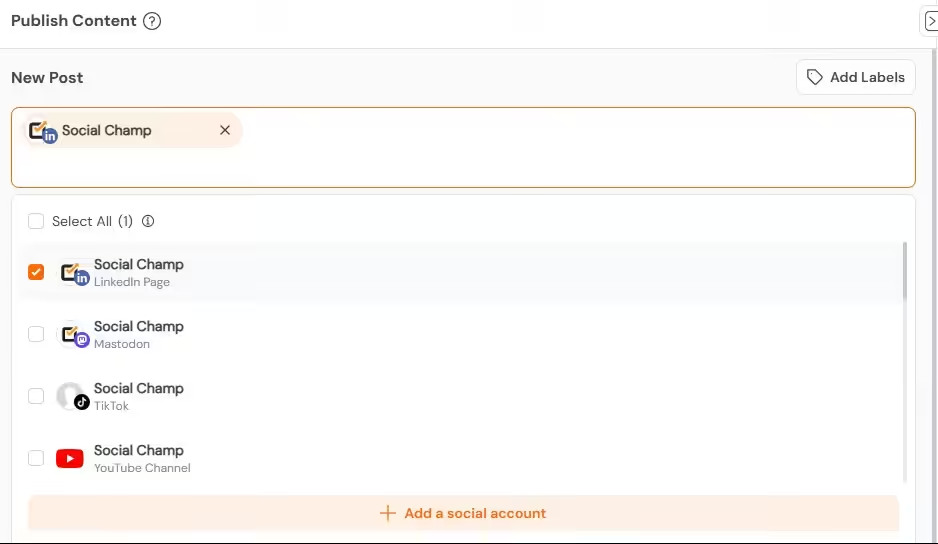
I found the scheduling dashboard simple and clean. You get a visual content calendar, bulk scheduling, and queue automation.
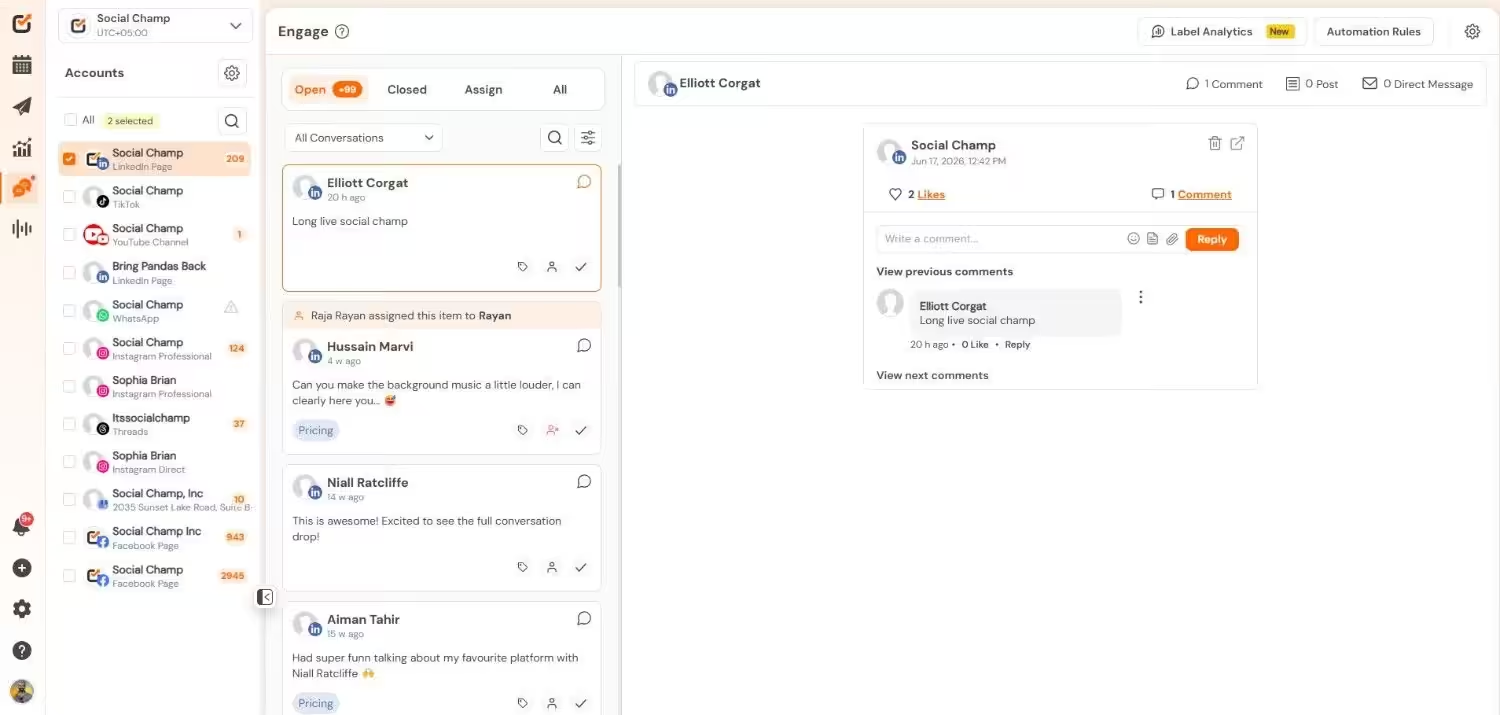
It also offers a centralized social inbox so you can manage all of your messages, comments, and replies in one place. You can assign tasks, add internal notes, and set up collision detection. It’s not as polished as Sprout Social’s Smart Inbox, but it gets the job done at a reasonable price.
And if I talk about analytics, you get cross-platform reports, competitor tracking, and audience insights. Reports may not look as fancy as Sprout Social’s, but the data is there. You can export PDFs and share them with clients.
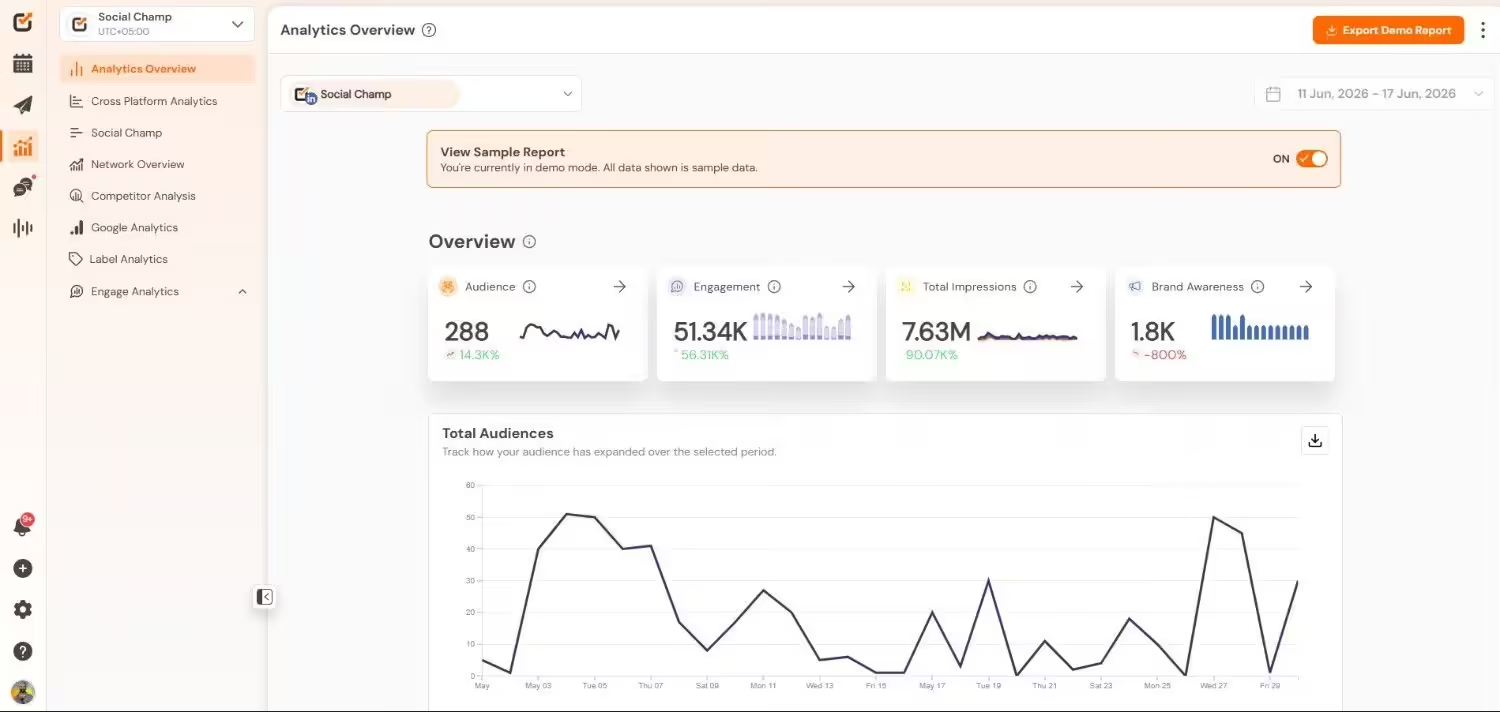
You also get built-in AI features, which write captions, suggest hashtags, and give content ideas. I tested these features, and the results were perfect, and I saved a lot of my time.
The Pricing Is the Real Story
Let’s come to the point where Social Champ surprises everyone.
Social Champ offers a Free plan. You get 1 user, 15 scheduled posts, and 3 social accounts.
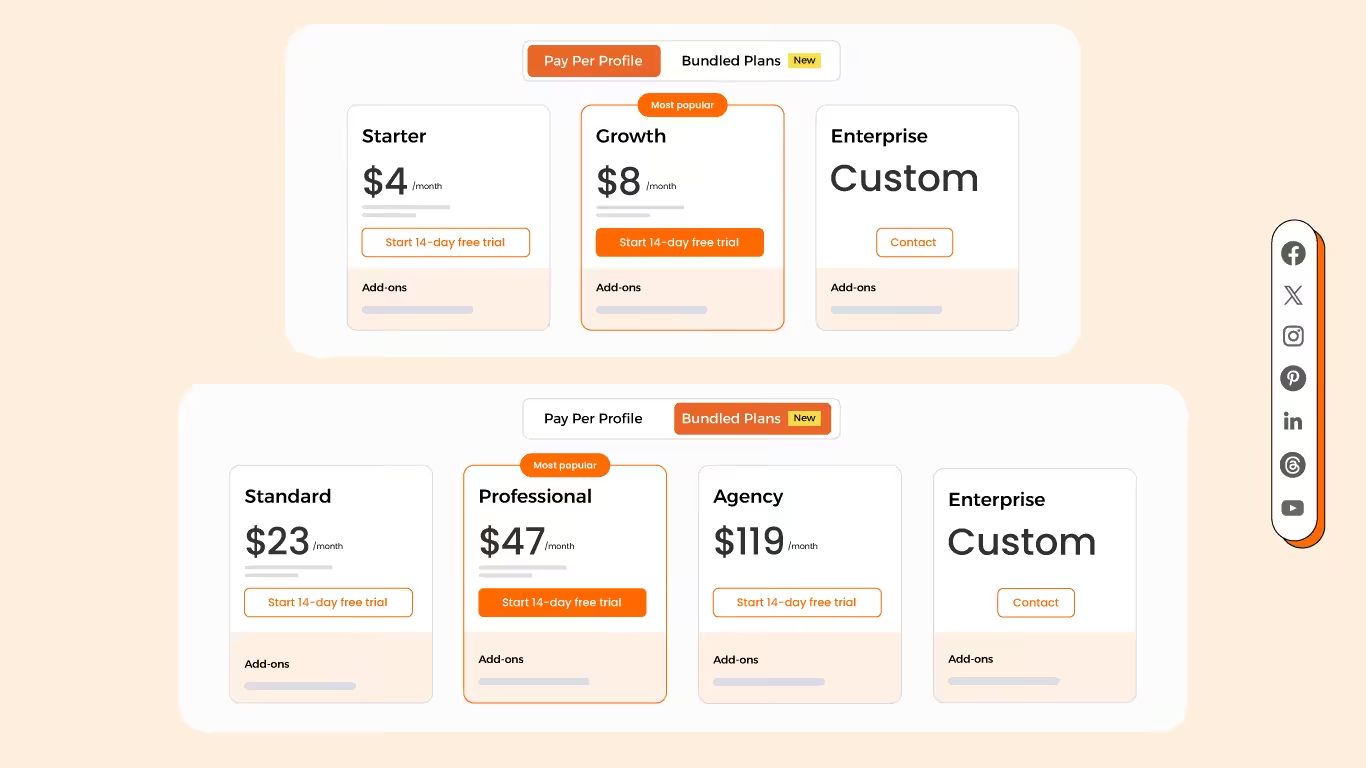
Now, when we talk about its paid plans, it offers pay-per-profile plans and flat-rate bundled plans.
Pay-Per-Profile Plans:
- Starter ($4/month, 1 user, 1 social account)
- Growth ($8/month, unlimited users, 1 social account)
Flat-Rate Bundled Plans:
- Standard ($23/month, 2 users, 6 social accounts)
- Professional ($47/month, 5 users, 12 social accounts)
- Agency ($119/month, unlimited users, 30 social accounts)
- Enterprise (Custom)
If you look at Social Champ’s Agency or Growth plan, you get unlimited users at $8/month or $119/month. On the other hand, Sprout Social’s Standard plan only includes 1 user at $199/month. And Hootsuite’s Standard plan also gets you only 1 user at $99/month.
You can also take a look at my comparison of Hootsuite vs Social Champ to get a deeper understanding of both tools.
Also, if you want to know about other alternatives, you can check my latest comparison of Sprout Social vs RecurPost. RecurPost is also a very affordable tool, but it lacks advanced features. In my opinion, Social Champ hits the sweet spot between price and features.
Who Should Try Social Champ?
You should give Social champ a try if:
- You have a small or medium-sized team.
- You want advanced analytics without enterprise-level pricing.
- You don’t want social listening as add on.
- You manage multiple brands and clients.
- You’re tired of per-user pricing and don’t want to pay extra to add a team member.
But if:
- You want enterprise-level deep social listening.
- You require CRM integrations like Salesforce
- You have a massive team with complex hierarchies
Then Hootsuite or Sprout Social can be the better options for you.
My Honest Take
I’m not here to sell Social Champ, but I’m here to tell you that the Hootsuite vs Sprout Social debate is not the only conversation worth having.
Both tools are good in their own way, but in my opinion, many businesses pay for the features they don’t use.
Social Champ gives almost 80% of the features at 20% of the cost. Its dashboard is simple, onboarding is faster, and the support team responds in minutes.
If you still have doubts, you can try its 14-day free trial to test the features yourself. Then you can easily decide which is the better fit for your workflow.
