

Post Planner is a great tool for scheduling content and managing your social media.
However, as your needs change, you may find yourself looking for a Post Planner alternative that offers more features, better pricing, or support for more platforms.
If you’re looking for the best Post Planner alternatives this year, you’re in the right place. Whether you need free alternatives for solo work or for agency workflows, there are plenty of apps like Post Planner that can scale with you.
Short Summary
- Post Planner handles basic scheduling but lacks some advanced features.
- Its limited platform support may make users seek Post Planner alternatives.
- Social Champ offers affordable pricing and broad platform support, which is perfect for agencies.
- Sprout Social and Agorapulse deliver advanced analytics, team management, and listening tools.
- The best choice depends on team size, platform needs, workflows, and budget.
For this purpose, I’ve pulled together the 8 best alternatives to Post Planner to help you decide what works best for you this year.
Take a look, compare what matters to you, and find the one that fits how you actually work.
Don’t Let Your Best Ideas Die!
Why Users Seek Post Planner Alternatives
Post Planner is a useful tool for scheduling social media posts and maintaining consistency across platforms.
But with growing needs, you may need other Post Planner competitors with more features, wider platform support, or better team collaboration tools.
-
Limited Platform Support
If you’ve used Post Planner, you may know that it covers the basics.
However, it doesn’t support every platform out there. That can be a problem if you’re communicating with customers on platforms like Mastodon and WhatsApp.
This might lead you to explore alternatives to Post Planner, which offer broader platform support and give you more flexibility.
-
No Social Listening or Competitor Analysis
Another reason that might push you to look for other options is that Post Planner doesn’t offer social listening and competitor analysis.
If you’re after tracking your brand reputation, joining in on industry conversations, or seeing how your competitors perform, you might have missed these insights with Post Planner.
-
Gaps in Collaboration Tools
When it comes to advanced collaboration tools, Post Planner falls short in this area as well.
If you have a team or you manage multiple clients, you may need collaboration tools like shared calendars, approval workflows, and custom permissions.
Without these tools, Post Planner can feel a bit limiting for teams like yours.
-
Limited Integrations
Integrations make your publishing process easier.
Post Planner doesn’t integrate with some popular tools like VistaCreate, OneDrive, WordPress Plugin, Google Drive, Flickr, or Imgur.
That may be a big reason why some teams switch to Post Planner alternatives for small business and enterprise use that support more integrations.
Featured Article: Top Loomly Competitors
My Top Post Planner Alternatives at a Glance
| Post Planner Alternative | Best For | Starting Price |
| Social Champ | Agencies, Enterprises, and SMBs | $4/mo |
| Buffer | Cost-Effective, Ease of Use, Simple Scheduling | $5/channel/mo |
| Loomly | Workflow Collaboration, Creative Assets, Campaign Tracking | $49/mo |
| CoSchedule | Content Optimization, Workflow Management, Team Collaboration | $19/mo |
| Agorapulse | Agency-Level, Interactive Features, Community Management | $79/user/mo |
| Sprout Social | Enterprise Analytics, High-Volume Customer Care, Social Listening | $79/user/mo |
| Later | Visual Content Planning, Instagram & TikTok Scheduling, Creators | $18.75/mo |
| Metricool | All-in-One Analytics, Multi-Brand Management, Budget-Friendly Teams | $20/mo |
Stop Guessing. Start Dominating.
Top 8 Post Planner Alternatives for 2026
If you’ve started feeling that Post Planner doesn’t quite meet your business needs, don’t worry.
There are many Post Planner similar tools for you to check out.
Here’s a list of the 8 best alternatives to Post Planner, so you can easily find the tools that fit your budget, offer more features, or support a broader range of platforms.
-
Social Champ
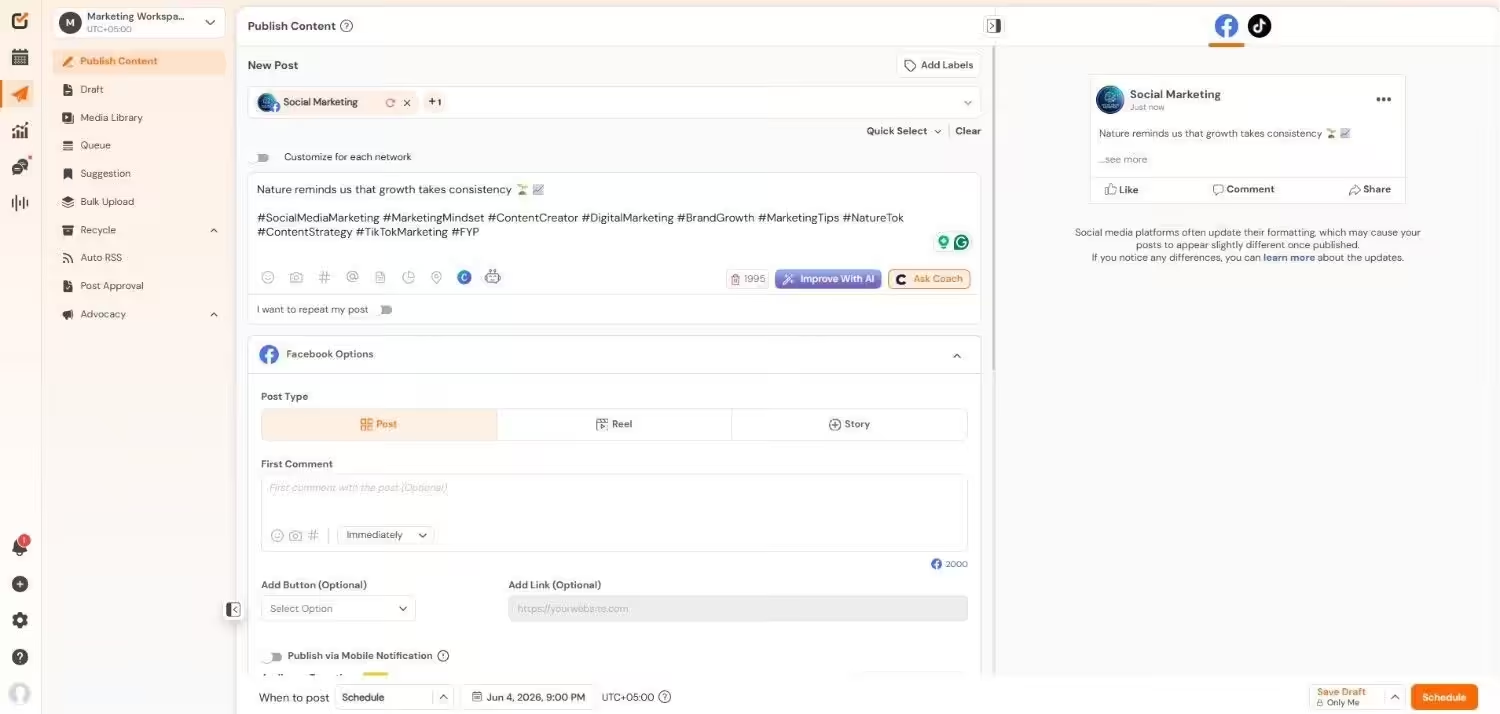
Social Champ’s Dashboard Social Champ is a budget-friendly and all-in-one social media management tool for your business.
If you want advanced features without paying the high cost, Social Champ is definitely the smart choice.
It provides you with support for more platforms than many other tools, which helps you simplify your social media process.
Key Features
- You can schedule and publish content across 11+ platforms, including TikTok, Pinterest, Mastodon, and Bluesky.
- With a drag-and-drop calendar, you can easily plan campaigns and stay organized.
- It offers detailed analytics that let you track your performance and quickly generate customized reports for your clients.
- There’s a central inbox where you can manage comments, mentions, and DMs all in one spot.
- Your team can collaborate easily with advanced collaboration features that keep everything running smoothly.
- Social listening and competitor analysis tools are also included, which help you track trends and monitor what’s happening in your industry.
Pricing
Social Champ comes with two pricing models, including a Pay-Per-Profile and a Flat-Rate model.
Here’s what you get in the Pay-Per-Profile:
- Starter, which costs $4 and has 1 user. In this plan, you can manage 1 social account.
- Growth, which costs $8 and has unlimited users. In this plan, you can manage 1 social account.
These plans also offer discounts as you scale. Here’s how much you can save in the Starter:
- For 1-10 social accounts: $4
- For 11-20 social accounts: $3
- For 21-40 social accounts: $2
- For 41+ social accounts: $0.50
Here’s how much you can save in the Growth:
- For 1-10 social accounts: $8
- For 11-20 social accounts: $3.50
- For 21-40 social accounts: $2.50
- For 41+ social accounts: $1
With Social Champ, you also get Flat-Rate bundles, which are:
- Free, which costs $0 and has 1 user. In this plan, you can manage 3 social accounts.
- Standard, which costs $23 and has 2 users. In this plan, you can manage 6 social accounts. This plan also comes with add-ons for accounts. You can add another account for $5/account.
- Professional, which costs $47 and has 5 users. In this plan, you can manage 12 social accounts. This plan also comes with add-ons for accounts. You can add another account for $4/account and pay $8/user for another user.
- Agency, which costs $119 and has unlimited users. In this plan, you can manage 30 social accounts. This plan also comes with add-ons for accounts. You can add another account for $3/account.
- Enterprise, which is Custom and has unlimited users. In this plan, you can manage unlimited social accounts.
Social Champ also supports: Instagram, Facebook, TikTok, LinkedIn, YouTube, Threads, Pinterest, X, Google Business Profile, Bluesky, Mastodon, and WhatsApp Business
Exit the 24/7 Content Hamster Wheel!
Social Champ isn’t just a tool; it’s your tactical exit from the manual labor of social media. -
Buffer
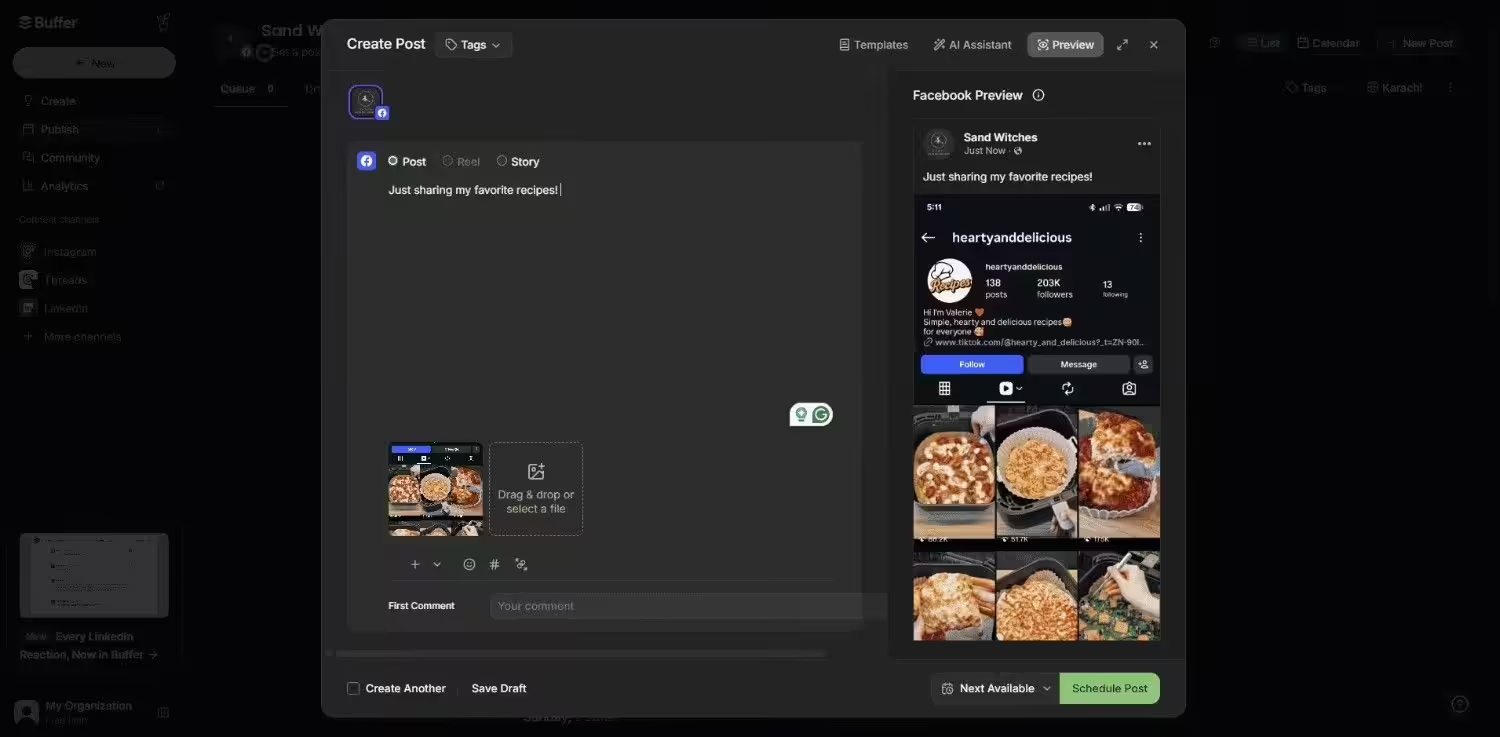
Buffer’s Dashboard As a marketer, you must know that Buffer is a simple and user-friendly social media management tool for businesses to improve their online presence.
It’s one of the best Post Planner alternatives if you want an intuitive platform that covers the basics without overwhelming you.
Key Features
- Buffer lets you schedule and publish posts across major platforms like Facebook, Instagram, X (Twitter), LinkedIn, and Pinterest.
- Its content creation tools help you plan, draft, and edit posts quickly to keep your workflow simple and efficient.
- With its built-in analytics, you can monitor performance, track growth, and adjust your strategy in real-time.
- Buffer also allows you to engage with your audience from a single inbox.
- You can collaborate with your team members with shared calendars, approval workflows, and team roles.
Pricing
Buffer offers three plans, including:
- Free, which costs $0 and has 1 user. In this plan, you can manage 3 social accounts.
- Essentials, which costs $5 and has 1 users. In this plan, you can manage 1 social account.
- Team, which costs $10 and has Unlimited users. In this plan, you can manage 1 social account.
Buffer also supports: Facebook, Instagram, X, Bluesky, Google Business Profile, LinkedIn, Mastodon, Pinterest, Threads, TikTok, YouTube
-
Loomly
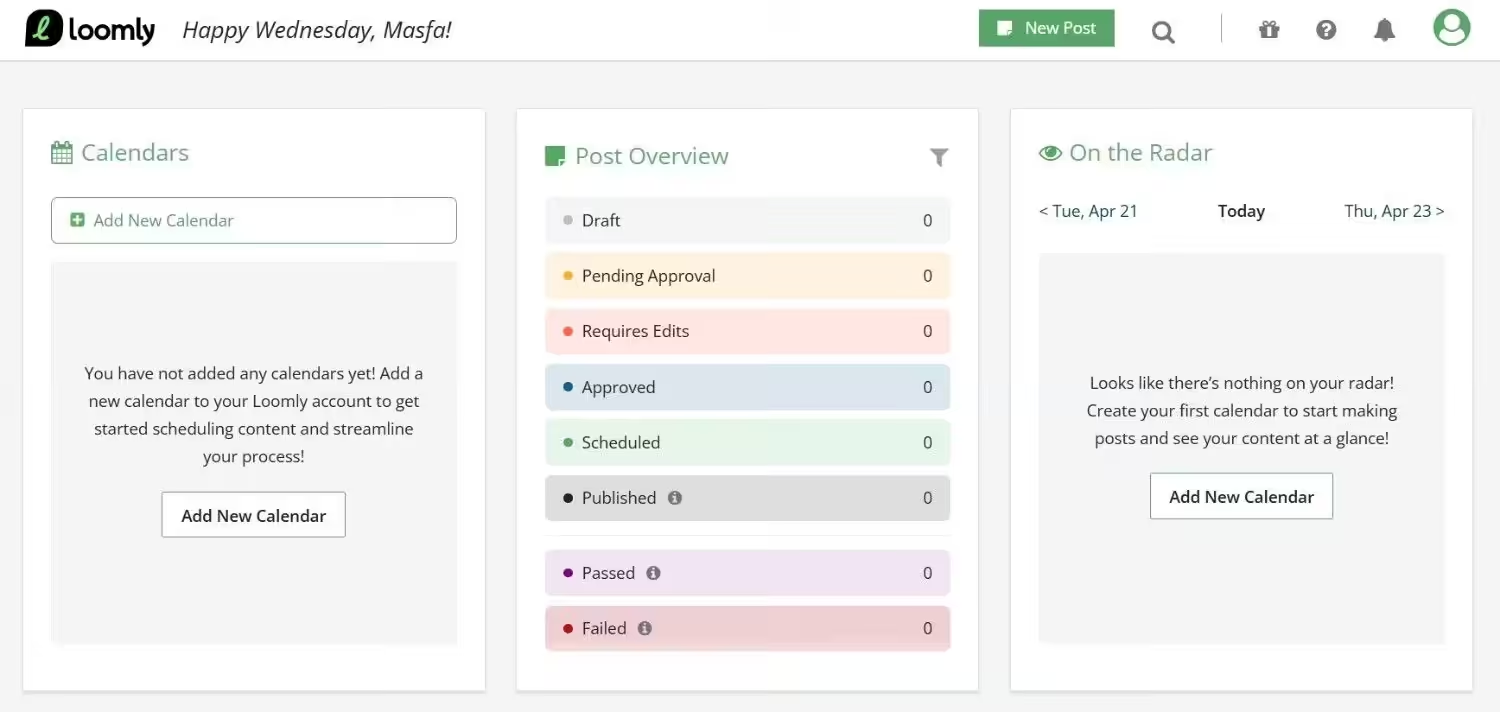
Loomly’s Dashboard If your team values structure and content organization, Loomly is among the best Post Planner alternatives and a smart social media management tool.
The tool is designed to help you with content publishing, collaboration, and reporting in one place, which makes it a great option for businesses like yours.
Key Features
- Loomly allows you to schedule and publish content across multiple platforms with a visual calendar that keeps campaigns organized.
- It lets you collaborate with your team and work together on drafts, approvals, and feedback in real-time.
- There are content creation features that suggest ideas and help you craft engaging posts that fit each channel.
- You can also manage engagement directly inside Loomly by responding to comments and interactions from one dashboard.
- Loomly’s detailed reporting helps you track performance, measure ROI, and share insights with clients.
Pricing
Loomly offers four plans, including:
- Free, which costs $0 and has 1 user. In this plan, you can manage 3 social accounts.
- Starter, which costs $49 and has 3 users. In this plan, you can manage 12 social accounts.
- Beyond, which costs $249 and has Unlimited users. In this plan, you can manage 60 social accounts.
- Enterprise, which is Custom and has Unlimited users. In this plan, you can manage 61+ social accounts.
Loomly also supports: Instagram, LinkedIn, Facebook, TikTok, YouTube, Threads, Google Business Profile, Pinterest, and Snapchat
-
CoSchedule
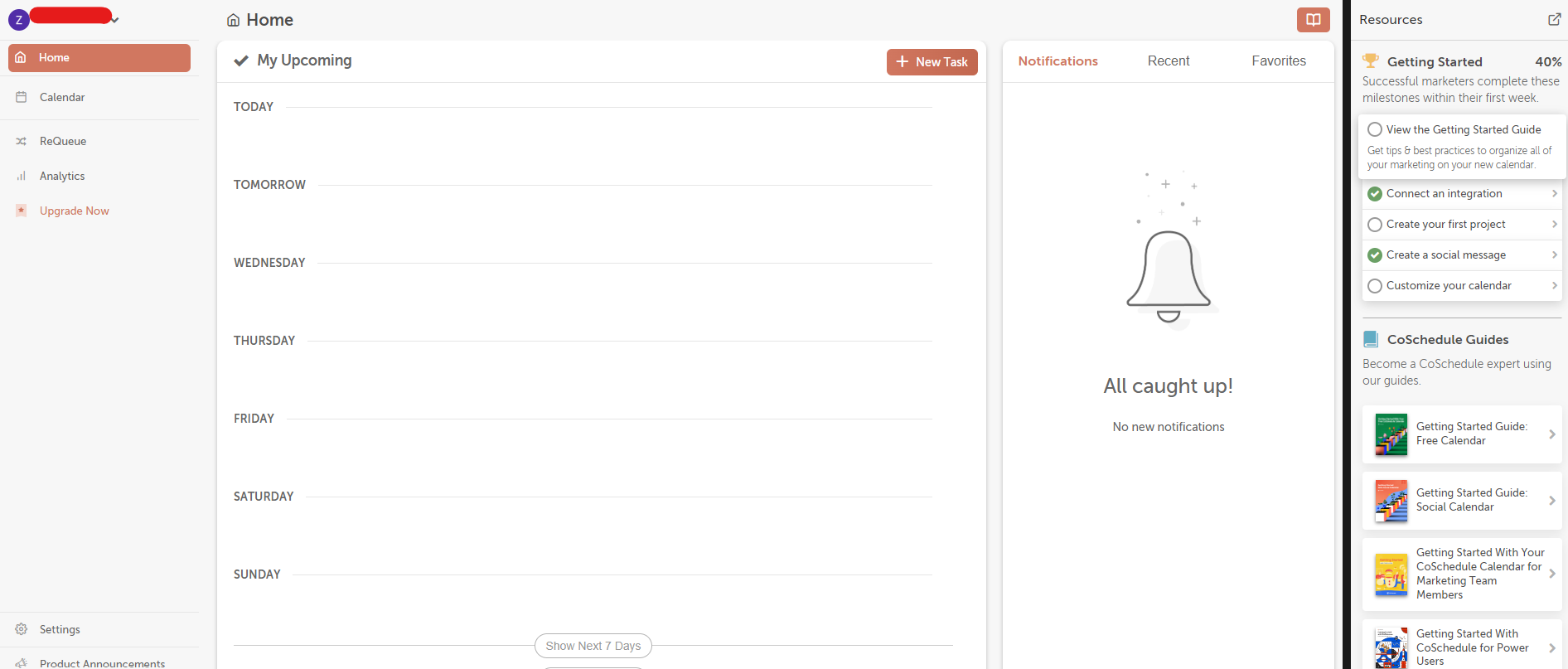
CoSchedule’s Dashboard CoSchedule is a marketing calendar platform that combines social media management with wider content planning.
It allows your team to stay organized by bringing campaigns, social posts, and all of your tasks in one place.
If you want visibility over all of your marketing efforts, CoSchedule can be a great fit for you.
Key Features
- CoSchedule’s calendar view provides you with a clear picture of campaigns, tasks, and social posts so you can easily plan everything.
- You can easily schedule and publish your social media posts directly from the platform, keeping your channels consistent.
- It helps you measure performance with analytics and reporting tools and lets you identify what works.
- There are AI tools that allow you to write headlines and improve content ideas to make your content creation process faster.
Pricing
CoSchedule offers five plans, including:
- Free Calendar, which costs $0 and has 1 user. In this plan, you can manage 1 social account.
- Social Calendar, which costs $19 and has 3 users. In this plan, you can manage 3 social accounts.
- Agency Calendar, which costs $59 and has 3 users. In this plan, you can manage 5 social accounts.
- Content Calendar, which costs Custom and has 5 users. In this plan, you can manage 5 social accounts.
- Marketing Suite, which is Custom and has Custom users. In this plan, you can manage 5 social accounts.
CoSchedule also supports: Facebook, Instagram, LinkedIn, Pinterest, TikTok, Threads, X, YouTube, Google Business Profile, Mastodon, and Bluesky
-
Agorapulse
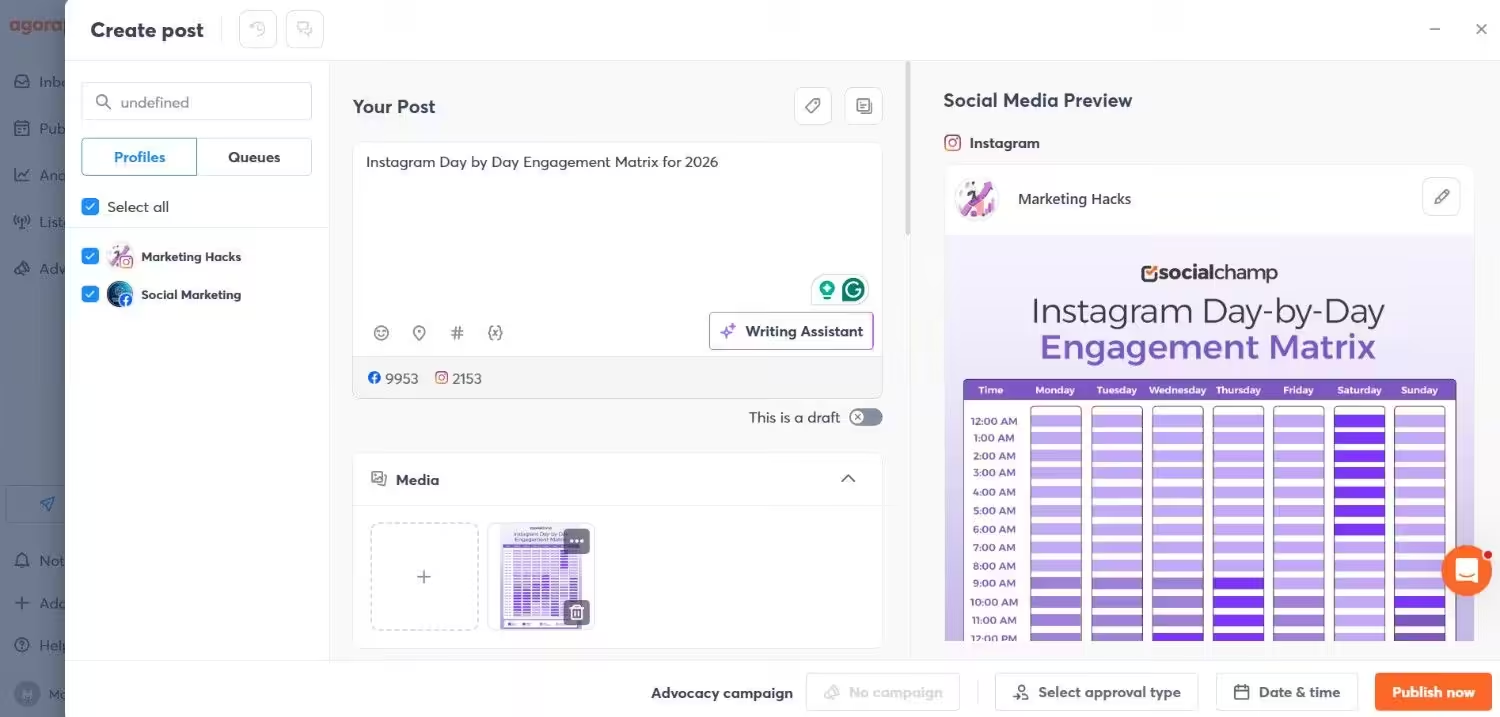
Agorapulse’s Dashboard If you need a complete solution for publishing, engagement, and monitoring for your business, Agorapulse is a smart social media management tool.
You can get core scheduling tools with listening and reporting features, which makes it suitable for teams that want more insight into audience behavior.
Key Features
- With Agorapulse, you can schedule and publish content across multiple platforms with an intuitive calendar and content queue.
- Your team can easily collaborate smoothly with shared calendars, approval workflows, and role-based permissions.
- There are numerous tools to increase productivity that help you manage tasks and keep campaigns on track.
- Agorapulse’s unified inbox allows you to handle comments, messages, and mentions from all accounts in one place.
- You can track conversations, monitor keywords, and understand audience sentiment with its social listening features.
- You can also get clear data to analyze performance and share results with clients with its reporting tools.
Pricing
Agorapulse offers four plans, including:
- Standard, which costs $79 and has 1 user. In this plan, you can manage 10 social accounts.
- Professional, which costs $119 and has 1 user. In this plan, you can manage 10 social accounts.
- Advanced, which costs $149 and has 1 user. In this plan, you can manage 10 social accounts.
- Custom, which is Custom and has Custom user. In this plan, you can manage Unlimited social accounts.
Agorapulse also supports: Facebook, Instagram, Threads, X, LinkedIn, YouTube, Pinterest, Google Business Profile, TikTok, Bluesky, and Reddit
-
Sprout Social
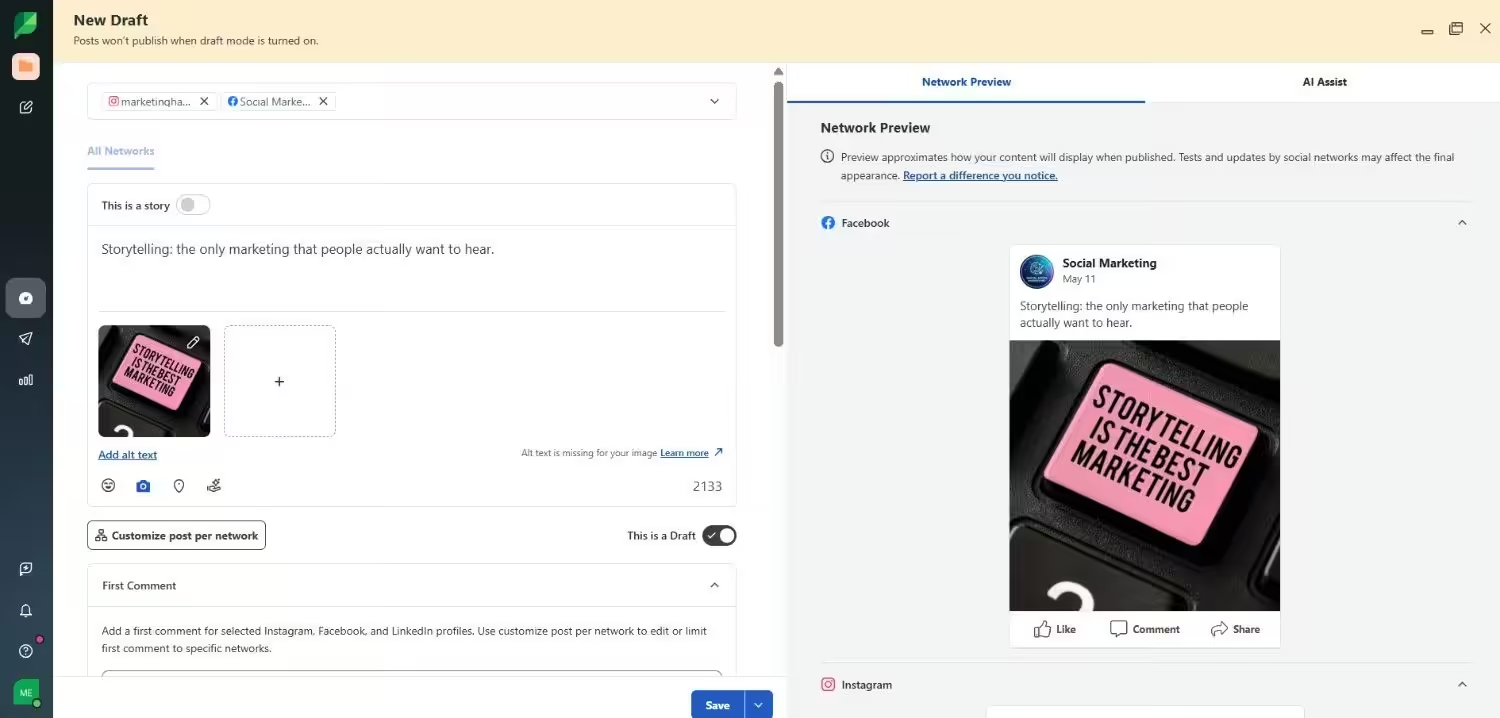
Sprout Social’s Dashboard If you’re after a platform that combines publishing, engagement, and analytics in one place, you should go for Sprout Social.
Businesses that need advanced tools for content planning and managing teams often use this tool.
Key Features
- With Sprout Social, you can manage publishing and content planning with a visual calendar that makes campaign scheduling easier.
- It also offers a social inbox, which brings all messages and comments together so you can respond quickly without switching platforms.
- There are analytics tools that provide detailed performance reports that help you measure ROI and improve your strategy.
- It makes your team collaboration easier with role-based access and approvals.
Pricing
Sprout Social offers five plans, including:
- Essentials, which costs $79 and has 1 user. In this plan, you can manage 5 social accounts.
- Standard, which costs $199 and has 1 user. In this plan, you can manage 5 social accounts.
- Professional, which costs $299 and has 1 user. In this plan, you can manage unlimited social accounts.
- Advanced, which costs $399 and has 1 user. In this plan, you can manage unlimited social accounts.
- Enterprise, which is custom and has custom users. In this plan, you can manage unlimited social accounts.
Sprout Social also supports: Facebook, Instagram, X, LinkedIn, Pinterest, TikTok, YouTube, Threads, Bluesky, WhatsApp, Reddit, Tumblr, and Google Business Profile
-
Later
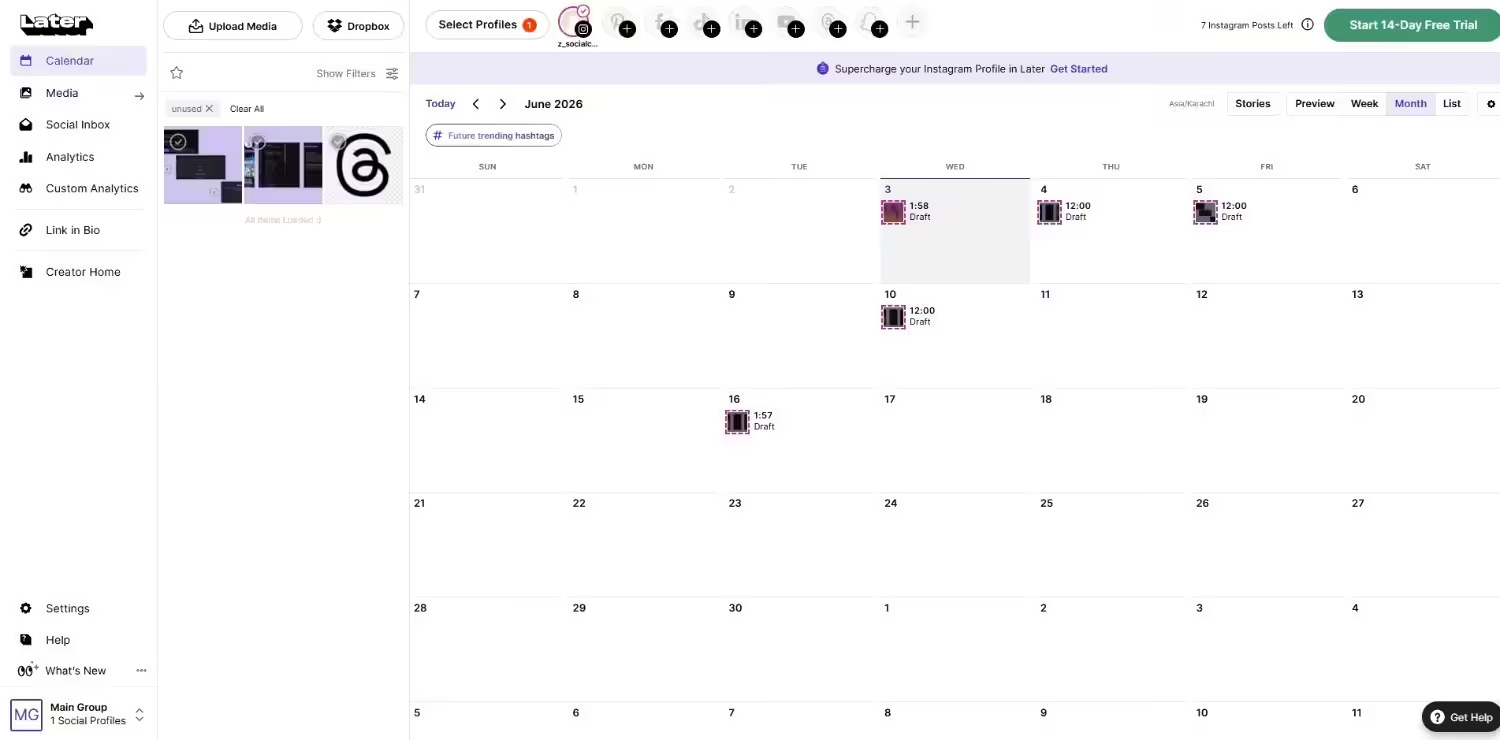
Later’s Dashboard Later began as a scheduling tool for Instagram, but now has grown into a platform that supports multiple channels.
Today, it not only helps you plan content but also gives you AI-driven insights, collaboration tools, and analytics that guide your strategy.
Key Features
- Later allows you to plan and schedule your posts with a visual calendar that makes campaign planning smoother.
- It provides you with AI features to help you with writing captions, optimizing post times, and improving overall content performance.
- You’ll get built-in content creation tools to design and organize media for different platforms.
- Its analytics provide you with insights into engagement, reach, and growth across multiple channels.
- It also comes with team collaboration features that allow your team to work together with clear roles and permissions.
- With its social inbox, you can respond to comments and messages for easier community management.
- You can also track trends and conversations related to your brand with its social listening tools.
Pricing
Later offers three plans, including:
- Free, which costs $0 and has 1 user. In this plan, you can manage 8 social accounts.
- Starter, which costs $18.75 and has 1 user. In this plan, you can manage 8 social accounts.
- Growth, which costs $37.50 and has 2 users. In this plan, you can manage 16 social accounts.
- Scale, which costs $82.50 and has 4 users. In this plan, you can manage 48 social accounts.
Later also supports: Instagram, Facebook, Threads, Pinterest, TikTok, LinkedIn, YouTube, and Snapchat.
-
Metricool
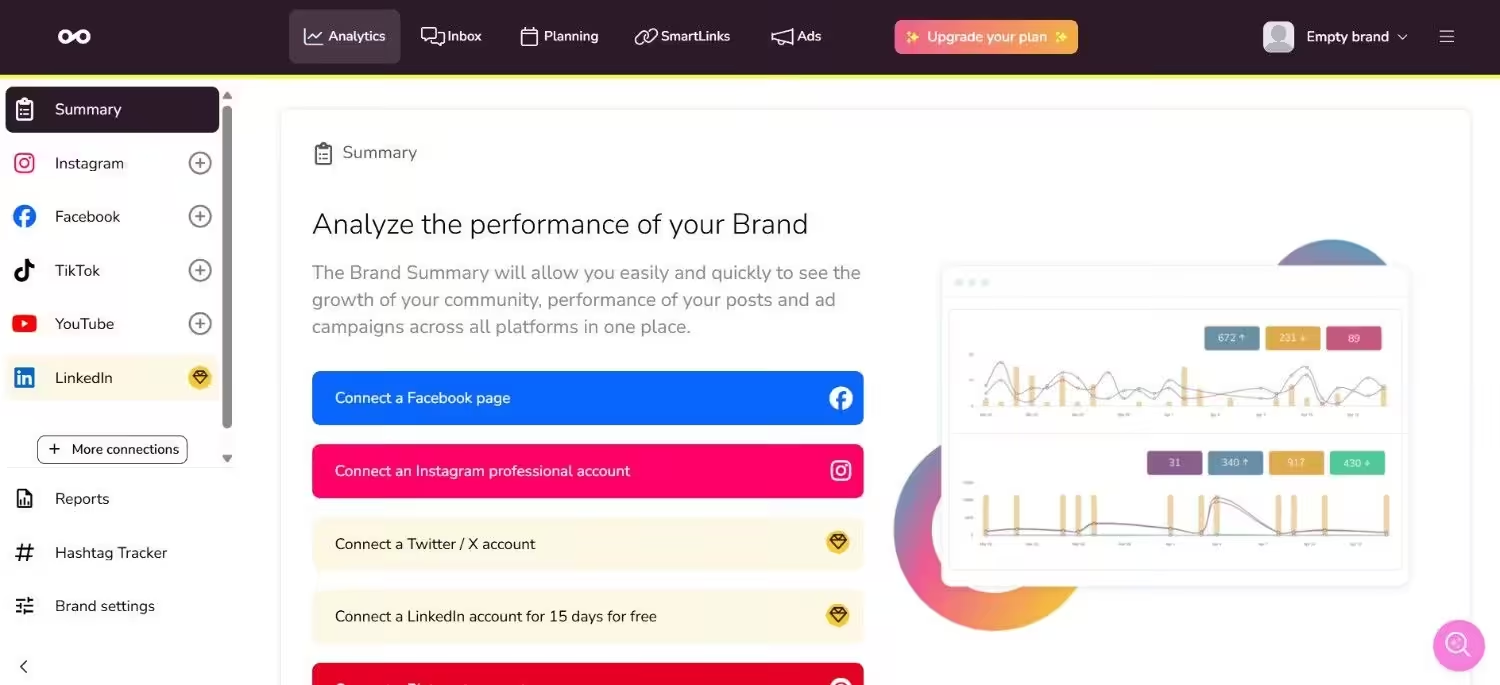
Metricool’s Dashboard If you want a mix of planning, analytics, and engagement, Metricool is another smart tool among Post Planner alternatives for small businesses and growing agencies.
You can organize campaigns, track performance, and manage conversations across multiple channels in one place.
Key Features
- With Metricool’s planner, you can easily schedule and publish your content across platforms with ease.
- It offers analytics to help you measure performance, audience growth, and campaign results in real time.
- You can generate professional reports to share with clients or team members.
- There are inbox management tools to help you respond to comments and messages without switching platforms.
- Your team can collaborate on campaigns and integrations to extend the platforms’ functionality.
- You can also track your hashtag performance to understand the effectiveness of your hashtag strategy.
Pricing
Metricool offers four plans, including:
- Free, which costs $0. In this plan, you can manage 1 brand.
- Starter, which costs $20. In this plan, you can manage 10 brands.
- Advanced, which costs $50. In this plan, you can manage 50 brands.
- Custom, which is Custom. In this plan, you can manage Custom brands.
Metricool also supports: Instagram, TikTok, YouTube, Threads, X, Twitch, Google Business Profile, Facebook, Bluesky, Pinterest, and LinkedIn
Featured Article: Tailwind Pricing: Comprehensive Breakdown & Best Alternatives
Choosing the Right Post Planner Alternative for Your Needs
If you’re searching for the best alternatives to Post Planner, you should choose the right one based on your business goals, team setup, and budget.
Every platform has its own strengths. Here are some factors that you should consider before committing to save your time and money.
-
Post Planner Pricing and Budget Flexibility
If you prioritize budget over anything, you may look for a cheaper Post Planner alternative.
Some tools, like Social Champ and Buffer, start at lower monthly rates and even offer free plans for individual users.
On the other hand, some premium platforms, such as Sprout Social and Agorapulse, cost more but offer deeper analytics and social listening capabilities.
Therefore, it is essential to review your actual needs to avoid overpaying for features that your team may not use.
-
Platform Support and Integrations
One of the main reasons users look for apps like Post Planner is platform support.
Since Post Planner doesn’t support channels like WhatsApp Business and Mastodon, you might want to look at alternatives that support a broader range of platforms.
If your social strategy relies on multiple networks, it’s best to choose a tool that supports publishing, scheduling, and engagement across all of them.
-
Team Size and Collaboration Needs
For smaller teams, simple scheduling tools like Later or Loomly are enough for their workflow.
But if you run an agency, you may need Post Planner alternatives for small businesses and enterprises that offer shared calendars, approval workflows, and role-based permissions.
These collaboration tools help agencies stay organized and reduce errors when multiple people work on the same campaigns.
Featured Article: X / Twitter Management Tools
Conclusion
Post Planner is no doubt a solid scheduling tool.
However, as your business expands, you may discover that you require a solution that offers more features, improved integrations, and enhanced collaboration tools for your team.
That’s where businesses like yours start exploring Post Planner similar tools to get more features.
Metricool and Buffer are perfect for small businesses that don’t need too much complexity.
But if you’re ready to step it up a notch, you should look for Sprout Social and Agorapulse for advanced features.
Now, if you want a tool that’s affordable, offers a lot of features, and supports multiple platforms, Social Champ could be exactly what you need.
Frequently Asked Questions
1. What Is Post Planner Used For?
2. Is There a Free Alternative to Post Planner?
3. Which Tools Are Similar to Post Planner?
4. What Platforms Are Better Than Post Planner for Agencies?
5. Are There Affordable Alternatives to Post Planner With More Features?
