
Are you here looking for the best Hootsuite alternatives?
Last month, I spent 40 hours hands-on testing every major social media management platform I could get my hands on. I’ve personally tested the best Hootsuite alternatives side by side, scheduling real posts, running approval workflows, and digging into analytics dashboards until my eyes went numb.
No matter if you need a free Hootsuite alternative for a side hustle or a cheaper option for 30 client accounts, I’ve broken down 6 competitors I actually used.
Which Hootsuite Alternative Should You Choose?
Here’s what I found after three weeks of hands-on testing:
- Social Champ: Best bang for your buck. $4/profile, free plan, unlimited users on Growth, and features that punch way above the price.
- Later: The visual planner’s dream. Instagram grid, Linkin.bio, and aesthetic-first scheduling. Just don’t expect deep multi-platform support.
- Buffer: Dead simple and dirt cheap. Perfect if you want scheduling without the bloat. No listening, though.
- Loomly: Content teams who live in approval workflows. Great for brainstorming and sign-offs, but social listening isn’t here.
- Sprout Social: Enterprise power with enterprise pain. Deep analytics and listening, but per-user pricing scales fast and hurts.
- Metricool: Data nerds rejoice. Competitor tracking and ad analytics are solid, but brand limits can sneak up on you.
The honest pick after running real campaigns through each one? Unless you’re a Fortune 500 with money to burn, Social Champ covers everything Hootsuite does at a fraction of the cost.
My Best Alternatives to Hootsuite at a Glance
| Hootsuite Alternative | Best For | Standout Features |
| Social Champ | All-rounder on a budget | AI best-time posting, white-label reports |
| Later | Visual-first & Instagram | Grid planner, Linkin.bio |
| Buffer | Beginners & minimalists | Clean UI, simple scheduling |
| Loomly | Content teams & approvals | Content ideation, approval workflows |
| Sprout Social | Enterprise analytics | Deep listening, custom reports |
| Metricool | Data-obsessed marketers | Competitor benchmarking, ad tracking |
How I Tested These Hootsuite Alternatives (My Methodology)
Over the course of three weeks, I put each of these Hootsuite similar tools through identical real-world tests. I wasn’t just clicking around dashboards. I was actually using them to manage mock campaigns.
Here’s what I did:
- Scheduled 50+ posts per tool across Instagram, Facebook, LinkedIn, TikTok, and X
- Set up approval workflows with dummy team accounts to test collaboration features
- Ran analytics reports and exported white-label PDFs where available
- Tested social inbox features with simulated comment and message threads
- Checked cancellation policies, billing transparency, and hidden fees
- Compared mobile app usability against desktop experience
- Tested bulk upload features with CSV files containing 100+ posts
- Evaluated AI content generation and best-time posting recommendations
I scored each tool on pricing transparency, feature depth, ease of use, team collaboration capabilities, and customer support responsiveness. Every recommendation below is based on hands-on experience, not marketing materials.
Why Look for a Hootsuite Alternative?
Hootsuite is a big player in the market, so I had big expectations for it.
However, after logging in, clicking around every menu, and actually trying to manage campaigns through it, I started noticing cracks that user reviews had warned me about. Let me break down exactly what frustrated me during my testing.
-
Approval Workflows: Not Ideal for Testing
This one annoyed me personally. One of the standout features of any social media management tool is how it handles approvals, especially for teams.
Hootsuite does offer approval workflows, but you only get access to this feature on their Advanced plan.
This is frustrating for smaller teams or individuals because you can’t test the approval process on lower-tier plans.
-
Unintuitive UX That Slows You Down
Hootsuite’s interface isn’t the most intuitive in the space. If I compare it to newer platforms, it takes more clicks to navigate to core features and find specific tools, which often means digging through nested menus instead of accessing them directly from the dashboard.
For day-to-day social media management, that extra friction adds up. Tasks that competitors handle in two or three clicks can take noticeably longer in Hootsuite, which becomes a real bottleneck when you’re managing multiple accounts or working under tight deadlines.
-
High Pricing for Limited Features
When I saw the pricing page, I actually laughed out loud. Then I cried. That’s because Hootsuite’s pricing is per-user, and it stacks up fast. Here’s the breakdown straight from their site:
- Standard Plan: $99 per user/month (Up to 10 social accounts. You get scheduling, AI content generation, basic inbox replies, and brand monitoring. No approvals. No custom reports. No team routing.)
- Professional Plan: $199 per user/month (Unlimited accounts, inbox automation, trend forecasting, and custom reports. Still no approval workflows. Still no team collaboration tools.)
- Advanced Plan: $399 per user/month (Finally adds approvals, message auto-routing, team coordination, and performance measurement. This is where features that competitors offer at $50/month live.)
- Enterprise Plan: Custom (Advanced analytics, advanced listening, SSO, and compliance. For Fortune 500 budgets only.)
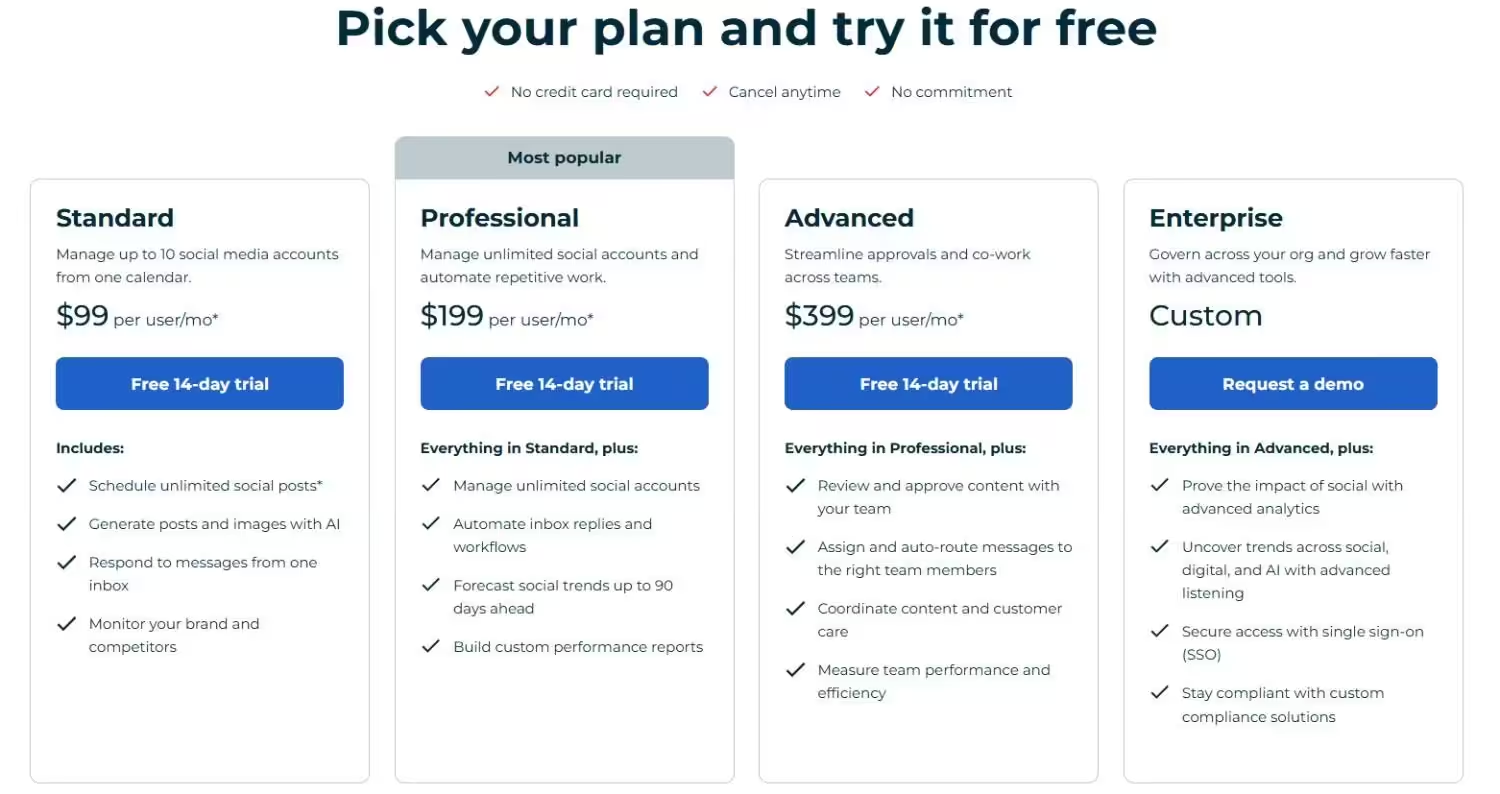
Hootsuite’s Pricing Plans Keep in mind, these prices don’t include taxes, so the final cost can add up quickly. For the price, you’d expect more advanced features, but that’s not the case.
Compared to alternatives to Hootsuite, it can feel overpriced for what it delivers.
-
Customer Support (Or Lack Thereof)
One thing that stood out during my experience was Hootsuite’s customer support—or lack thereof.
Responses can take days, which is less than ideal when you’re trying to resolve urgent issues.
Keep reading to discover some of the best Hootsuite alternatives I’ve tested!
Pricing and Limits to Check Before Switching to Hootsuite Alternatives
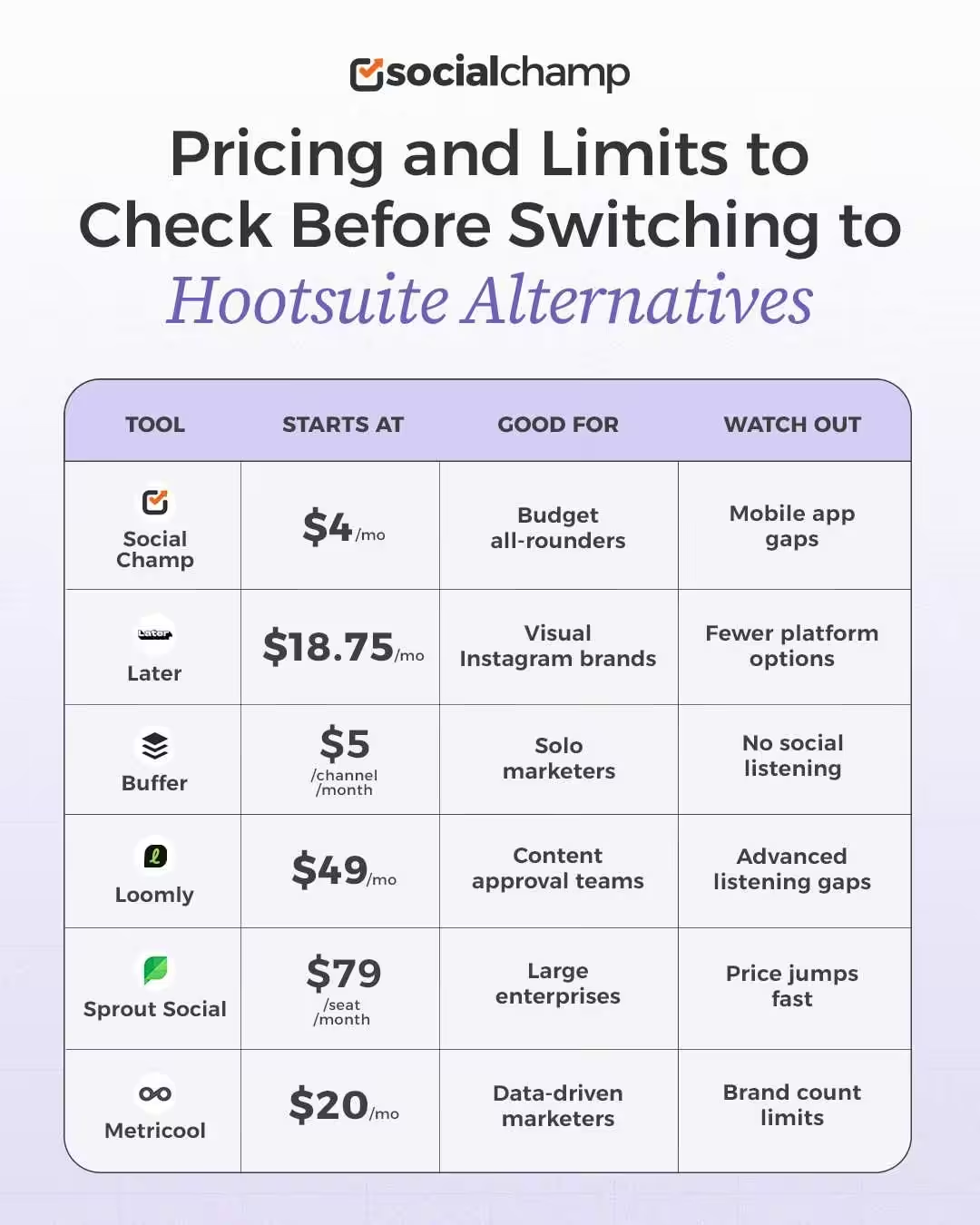
Note: Prices shown are based on annual billing and may vary for monthly plans. Please check each provider’s pricing page for the latest rates.
6 Best Hootsuite Competitors for Your Brand in 2026
-
Social Champ
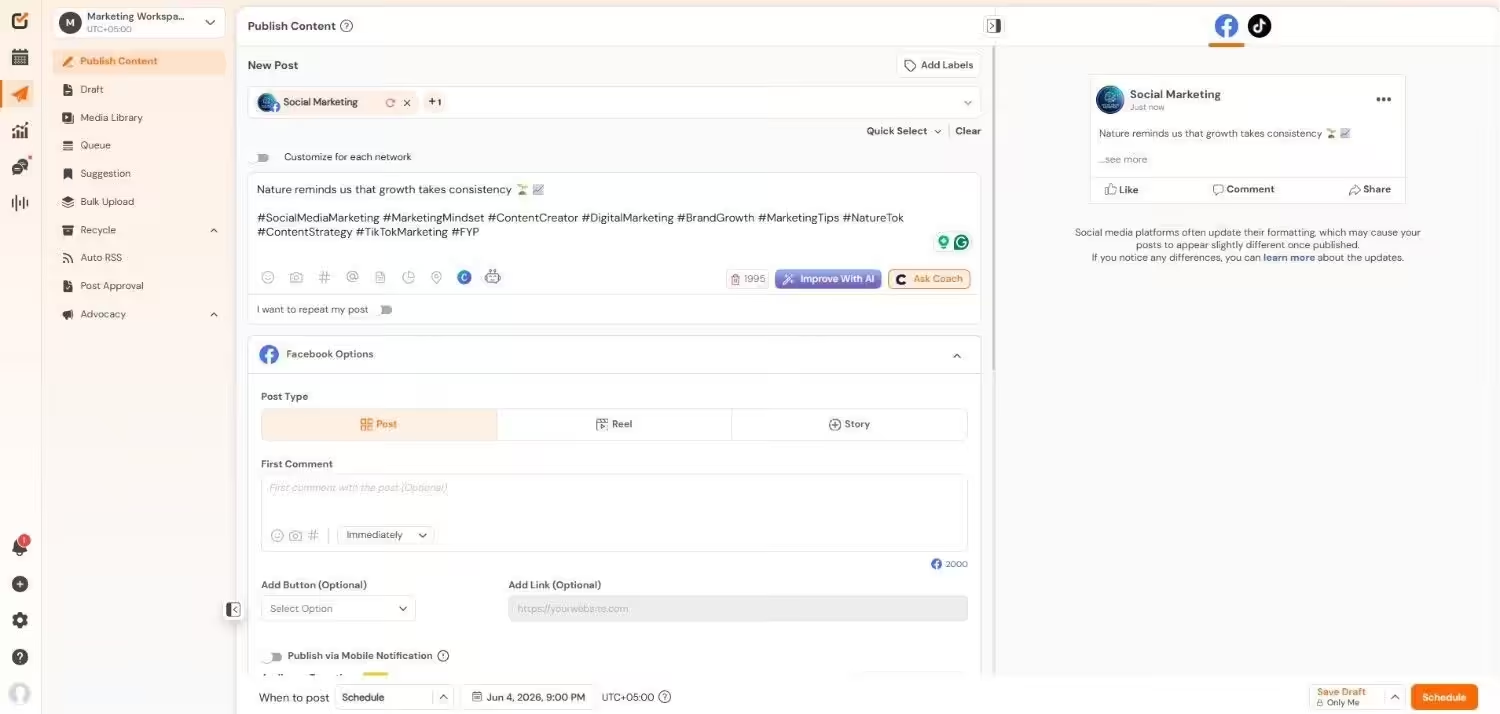
Social Champ’s Dashboard Why I Picked Social Champ
I started with Social Champ because I’ve watched too many small agencies and solo marketers get priced out of the tools they actually need.
I wanted to put it through the exact same stress test I ran on other Hootsuite alternatives: scheduled real posts, ran approval workflows, and pulled analytics reports just to see if it genuinely holds its own or if the low price tag comes with hidden trade-offs. Turns out, it doesn’t just hold its own. It punches way above its weight.
So if you’re looking for a social media management tool that actually fits your budget, then you absolutely need to try this out!
This tool can be your personal social media assistant, handling everything from scheduling and publishing to analytics and listening, all while being super affordable.
Seriously, it’s packed with features that rival (and sometimes surpass!) Hootsuite, but without the hefty price tag.
Plus, it’s a one-stop shop for all your social media needs, offering a complete suite of services. Oh, and did I mention it integrates with Google Analytics 4 (GA4)? Yep, it does that too!
G2 Rating: 4.4
Trustpilot Rating: 4.3
Pricing
Social Champ comes with two pricing tiers, including a Pay-Per-Profile and a Flat-Rate model.
Here’s what you get in the Pay-Per-Profile:
- Starter, which costs $4 and has 1 user. In this plan, you can manage 1 social account.
- Growth, which costs $8 and has unlimited users. In this plan, you can manage 1 social account. These plans also offer discounts as you scale.
Here’s how much you can save in the Starter:
- For 1-10 social accounts: $4
- For 11-20 social accounts: $3
- For 21-40 social accounts: $2
- For 41+ social accounts: $0.50
Here’s how much you can save in the Growth:
- For 1-10 social accounts: $8
- For 11-20 social accounts: $8
- For 21-40 social accounts: $8
- For 41+ social accounts: $8
With Social Champ, you also get Flat-Rate bundles, which are:
- Free, which costs $0 and has 1 user. In this plan, you can manage 3 social accounts.
- Standard, which costs $23 and has 2 users. In this plan, you can manage 6 social accounts.
- Professional, which costs $47 and has 5 users. In this plan, you can manage 12 social accounts.
- Agency, which costs $119 and has unlimited users. In this plan, you can manage 30 social accounts.
- Enterprise, which is Custom and has unlimited users. In this plan, you can manage unlimited social accounts.
Social Champ also supports: Instagram, Facebook, TikTok, LinkedIn, YouTube, Threads, Pinterest, X, Google Business Profile, Bluesky, Mastodon, and WhatsApp Business
Key Features
Social Champ covers all your social media management bases with these core features:
- Publish (Scheduling): Schedule posts across multiple platforms with ease.
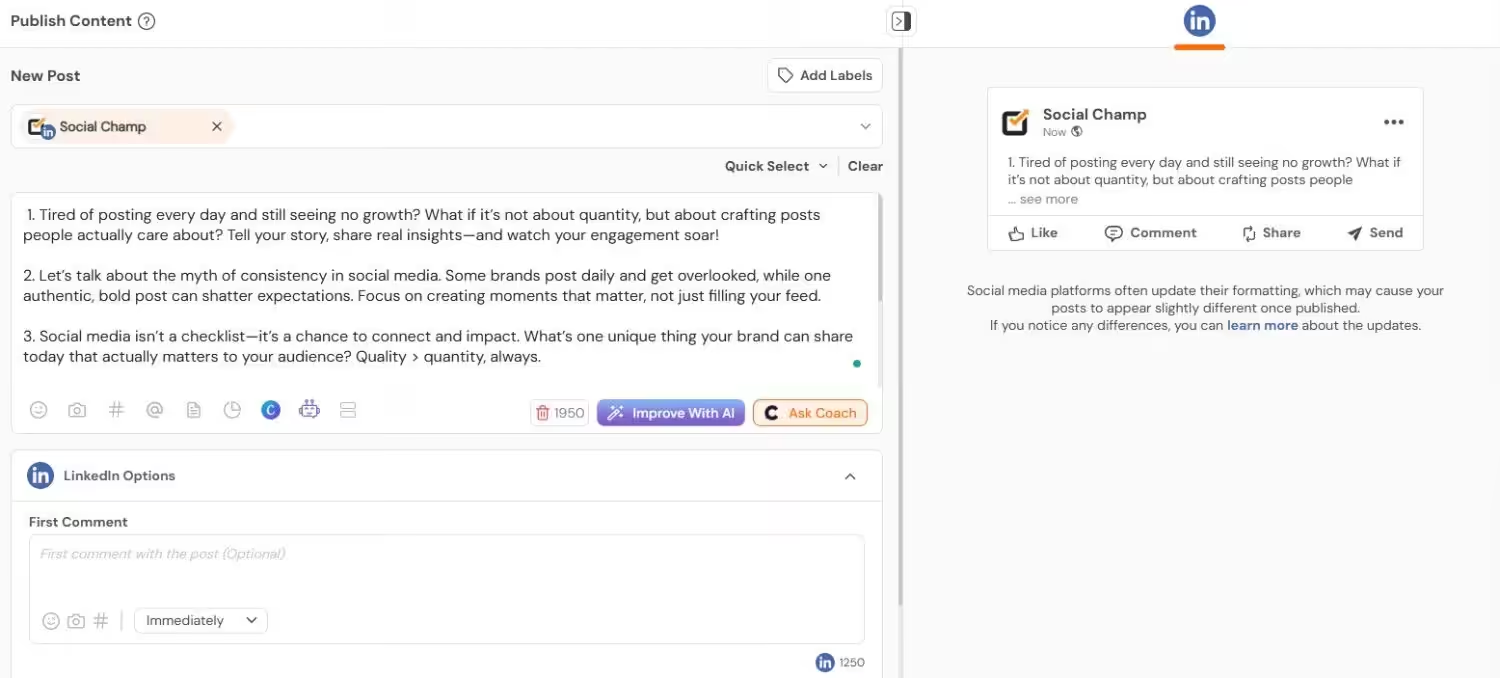
Social Champ’s Publishing Dashboard - Engage (Social Inbox): Manage all your social interactions from one central inbox.
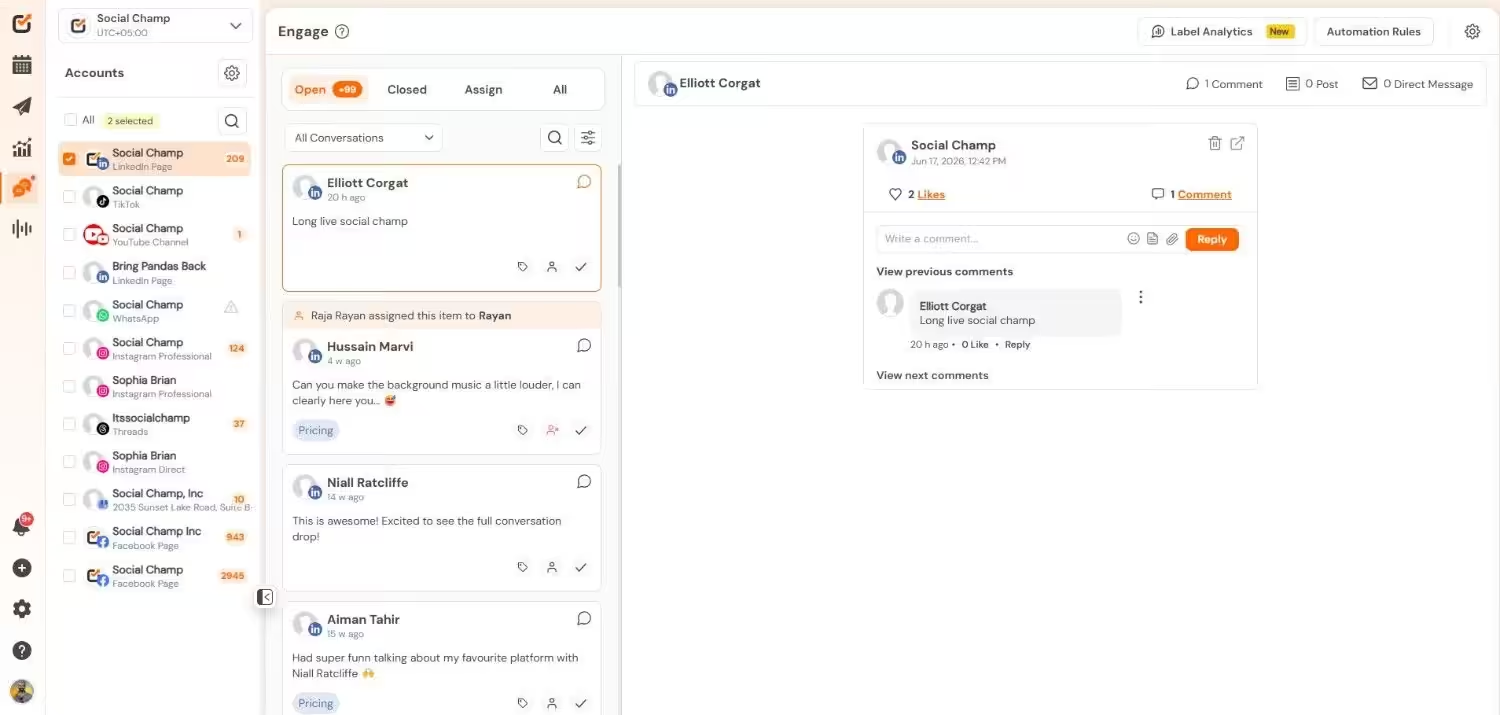
Social Champ’s Social Inbox - Analytics: Track your social media performance with in-depth analytics.
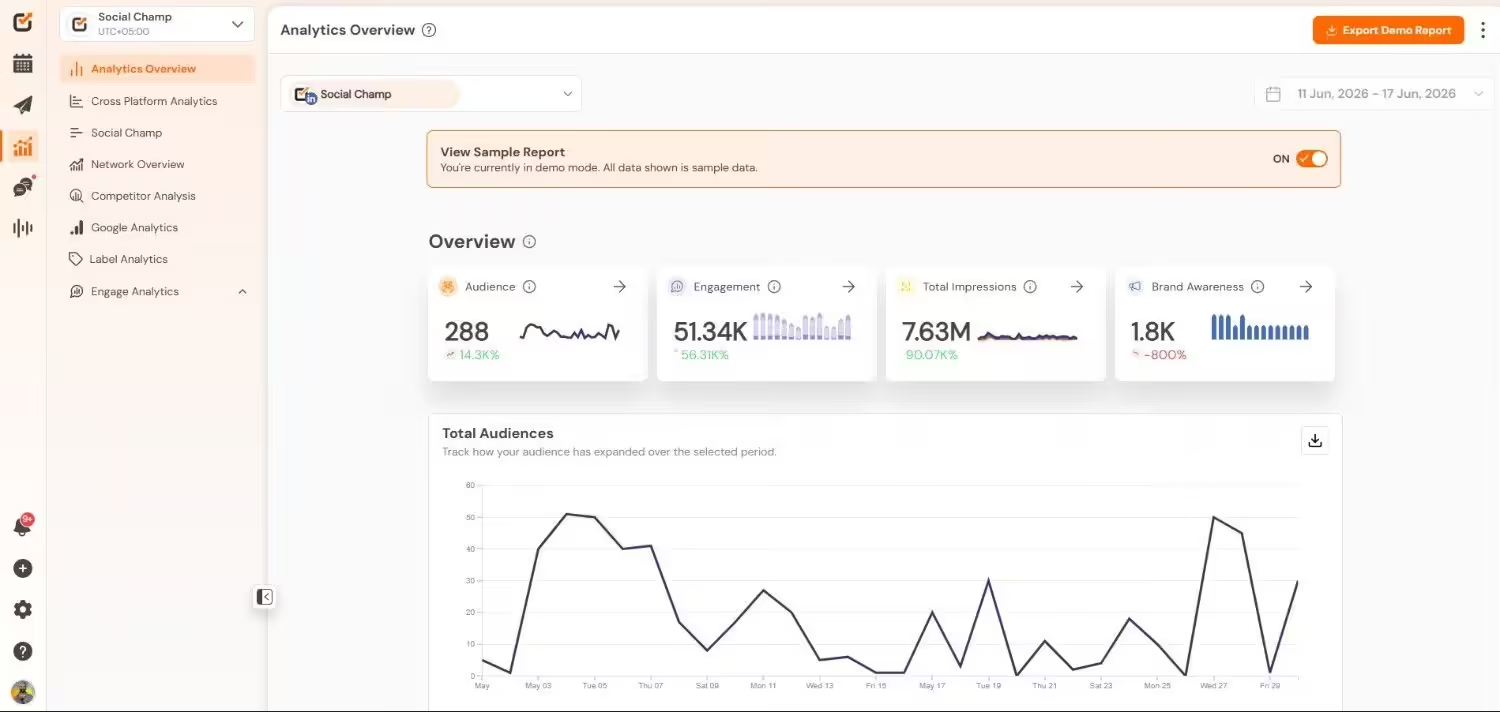
Social Champ’s Analytics - Social Listening: Monitor brand mentions and industry trends.
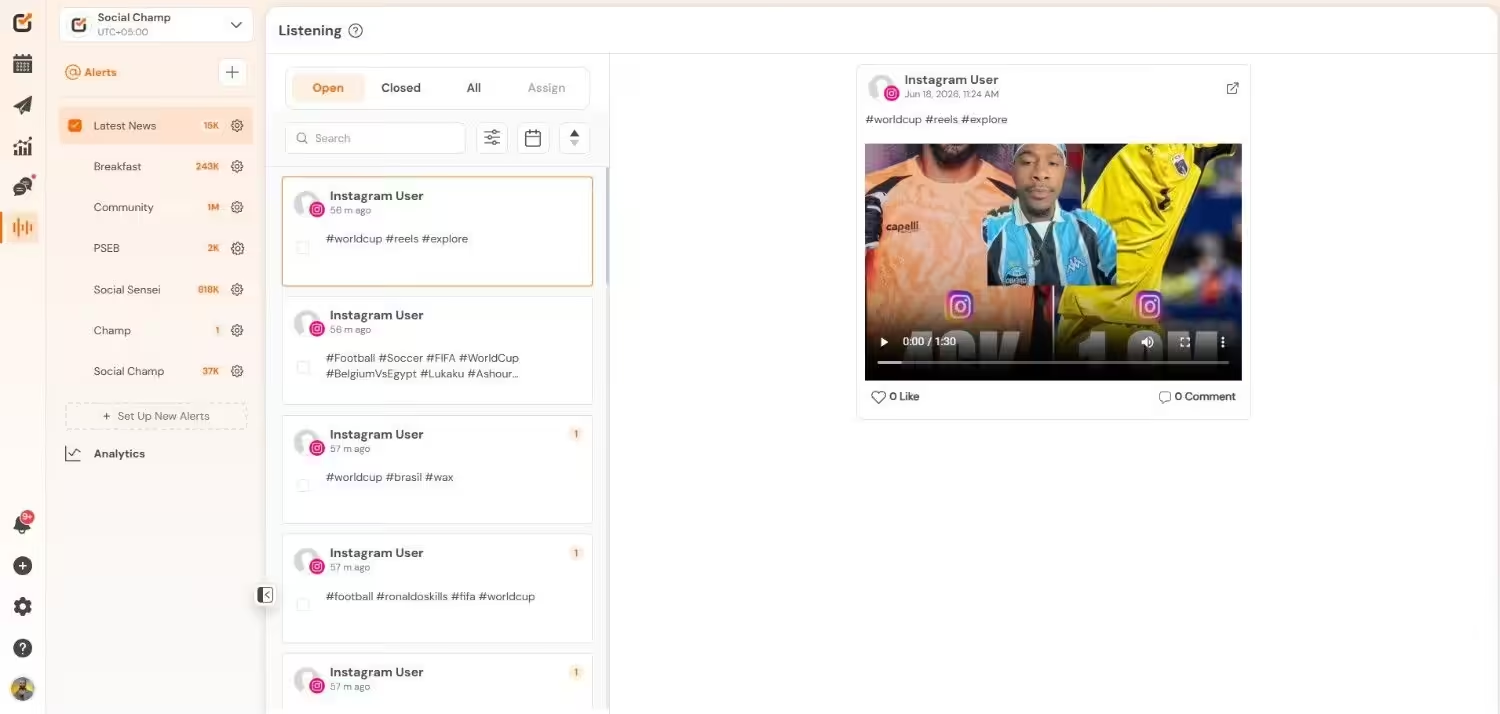
Social Champ’s Listening Dashboard - Calendar: Visualize your content schedule with a drag-and-drop calendar.
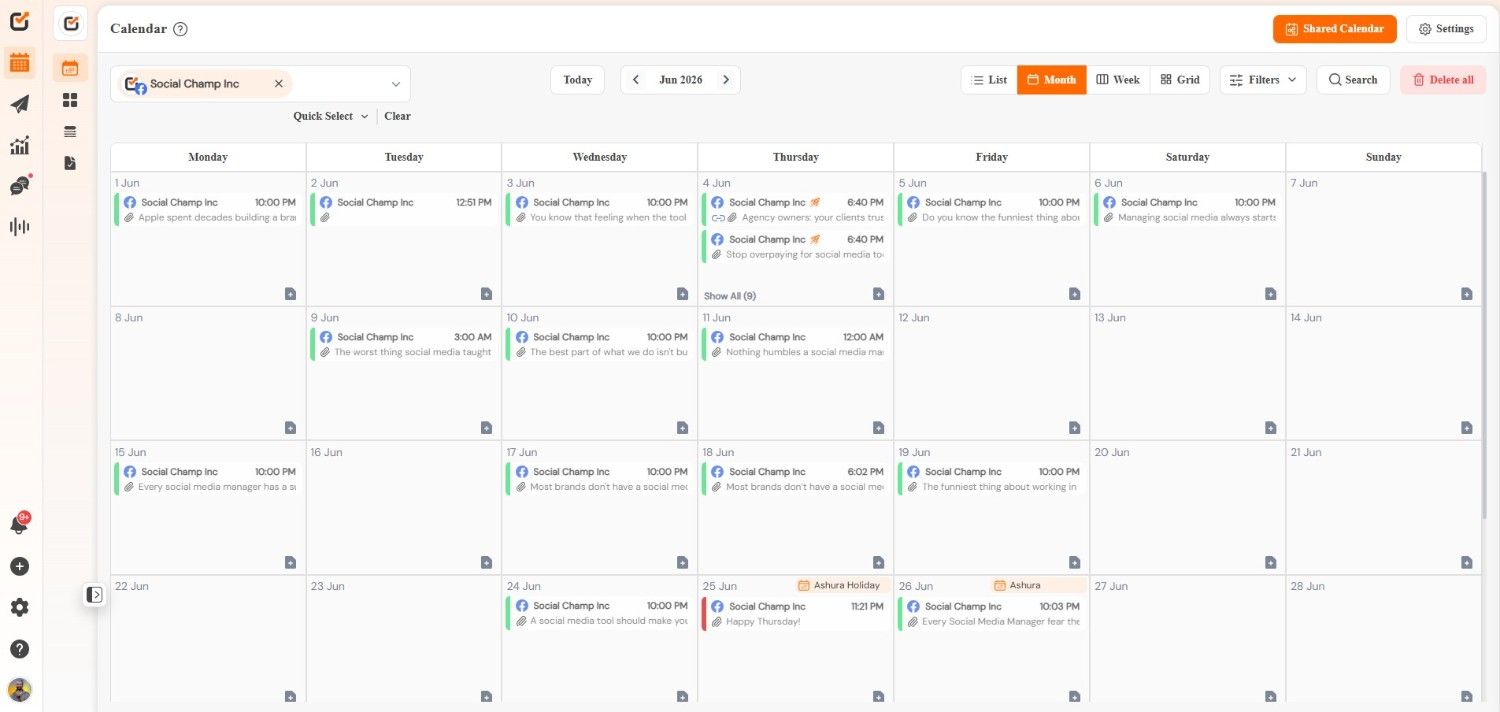
Social Champ’s Calendar But that’s not all! Social Champ also boasts a ton of other helpful features, including:
- Bulk Upload: Schedule numerous posts at once.
- Workspace/Client Management: Easily manage multiple brands or clients by separating their accounts through Workspaces.
- AI-Recommended Best Time to Post: Use AI to determine the ideal time to post your content based on when your audience is most active.
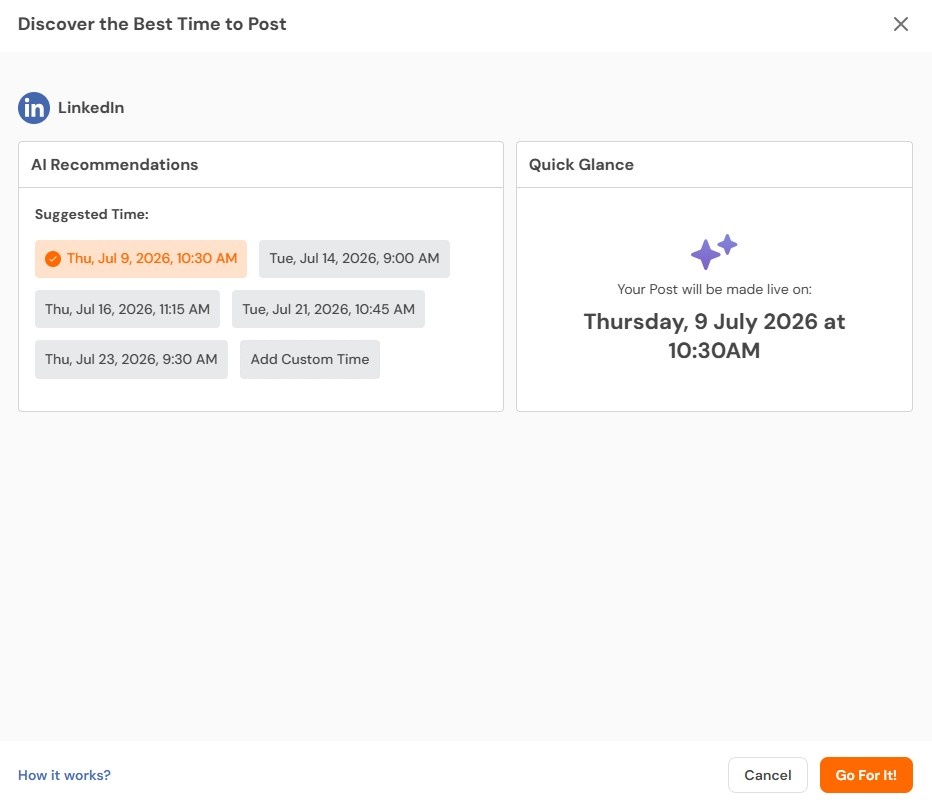
Social Champ’s AI Suggested Best Time to Post - Champ AI Suite: Access AI-powered tools for content creation and image creation.
- Integrations: Connect with Canva, Google Drive, Giphy, Google Analytics, Zapier, and more.
- Team Collaboration: Work easily with your team with approval workflows and collaboration features.
- Auto RSS: Automatically share content from your RSS feeds.
- Recycle Post: Repurpose your top-performing content with Recycle.
- Approval Workflows: Ensure all content is approved before publishing.
- Competitor Analysis: Track your competitors’ social media performance.
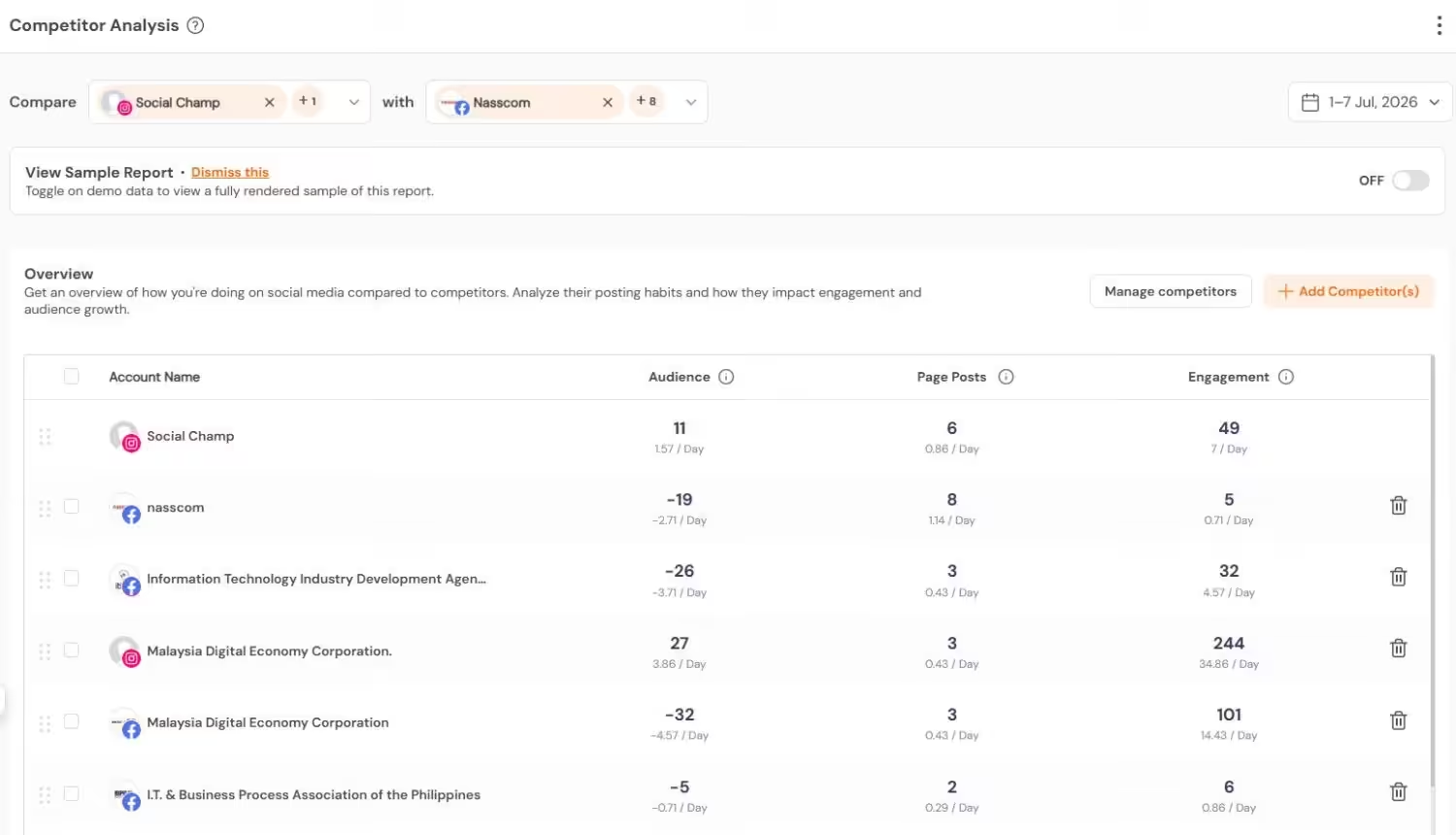
Social Champ’s Competitor Analysis Tool - Shareable Calendar: Easily share your content calendar with clients or team members.
- Drag-and-Drop Visual Calendar: Plan your content visually.
- Instagram Grid View: Preview your Instagram feed before posting.
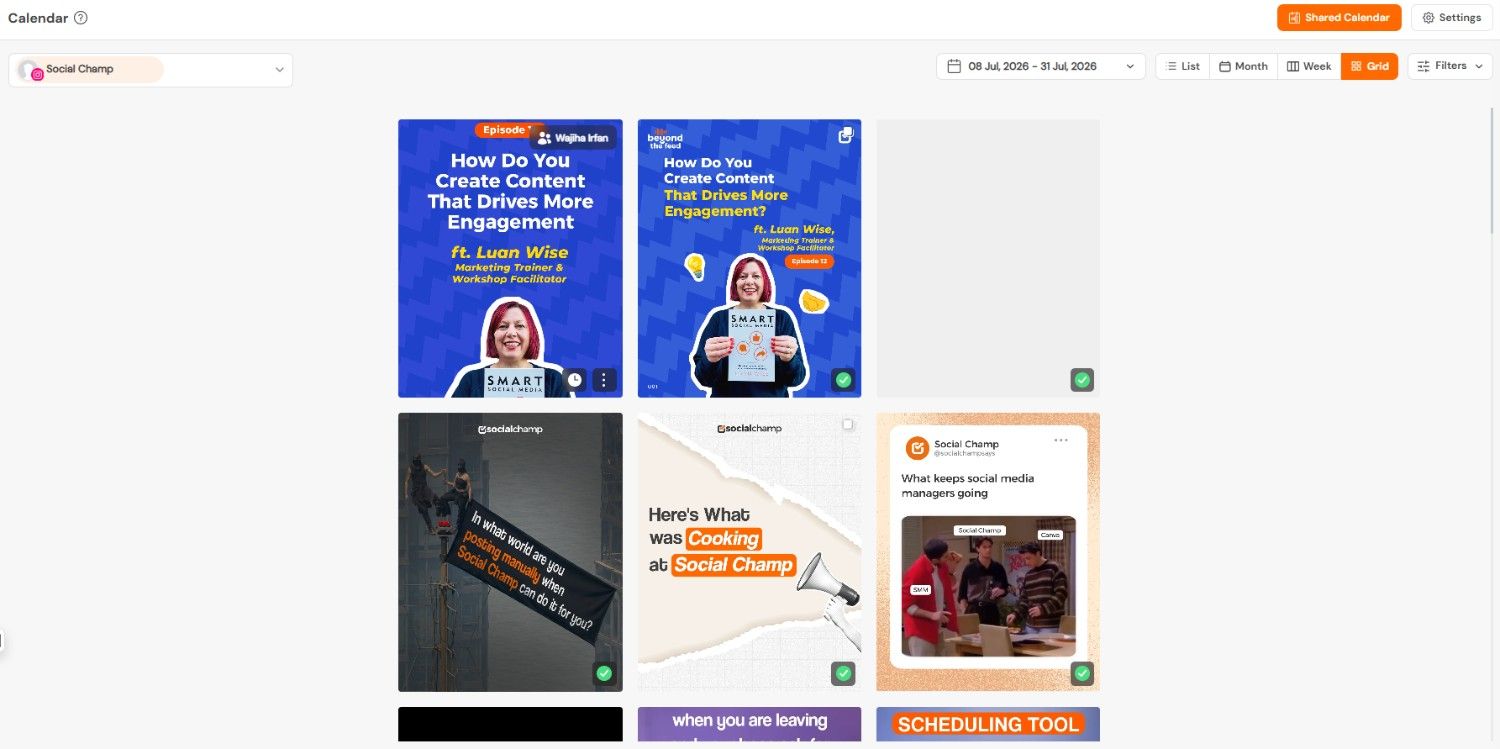
Social Champ’s Instagram Grid View - White-Label Reporting: Create branded reports for your clients.
- 12 Platform Connections: Manage a wide range of social media platforms.
- Social Inbox Enhancements: Enjoy team collision detection, message labeling, and sorting options.
Pros and Cons
Here’s a balanced look at what makes Social Champ stand out and where it could improve:
Pros
Cons
Packed with a wide range of tools that rival much more expensive management platforms. The mobile application may not be as feature-rich or robust as the desktop version. Designed to be easy to navigate and operate, making it accessible even for beginners. Highly regarded for its responsive, helpful, and efficient support team. Constantly evolving with new features and improvements based on a public Product Roadmap. Best For
Social Champ is a great fit for:
- Social Media Managers: Streamline client management and reporting.
- Small Businesses: Manage social media effectively on a budget.
- Agencies: Scale social media management for multiple clients.
- Content Creators: Schedule and promote content across different platforms.
- Individuals: Manage personal social media presence with ease.
-
Later
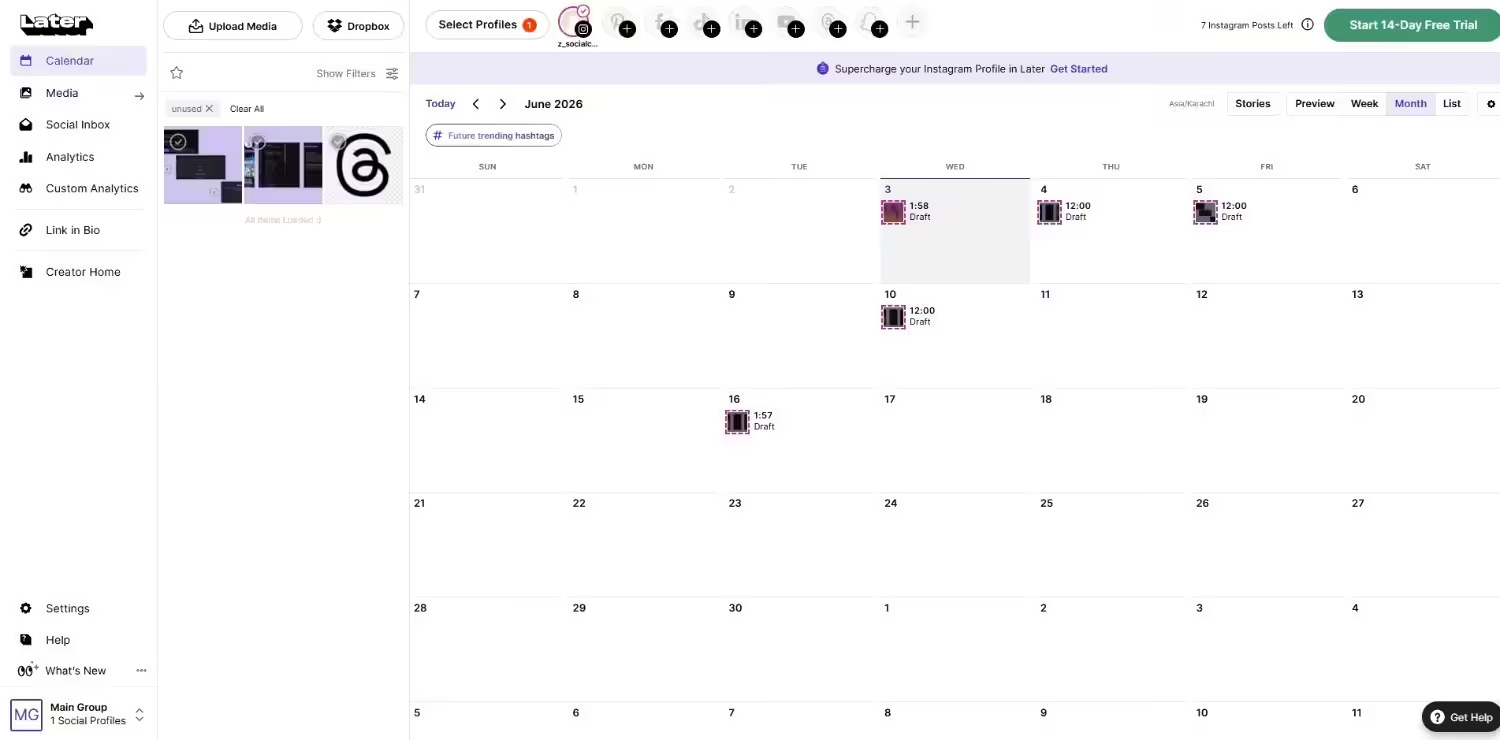
Later’s Dashboard Why I Picked Later
In search of the best Hootsuite alternatives, I found out that Later is great for Instagram-first brands. I wanted to plan a month of posts for a mock lifestyle brand, and you know what? It literally did it! Its drag-and-drop planner actually saved me from publishing a post that ruined the aesthetic.
The Linkin.bio is another smooth feature of this tool that helped me route traffic to multiple product pages without the usual broken-link headaches.
But the moment I tried managing X and LinkedIn from the same dashboard, it felt like forcing a square peg into a round hole.
G2 Rating: 4.5
Trustpilot Rating: 1.4
Key Features
- Visual Content Calendar: Later offers a drag-and-drop visual calendar that allows you to plan and preview your feed’s aesthetic before publishing.
- Instagram Grid Planner: Specifically designed for Instagram, this feature helps you arrange your posts to create a visually appealing grid.
- Hashtag Suggestions: Later provides hashtag suggestions to help you increase the discoverability of your content.
- Linkin.bio: You can create a customizable landing page with multiple links to drive traffic from your social media profiles.
- Analytics and Insights: Later lets you track key metrics and gain insights into your social media performance, with a focus on visual content engagement.
- Free, which costs $0 and has 1 user. In this plan, you can manage 8 social accounts.
- Starter, which costs $18.75 and has 1 user. In this plan, you can manage 8 social accounts.
- Growth, which costs $37.50 and has 2 users. In this plan, you can manage 16 social accounts.
- Scale, which costs $82.50 and has 4 users. In this plan, you can manage 48 social accounts.
- Businesses and Creators Focused on Visual Content: If your social media strategy heavily relies on visual content, particularly on Instagram, Later’s visual planning tools are a valuable asset.
- E-commerce Businesses with a Strong Visual Brand: Later can help e-commerce businesses curate a visually appealing feed and drive traffic to their products through Linkin.bio.
-
Buffer
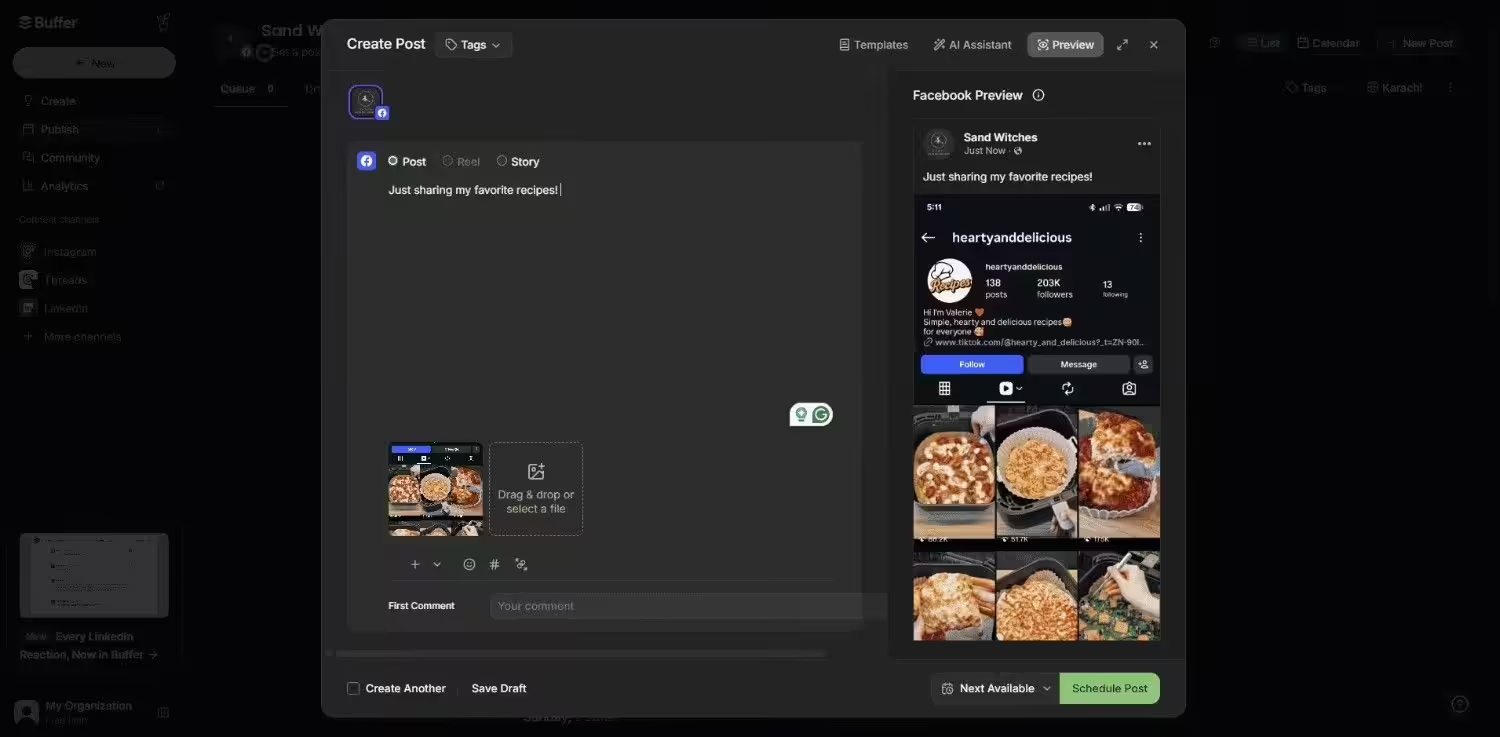
Buffer’s Dashboard Why I Picked Buffer
I tested Buffer because I wanted only a straightforward tool that does my work. Scheduling content late at night after a long day, the last thing I wanted was to dig through five nested menus just to queue a post.
And you know what? Buffer delivered exactly what I needed. Literally, I scheduled a full week of content across three platforms in under 20 minutes. Also, the interface is so clean I could hand it off to an assistant with zero training and have them running with it.
But the moment I tried setting up social listening or pulling a white-label client report, I quickly ran into its limitations.
G2 Rating: 4.3
Trustpilot Rating: 3.4
Let’s explore its features and see if it aligns with your social media management approach.
Key Features
- Intuitive Interface: Buffer is known for its clean and easy-to-navigate interface, making it accessible to users of all skill levels.
- Content Scheduling: With a straightforward scheduling tool, you can schedule and publish posts across multiple social media platforms.
- Analytics & Reporting: It helps you track key metrics and measure your social media performance with basic analytics dashboards.
- Engagement Tools: You can also engage with your audience through a centralized inbox for managing comments and replies.
- Free, which costs $0 and has 1 user. In this plan, you can manage 3 social account.
- Essentials, which costs $5 and has 1 user. In this plan, you can manage 1 social account.
- Team, which costs $10 and has Unlimited users. In this plan, you can manage 1 social account.
- Individuals and Small Businesses: The platform’s simplicity and affordable pricing make it a good option for those with basic social media management needs.
- Users New to Social Media Management: Buffer’s intuitive interface makes it easy to learn and use, even for beginners.
-
Loomly
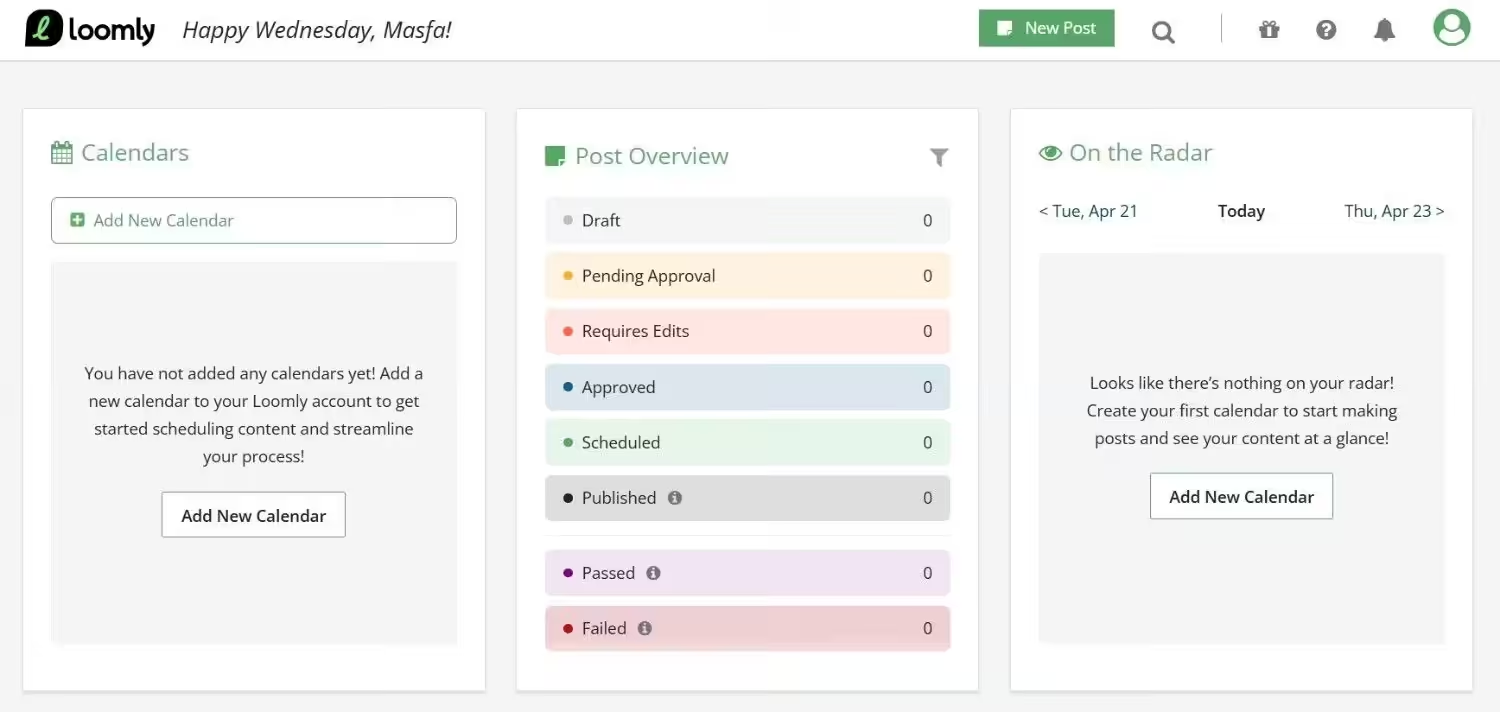
Loomly’s Dashboard Why I Picked Loomly
I tested Loomly because I’ve seen content teams burn hours routing a single Instagram post through dozens of Slack threads, Google Doc comments, and emails before it even goes live.
I ran a mock approval workflow with a creator, editor, and client, and posts moved through stages smoothly without anyone having to chase down sign-offs. The content ideation prompts even sparked a few ideas I ended up adding to my own calendar.
For teams that depend on clear approvals, it replaces the usual coordination chaos with a structured process. The main drawback was the lack of social listening; I kept looking for a brand mentions tab, only to realize I’d need a separate tool for that.
G2 Rating: 4.6
Trustpilot Rating: 3.8
Let’s delve into its specific features and assess if it aligns with your needs.
Key Features
- Content Ideation & Creation: Loomly provides tools and resources to help you brainstorm content ideas, create engaging posts, and optimize them for different platforms.
- Collaboration & Approval Workflows: The platform facilitates team collaboration with features like shared calendars, task assignments, and content approval workflows.
- Content Library & Asset Management: Organize and manage your social media assets, including images, videos, and copy, in a centralized library.
- Automated Publishing & Scheduling: With automated publishing tools, schedule and publish your content across various social media platforms.
- Analytics & Reporting: Track key metrics and measure your social media performance with built-in analytics dashboards.
- Starter, which costs $49 and has 3 users. In this plan, you can manage 12 social accounts.
- Beyond, which costs $249 and has Unlimited users. In this plan, you can manage 60 social accounts.
- Enterprise, which is Custom and has Unlimited users. In this plan, you can manage 61+ social accounts.
- Content-Focused Businesses: If content creation and optimization are central to your social media strategy, Loomly’s tools are a valuable asset.
- Small to Medium-Sized Teams: The platform’s collaboration features and pricing plans make it suitable for small to medium-sized teams.
-
Sprout Social
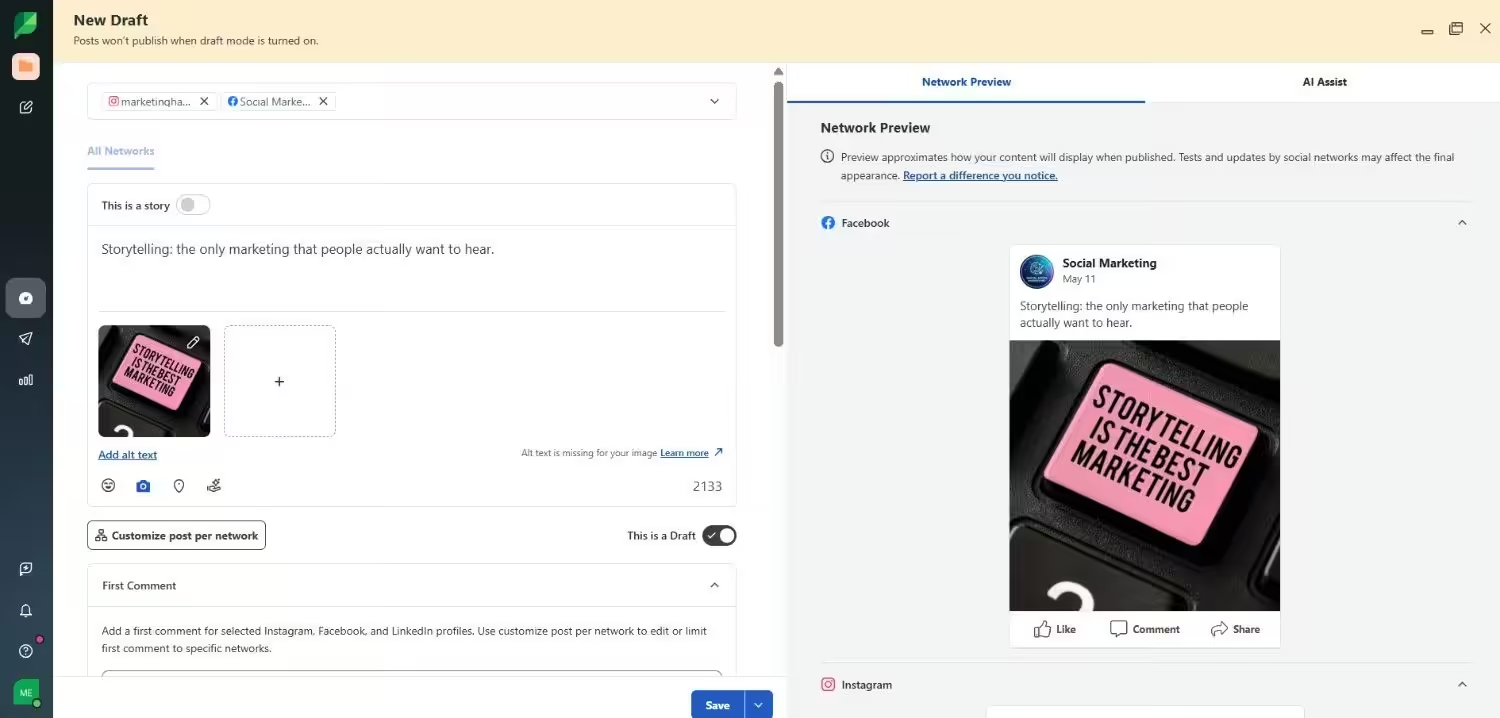
Sprout Social’s Dashboard Why I Picked Sprout Social
I tested Sprout Social because it’s the name that comes up in every ‘what do the big brands use?’ conversation. At $79 per seat minimum, I needed to know if that price tag buys genuinely deeper insights or just enterprise polish.
I generated a custom analytics report for a mock campaign, and the sentiment analysis picked up nuances in brand mentions I’d have missed manually. The competitor benchmarking was granular enough to actually inform strategy, not just pad a slide deck.
But when I did the math for a five-person team, I was looking at nearly $400 a month before touching the Advanced plan, and that 1.7 Trustpilot rating full of billing horror stories made me nervous.
G2 Rating: 4.4
Trustpilot Rating: 1.7
Let’s explore what makes it stand out and where it might fall short.
Key Features
- Advanced Analytics: Sprout Social emphasizes in-depth analytics, providing valuable insights into audience behavior, campaign performance, and social media ROI. It offers customizable reports, trend analysis, and competitive benchmarking.
- Social Listening: You can monitor brand mentions, track relevant conversations, and identify industry trends with its social listening tools. This includes sentiment analysis and the ability to filter conversations by keywords, location, and demographics.
- Team Collaboration: It allows you to streamline teamwork with shared inboxes, task assignments, and clear communication channels. It offers role-based permissions and approval workflows to ensure efficient collaboration.
- Customer Care: You can manage social media customer service with features like message prioritization, saved replies, and private messaging. It integrates with helpdesk systems for streamlined support workflows.
- Workflow Automation: Sprout Social automates repetitive tasks, such as scheduling posts and generating reports, freeing up your team for more strategic work. This includes automated publishing and campaign tracking.
- Essentials, which costs $79 and has 1 user. In this plan, you can manage 5 social accounts.
- Standard, which costs $199 and has 1 user. In this plan, you can manage 5 social accounts.
- Professional, which costs $299 and has 1 user. In this plan, you can manage unlimited social accounts.
- Advanced, which costs $399 and has 1 user. In this plan, you can manage unlimited social accounts.
- Enterprise, which is custom and has custom users. In this plan, you can manage unlimited social accounts.
- Large Enterprises: The platform’s advanced features, scalability, and focus on analytics and insights make it a good fit for organizations with extensive social media operations.
- Businesses with Dedicated Social Media Teams: Sprout Social’s team collaboration tools and workflow automation are ideal for larger teams managing social media accounts.
-
Metricool
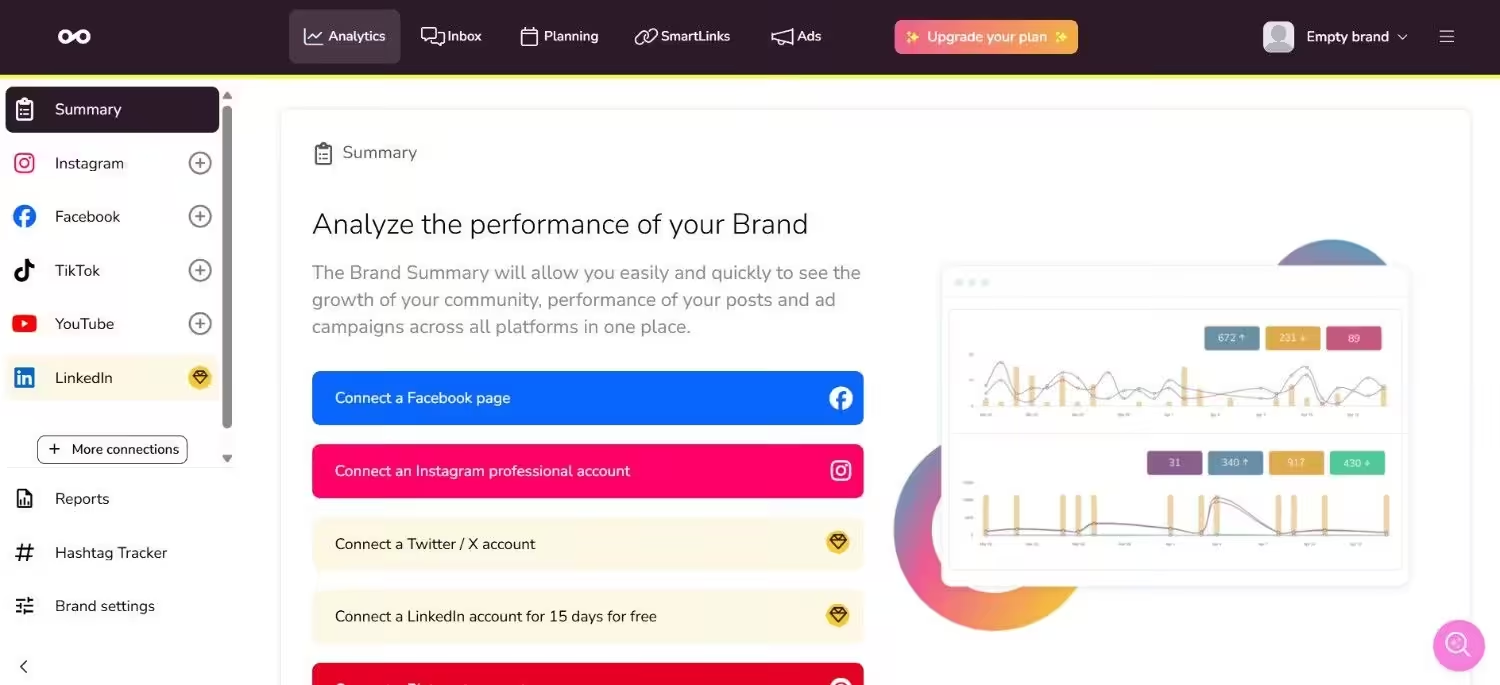
Metricool’s Dashboard Why I Picked Metricool
I picked Metricool because I’m tired of dashboards that look impressive but offer zero actionable insights. I tracked three competitor accounts for a week, and the benchmarking data genuinely changed my strategy.
I could pinpoint when they posted, what drove engagement, and where my own content fell short. The ad analytics were sharp, too; for once, I wasn’t guessing if boosted posts were actually converting or just burning through budget.
It’s a powerhouse if you know what you’re looking for, though the sheer volume of data felt overwhelming at first. Plus, I kept a close watch on my billing after reading user complaints about post-cancellation charges.
G2 Rating: 4.5
Trustpilot Rating: 3.9
Let’s explore its features and assess if it aligns with your needs.
Key Features
- Comprehensive Analytics: Metricool offers detailed analytics dashboards to track key metrics across various social media platforms, providing a holistic view of your social media performance.
- Customizable Reports: You can generate custom reports to visualize your social media data and share insights with your team or clients.
- Social Media Planning and Scheduling: It allows you to schedule and publish your content across multiple platforms with a user-friendly calendar interface.
- Competitor Analysis: You can track your competitors’ social media performance and benchmark your results against theirs.
- Advertising Management: It lets you manage and analyze your social media advertising campaigns, optimizing your ad spend for better ROI.
- Free, which costs $0. In this plan, you can manage 1 brand.
- Starter, which costs $20. In this plan, you can manage 10 brands.
- Advanced, which costs $53. In this plan, you can manage 50 brands.
- Custom, which is Custom. In this plan, you can manage Custom brands.
- Data-Driven Marketers: If you prioritize data analysis and performance tracking, Metricool’s in-depth analytics dashboards are a valuable asset.
- Agencies Managing Multiple Clients: The platform’s reporting and team collaboration features make it suitable for agencies managing social media for multiple clients.
My Verdict
After running real campaigns through Social Champ for two weeks straight, what I can tell you is this is the tool I wish I’d had when I was managing five client accounts on a shoestring budget. The approval workflows didn’t glitch once.
The white-label reports looked professional enough to send directly to clients without touching Photoshop. The AI best-time posting actually moved the needle on engagement compared to my manual guesses.
And is the mobile app perfect? No, and I’ll be honest about that. But for everything that actually matters, such as scheduling, listening, reporting, team collaboration, Social Champ delivers at a price point that feels almost unfair to the competition.
If you’re looking for a Hootsuite alternative that doesn’t make you choose between features and your rent money, this is it.
Leave Hootsuite Behind Today!
Pros and Cons
Let’s take a look at Later’s pros and cons:
Pros |
Cons |
|---|---|
| Excels in visual content planning and scheduling, with a specialized focus on Instagram. | Focuses primarily on visual content and lacks the broader management features and in-depth multi-platform analytics offered by competitors like Hootsuite. |
| Emphasis on visual aesthetics helps brands maintain a consistent and appealing image across social channels. | An extremely low rating of 1.4 serves as a significant red flag, suggesting widespread user dissatisfaction. |
| The platform is generally considered intuitive and easy to navigate, making it accessible for beginners. | Users have reported negative experiences, including slow response times and unhelpful support. |
Pricing Breakdown
Later offers four plans, including:
Later also supports: Instagram, Facebook, Threads, Pinterest, TikTok, LinkedIn, YouTube, and Snapchat.
Best For
Later is best suited for:
My Verdict
I found Later’s grid planner very satisfying to use. You can just drag posts around to preview your feed before hitting publish to stay safe from that 2 AM panic delete. It’s Linkin.bio tool is solid too.
The thing that makes me double-think about Later is when I wanted to manage X and LinkedIn. It felt like forcing a square peg into a round hole, and the non-visual analytics are pretty thin.
If Instagram is 90% of your strategy, it works. If you need real multi-platform power, keep scrolling.
Pros and Cons
Let’s take a look at some of Buffer’s pros and cons:
Pros |
Cons |
|---|---|
| Buffer’s intuitive interface makes it easy to learn and use, even for beginners. | Lacks some advanced features like social listening, in-depth analytics, and robust team collaboration tools found in competitors like Hootsuite. |
| The platform streamlines content planning and publishing, increasing efficiency. | A low rating of 3.4 raises concerns about overall user satisfaction and potential platform issues. |
| A range of plans, including a free option, makes it highly accessible for individuals and small businesses with budget constraints. | Users have reported challenges with security, including getting hacked as a major concern. |
Pricing Breakdown
Buffer offers three plans, including:
Buffer also supports: Facebook, Instagram, X, Bluesky, Google Business Profile, LinkedIn, Mastodon, Pinterest, Threads, TikTok, YouTube
Best For
Buffer is best suited for:
My Verdict
Buffer is all about simplicity. With this tool, I scheduled a full week of content across three platforms in under 20 minutes, and the interface never made me think twice about where anything was.
That said, I bumped into the ceiling pretty quickly. When I tried to set up social listening to track a brand mention campaign, I realized Buffer doesn’t do that at all. When I wanted to generate a white-label report for a mock client, I couldn’t.
If you’re a solo creator or a small business, it’s one of the perfect free Hootsuite alternatives. But if you need team collaboration, competitor tracking, or serious analytics, you’ll outgrow it.
Pros and Cons
Let’s take a look at its pros and cons:
Pros |
Cons |
|---|---|
| Emphasis on content ideation, creation, and optimization makes it a valuable tool for businesses that prioritize content marketing. | A rating of 3.8 on Trustpilot suggests probable concerns about user satisfaction and platform reliability. |
| Features streamline teamwork and ensure content quality through efficient approval workflows. | May lack some of the more advanced features, such as social listening and in-depth analytics, when compared to competitors like Hootsuite. |
| Known for its intuitive and easy-to-navigate interface, making it accessible to users of all skill levels. | Users have reported challenges with certain features of the tool, which might impact workflow efficiency and overall experience. |
Pricing Breakdown
Loomly offers three plans, including:
Loomly also supports: Instagram, LinkedIn, Facebook, TikTok, YouTube, Threads, Google Business Profile, Pinterest, and Snapchat
Best For
Loomly is best suited for:
My Verdict
I ran a mock approval workflow through Loomly with three dummy team members (creator, editor, and client), and the experience was genuinely smooth. Posts moved through stages without anyone having to chase anyone else down.
The content ideation prompts actually sparked a few post ideas I ended up using in my real content. But where it fell short for me is that I kept looking for a social listening tab and realizing it wasn’t there. When you’re managing brand reputation, having listening and approvals in separate tools creates a gap that can cost you.
Also, at $49/month for the Starter plan, it’s not exactly pocket change for a small team. If your biggest pain point is content collaboration and sign-offs, Loomly solves that well. Just know you’ll need another tool for the listening side of things.
Pro Tip!
A visual social media content calendar makes it easier to plan campaigns, maintain posting consistency, and coordinate approvals across teams without last-minute chaos.
Pros and Cons
Pros |
Cons |
|---|---|
| Provides extremely detailed data to help businesses understand their audience and optimize social strategies. | An extremely low rating of 1.7 is a significant red flag, indicating widespread dissatisfaction among users. |
| Offers comprehensive tools to track brand sentiment and identify emerging industry trends. | Users report negative support experiences, including slow response times and difficulty resolving technical issues. |
| Built to handle the scale and complexity of large organizations with advanced features and integrations. | The process of canceling subscriptions is described as difficult and frustrating, with potential billing obstacles. |
| Positioned as a premium enterprise solution, making it less affordable for smaller businesses compared to Sprout Social alternatives. |
Pricing Breakdown
Sprout Social offers five plans, including:
Sprout Social also supports: Facebook, Instagram, X, LinkedIn, Pinterest, TikTok, YouTube, Threads, Bluesky, WhatsApp, Reddit, Tumblr, and Google Business Profile
Best For
Sprout Social is best suited for:
My Verdict
I generated a custom analytics report in Sprout Social, and I’ll admit it: the depth of data genuinely impressed me. The sentiment analysis picked up nuances in brand mentions that I’d have missed manually.
The competitor benchmarking was granular enough to actually inform strategy, not just pad a PowerPoint. But as I told you, the math that I did. For a five-person team, you’re looking at nearly $400/month before you even touch the Advanced plan.
If you’re a large enterprise with dedicated social staff and a compliance team, it might be worth the premium. But for everyone else, you’re paying Ferrari prices for features you’ll use once a quarter.
Quick Tip!
Scheduling posts is important, but timing matters just as much. Posting at the best time to post on TikTok can significantly improve reach and engagement, especially when managing multiple accounts or regions.
Pros and Cons
Let’s take a look at its pros and cons:
Pros |
Cons |
|---|---|
| Strength lies in comprehensive capabilities, providing valuable insights into social media performance. | Plans can be relatively expensive, especially for smaller businesses or individuals with limited budgets. |
| The ability to generate custom reports allows you to tailor data visualization to specific needs. | A wide range of features and data points might be overwhelming for users new to social media analytics. |
| Tracking competitors’ social media activity can help you identify opportunities and refine your strategy. | Users have reported instances of being charged despite canceling their subscriptions, which can be a significant concern. |
Pricing Breakdown
Metricool offers four plans, including:
Metricool also supports: Instagram, TikTok, YouTube, Threads, X, Twitch, Google Business Profile, Facebook, Bluesky, Pinterest, and LinkedIn
Best For
Metricool is best suited for:
My Verdict
I tracked three competitor accounts on Metricool for a week, and the benchmarking data genuinely shifted my strategy. I could pinpoint exactly when competitors posted, what drove engagement, and where my own content fell short.
That said, I have to flag one thing: multiple users reported billing issues, including charges after canceling. I didn’t experience this myself, but I definitely watched my statements a lot closer during the trial.
Also, if you’re new to analytics, the sheer amount of data can feel overwhelming. Metricool is built for marketers who know what they’re looking for, but if you’re still figuring out which metrics matter, the learning curve is pretty steep.
What to Look for in a Hootsuite Alternative (My Checklist)
I’ve tested enough of these tools to know that flashy feature lists don’t always translate to real-world value. Here’s my condensed checklist of what actually matters when choosing among Hootsuite similar tools:
Non-Negotiables
- Transparent pricing that doesn’t double when you add a second user
- Bulk scheduling and drag-and-drop calendar editing
- Social inbox that actually consolidates comments and DMs
- Reliable customer support with same-day response times
Nice-to-Haves That Become Essential
- White-label reporting for agencies
- AI-powered best-time posting and content suggestions
- Competitor analysis without paying for a separate tool
- Approval workflows available on mid-tier plans, not just enterprise
- Auto RSS feeds for content curation
Red Flags I Always Watch For
- Per-user pricing that scales faster than your revenue
- ‘Advanced’ features locked behind the most expensive tier
- Mobile apps that feel like an afterthought
The Verdict: Top Picks by Use Case
Based on my hands-on testing, here’s where each tool wins:
- Best Overall Tool: Social Champ emerges as a top Hootsuite alternative, balancing affordability, ease of use, and a comprehensive feature set. Its flexible plans cater to various needs, which make it a strong contender for the #1 spot.
- Enterprise-Grade Powerhouse: Sprout Social takes the lead for large organizations requiring deep listening and custom reporting (if you can afford the price).
- Visual Content Planning (Instagram Focus): Later shines with its visual calendar and Instagram grid planner, ideal for visually-driven brands.
- Data-Driven Analytics: Metricool’s in-depth analytics and reporting are ideal for data-focused marketers.
- Simplicity-Focused Users: Buffer’s user-friendly interface and straightforward features make it a good choice for beginners.
- Content Collaboration Powerhouse: Loomly’s content focus and collaboration tools make it a valuable asset for teams.
Wrapping Up
After 40+ hours of hands-on testing, scheduling hundreds of posts, and running more approval workflows than I care to count, here’s my straight answer: I’ve covered a bunch of platforms, each with its own strengths. Some are budget-friendly, perfect for getting started.
Others are more of an investment but offer a whole suite of advanced features. Take your time, have a good look at the options, and don’t hesitate to try out a few free trials. It’s the best way to see if a platform really clicks with your workflow.
And hey, if you’re looking for a solid all-rounder that won’t break the bank, definitely check out Social Champ. In my direct comparison, it delivered 90% of Hootsuite’s functionality at roughly 15% of the cost. It’s got a great balance of features and affordability, which makes it a serious contender.
But no matter what you choose, happy posting!
