You will come across countless social media management tools for agencies when you start looking for one!
And it might feel like the hardest decision of your life because there’s money at stake. Many social media management tools for agencies offer 14-day free trials, but let’s be honest, 14 days are not enough to make such a crucial decision.
There should at least be a free plan that you can use for as long as you want to test the tool, but not every tool has one. That’s just one of the problems you’ll face while searching for the right social media planning apps.
Short Summary
- Beyond trial availability, agencies must carefully evaluate key collaboration features, hidden costs, pricing structures, and network compatibility.
- A good agency workflow requires seamless client approval links, a unified social inbox to handle all community engagement on one screen, and granular team permission settings.
- Social Champ stands out as an optimal budget-friendly choice that packs advanced automation, bulk scheduling, and multi-account tools without charging premium enterprise rates.
- Alternative platforms like Agorapulse excel at client link sharing, while choices like Iconosquare and Sprout Social lead in advanced performance data and social listening.
- The true cost of management software often escalates due to hidden fees like steep per-seat user taxes, gated approval tiers, profile limitations, and AI credit overages.
Other than looking for a free plan or a trial, you will also need to look for key features, pricing tiers, and supported platforms to figure out if the platform is worth it or not!
I’ll make it all easy for you!
In this blog, I’ll tell you:
- Everything you need to know about the best 12 social media management tools for agencies.
- I’ll draw comparisons between the tools, so you can have a quick glance.
- I’ll also share my verdict about the tool that I personally love and use.
- Lastly, I’ll disclose the hidden costs of SMM software that might drain your budget.
Are you ready? Let’s start!
Key Features to Look for in Agency-Focused SMM Software
Look, I’ve been around the block when it comes to social media software. In my early days, I made the classic mistake of picking a tool just because it had a beautiful user interface. I know, I know, it screams amateur!
But soon after, I realized that managing multiple clients doesn’t just require you to schedule; it needs a tool that does more than just scheduling!
This is how I came up with this list of features that you should look for in a social media manager software!
-
Client Approval Workflows
If there is one thing that will break an agency workflow, it’s the back-and-forth email chains trying to get a client to approve next week’s content. It’s truly a nightmare, honestly!
In my opinion, your tool must have an easy way to get the client’s eyes on the content. Ideally, I look for platforms that let me send a secure, interactive link where the client can click approve or leave a comment without any extra effort!
-
Social Inbox
Nothing can take more time than engaging with the followers. If you’re running a marketing agency, I’m sure you have clients who leave that social media entirely up to you. This means that you’re responsible for posting, tracking, and engaging.
In such cases, you absolutely need a social inbox. I have a few accounts that I manage, and trust me when I say, it’s very tiring to jump around platforms just to check DMs. A unified social inbox will allow you to engage with your audience within one platform, and you’ll see it save so much time.
-
Flexible Team Roles and Permissions
As your agency grows, you’ll likely bring on interns, freelance copywriters, or dedicated community managers. You need to be a bit of a control freak here, after all, you can’t give the keys to your kingdom to an intern!
To solve this, you should look for granular permissions that let you assign a freelance writer to create drafts only for Client A, grant an intern permission to schedule content for Client B (but require a manager’s sign-off), and keep the master account settings safely in your hands.
SMM Software Comparison at Glance
Searching for a social media management tool is like a never-ending game of trial and error. If you start to search for each tool one by one to make a decision, it will take forever, and your social media will stay on standby.
Here’s a quick comparison between the top 12 social media management tools that you should keep up with!
| Tool | Pricing (billed yearly) | Approvals | Best Agency Fit |
|---|---|---|---|
| Social Champ | Starts from $4/month | Simple team-based approval workflows | Budget-conscious agencies scaling a massive volume of accounts |
| Agorapulse | Starts from $49/month | Simple email/URL client approval options | Small to mid-sized teams who want a highly visual calendar |
| SocialPilot | Starts from $25.50/month | White-label client approval portals | Scaling agencies needing massive multi-account management on a budget |
| Hootsuite | Starts from $99/month | Strong internal team compliance and security sign-offs | Large legacy agencies managing complex, enterprise brand ecosystems |
| Buffer | Starts from $5/month | Basic team approvals available on higher tiers | Boutique agencies or freelancers managing a handful of visual channels |
| Later | Starts from $18.75/month | Internal review and basic shared collaboration links | Agencies focused heavily on Instagram, TikTok, and visual grid planning |
| Sendible | Starts from $25/month | Custom client dashboard approvals | Agencies looking for deep white-labeling and individual client portals |
| CoSchedule | Starts from $19/month | Task-based marketing suite approvals | Full-service content agencies managing social alongside blogs and email |
| Metricool | Starts from $20/month | Internal team workflows on advanced plans | Digital marketing agencies running heavy ad campaigns alongside organic |
| Iconosquare | Starts from $33/month | Simplified team review and collaborative flows | Data-driven agencies specializing in deep visual metrics and auditing |
| Sprout Social | Starts from $79/month | Advanced multi-step custom approval workflows | Enterprise-level agencies needing deep listening, AI, and premium analytics |
The 12 Best Social Media Management Tools For Agencies
Now that you’ve had a quick glance at the best social media management apps, let’s discuss them in a little more detail!
-
Social Champ
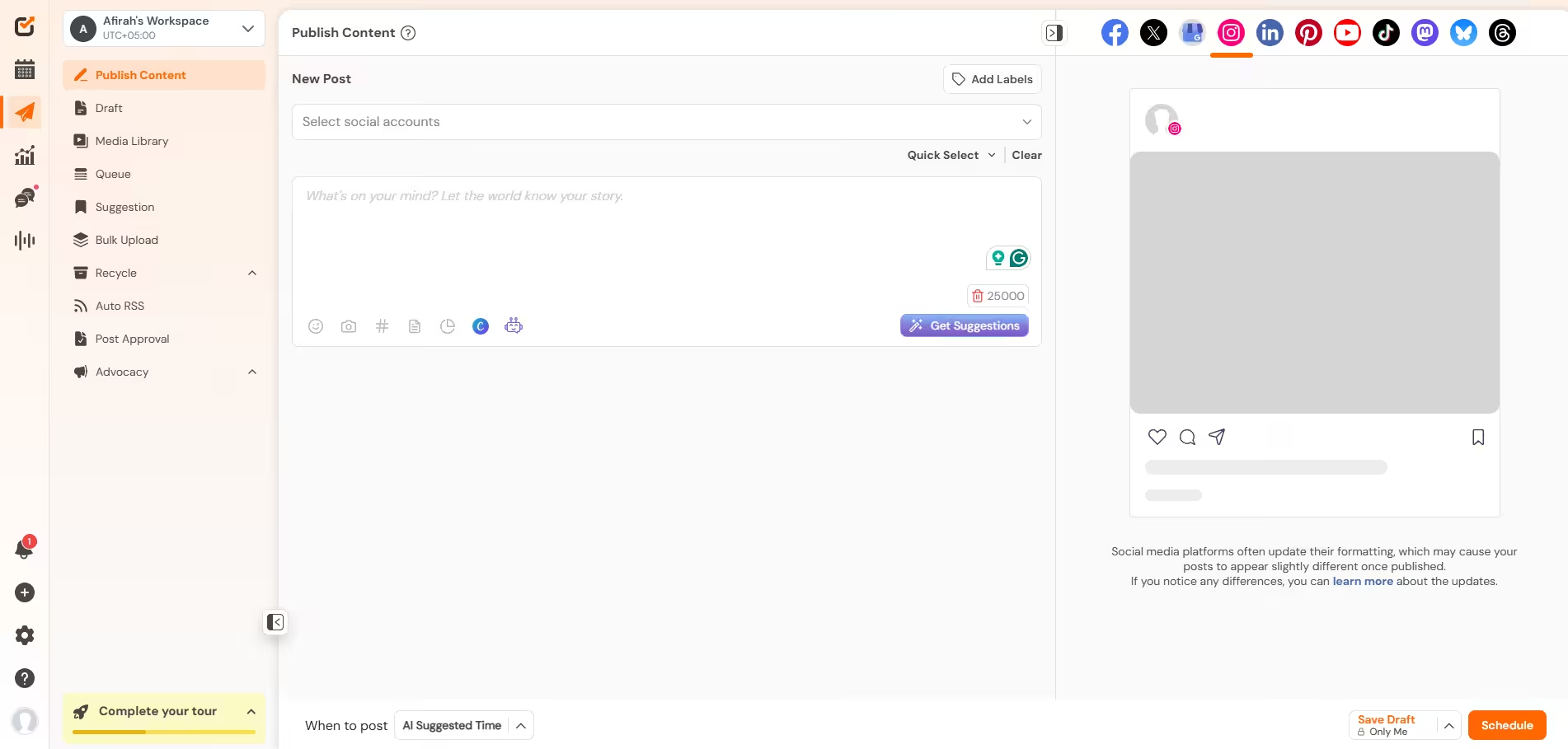
Social Champ’s Dashboard If you ask me to name one tool that’s easy to use, advanced, affordable, and scalable, I’ll say Social Champ.
Compared to its contemporaries, Social Champ isn’t that old, but in a short time, it has made a name for being affordable and simple, with almost no learning curve.
Aside from my personal experience with the tool, I have also noticed extremely positive reviews from other users, which gives me more reasons to trust it.
Its key features include:
- A unified social inbox that makes engagement much easier.
- A content calendar to give you a full preview of what your month looks like.
- Analytics to help you keep track of your performance.
- Social listening to track brand mentions.
- And lastly, bulk upload, which allows you to schedule up to 300 posts in advance.
The best part about Social Champ is its pricing. It gives me so many features at extremely affordable rates, and it also gives me the power to choose how I want to pay. It has both pay-per-profile and bundled options, so you can choose according to your needs.
Their pay-per-profile plans start from $4/month, while the bundled plans start from $23/month.
Secure the Ultimate Agency Command Center!
Social Champ unifies your chaos into a single, high-velocity stream before a crucial client DM slips through the cracks. -
Agorapulse
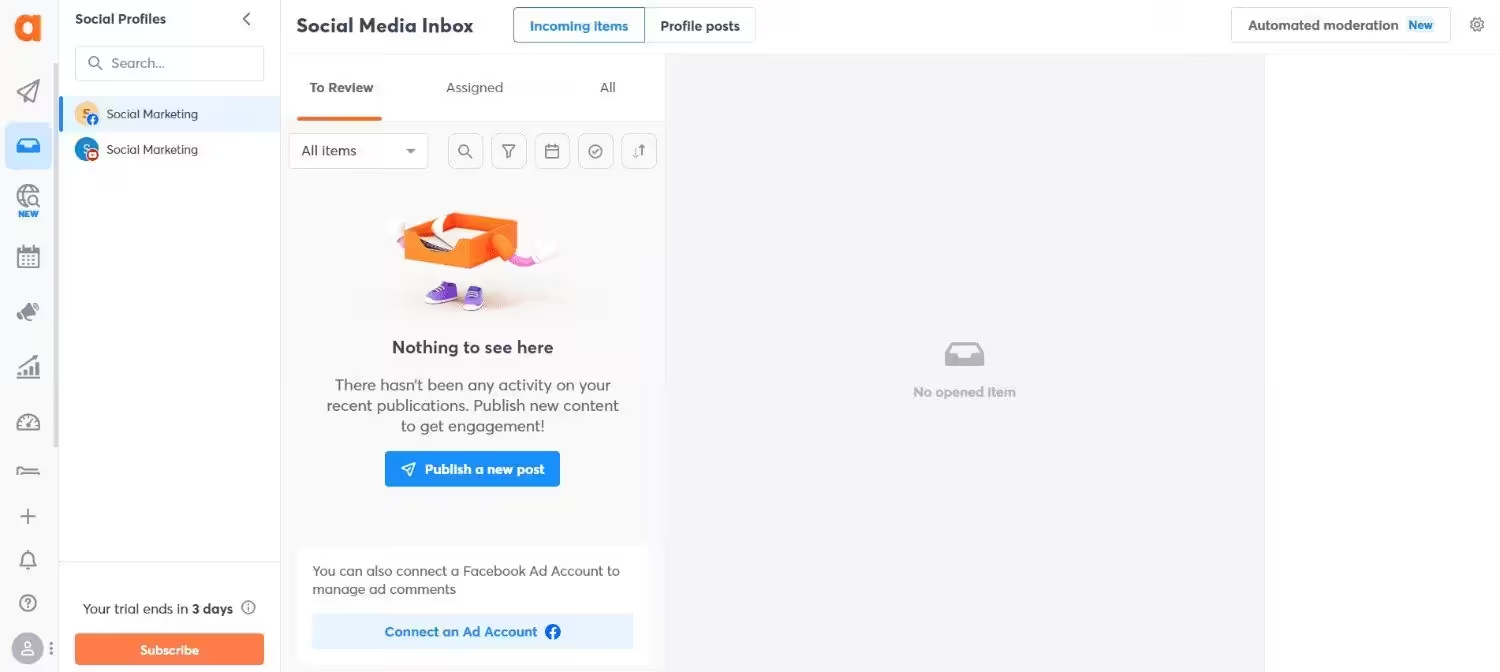
Agorapulse’s Dashboard When we talk about good social media management tools, Agorapulse definitely makes the list. It does community management like no other, with a very dependable social inbox. It’s great for agencies because its client approval workflow makes your life easier.
Its key features include:
- Shared calendar links for frictionless external client approvals.
- A killer social inbox with automated moderation assistants to filter spam.
- Collision detection so two team members don’t accidentally reply to the same DM.
Its pricing starts from $79/month.
-
Loomly
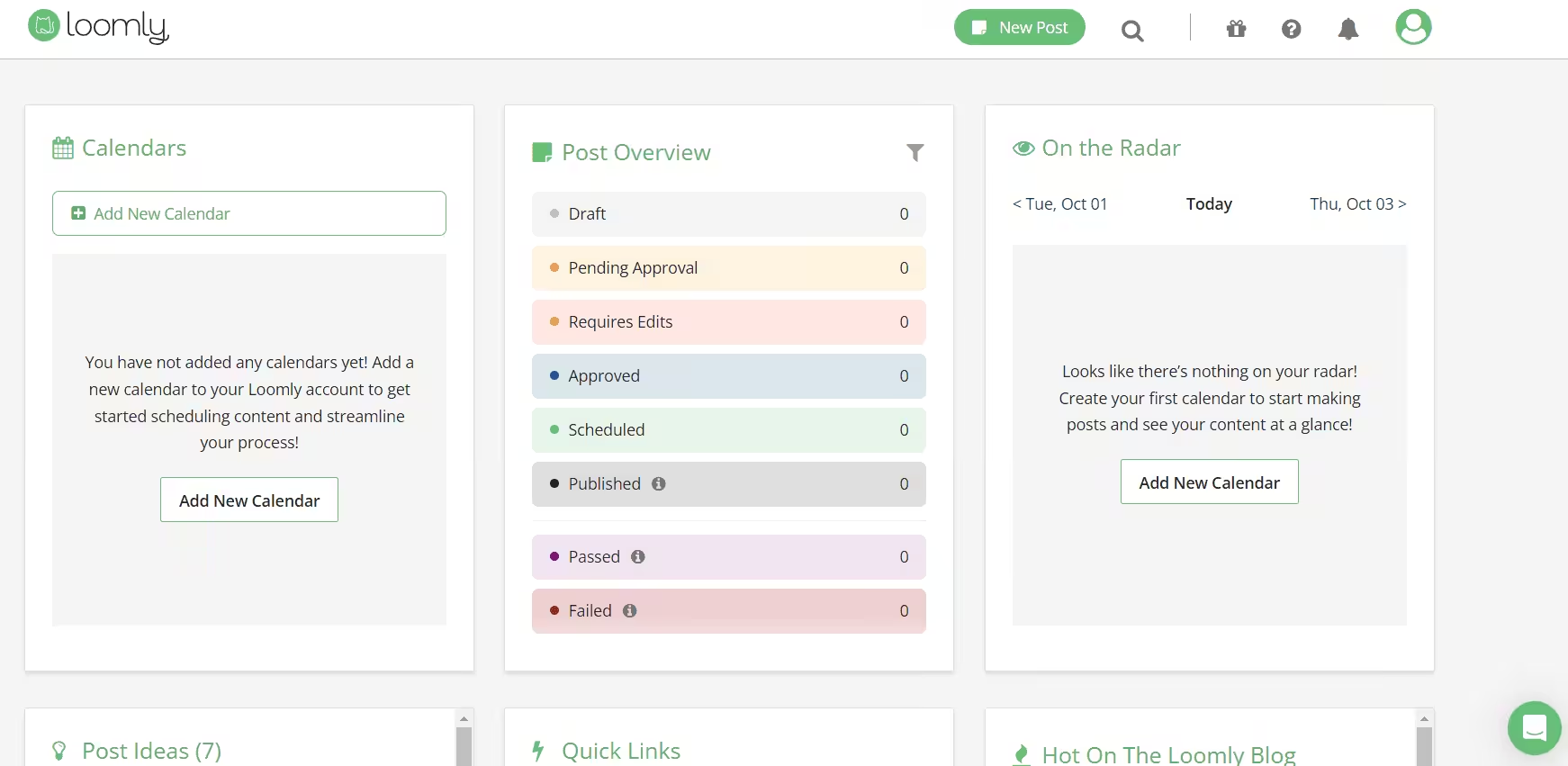
Loomly’s Dashboard Loomly is another reliable SMM software that might be ideal for you. It’s known for its collaborative calendar and features that enhance the content creation process. It is built for teams to work together and schedule, all while offering real-time feedback. Its team collaboration feature makes it one of the best tools for marketing agencies.
Its key features are:
- Collaborative team workflows.
- A structured approval system so there’s no chance of error.
- Content ideas feature to make sure you run out of them.
Loomly’s paid plans start from $49/month.
-
SocialPilot
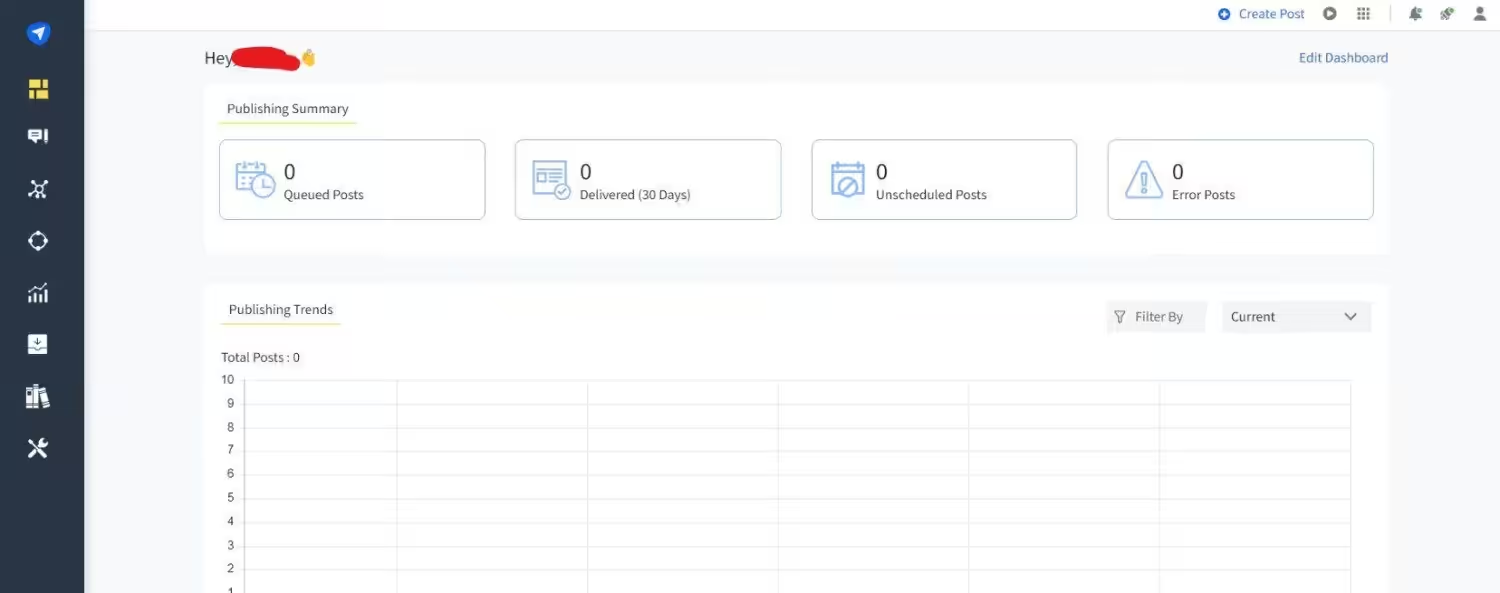
SocialPilot’s Dashboard If your concern is scalability, SocialPilot has your back. It easily manages a large volume of clients and is designed especially for agencies with the right features, so they get value for money. Most platforms penalize you when you add more members to your workspace, but not SocialPilot, which makes it a reliable tool!
Its key features include:
- Fully white-labeled client onboarding and dashboard portals.
- Bulk scheduling that allows you to upload up to 500 posts via a CSV file.
- Excellent client management system that doesn’t require sharing password credentials.
Its pricing starts from $25.50/month.
-
Hootsuite
Hootsuite’s Landing Page You must have heard of Hootsuite. It’s a giant in this industry, and giants are expensive! If we talk about features, Hootsuite has a good amount, and it might even be the best functional tool on this list. However, one cannot overlook its price.
The number of features you get in Hootsuite is easily available in other platforms, let’s say, Social Champ. But the price difference is huge. Where Social Champ costs you as little as $4/month, Hootsuite costs you $99/month, which I think is very unfair!
Hootsuite’s key features include:
- OwlyWriter AI assistant to help copywriters bust through writer’s block.
- Advanced social listening and multi-network stream monitoring.
- Enterprise-grade security permissions and strict organizational compliance settings.
The pricing starts from $99/month, which is 25x times more than Social Champ’s price.
Featured Article: 12 Best Community Management Tools for Social Media
-
Buffer
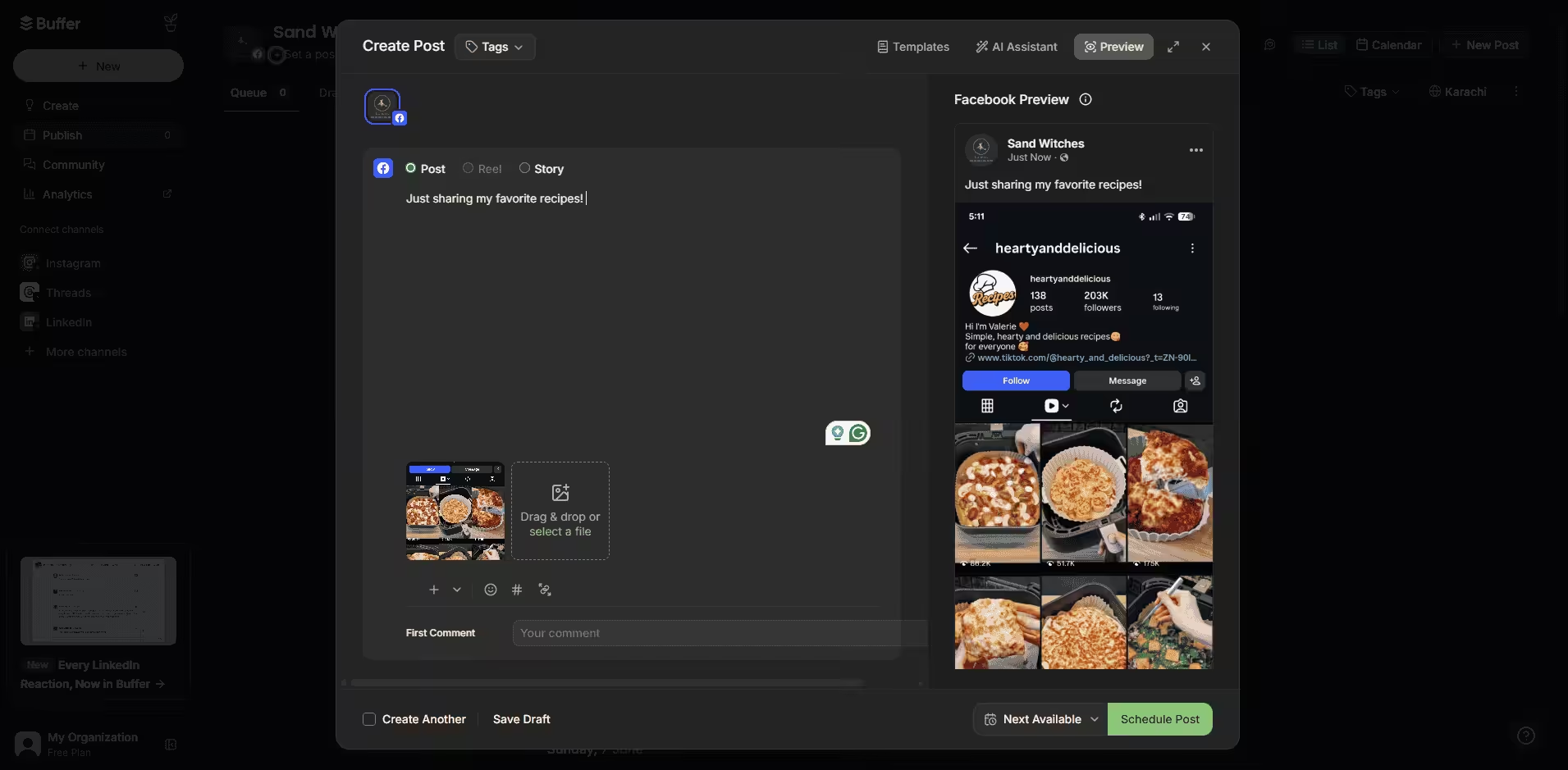
Buffer’s Dashboard Buffer is a clean and classic social media management tool that we all love. It keeps things simple and modular, and instead of costing you a fortune, it’s also known to be one of the most affordable management tools for agencies. However, it lacks some features like social listening, which can be a turn-off for agencies!
Its key features include:
- An incredibly intuitive grid planner for Instagram and TikTok layouts.
- A clean, lightning-fast drafting and scheduling queue.
Buffer’s pricing starts from $5/month.
-
Later
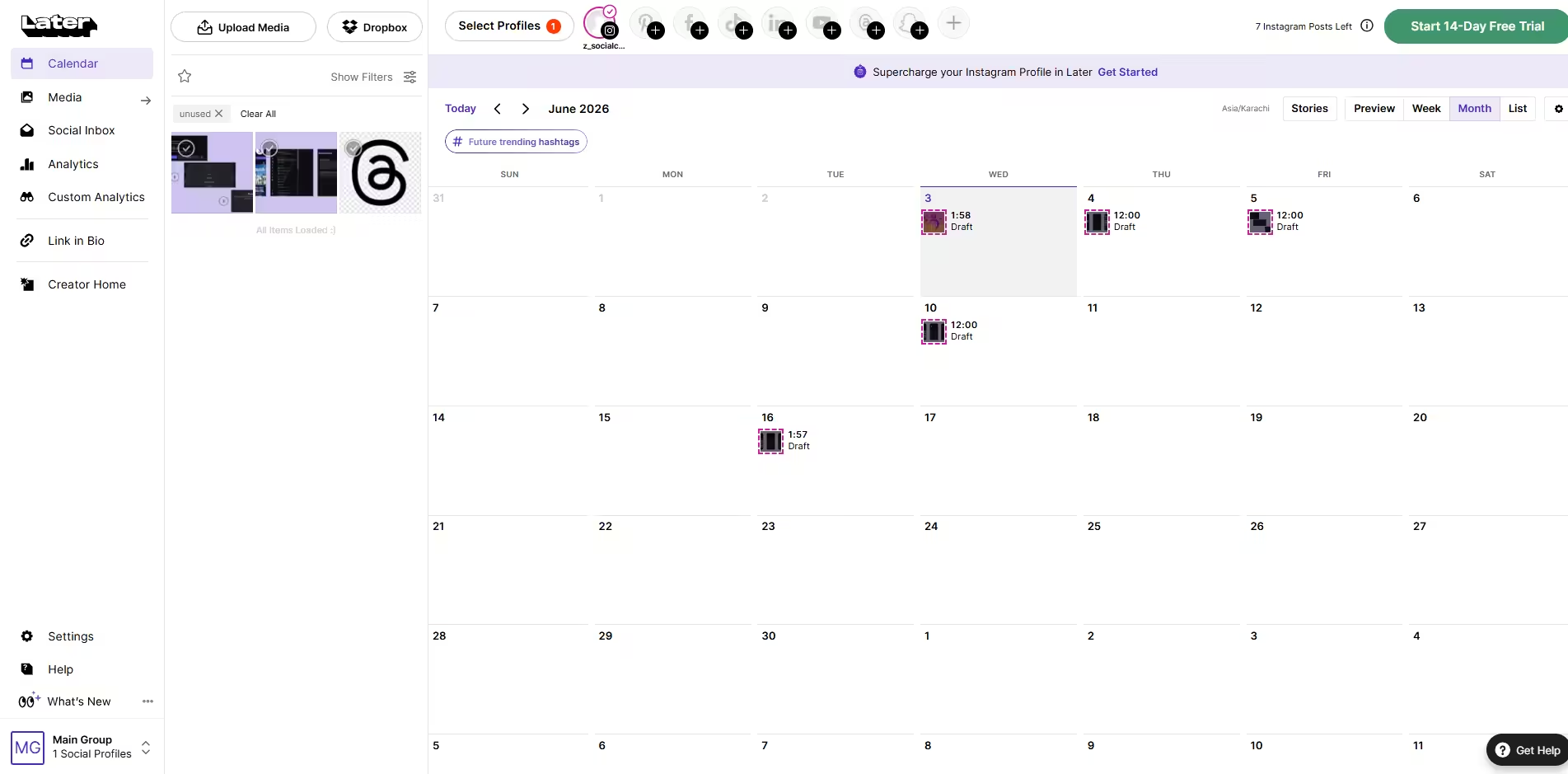
Later’s Dashboard Later is a visual content calendar and one of the scheduling software for social media, perfect for Instagram users. It offers drag-and-drop scheduling, allowing you to plan your feed and ensure a cohesive look. If you have limited needs, this platform might be the best for you.
Later’s key features include:
- A drag-and-drop visual Instagram grid planner
- Heavily automated Linkin.bio pages
Its pricing starts from $18.75/month
-
Sendible
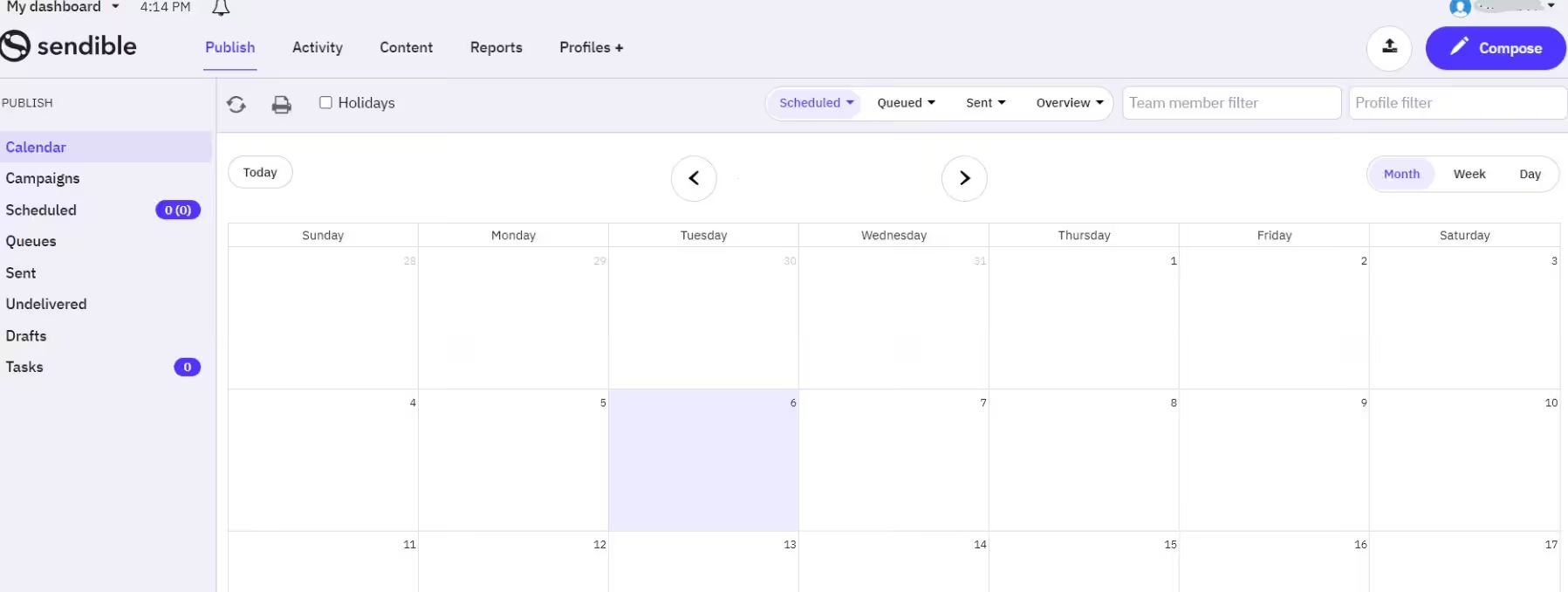
Sendible’s Dashboard Sendible is a platform that was built from the ground up, specifically with digital marketing agencies in mind. It treats every single client as its own unique ecosystem, which I think is exactly how an agency should operate.
Its key features include:
- Complete white-label branding across dashboards, portals, and reports.
- Individual client profiles to seamlessly isolate brand assets and channels.
- Direct integration with Canva, Google Drive, and Dropbox for simplified asset management.
Its pricing starts from $25/month.
-
CoSchedule
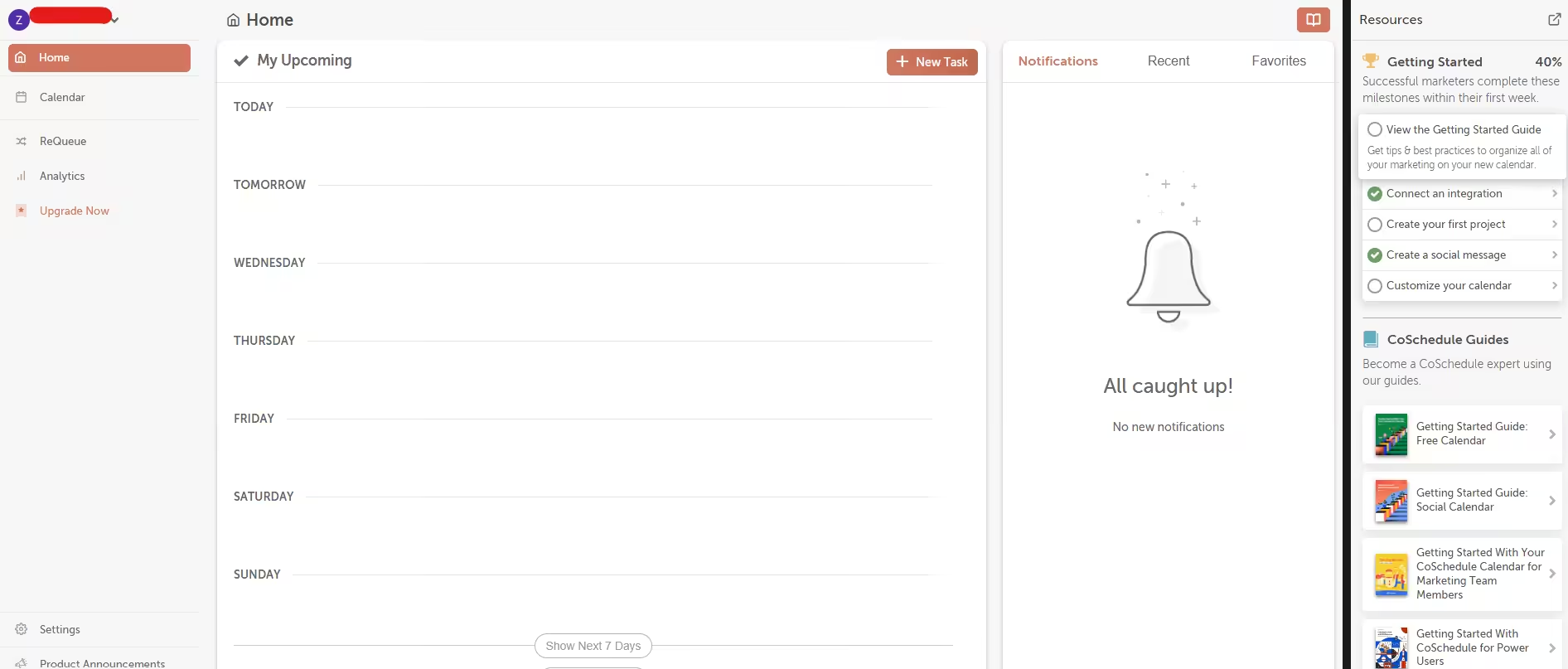
CoSchedule’s Dashboard CoSchedule is a marketing calendar designed to help businesses plan and execute their marketing campaigns. CoSchedule’s ReQueue feature automatically fills your social media schedule gaps with your best-performing posts. This ensures your content continues to be shared, even when you don’t have new posts to schedule.
Its key features include:
- An all-in-one dynamic marketing calendar
- Drag-and-drop rescheduling
- Project tracking management
CoSchedule’s pricing starts from $19/month.
-
Metricool
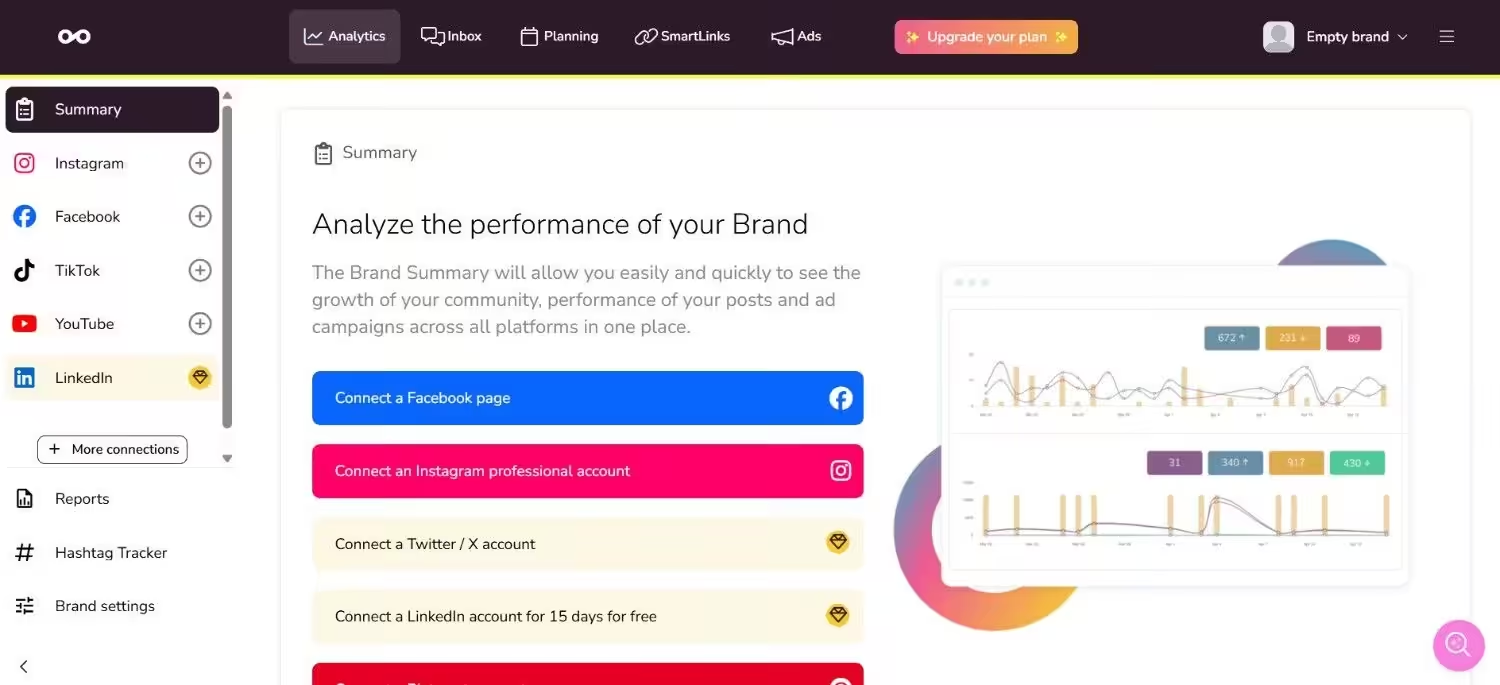
Metricool’s Dashboard Metricool has quietly become one of the most powerful all-in-one digital marketing tools on the market. It beautifully unifies the worlds of organic social media management and paid digital advertising.
Its key features include:
- Deep competitor analysis and benchmarking tools are built right into the platform.
- A highly accurate real-time tracker for live website traffic and social campaigns
Metricool’s pricing starts from $20/month.
-
Iconosquare
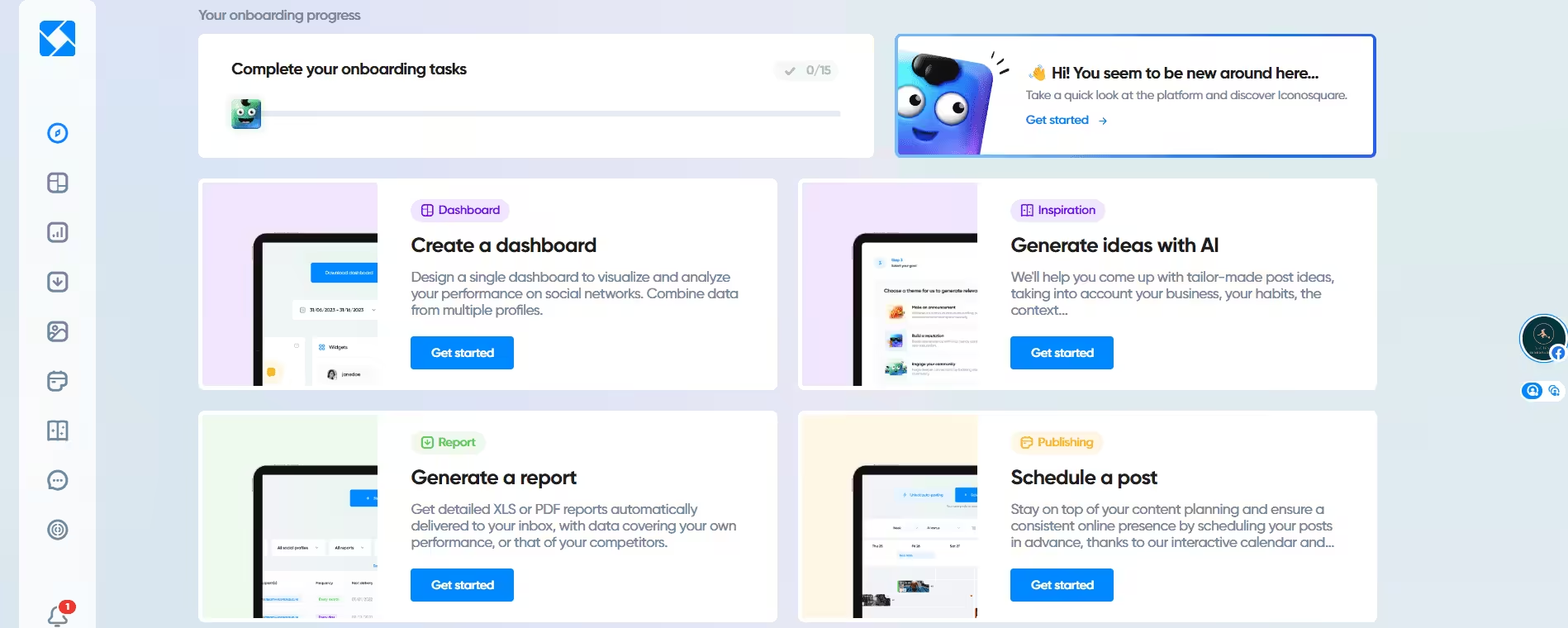
Iconosquare Dashboard If your clients are intensely data-driven and demand rigorous reporting, Iconosquare is the absolute king of analytics. It goes far deeper into metrics, audience behavior, and performance auditing than almost any standard scheduler.
Its key features are:
- Industry-leading, ultra-detailed analytics and custom dashboard tracking.
- Automated social media audits to pitch prospects with immediate performance gaps.
- Advanced community comment tracker and sentiment monitoring.
Its pricing starts from $33/month.
-
Sprout Social
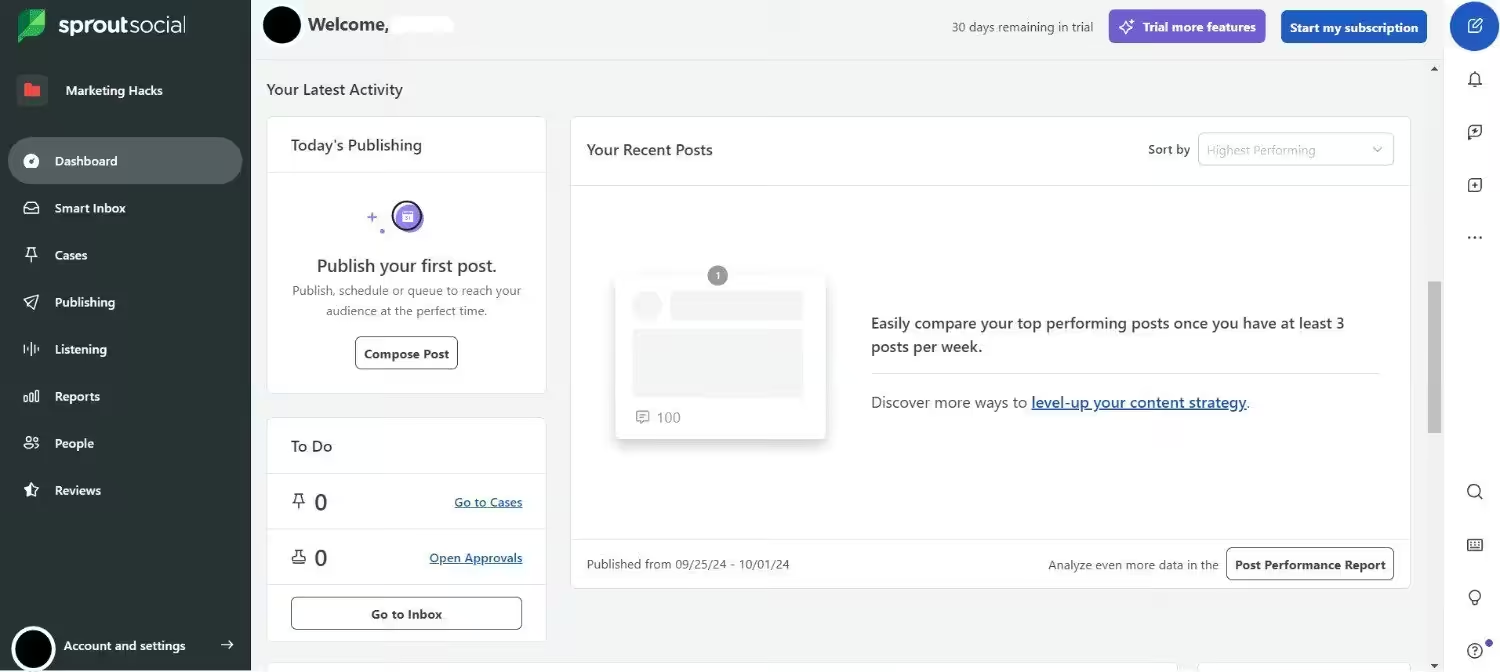
Sprout Social’s Dashboard Sprout Social is the luxury sports car of the social media management world. It is a premium, enterprise-level platform that commands a premium price, but it delivers an unmatched level of power, sophistication, and raw data insight.
Its key features include:
- Advanced enterprise-grade social listening, trend-spotting, and sentiment analysis.
- Premium custom multi-step approval paths for large internal and external teams.
- A powerful, AI-driven Smart Inbox that automatically categorizes incoming messages.
Its pricing starts from $79/month.
Featured Article: Top Social Media Marketing Management Tools
Hidden Costs of SMM Tools That Could Drain Your Budget
When you’re calculating your agency’s profit margins, it’s easy to look at a software’s pricing page, see a bolded $99/month, and think, it’s perfect for your budget.
I have made that exact assumption more times than I care to admit. But here is the brutal truth about the social media management software industry: the price you see on the homepage is rarely the price you actually end up paying by the time your agency scales.
If you want to keep your budget from leaking cash, these are the hidden costs I highly recommend looking out for before you sign any annual contracts.
-
The Per-Seat Tax
This is the sneakiest cost in the entire SaaS ecosystem, and it trips up almost every growing agency. A tool might advertise a fantastic agency plan for $199 a month. You sign up, only to realize the plan includes only two user seats.
Every time you hire a new content creator, bring on an intern, or want to give a client direct access to view their dashboard, you have to buy an additional seat. At $50 to $199 per extra user per month, a tool that feels affordable at $200 can easily mutate into a $1,000 monthly monster the second your team grows.
Before buying, do the math for your future team size, not just your current one. If a tool charges aggressively per user, it might not be the right vehicle for a scaling agency.
-
Gated Approval Workflows
Remember how we talked about client approval workflows being an absolute non-negotiable for your sanity? Well, the tools know exactly how valuable that feature is.
Often, a platform will let you schedule content and look at pretty charts on its entry-level or mid-tier plans. But the second you want to generate a secure client approval link or build a multi-step team review process, you’ll hit a paywall.
They intentionally gate the most critical agency collaboration features behind their top-tier “Enterprise” or “Advanced” plans, forcing you to upgrade long before you’re ready.
-
Add-on Social Channels and Profile Caps
Most plans come with a fixed cap on how many social profiles you can connect (for example, 10 or 20 profiles). When you’re an agency, those limits vanish faster than free coffee in a breakroom.
If one single client wants you to handle their Facebook, Instagram, LinkedIn, TikTok, and YouTube, that is 5 profiles used up by just one client. If your plan caps out at 10 profiles, you can only serve two clients before you are forced to pay for an expensive plan upgrade or buy extra profile bundles at $5 to $10 a pop per month.
-
Overages on AI and Social Listening Tokens
We live in an AI-driven marketing world, and almost every SMM tool now includes built-in AI copywriters, image generators, or social listening suites.
But read the fine print. Many of these tools operate on a “token” or “credit” system. They give you a baseline allowance each month, but if your team is managing high-volume campaigns and running heavy background searches to track industry trends, you can easily blow through those credits by week two. The overage fees to replenish your credits can silently drain your agency’s credit card.
Claim Your Agency-First Dashboard!
Conclusion
I’ve tried to cover everything in this one short blog, and the real experience differs from person to person. I personally use Social Champ the most on this list because it has the same features as premium tools like Sprout Social, but it doesn’t cost a leg and an arm.
You’re also free to make your judgment by taking its free trial, or you can even use the free plan to test the waters for as long as you want. Let this guide for social media management tools for agencies be your guide, and make a decision that will ease your life!