
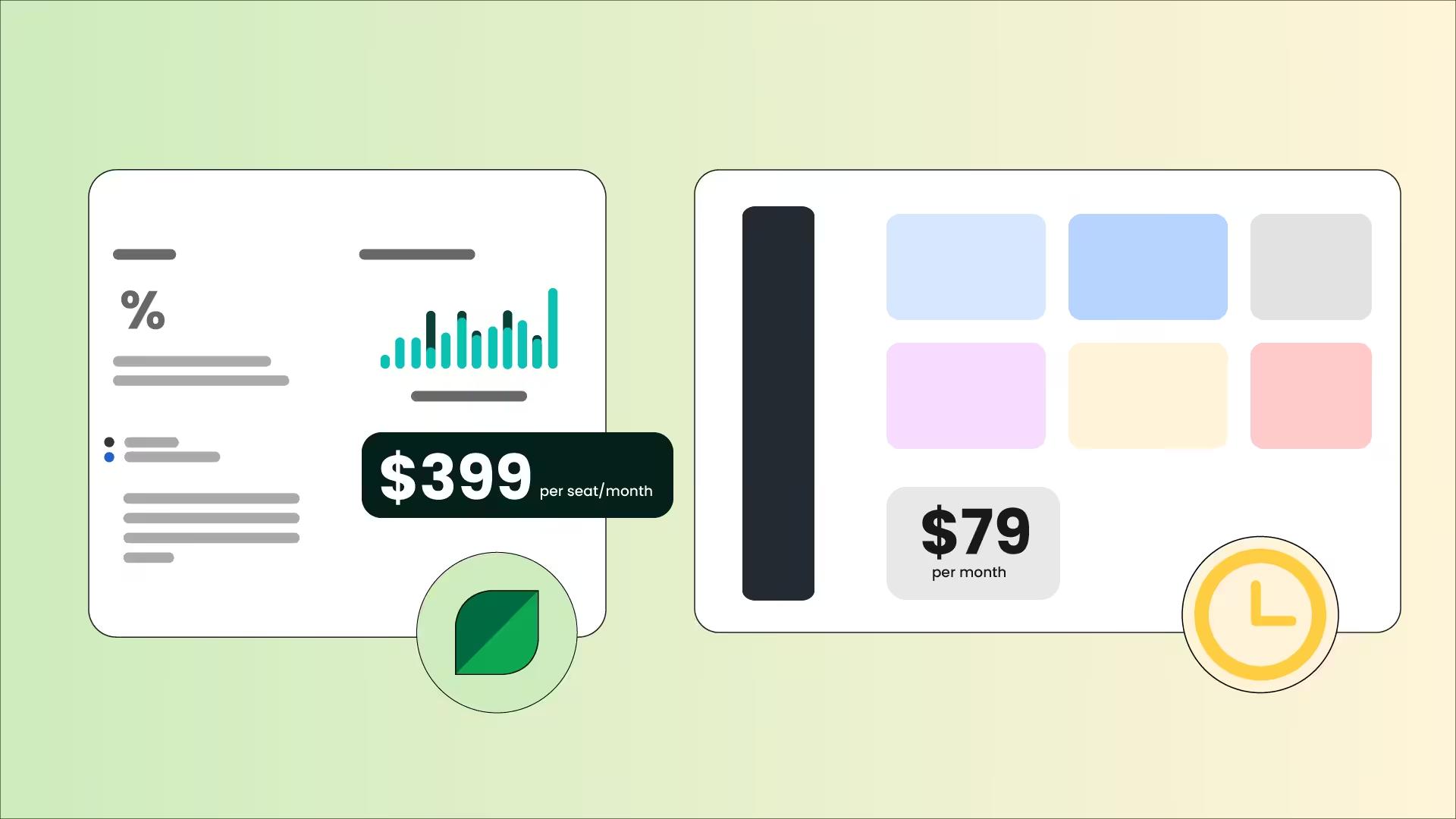
I tested Sprout Social vs RecurPost for 75 days to see how Sprout’s $79 Essentials plan compared with RecurPost’s $65.83 Agency plan.
I wanted to find out whether Sprout Social’s higher-tiered plans delivered, or if we were just paying for the brand’s name.
Here’s the short answer. If you run a large team and need advanced analytics, social listening, and enterprise reporting, Sprout Social is worth every penny. Its plans range from $79 to $399 per seat per month (here’s a full breakdown of Sprout Social pricing).
On the other hand, if you’re on a little bit of a budget and you still need to manage multiple clients with your team, RecurPost makes more sense. Its plans start at $7.5 per month and go up to $65.83 for the agency tier.
The real story lives in the details. Let me walk you through everything I found.
Short Summary
- Sprout Social’s Essentials plan costs $79 per seat per month (billed annually). RecurPost’s Agency plan costs $65.83 per month flat, with no per-seat pricing.
- Sprout Social supports more integrations and offers a consolidated smart inbox. RecurPost focuses on content recycling and evergreen scheduling.
- RecurPost gives you 20 social profiles on its $65.83 plan. Sprout Social caps you at 5 profiles at the same price.
- Sprout Social is great for monitoring and analytics at higher tiers. RecurPost works best for automation and affordability.
- For agencies with tight budgets, RecurPost offers more value per dollar. For teams that need enterprise reporting and CRM integrations, Sprout Social justifies its cost.
- Both tools offer free trials. Sprout gives you 30 days. RecurPost gives you 14.
- There’s a secret third option (a.k.a Social Champ) that has Sprout Social’s advanced features and RecurPost’s affordability.
How Does Sprout Social’s $79 Plan Compare to RecurPost’s $79 Plan? (Pricing Explained)
When Sprout Social launched its $79 Essentials plan, I immediately took notice and dug into the API and feature sets to see how they balanced that lower price point. Here’s what I found.
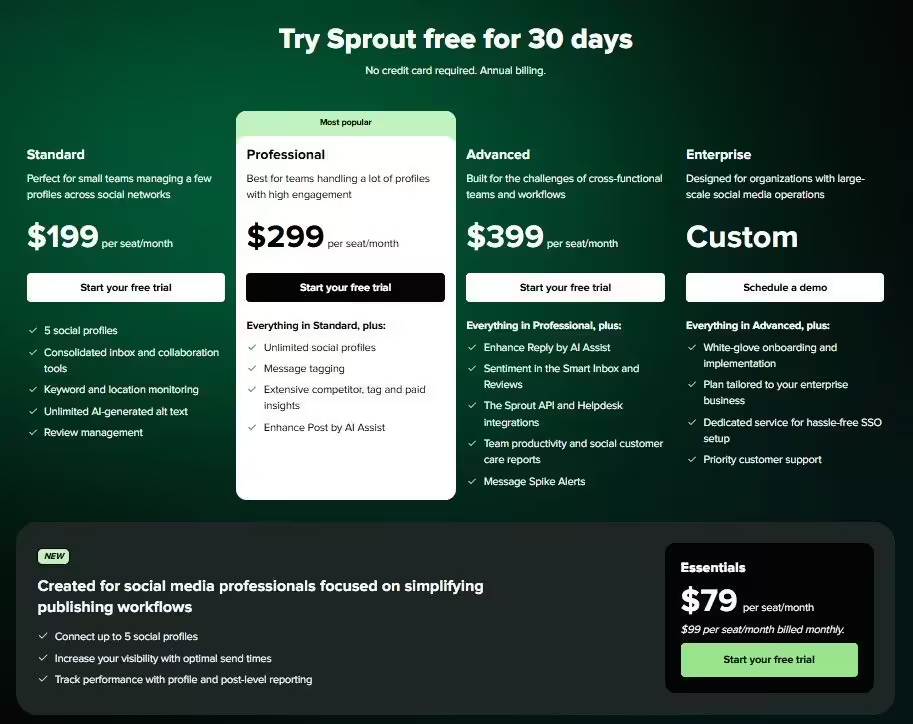
Sprout’s Essentials plan costs $79 per seat per month, billed annually.
You get 5 social profiles, optimal send times, and post level reporting. Unfortunately, there’s no inbox and no collaboration tools (keep in mind that Sprout Social still charges per seat!). Plus, there’s no review management, so you’re basically the creator, editor, and publisher.
In all honesty, this plan felt like a teaser rather than a working solution.
Moving on to RecurPost‘s Agency plan. This one also costs $65.83 per month. But it includes 20 social profiles, 80 daily posts per profile, workspaces, internal and external approval workflows, 10 plus AI features, and analytics reports. The gap in value at the same price surprised me within the first week.
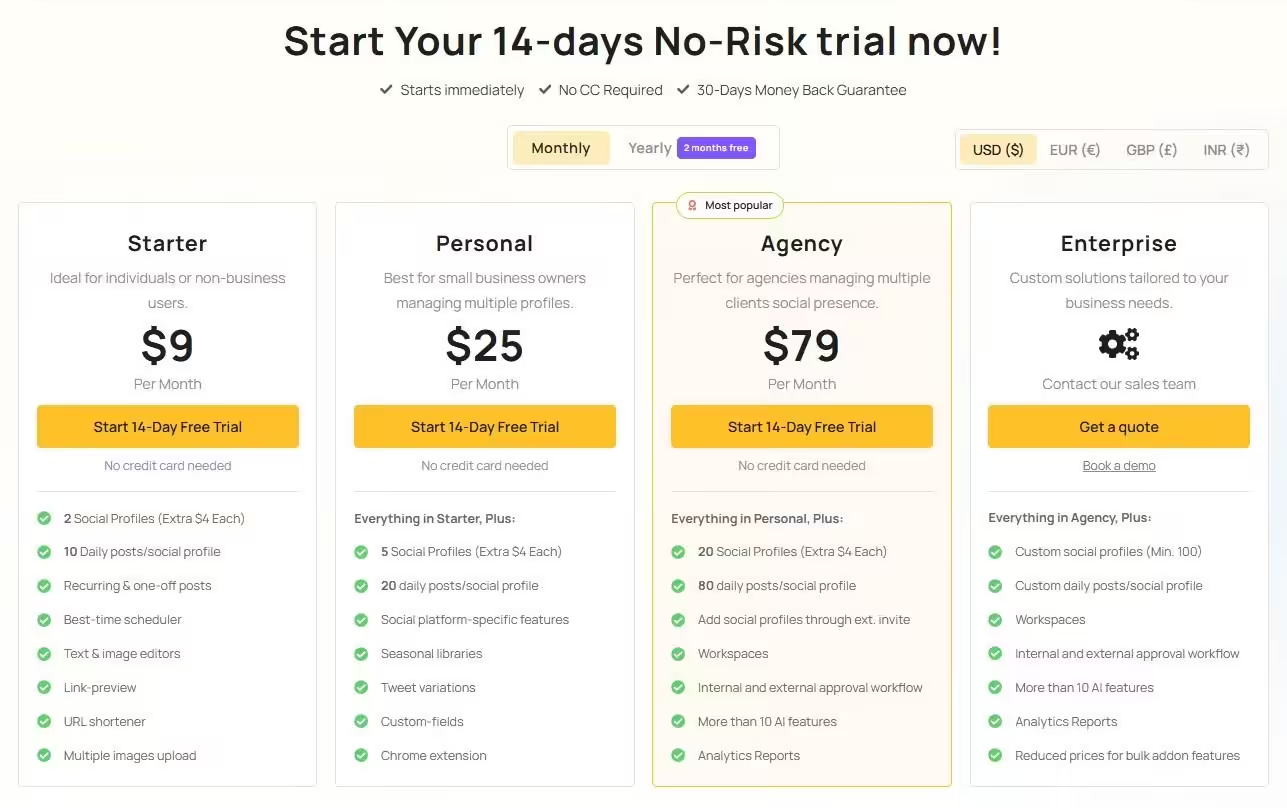
Additionally, RecurPost offers yearly billing with 2 months free. That brings the Agency plan down to roughly $65.83 per month. (Keep in mind that Sprout Social exclusively offers annual billing on its higher-tiered plans!)
Featured Article: Hootsuite vs Sprout Social
That said, the Essentials plan does have the monthly option, but it costs $99 per seat per month instead of $79. That’s a $20 per month premium just for billing flexibility. RecurPost charges the same $65.83 whether you pay monthly or choose annual billing (where you simply get 2 months free).
Why Pay $79 for Half the Features?
How Do Plans Compare at the $79 Price Point?
| Feature | Sprout Social Essentials ($79/seat/month) | RecurPost Agency ($65.83/month flat) |
|---|---|---|
| Social Profiles | 5 | 20 |
| Users | 1 (per seat pricing) | Multiple (workspace-based) |
| Daily Posts per Profile | Not specified | 80 |
| Approval Workflows | No | Yes |
| AI Features | No | 10 plus features |
| Analytics Reports | Post level only | Full reports |
| Social Inbox | No | Yes |
| Content Recycling | No | Yes |
| Yearly Discount | No discount available | 2 months free |
How Do the Other Plans Hold Up?
While we’re on pricing, let’s look at the full picture. Let’s start with the first tier.
| Feature | Sprout Social: Standard | RecurPost: Starter |
|---|---|---|
| Monthly Cost | $199 per seat | $7.5 |
| Social Profiles | 5 | 2 |
| Standout Feature | Social Inbox Review Management Keyword monitoring |
You can post ten posts a day on two social accounts. |
Now, if you’re a solo creator, Sprout Social might just be too expensive. However, if your role involves answering customers and collecting in-depth data, then this plan would be the better choice.
On the other hand, if you just want to maintain a small, active online presence, RecurPost would be the obvious choice.
Now, let’s move on to the professional-level plans:
| Feature | Sprout Social: Professional | RecurPost: Personal |
|---|---|---|
| Monthly Cost | $299 per seat | $20.83 |
| Social Profiles | unlimited | 5 |
| Standout Feature | unlimited profiles Competitor analysis AI Assist |
5 profiles Seasonal libraries Tweet variations |
Here, Sprout Social would be the obvious choice if you’re looking for a tool that gives you a strategy. It tells you what to post based on collected data.
RecurPost will work if you just want a simple automation tool that handles your posting. This tier is mostly used by brands that want to focus on evergreen recycling and content publishing.
Now, let’s move on to the highest tiers of plans.
| Feature | Sprout Social: Advanced | RecurPost: Enterprise |
|---|---|---|
| Monthly Cost | $399 per seat | Custom |
| Social Profiles | unlimited | Custom |
| Standout Feature | Message Spike Alerts: Notifies you if your brand is suddenly trending (or under fire). | White-Label Reports: Send branded analytics PDFs directly to your clients. |
In this case, Sprout Social should be your go-to if you’re a giant corporation that needs to stay on top of PR crises, which may cost you millions.
On the other hand, if you’re an agency that’s just managing multiple clients, you can go for RecurPost’s Enterprise plan.
Keep in mind that Sprout Social also offers an Enterprise plan that comes with white-glove onboarding, SSO setup, and priority support.
Which Plan Fits Your Business?
During my 75-day test, I managed 12 social accounts with a 3-person team. Here’s the cost breakdown for common scenarios.
Solo Freelancer Managing 5 Client Accounts
- Sprout Essentials: $79 per month. You get scheduling and basic reporting. No inbox or approvals.
- RecurPost Agency: $65.83 per month. You get 20 profiles, content queues, AI captions, and approval workflows.
Small Agency With 3 Team Members and 15 Accounts
- Sprout Standard: $199 x 3 seats = $597 per month. You need Standard because Essentials lacks a social inbox.
- RecurPost Agency: $65.83 per month total. All 3 members access workspaces. You save $518 every single month.
Mid-Size Team With 5 Members and 25 Accounts
- Sprout Professional: $299x 5 seats = $1,495 per month.
- RecurPost Agency: $65.83 plus $4 per extra profile beyond 20 = roughly $99 per month.
What I learned is that Sprout Social’s hidden costs compound fast, especially with per-seat billing. For this reason only, I’d say that RecurPost becomes the clear pick for agencies.
But if you’re in it for the analytics, you’ll have to pinch together every penny out of your marketing budget, because Sprout Social is worth the cost, especially with the detailed amount of data it gives you. Just check out the Sprout Social reviews online before you commit.
P.S. I know 75 days is an odd amount of time, but I missed using Social Champ a little too much. If you haven’t tried it yet, I recommend signing up for a free trial.
Both Sprout Social and RecurPost are great options. But if you’re looking for something that balances them out, I’d recommend Social Champ. You get affordable pricing, advanced features (like social listening and competitor analysis), and unlimited scheduling. Just check out
Sprout Social vs RecurPost: Which Tool Connects to More Networks?
To test both tools properly, I connected all the platforms I frequently use on both. Turns out, Sprout Social supports more networks and third-party integrations overall. RecurPost covers the essential platforms but lacks CRM and helpdesk connections.
Here’s the full comparison:
| Platform/Feature | Sprout Social | RecurPost |
|---|---|---|
| Yes | Yes | |
| Yes | Yes | |
| X | Yes | Yes |
| Yes | Yes | |
| Yes | Yes | |
| TikTok | Yes | Yes |
| YouTube | Yes | Yes |
| Google Business Profile | Yes | Yes |
| Threads | Yes | Yes |
| Bluesky | Yes | Yes |
| Yes | No | |
| Yes | No | |
| Tumblr | Yes | No |
| CRM Integrations | Salesforce, HubSpot, Zendesk | None |
| Helpdesk Integrations | Yes (Advanced plan) | No |
If you manage a brand that relies on Threads or WhatsApp for customer communication, Sprout Social is your only option here.
But if you stick to the core six platforms (Facebook, Instagram, X, LinkedIn, TikTok, Pinterest), you won’t miss much with RecurPost.
Not to mention, I found Sprout’s unified inbox useful for pulling messages from every connected network into one stream. It was a feature I didn’t know I needed until I tried it. That’s why RecurPost’s inbox felt basic in comparison. It handled comments and simple messages but lacked that CRM context.
Featured Article: Sprout Social Alternatives
Sprout Social vs Recurpost: Which Has Better Features?
Features can make or break for any user. Let’s take a look at them in detail, so you can make a better decision.
Scheduling and Automation
Content scheduling works on both tools. The basics are covered. But RecurPost goes further.
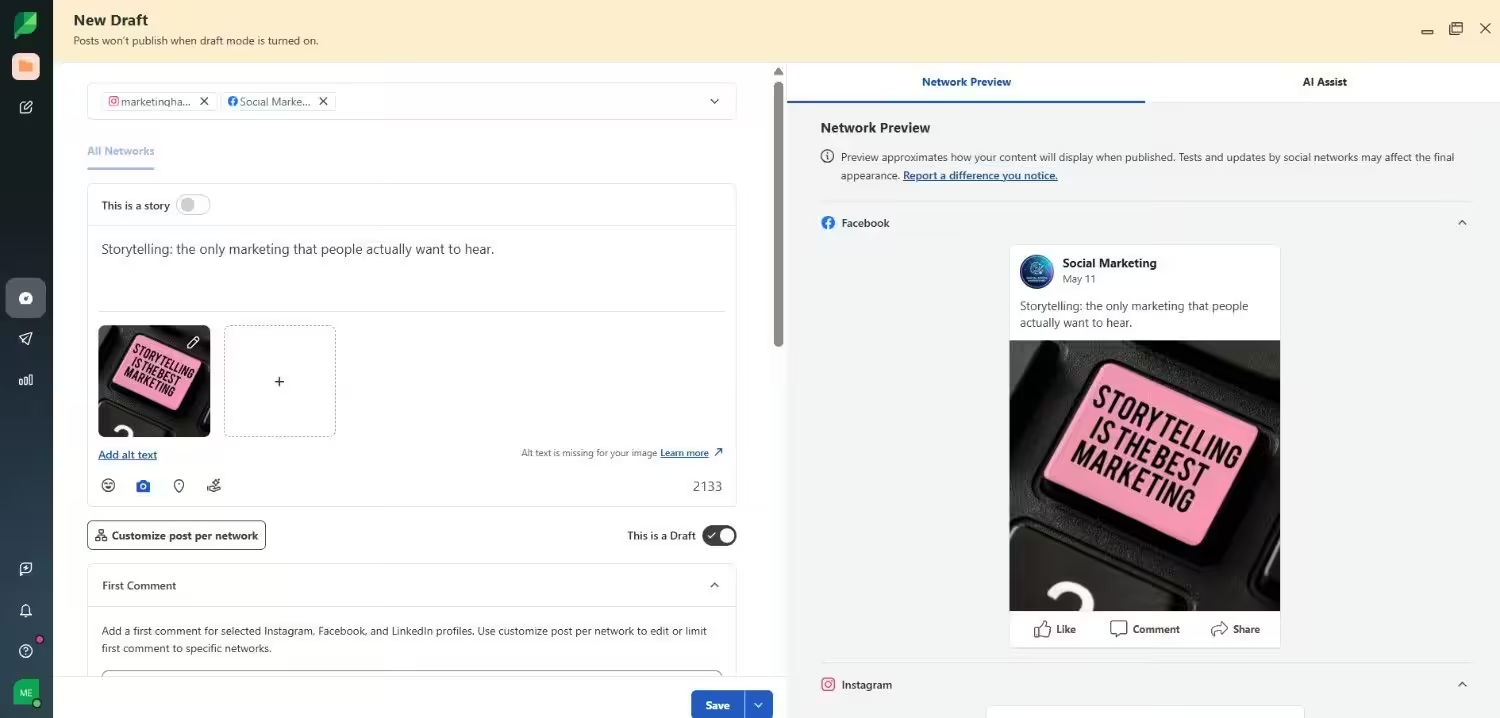
Its Agency plan includes recycling evergreen content. I loaded 45 posts into a queue, and the tool rotated them for weeks without manual input. Not to mention, the Queue categories kept client content organized, and the bulk CSV uploads processed cleanly.
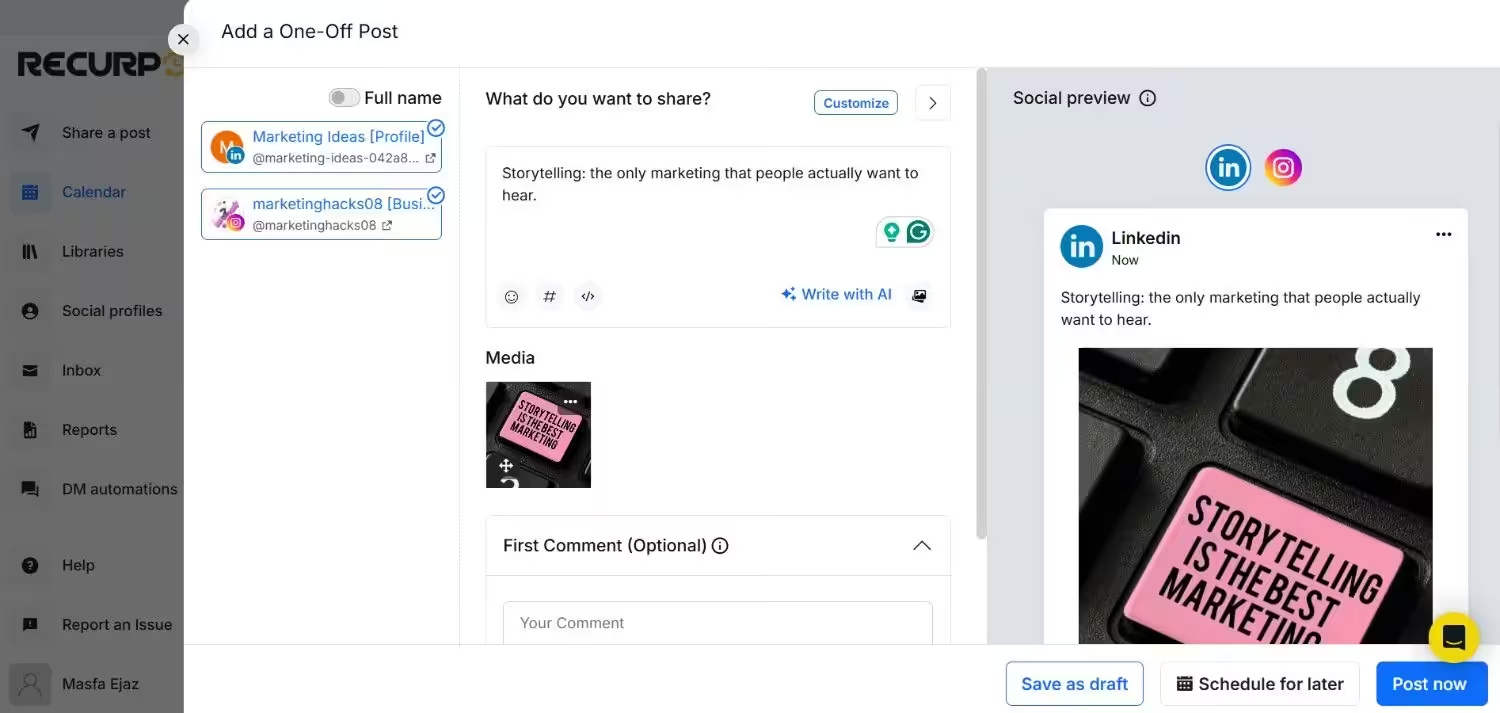
Moving on to the Sprout Social Essentials, you get basic scheduling with optimal send times.
There’s no recycling and no queues. Every post is a one-time publish. UTM tracking and link shorteners are not included in Essentials plan either.
| Feature | Sprout Social | RecurPost |
|---|---|---|
| Evergreen Recycling | No | Yes |
| Bulk Upload (CSV) | Yes | Yes |
| Link Shortener | Bitly integration | Built in |
| UTM Tracking | Yes | Yes |
| Queue Categories | No | Yes |
| Best Time Scheduling | Yes | Yes |
If automation matters to your social media publishing workflow, RecurPost wins this round.
The Only Scheduler You’ll Need!
Social Inbox
Social inbox is a given for every social media management tool. At $79, you’d assume it comes included. Unfortunately, Sprout Social doesn’t offer a unified inbox on Essentials. You need Standard at $199 per seat to access it.
That said, when you do upgrade, Sprout’s Smart Inbox is almost worth it. AI-suggested replies, message tagging, collision detection, and team assignments all work together seamlessly.

RecurPost includes a social inbox on its $65.83 Agency plan. It handles basic comments and messages. But there’s no feature for tagging, collision detection, or AI replies.

| Inbox Feature | Sprout Social | RecurPost |
|---|---|---|
| Unified Feed | Yes (all platforms) | Limited |
| Message Tagging | Yes | No |
| Collision Detection | Yes (higher tiers) | No |
| Team Assignment | Yes | No |
| CRM Integration | Salesforce, HubSpot | None |
If inbox management is critical, see how Sprout Social compares to Social Champ on this front.
Analytics and Reporting
Every agency needs reporting to prove ROI.
When it comes to Sprout Social’s Essentials, you get post level and profile level reporting only. White-label PDFs, competitor analysis, and custom reports require a Professional plan at $299 per seat.
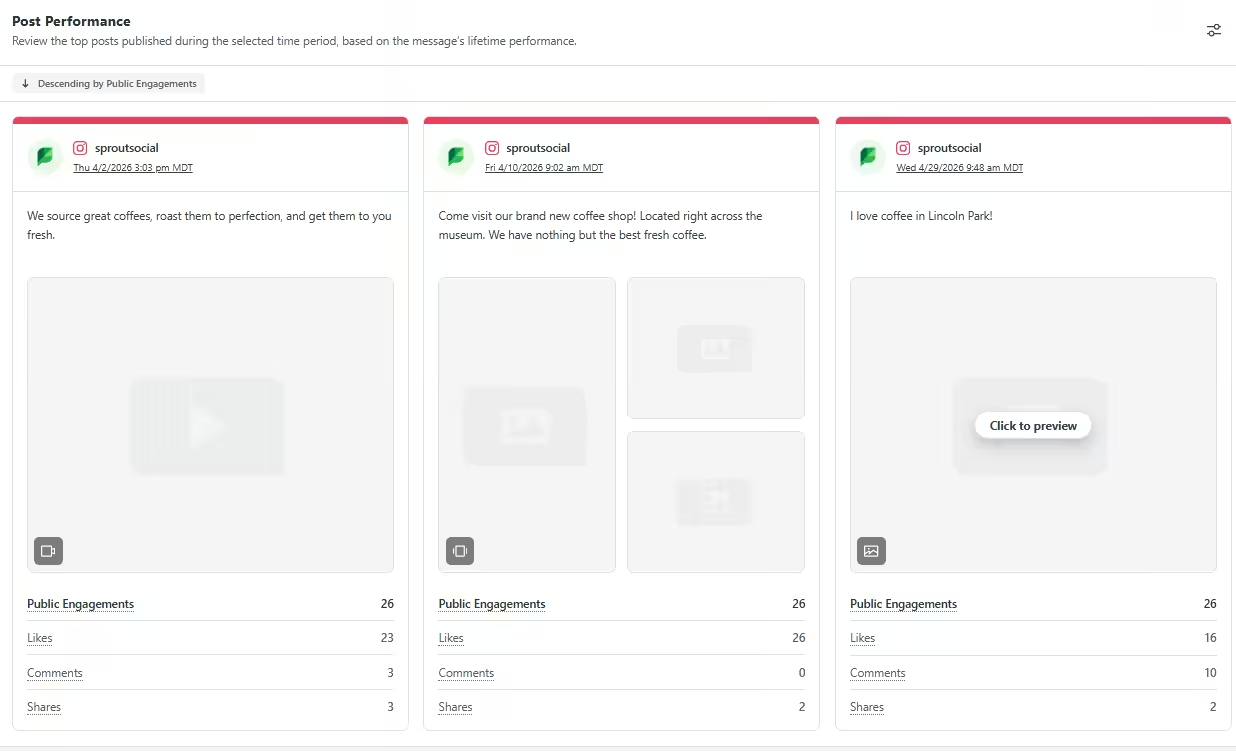
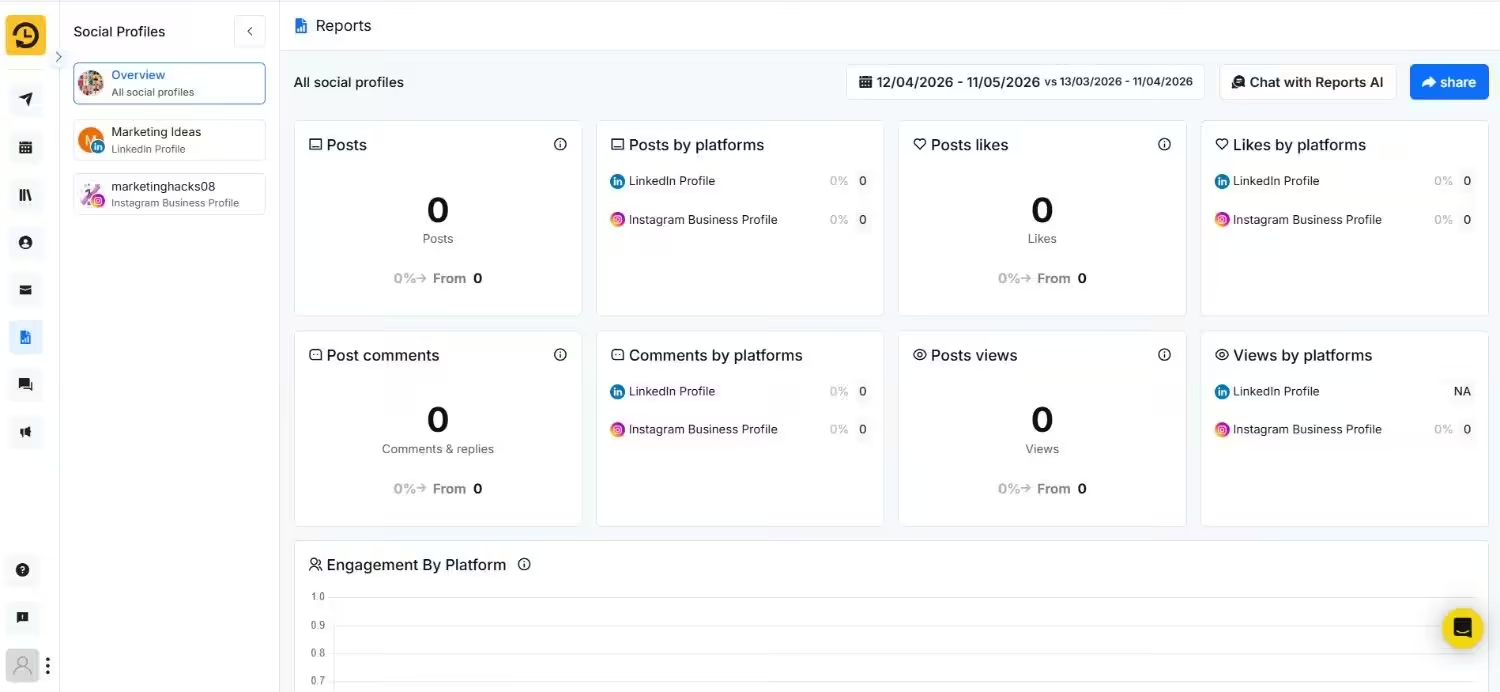
Meanwhile, RecurPost includes full analytics reports on its Agency plan. I exported engagement data across 20 profiles for client presentations. Not as deep as Sprout’s higher tiers, but its accessible without paying triple the amount.
| Analytics Feature | Sprout Social | RecurPost |
|---|---|---|
| White Label Reports | Professional and above | Yes |
| Competitor Analysis | Yes | No |
| Paid Ad Tracking | Yes | Yes |
| Custom Report Builder | Yes | Yes |
| Exportable PDFs | Yes | Yes |
If social media analytics drive your client retention, Sprout justifies the cost here.
AI Capabilities
AI tools are table stakes now. At $79, you’d expect basic AI assistance. Only RecurPost delivers.
Sprout locks all AI features behind Professional at $299 per seat. That said, its AI reply agent is impressive when you upgrade. It reads conversation context and suggests relevant responses.
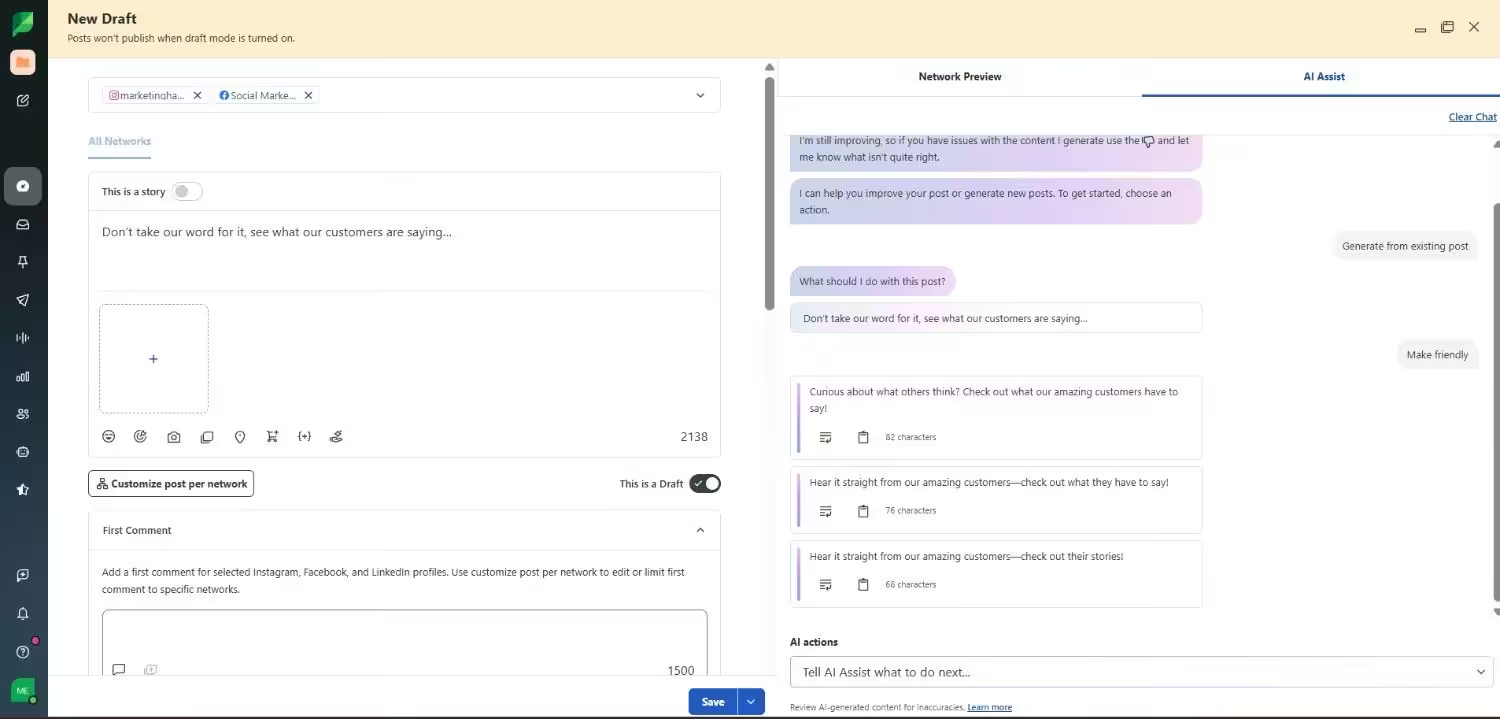
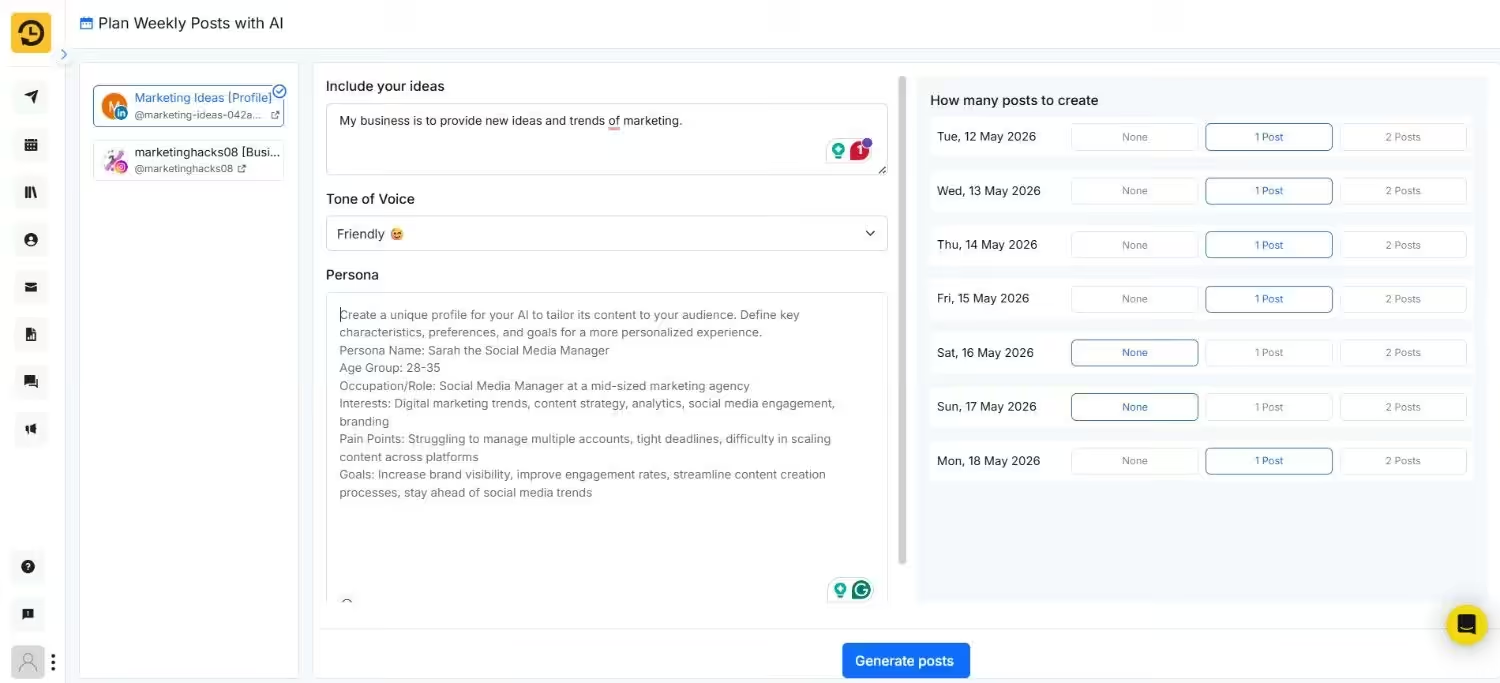
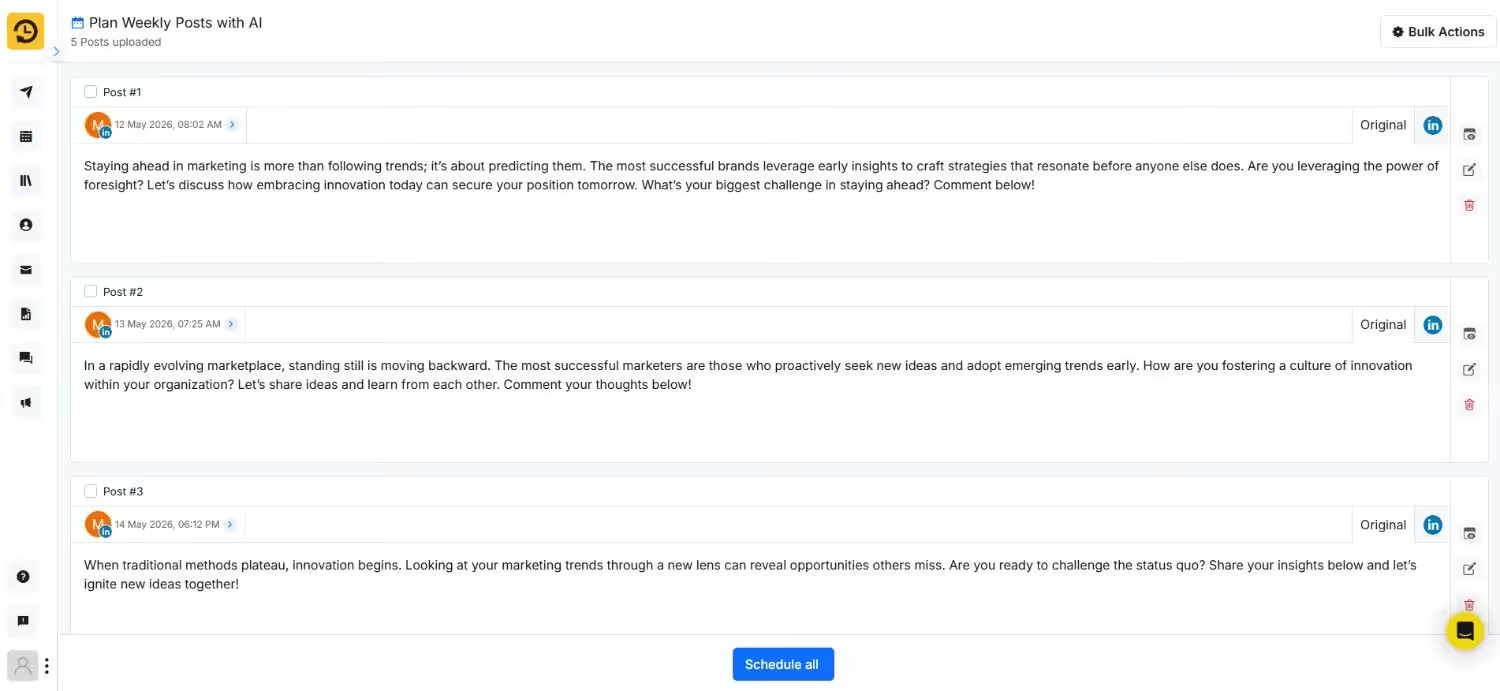
RecurPost gives you 10 plus AI features on the Agency plan. When I used it, I was able to plan my full week of LinkedIn content in under 15 minutes.
Team Collaboration
Sprout Social Essentials is a single-seat plan. You don’t get approval workflows or collaboration tools. You need Standard at $199 per seat to add team members. Not to mention, a 4-person team costs around $796 per month!
RecurPost includes workspaces with internal and external approval workflows on the $65.83 Agency plan. I invited a client to review posts before publishing. No extra charges.
Want advanced approval workflows like Sprout but approachable pricing like RecurPost?
Social Champ offers multi level post approval workflows with tiered permissions and no per-seat billing. It’s the middle ground your agency needs.
Social Listening
Neither $79 plan offers social listening. Sprout Social does require an upgrade to Professional at $299 per seat for social listening access.
Meanwhile, RecurPost does not offer it on any plan at any price. If brand monitoring matters, RecurPost is out of the question.
Featured Article: What Is Social Listening?
Review Management
Neither tool offers review management at $79. Sprout includes it on Standard ($199) and above. RecurPost does not offer it at all.
This is where a tool like Social Champ comes in handy. You get the best of both worlds: affordability and features. With Social Champ, you can manage Google Play reviews, App Store reviews, and G2 reviews from one platform.
Featured Article: How to Build a Reputation Management Strategy
What Are The Limitations of Sprout Social?
The biggest limitation is pricing. Sprout Social’s Essentials plan is that it strips away most features that make the tool valuable.
You pay $79 and get a basic scheduler with post level reporting. The real Sprout experience starts at $199 per seat, and that cost multiplies with every team member.
Additionally, there’s no monthly billing flexibility on higher-tier plans or any content recycling on any plan. And the worst part is that there’s no flat rate pricing for teams.
Where to Look if Sprout Isn’t a Fit?
If you want Sprout level features without per-seat billing, here are three options you can consider:
| Tool | Plan | Price | Users | Social Accounts | Key Features |
|---|---|---|---|---|---|
| Social Champ | Agency (Bundled) | $119/month | unlimited | 30 profiles | Social inbox, advanced analytics, post approval, social listening, competitor analysis |
| Agorapulse | Advanced | $149/user/month | Per seat | 10 profiles | Inbox, reporting, content library |
| Hootsuite | Standard | $99/month | 1 user | 10 profiles | Scheduling, inbox, basic analytics |
What Are The Limitations of RecurPost?
RecurPost does one thing well: content recycling. But social media management rarely stays that simple.
The biggest limitations I found were shallow analytics, no social listening, no review management, and a steep learning curve for new users.
The inbox lacks depth. There are no CRM integrations. And if your agency needs competitor tracking or sentiment analysis, RecurPost cannot help at any price tier.
What Can You Use Instead of RecurPost?
If you want more features without jumping to Sprout Social pricing, here are solid options.
| Tool | Plan | Price | Social Accounts & Users | Key Features |
| Social Champ | Standard(Bundled) | $23/month | 6 profiles, 2 users | Social inbox, analytics, boost ads |
| Professional(Bundled) | $47/month | 6 profiles, 5 users | Post approval, social listening, competitor analysis, advanced analytics | |
| Growth (Pay Per Profile) | $8/month per profile | unlimited users | Advanced analytics, client management, social listening | |
| Buffer | Team | $10/month per channel | 10 channels = $100/month | Scheduling, basic analytics, and approvals |
| SocialPilot | Standard | $34/month | 10 profiles | Bulk scheduling and analytics |
Social Champ’s Growth plan at $8 per profile means 10 accounts cost $80 per month with unlimited users, social listening, and competitor analysis included.
Buffer charges the same $100 for 10 channels, but without listening or approval workflows. Read more about Social Champ’s pricing to find your fit.
Conclusion
After 75 days, the verdict is simple. RecurPost gives you more usable features at $65.83. Content recycling, AI tools, approval workflows, and a social inbox are all included.
Sprout Social’s $79 Essentials plan feels incomplete without its higher-tier features.
If you want the best of both worlds, Social Champ offers advanced analytics, social listening, post approvals, and unlimited users starting at more reasonable prices.
