Honestly, Vista Social is doing way too much. $64 a month to handle your brand’s LinkedIn and some random restaurant’s Yelp reviews? No shade, but that’s like paying for premium Spotify when you only ever listen to one playlist.
I’ve been down this rabbit hole looking for the best Vista Social alternatives. I’ve stress-tested more social tools than I care to admit, poked at their APIs, and documented every single bug. This is what I’d tell you over coffee after spending way too long inside these platforms.
Vista Social is just built for breadth over depth. If you actually need to manage a restaurant’s Yelp and LinkedIn profiles, it’s a solid pick. But if LinkedIn is your main stage, or you want AI that sounds like a real human rather than a corporate robot reading a motivational poster, you need something else. Social Champ is a good place to start. It has a Free plan, and paid plans start from $4/month, which is a lot less than that $64.
Short Summary
- Top Vista Social alternatives include Social Champ, Hootsuite, Sprout Social, Zoho Social, and Agorapulse.
- Vista Social charges $64/month for features most people never use, which makes it overkill if you just need solid social scheduling.
- Social Champ is the best budget pick at $4/month, with bulk upload, AI content generation, a unified inbox, and scheduling across 11+ platforms without enterprise pricing.
- Later is the go-to for visual-first creators who live on Instagram and Pinterest, with an intuitive drag-and-drop calendar and a built-in link-in-bio tool.
- Buffer keeps things simple and honest at $5 per channel, with no steep learning curve, and reliable queue-based publishing plus a genuinely useful free plan.
- Metricool is the smart middle ground at $20/month for teams that need depth without Hootsuite-level pricing, offering multi-platform publishing, ad reporting, and best-time-to-post recommendations.
Best Vista Social Alternatives at a Glance
| Vista Social Alternative | Best For | Starting Price |
|---|---|---|
| Social Champ | Budget-conscious teams that want everything | $4/month |
| Later | Visual-first brands and Instagram creators | $18.75/month |
| Buffer | Simple, reliable multi-platform scheduling | $5/month per channel |
| Hootsuite | Enterprise teams needing deep analytics | $99/user/month |
| CoSchedule | Content marketing teams with editorial workflows | $29/month |
| ContentStudio | Agencies needing content discovery + AI | $19/month |
| Metricool | Balanced, affordable all-in-one | $20/month |
Top 7 Vista Social Alternatives for 2026
I know a short and quick comparison is not enough to help you make a decision; you need a detailed breakdown of each tool.
-
Social Champ
Best for: Small teams, agencies, and anyone who wants maximum features for minimum spend.
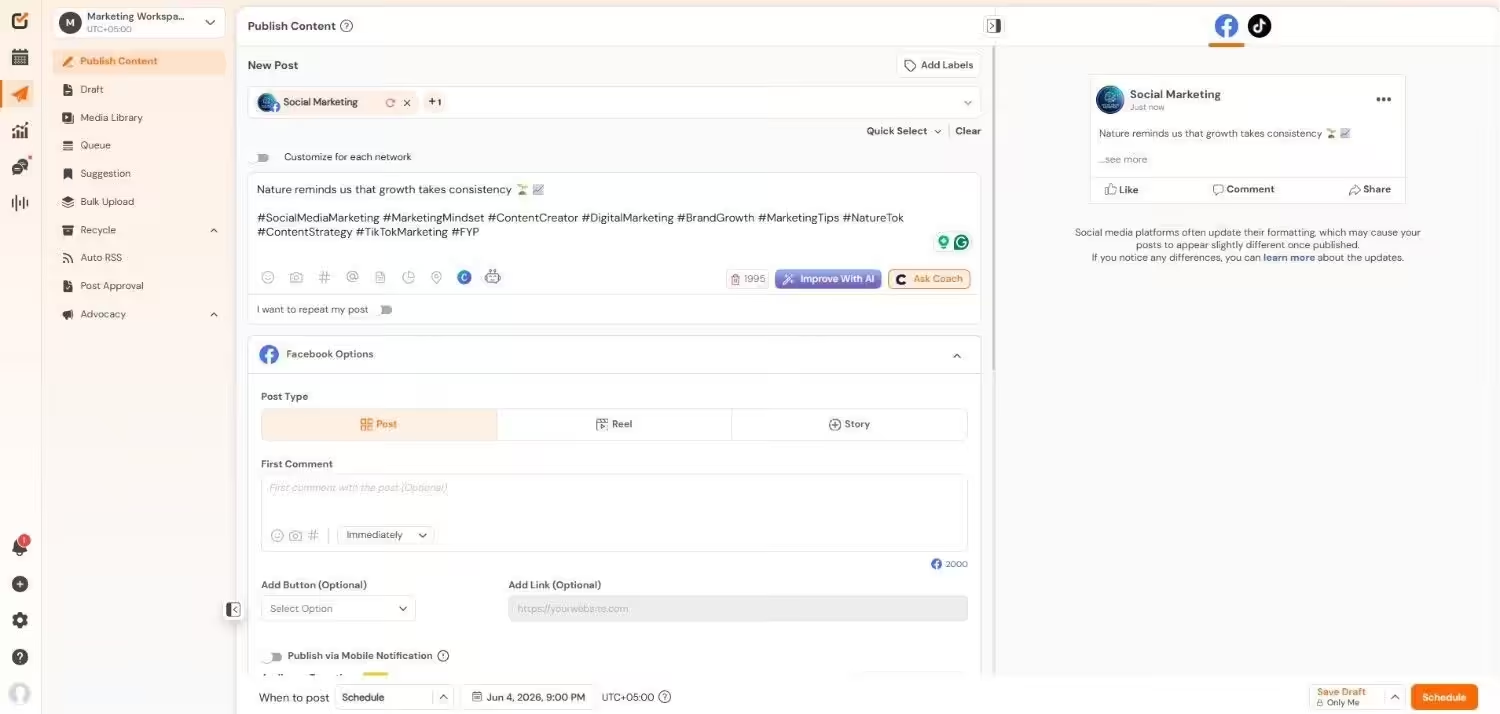
Social Champ’s Dashboard Why I Picked Social Champ
I have a soft spot for tools that don’t make you choose between “affordable” and “functional.” Social Champ starts at $4/month, less than a latte, and gives you bulk upload, a unified inbox, social listening, AI content generation, and scheduling across 11+ platforms. I stress-tested it for an afternoon and it held up better than tools charging 10x more.
Social Champ’s Key Features
- Create and plan posts on Facebook, X, Instagram, LinkedIn, YouTube, Pinterest, TikTok, Bluesky, Mastodon, Threads, and Google Business Profile with ease.
- Use bulk uploading to plan several posts ahead of time.
- View and manage upcoming posts with a drag-and-drop interface.
- Respond to mentions, messages, and comments on all platforms through a unified social media inbox management tool.
- Use metrics like engagement, reach, and clicks to monitor the effectiveness of your posts.
- Oversee several clients or brands in different workspaces.
- Assign team members roles and permissions.
- Connects to Bitly, Google Drive, Canva, and more.
Limitations:
The interface can feel a bit crowded when you’re managing 10+ accounts at once, and some advanced analytics features are locked behind higher tiers.
Pricing
Social Champ comes with two pricing tiers, including a Pay-Per-Profile and a Flat-Rate model.
Pay-Per-Profile Options:
- Starter Plan: $4/month (1 user, 1 social account)
- Growth Plan: $8/month (unlimited users, 1 social account)
Flat-Rate Bundles:
- Free: $0 (3 accounts, 1 user)
- Standard: $23/month (6 accounts, 2 users)
- Professional: $47/month (12 accounts, 5 users)
- Agency: $119/month (30 accounts, unlimited users)
- Enterprise: Custom pricing (unlimited everything)
Your Competitors Already Switched to Champ!
They’re saving hours, scaling faster, and posting smarter with Social Champ. Start your free trial now and catch up to them! -
Later
Best for: Visual-first brands, influencers, and anyone whose content strategy lives on Instagram and Pinterest.
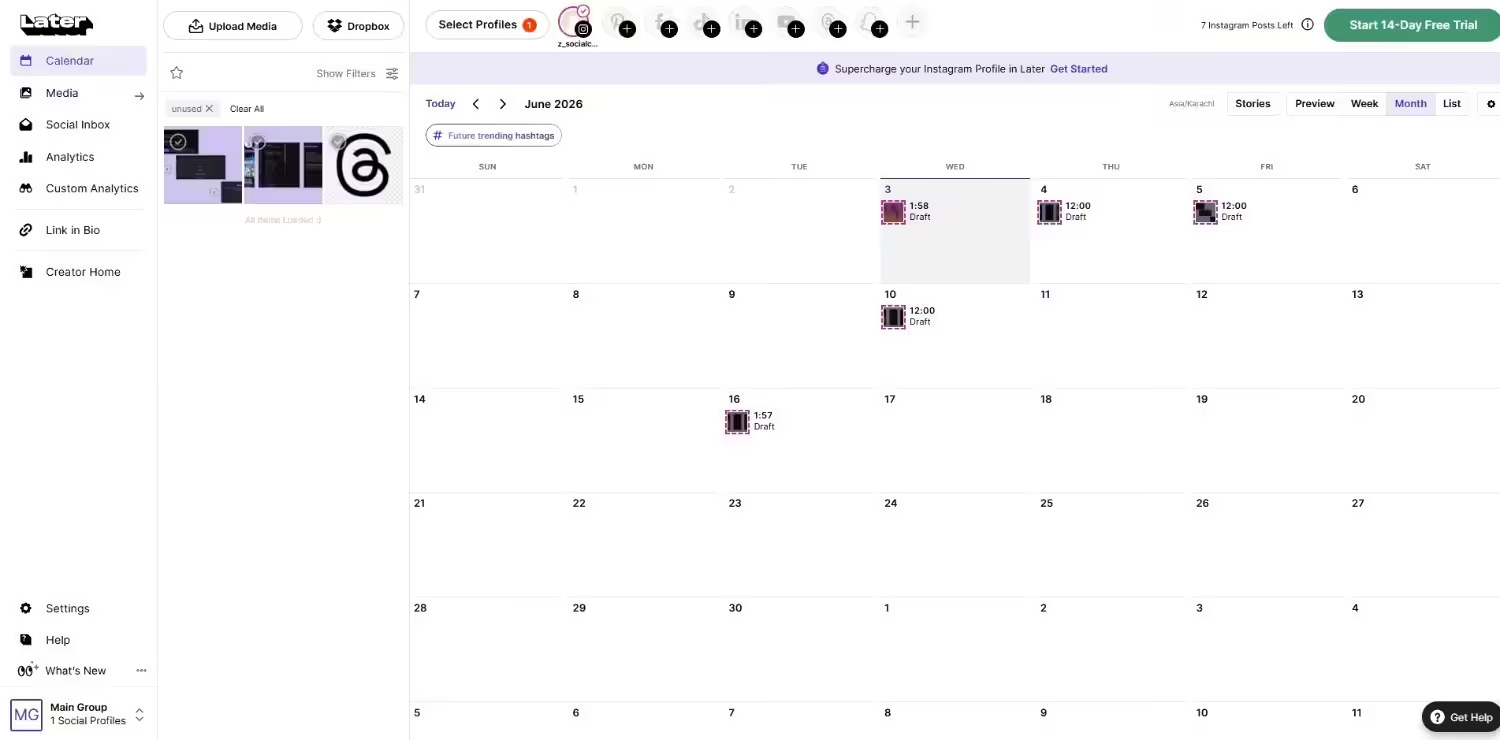
Later’s Dashboard Why I Picked Later
I don’t usually get excited about “visual” tools, but Later’s drag-and-drop calendar actually made content planning enjoyable, which is not a word I use lightly. If your workflow revolves around Instagram grids and TikTok videos, Later gets you.
Later’s Key Features
- Drag and drop media directly onto a calendar that looks like your Instagram grid. It’s stupidly intuitive.
- Build a mini landing page for your Instagram bio without needing a separate tool. Clean, customizable, and actually useful.
- Store, organize, and tag all your visual content in one place. No more hunting through Google Drive for that one Reel thumbnail.
Limitations:
Later is heavily Instagram-centric. If LinkedIn or X is your primary channel, you’ll feel like you’re using a tool that keeps suggesting you post more carousels.
Pricing
Free plan available. Paid plans start at $18.75/month. Higher tiers add more social sets, users, and analytics depth.
-
Buffer
Best for: Solopreneurs, small businesses, and anyone who wants simple content scheduling.
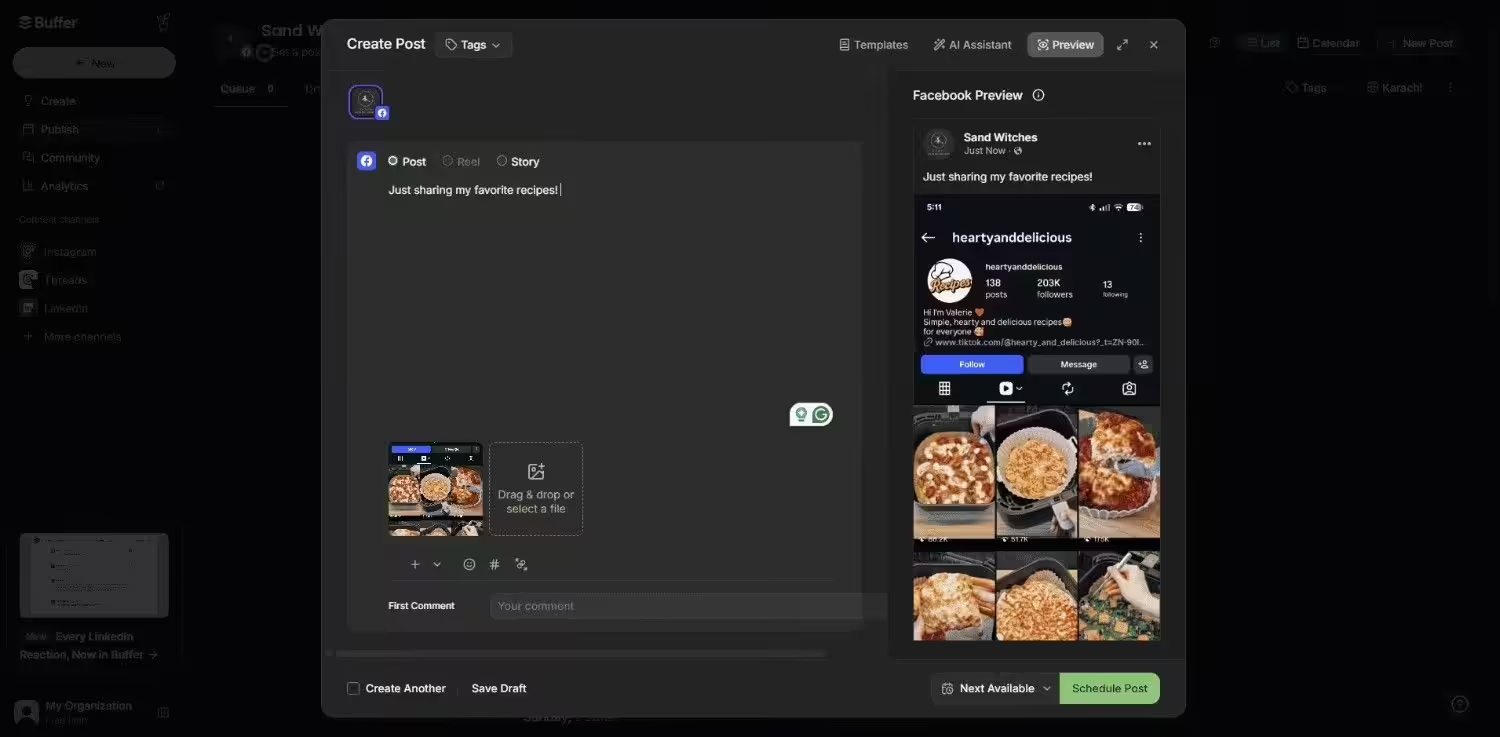
Buffer’s Dashboard Why I Picked Buffer
Sometimes you just need a tool that works without any learning curve. Buffer is that tool. At $5/month per channel (with a genuinely useful free plan), it’s the kind of honest pricing that makes me trust a company.
Buffer’s Key Features
- Schedule posts into a simple queue. No calendar gymnastics required.
- Add content to your queue from anywhere on the web. Found a great article? One click, scheduled.
- The AI assistant is included on all paid plans with unlimited credits for rewriting and refining captions.
Limitations:
No native carousel designer, and LinkedIn analytics for personal profiles are basic at best. If you need deep reporting or LinkedIn-specific features, you’ll outgrow it fast.
Pricing
Free plan available with 3 channels, 10 posts/channel. Paid plans start at $5/month. -
Hootsuite
Best for: Mid-market and enterprise teams managing 5+ social channels who need serious analytics and inbox management.
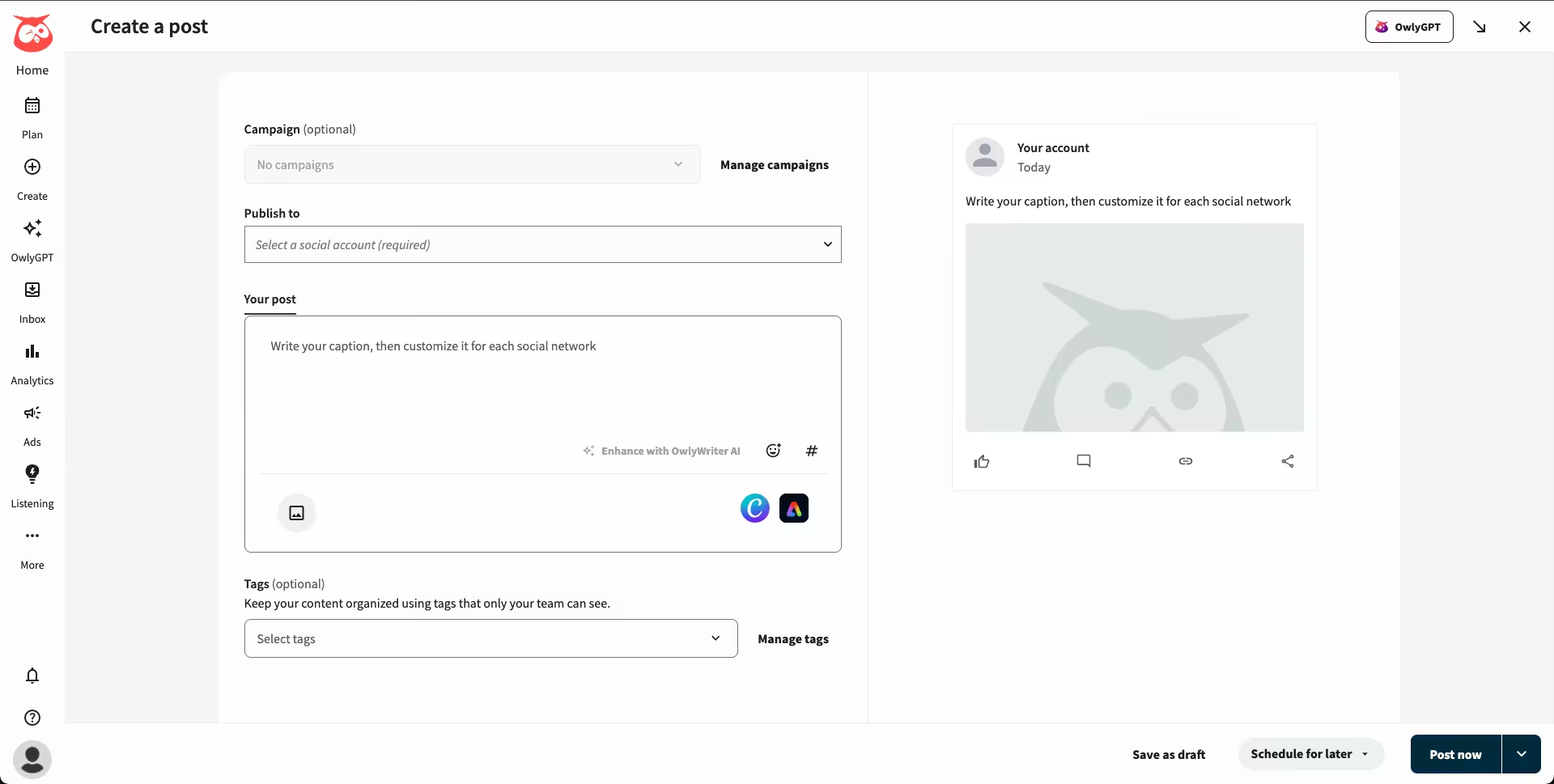
Hootsuite’s Dashboard Why I Picked Hootsuite
I didn’t want to include Hootsuite because it’s expensive, but when you’re managing multiple brands with compliance requirements, it’s one of the Vista Social alternatives that actually handles it without falling over. I just wish it didn’t cost $99/user/month.
Hootsuite’s Key Features
- Custom reporting templates, competitive benchmarking, and export-ready dashboards. If your boss wants a PDF report every Monday, Hootsuite delivers.
- Monitor keywords, mentions, and trends across platforms in real-time streams.
- Route DMs and comments to the right team member automatically. Great for customer service teams.
Limitations:
$99/user/month minimum with no free plan. No native carousel designer (links out to Canva). Approval workflows require Enterprise custom pricing. And honestly, it feels like overkill if you’re a solo creator.
Pricing
Starts at $99/user/month. Higher-tier plans unlock more advanced features. -
CoSchedule
Best for: Content marketing teams who need their social calendar tied to their editorial calendar.
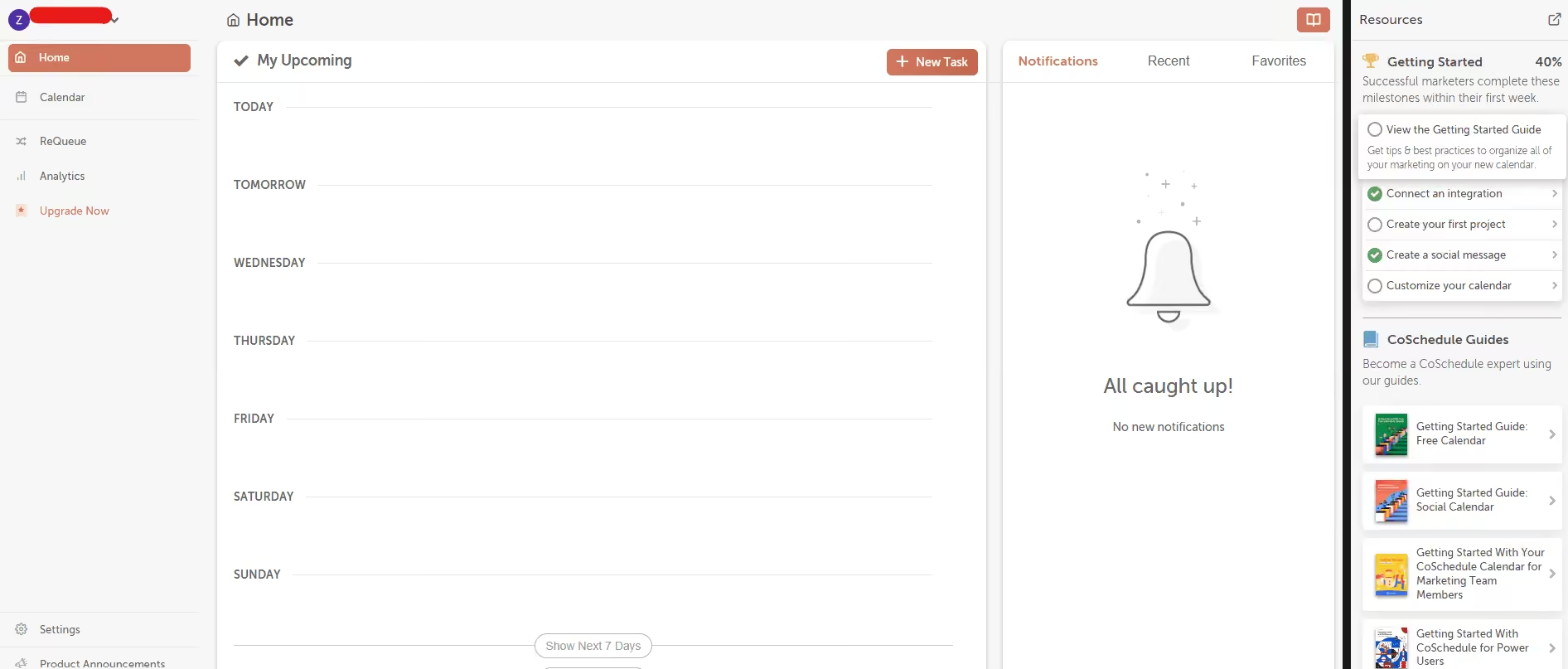
CoSchedule’s Dashboard Why I Picked CoSchedule
I tested CoSchedule because I was curious about a tool that treats social media as part of a bigger content marketing machine, not a siloed afterthought. If your team publishes blog posts, email newsletters, and social content, CoSchedule’s marketing calendar keeps everything in one view.
CoSchedule’s Key Features
- See blog posts, social campaigns, email sends, and tasks all in one timeline. No more “wait, did we already post about this?”
- Automatically reshuffle and repost your top-performing content. Set it once, let it run.
- Speed up content creation with AI that helps draft social posts, headlines, and even full blog outlines.
Limitations:
The social-specific features aren’t as in-depth as those of dedicated social tools. If social media is 90% of your job, you’ll eventually want something more specialized.
Pricing
Free plan available. Paid plans start at $29/month. Higher tiers add more users, social profiles, and advanced marketing features. -
Content Studio
Best for: Agencies and marketers who need content discovery, curation, and AI-assisted creation in one place.
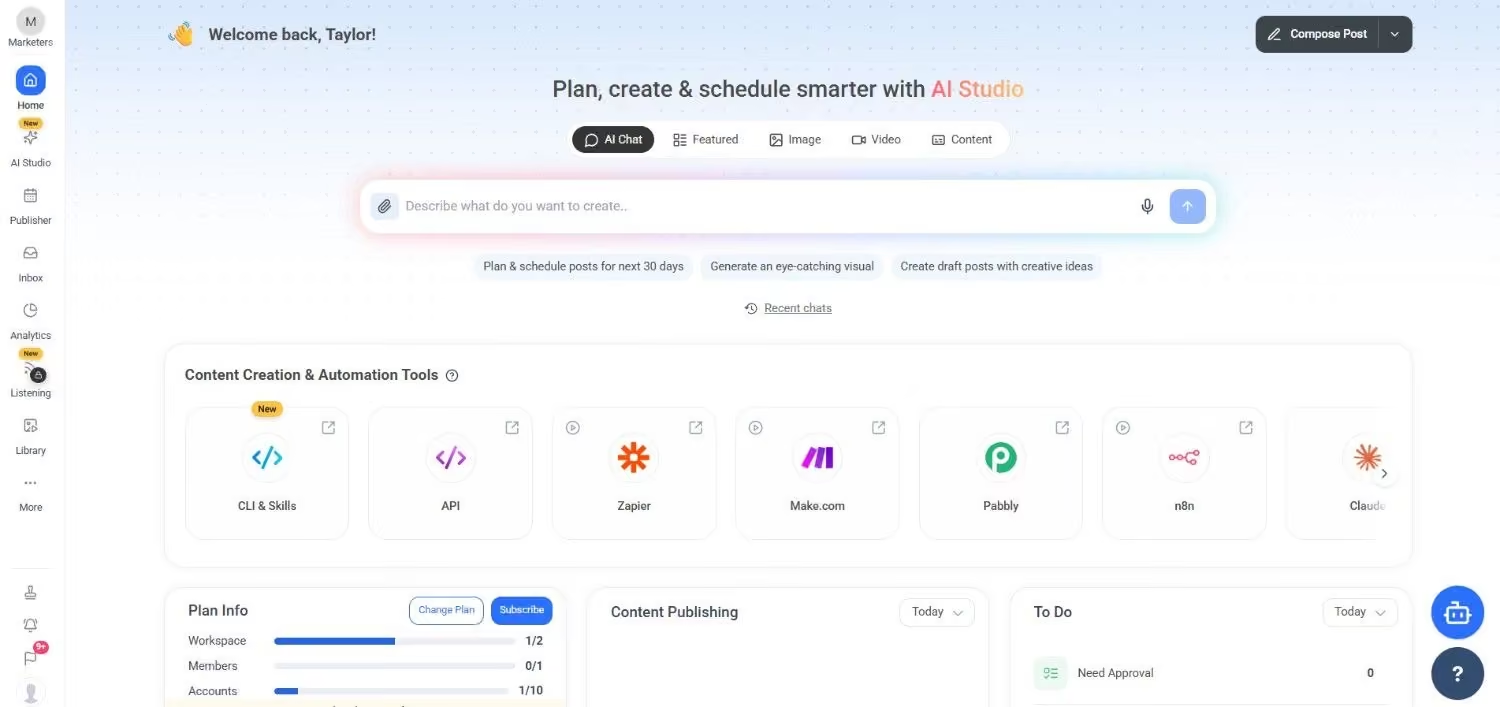
ContentStudio’s Dashboard Why I Picked ContentStudio
I picked ContentStudio because I have a weakness for tools that do the research for me. The content discovery engine surfaces trending articles in your niche. The AI Studio is solid, and the influencer tracking feature is a nice bonus that most alternatives skip entirely.
ContentStudio’s Key Features
- Find trending content in your niche and curate it for your audience. Great for filling gaps in your content calendar.
- Generate platform-optimized captions, images, and videos with its AI Studio.
- Monitor influencer mentions and collaborations across platforms. A rare feature at this price point.
Limitations:
The interface can feel cluttered when you’re managing multiple clients. You’ll still need to edit heavily to make it sound like you.Pricing
Starts at $19/month. Higher tiers add more social accounts, users, and advanced analytics. -
Metricool
Best for: Teams who want a balanced, affordable all-in-one without enterprise pricing.
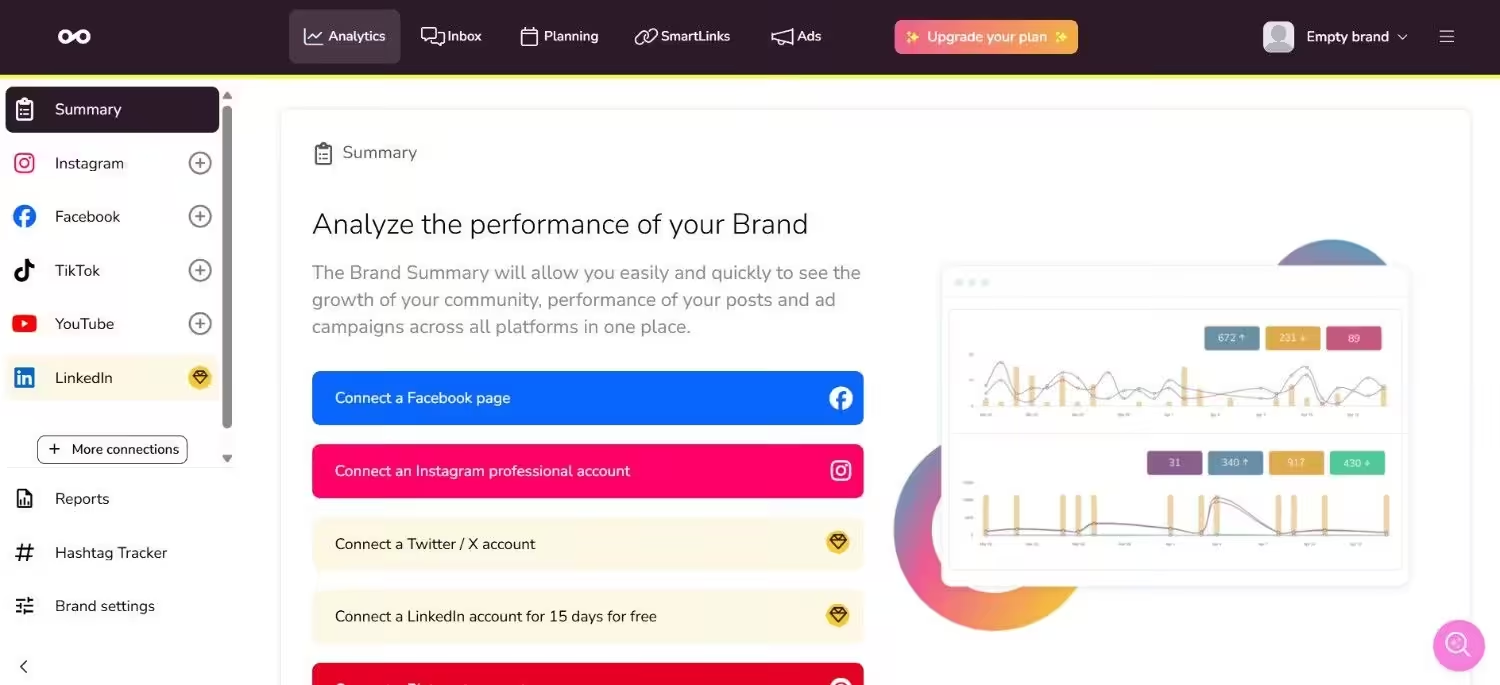
Metricool’s Dashboard Why I Picked Metricool
Metricool is the tool I recommend when someone says, “I need something that does a bit of everything, but I don’t want to pay Hootsuite prices.” It’s the practical middle-ground, publishing, analytics, ad reporting, and a link-in-bio tool, all starting at a price that won’t make your finance team cry.
Metricool’s Key Features
- Schedule posts and pull in ad performance data from Facebook, Google, and TikTok ads. One dashboard, no spreadsheet exports.
- Data-driven suggestions for when your audience is actually online. I’ve tested this against native platform insights, and it’s consistently accurate.
- Build a customizable landing page for your social bios with analytics tracking.
Limitations:
The UI isn’t as polished as Social Champ or Buffer, and customer support can be slow during peak hours. It’s also not as deep on LinkedIn-specific features as dedicated LinkedIn tools.Pricing
Free plan available (limited features). Paid plans start at $20/month. Higher tiers add more brands, users, and advanced analytics.
Featured Article: Top Hootsuite Alternatives
Why Users Seek Vista Social Alternatives
One of the main questions users have when assessing a social media management platform, such as Vista Social, is whether the price is really worth it.
Although Vista Social markets itself as all-inclusive, its cost may be prohibitive for individuals who are just getting started or who are only in charge of a small number of social media accounts.
-
High Entry-Level Costs
With unlimited post scheduling, Vista Social’s entry-level Professional plan costs $64 per month.
This option is a little bit more expensive, especially when you compare it to alternatives like Social Champ, which offers a Starter plan for just $4/month and includes unlimited post scheduling.
This price difference may be difficult to defend for users who only wish to schedule content and access basic analytics.
-
Not Enough Value
The Professional plan from Vista Social includes 15 social profiles, 3 users, an AI assistant, and basic tools for engagement, publishing, and planning.
Even though these features seem appealing, more and more competitors are offering them at a much lower cost.
Hence, businesses are moving towards those tools as they offer better value at much more affordable prices.
-
Collaboration Is Expensive
If you’re using Vista Social, the requirement for cooperation causes one of the largest cost increases.
You will have to upgrade to the Advanced plan, which supports 6 users and costs $120 per month, if you require more than 3 users on the platform.
For small teams or agencies looking to grow without going over budget, this could be a problem.
Featured Article: Top 10 Planoly Competitors for Your Social Media Strategy
Conclusion
Here’s what I’d tell you if we were actually having that coffee: Vista Social isn’t the villain here. It’s a perfectly fine tool if you need to manage a dozen networks and a handful of review sites from one dashboard. But most people don’t need that breadth. They need a tool that does their primary job really well, at a price that doesn’t require a budget meeting.
If you’re budget-conscious and want the most features for the least money, Social Champ is one of the best VistaSocial alternatives. If you’re visual-first, go Later. If you want simple and reliable, Buffer won’t let you down. If you’re enterprise-level, Hootsuite is still the heavyweight. If content marketing is your world, CoSchedule fits your workflow. If content discovery matters, ContentStudio has your back. And if you want a balanced all-in-one without breaking the bank, Metricool is the smart middle ground.
Pick the one that matches your actual workflow, not the one with the longest feature list. Trust me, I’ve tested them all so you don’t have to.