I spent my last three weeks trying to just connect my AI assistant to my calendar. I copied and pasted API keys, read the docs that felt like homework for a robot, and somehow still ended up with a cute “connection failed” error.
It was around 2 AM, and I was just about ready to throw my laptop out the window.
Then I found MCP servers.
If your AI assistant can’t do anything outside the chat window, MCP servers might be exactly what you need. In simple terms, they’re bridges that let AI tools like Claude connect with and interact with your favorite apps.
If you’re curious about how the backend works, take a look at our Developers hub.
I tested 9 of the best MCP servers for creators, putting them through my usual mix of testing and chaos. These are the ones that actually survived.
Let’s get into it!
Short Summary
- MCP servers are bridges that let your AI assistant actually talk to the apps you use every day, no coding needed
- Social Champ is the best pick for social media creators because it was built specifically for posting, and the setup takes under two minutes
- Buffer works too, but the full setup might need Node.js, so use the browse connector method if you want the easy route
- Notion is perfect if you hoard notes, Descript is a game changer for video creators, and Google Workspace saves you from drowning in emails
- You do not need all nine tools in your stack; just start with the one that fixes your biggest headache today
- Most of these connect through OAuth, so you log in normally and can cut the connection anytime, no sketchy permissions
- If your LLM is not talking to a server, it is probably a typo, old Node.js, or missing permissions, all fixable in five minutes
- The creators who get their MCP stack locked in now are the ones who will own 2026 while everyone else is still copy-pasting between tabs
How We Chose the Best MCP Servers
Not every MCP server is worth your time. I learned it when I connected to the one that looked cool but had zero documentation.
I spent 45 minutes guessing what commands it even accepted. Then I decided to never do this again.
Let me tell you what I checked before adding any tool to this list.
Does It Actually Talk to Your Apps?
The main purpose of the best MCP servers AI tools is that they connect your AI assistant to the apps that you already use. If an MCP only works with one random app nobody has heard of, it’s dead to me.
I looked for servers that play nice with the big names such as Claude, ChatGPT, social schedulers, Google apps, and Notion. The more connections, the better.
Setup Should Not Require a CS Degree
I’m a software tester, and even I don’t want to spend a whole hour in a terminal just to setup the tool. The best tools connect through OAuth. That means you log in, click approve, and you’re done.
If I need to generate API keys, manage tokens, or edit a config file, that MCP got bumped down the list. You shouldn’t need to be a developer to make your AI useful. Though if you’re curious about the tech side, our agentic workflows guide breaks it down without the headache.
Security That Doesn’t Feel Like a Joke
I’m not giving random code access to my social accounts. Every server on this list uses official OAuth. You control what the AI sees. You can cut the connection anytime from your account settings.
Real World Usefulness
A server can have 50 features and still be useless. I only cared about whether it really helps social media creators. Can it schedule posts? Pull data? Talk to your design tools?
If it doesn’t save me from opening ten tabs, it didn’t make the cut.
Docs and Community Support
When something breaks at 11 PM, you need answers. That’s why I checked whether the documentation for these servers was useful.
Active GitHub repos, Discord channels, or support teams that reply fast. If the only help page is a single paragraph from 2023, hard pass.
AI Compatibility
Not every MCP works with every AI assistant. Some only talk to Claude, while some work with ChatGPT or Perplexity.
The best MCP servers give you flexibility, so you won’t be stuck with only one assistant.
The Model Context Protocol is no longer a niche side project. Anthropic open-sourced it back in November 2024, and now the official documentation tracks the protocol as it evolves.
According to Nordic APIs, public MCP directories now list more than 20,000 servers, and local MCP server downloads hit 67 million in a single month.
The ecosystem is growing fast. Getting your stack right now puts you ahead of everyone still copying and pasting between tabs.
If you’re still doing the manual tab shuffle, you’re working harder than you need to. Check out these social media cross-posting tools to see how much time you could save.
The best Claude MCP servers are the ones that talk to your apps without making you cry. And if you want the best ones to handle your full workflow, the 9 tools below are the only ones that made my list.
Want to Post From Claude?
Best MCP Servers in 2026
I tested every tool so you don’t have to waste time on trial and error. Let’s take a look at the best MCP servers in 2026.
| Tool | What It Does | Who Needs It | Cost to Hook Up | Worth the Hype? |
|---|---|---|---|---|
| Social Champ | Schedule posts + manage your queue | Social media creators who want one dashboard | Free | Absolutely |
| Buffer | Save ideas + schedule posts | Multi-platform posters | Free | Yes |
| Notion | Store notes and content ideas | Creators who plan in Notion | Free | Yes |
| Canva | Design graphics and carousels | Visual-first creators | Free | Mostly |
| Google Workspace | Email, calendar, docs | Creators drowning in admin | Free | Essential |
| Descript | Edit video and pull clips | Video creators and podcasters | Free | Game changer |
| Slack | Team chat and notifications | Agencies and teams | Free | If you have a team |
| Figma | Design prototypes and assets | Designers and brand teams | Free | For visual creators |
| GitHub | Code repos and project tracking | Developer creators | Free | Niche but solid |
-
Social Champ
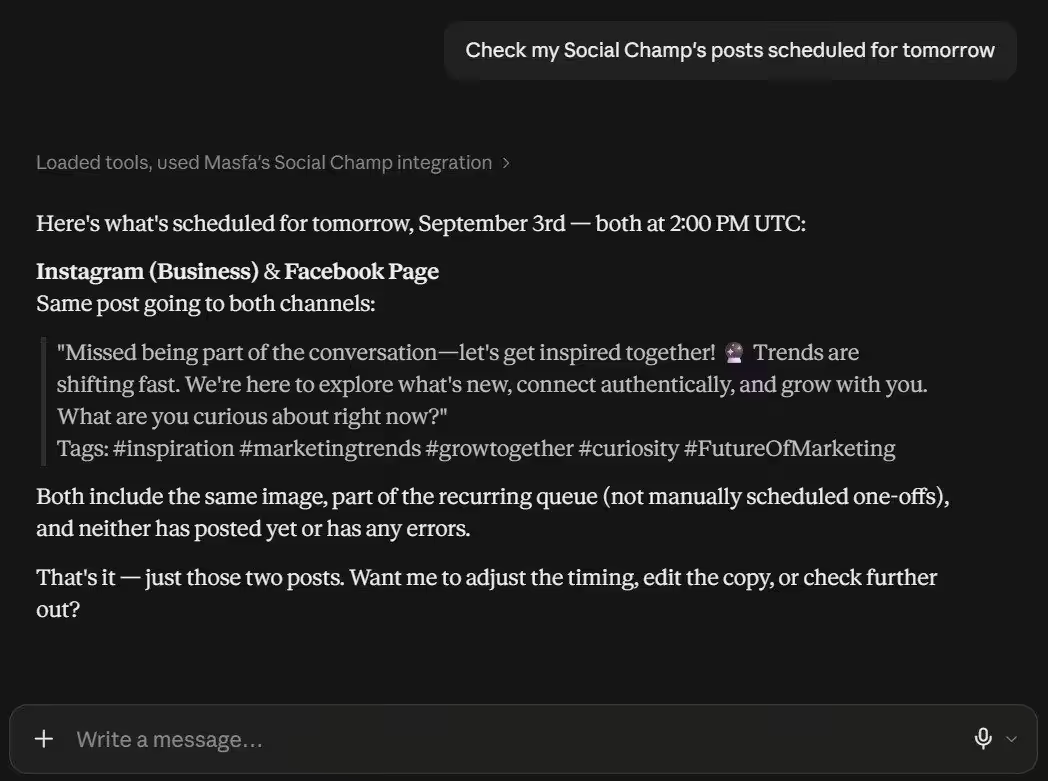
Claude Showing Upcoming Scheduled Post From Social Champ Queue I connected Social Champ to Claude in under two minutes. You don’t need any coding, complicated config files, or Node.js installed.
All you’ve to do is add the MCP URL to Claude or any AI assistant, log in to your Social Champ account, approve the access, and That’s it. Once it was live, I asked Claude to show me my posting queue. It pulled up everything I had scheduled for the week across all my channels.
Then I said, “Write a caption for Tuesday and schedule it for the best time.” Claude wrote it, picked a smart time slot, and dropped it in my calendar. I didn’t open a single tab. I didn’t copy and paste anything. I just talked to my AI, and it handled the rest.
The best part is Social Champ is a creator-friendly platform. You can view your scheduled posts, edit or delete content, and cross-post the same content to different channels. If you don’t have any idea about the posting times, check out our guide on the best times to post on social media.
Best For
Social media creators, agencies, and anyone who creates content with AI and doesn’t want to manually post it on every platform.
Key Features
- Schedule posts across multiple platforms without leaving your chat
- Check your upcoming queue so you never accidentally double-post
- Edit or delete scheduled posts with plain English
- Cross-post the same content to different channels
- See every connected account in one view
- OAuth security so you control access
Pros
- Setup is really quick and simple
- Free to connect
- No technical skills needed
- Works as both a capture tool and a publishing tool
- Built for creators, not just developers
Cons
- You cannot pull analytics through the MCP yet. Performance data still lives in the dashboard.
- It only works with the platforms Social Champ supports. Check the full list of features first if you need a niche network.
Ready to Try It Yourself?
Connect Social Champ's free MCP to Claude today and schedule your first post without leaving the chat window. -
Buffer
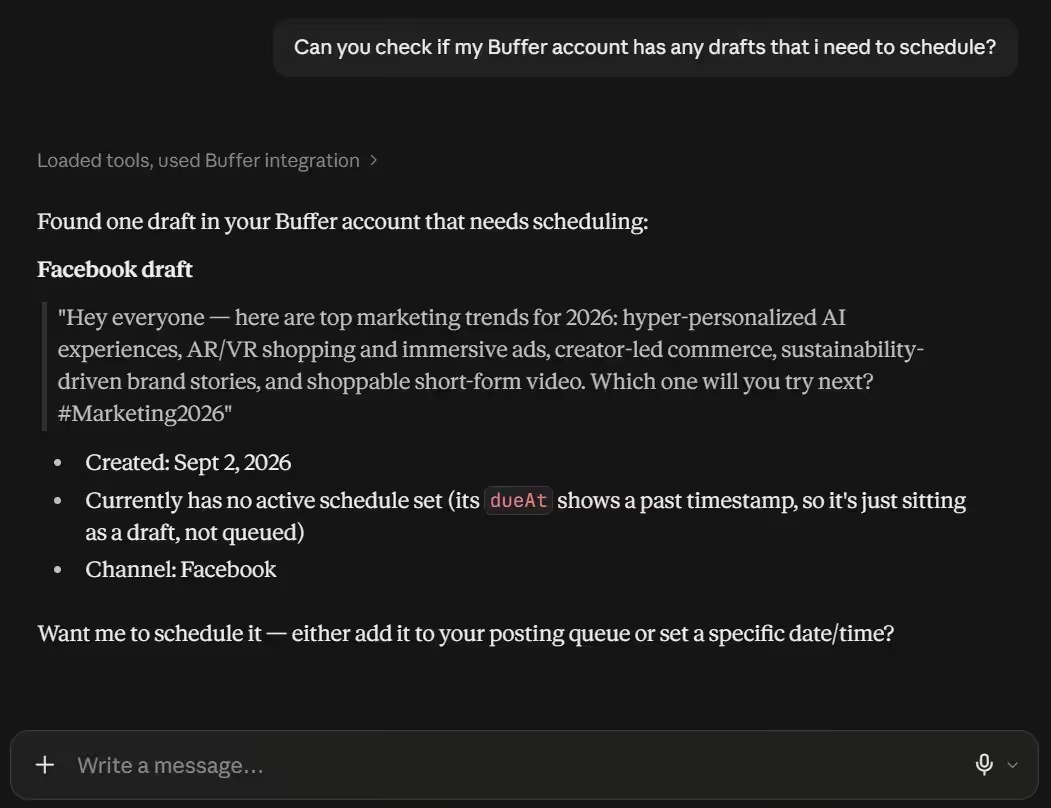
Claude Displaying Saved Drafts in Buffer Buffer’s MCP connects your Buffer account to the AI assistant so you can easily manage your content though chat window.
There are two ways to connect. First, you can browse for Buffer in Claude’s connector directory, hit Connect, and grant access. The second is that you can generate a personal key in Buffer’s integrations settings, install Node.js 18 or higher, paste the config into Claude Desktop’s Developer settings, and restart.
Best For
Multi-platform posters who already use Buffer and want AI access without switching tabs.
Key Features
- View your full posting queue across all channels
- Draft and schedule posts from chat
- Rewrite content for different platforms
- Edit or delete scheduled posts
- Save ideas to your content library
- Access your template library
Pros
- Two connection options depending on your comfort level
- Covers multiple platforms
- Official connector from Buffer
- Free to connect
- OAuth security
Cons
- API method needs Node.js 18+
- No analytics through the MCP yet
- Requires an active Buffer account with connected channels
-
Notion
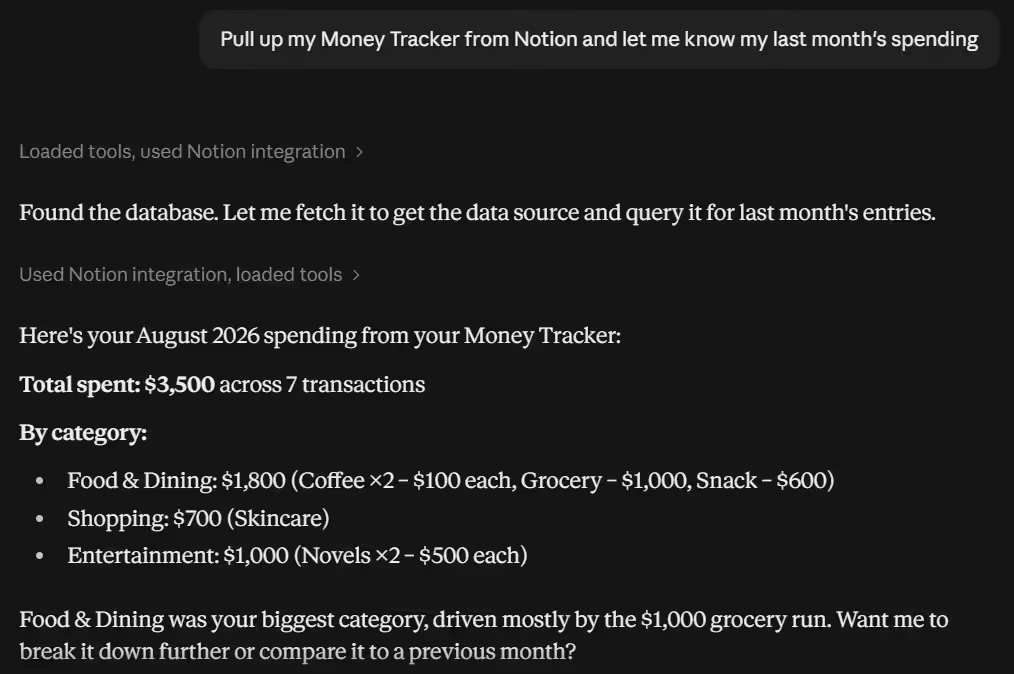
Claude Listing Notion Pages Honestly, my Notion is a forest full of half-baked ideas, random notes, and late-night content plans. And Notion MCP makes it a whole lot easier to search all of this mess.
I asked Claude to pull up my Money Tracker from Notion. It found the page instantly, showed me my spending categories, and even pointed out that I blew way too much on coffee last month. I never opened Notion once. It just pulled the data, answered my question, and handed it back like a friend who actually remembers where you left your stuff.
Best For
Creators who already manage their content and ideas from Notion.
Key Features
- Search your entire workspace in Claude
- Pull notes and turn them into content
- Create new pages from chat
- Access databases and calendars
Pros
- Free to connect
- Great for repurposing old research
- Saves you from digging through endless pages
Cons
- If your Notion is messy, Claude sees the mess
- No two-way sync for some advanced database features
-
Canva
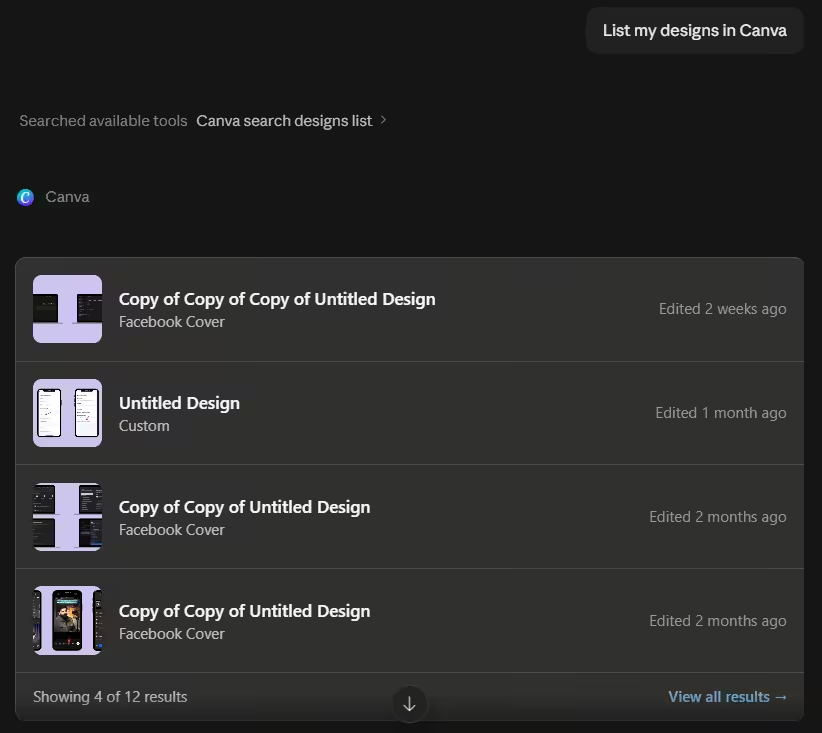
Claude Listing Canva Designs I’m not a designer, but I do know how to make a decent enough Carousel from Canva. The Canva MCP lets me start a design idea in Claude, transfer the copy over, and reference my existing templates, fonts, and colors.
I still have to open Canva to finish it, but I skip the “stare at a blank canvas” phase.
Best For
Visual creators who already design in Canva.
Key Features
- Reference existing templates and brand kits
- Transfer copy from Claude to Canva designs
- Access your design library
- Create new designs from chat prompts
Pros
- Free to connect
- Skips the blank canvas problem
- Keeps your brand consistent
Cons
- You still need to finish designs in Canva
- Not a full replacement for the design interface
Featured Article: How to Post on Social Media From Claude
-
Google Workspace
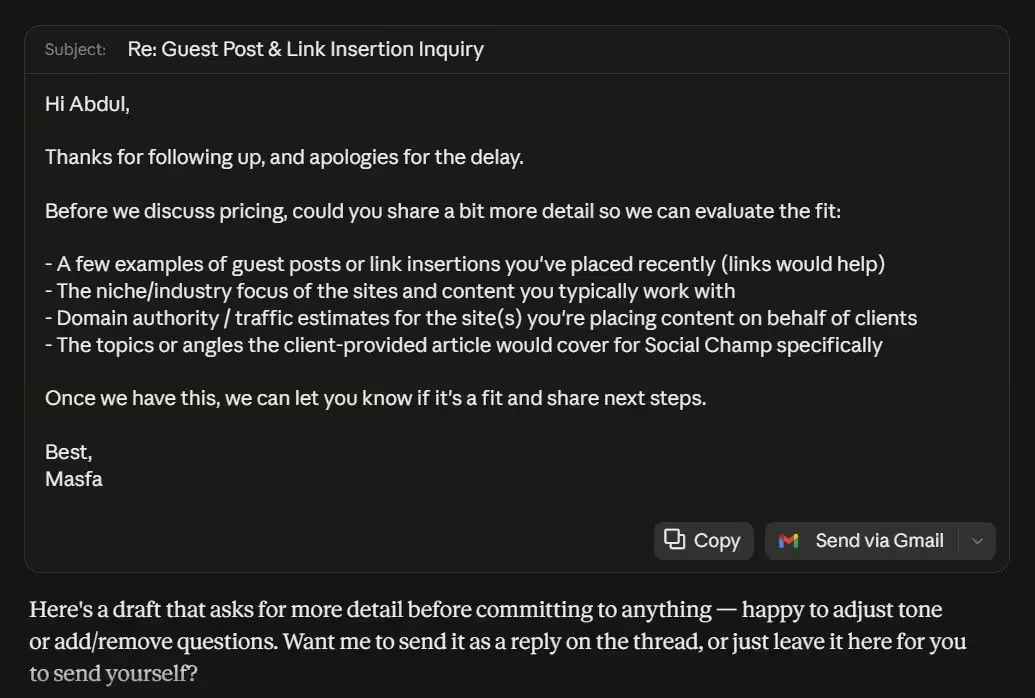
Claude Drafting an Email Reply I am an inbox 99,999 person. The Google Workspace MCP is the only reason I know what I’m supposed to do on any given day.
I asked Claude to find an email from a company about a collaboration post and draft a reply. It pulled the thread, summarized it, and wrote a response. Then I asked it to check my calendar and make a doc with my content ideas. All from one chat.
Best For
Creators who are constantly busy with admin work.
Key Features
- Search and summarize emails
- Check and manage calendar events
- Create and edit Google Docs
- Draft replies to threads
Pros
- Free to connect
- Handle the boring admin work
- Useful in finding lost emails
Cons
- It can see everything in your Google account
- Sometimes summarizes emails too aggressively
-
Descript
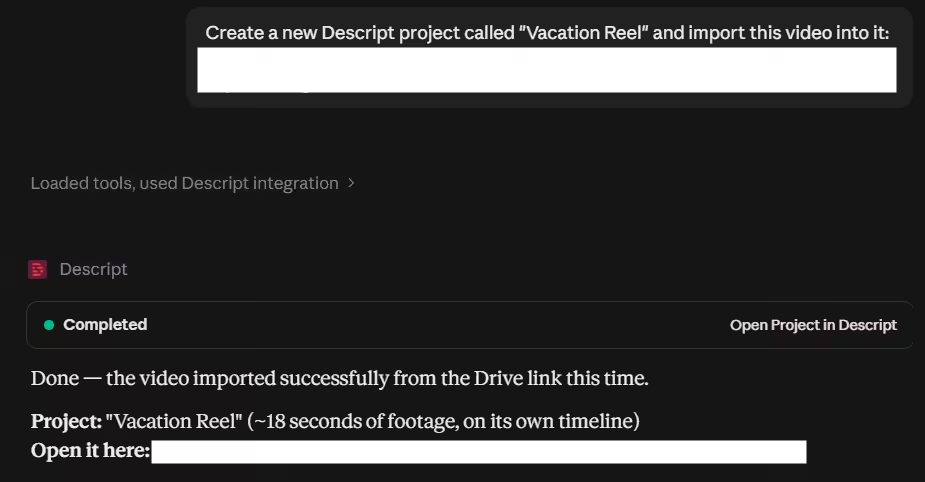
Claude Creating a New Descript Project If you repurpose long videos into short clips and edit videos, then Descript MCP is very interesting. It’s one of the coolest tools in my stack.
I asked Claude to create a new Descript project and import a video from a link. It created the project, pulled the file in directly from the URL, and dropped it onto a timeline. It handled the boring import work while I just waited.
Best For
Video creators and podcasters who repurpose long-form content into short clips.
Key Features
- Edit video from the chat window
- Create clips and write captions
- Clean up audio and cut filler words
- Generate post copy alongside video edits
Pros
- Cuts editing time dramatically
- Great for repurposing long content
- Handles captions automatically
Cons
- Needs a paid Descript plan
- Cannot import from YouTube links
- Edits draw from your plan’s AI credits
-
Slack
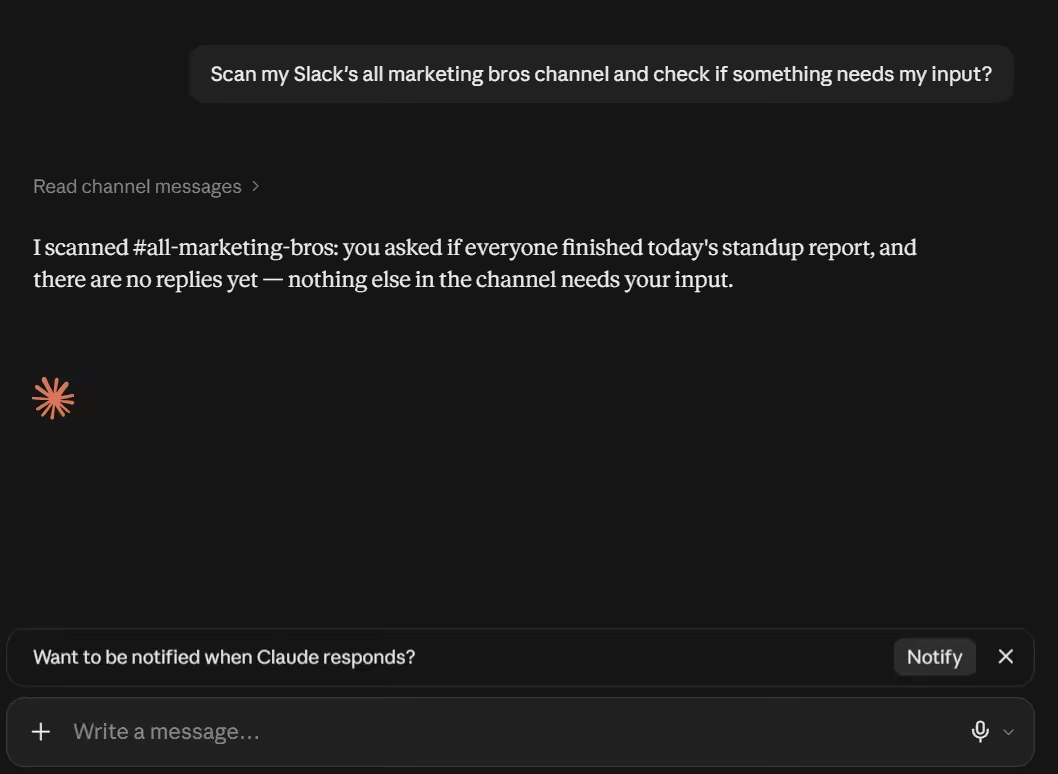
Claude Scanning the Slack Channels I use Slack for team stuff and client updates. The Slack MCP lets AI assistants send messages, check channels, and summarize threads without me opening the app.
I connected Claude to my team’s Slack via MCP and asked it to scan our marketing channel for anything that needed my input. It checked the channel and reported back.
Best For
Agencies and teams who heavily depend on Slack.
Key Features
- Send messages to channels or DMs
- Summarize unread threads
- Check mentions and flags
- Draft replies without opening Slack
Pros
- Free to connect
- Cuts down notification anxiety
- Works with multiple workspaces
Cons
- If your team spams channels, summaries get long
- You still need Slack open for real-time conversations
-
Figma
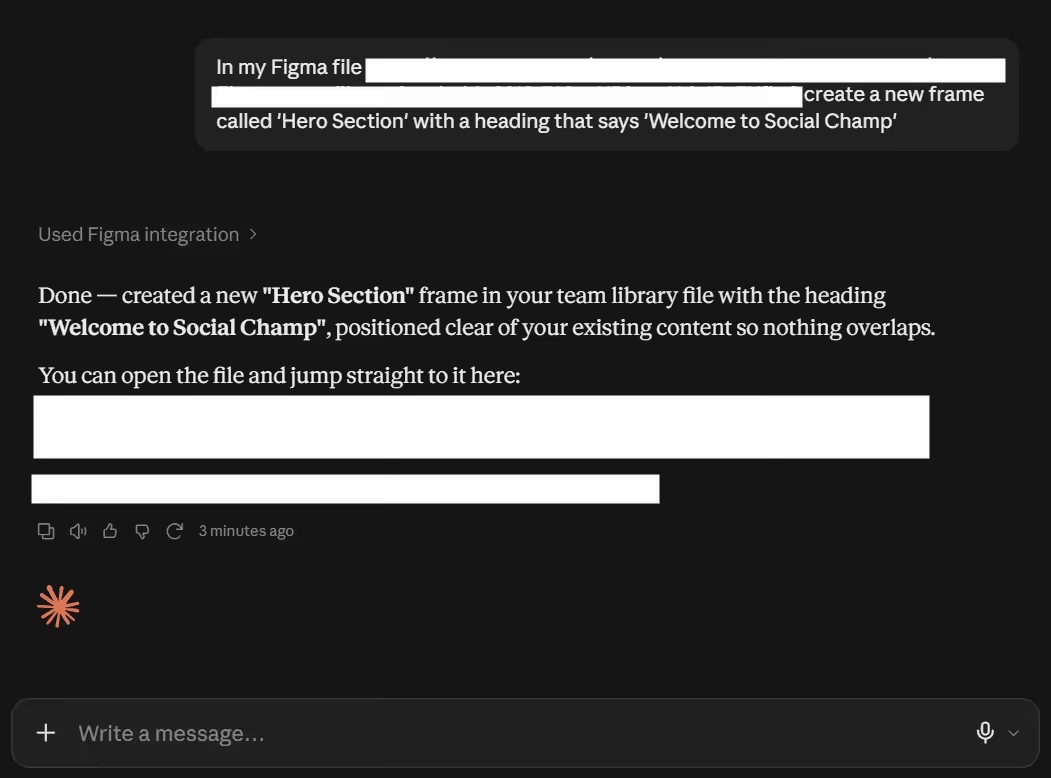
Claude Adding a New Frame to a Figma Website Design File Again, I’m not a designer, but I work with them. That’s why Figma access is quite useful for me. The Figma MCP lets me pull design assets, check prototypes, and get updates without bugging my design team.
I asked Claude to add a new frame to my website design file and drop in a welcome heading. It created the frame, added the text, and told me it was ready for review. I didn’t open Figma once.
Best For
Designers, marketers, and brand teams.
Key Features
- Access Figma files and prototypes
- Pull design specs and assets
- Check comments and updates
- Reference brand libraries
Pros
- Free to connect
- Keeps non-designers informed
- Saves your design team from constant “can you send me that” messages
Cons
- You cannot edit designs through the MCP
- Mostly read-only access
- Requires a Figma account with the right permissions
-
GitHub
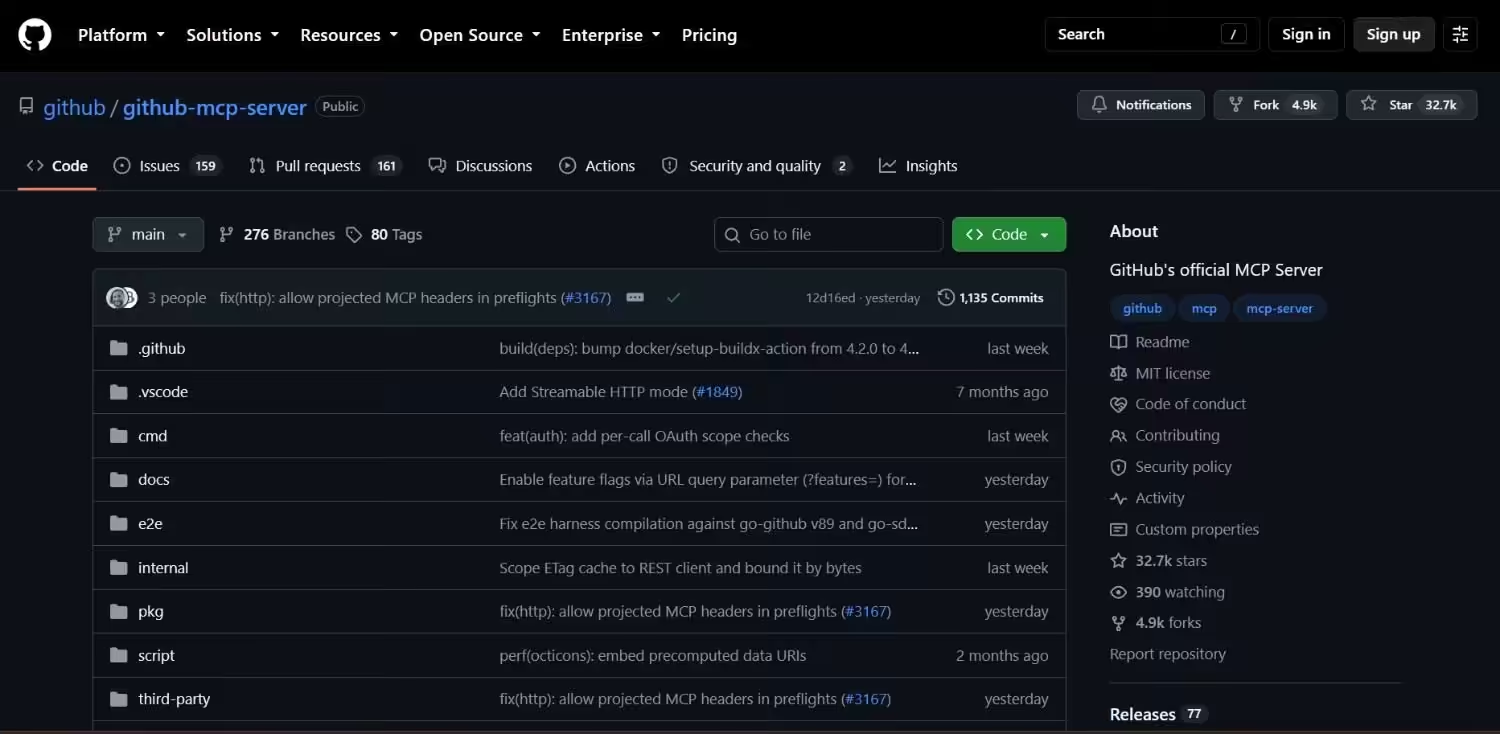
GitHub’s MCP Server This one is very useful for developers. I use GitHub for bug tracking and project management. The GitHub MCP lets Claude read repos, check issues, and summarize pull requests.
I asked Claude to find all open issues tagged as urgent in the content calendar repo. It pulled the list and suggested which ones to tackle first.
Best For
Developers, creators, and technical teams.
Key Features
- Read repo files and issues
- Summarize pull requests
- Check project boards
- Track bugs and tasks
Pros
- Free to connect
- Great for technical project management
- Works with public and private repos
Cons
- Niche use case for most creators
- Read-only for most actions
- Requires some GitHub knowledge
Featured Article: 7 Best Social Media APIs for Multi-Platform Posting
Which MCP Server Should You Choose?
Okay, you’ve seen the full stack. Now, the important part is: what do you actually need? Because honestly, buying all 9 would be insane and also expensive.
For Social Media Creators
If you make content for a living, start with Social Champ. It’s specifically built for publishing; that’s why the setup only takes 90 seconds. Simply talk to Claude about what you want. It’s connected to Social Champ and gets your work done in minutes.
Plus, you don’t have to switch between tabs and copy-paste the captions. And if you’re still doing it manually in 2026, then it’s time to change now.
For Multi-Platform Posters
If you’re already using the scheduler, you can check Buffer. It has an MCP that works with major social media platforms, but the full setup might need Node.js.
If that word makes you want to close your laptop and take a nap, just use the browse connector method instead. It’s faster, and you won’t break anything.
For People Who Hoard Notes
If you save everything in Notion, their MCP turns your messy workspace into a content machine. Claude can find your old ideas, random notes, and half-written thoughts that you completely forgot and turn them into posts.
Just know that your workspace should be organized. If everything is messy, then the outcome will be messy as well.
For Video Creators and Podcasters
Descript can save a lot of your time. For example, you upload a long interview video and ask Claude to find three useful clips from it and write captions for them as well.
That used to take me an hour. Now it takes a chat message. If you make videos, this is one of the best MCP servers for creators to pick that will actually change your life.
For People Drowning in Admin
Google Workspace is your lifeline. I’m talking about the inbox of 99,999 people. The ones who miss emails and forget meetings.
Claude can summarize threads, draft replies, and check your calendar without you opening a single Google tab. It’s boring, but it can definitely save you time.
For Teams and Agencies
If you’ve a team or an agency, then you need more than one tool. Social Champ can handle publishing, Slack is good for your team updates, and Google Workspace is best for your emails and calendar.
Meanwhile, if your team works with designers, you can add Figma as well. And if more of your work revolves around coding, GitHub is useful too.
You don’t need all 9. Start with the one that fixes your biggest headache today. For most creators, that’s Social Champ. Because posting is the whole job. And if your AI assistant can’t actually post for you, then what is even the point?
Do Not Let Another Post Slip
Conclusion
I used to think AI assistants were just fancy chatbots that wrote decent captions. Then I connected mine to actual tools and realized I had been doing everything the hard way.
The best MCP servers are the difference between posting in five minutes and posting in fifty. Between batching a week of content in one chat and losing your mind in ten tabs. Between actually creating and just… adminning.
If you’re a creator, start with Social Champ. It’s the only one on this list built specifically for social media posting. The setup is fast. The workflow is smooth. And it truly does what you need it to do without making you install a bunch of extra stuff.
Stop copying and pasting. Stop tab shuffling. Stop pretending that manual workflow is somehow more authentic. It’s not. It’s just slower.
Get your MCP stack locked in today. Your future self will thank you.