

So you landed here looking for Sprout Social alternatives because your wallet is crying?
Same.
I spent my last two weeks stress-testing 10 social media management tools that could do the job without draining my budget because Sprout Social pricing is not something everyone can afford.
But some didn’t fit my workflow, while some hid basic scheduling features behind paywalls. And a few of them looked really good to me, which genuinely surprised me.
That’s why I’ve created this guide, so you don’t have to test out a lot of tools just to find the perfect one. Trust me, I’ve made your decision-making easier in this guide.
My Top Sprout Social Alternatives At A Glance
Let’s take a look at these 10 alternatives to Sprout Social that I tested, so you don’t have to spend time on testing and finding the one:
| Sprout Social Alternatives | Best For | Starting Price |
|---|---|---|
| Social Champ | Small teams that want power without the price | $4/month |
| Hootsuite | Large agencies with big budgets | $99/month |
| Sendible | Freelancers who manage multiple clients | $25/month |
| Buffer | Solo creators who keep it simple | $5/month |
| Later | Visual-first brands on Instagram and TikTok | $18.75/month |
| SocialPilot | Marketing teams that need bulk scheduling | $25.50/month |
| Statusbrew | Agencies that want Sprout-level features without per-seat pricing | $69/month |
| Planable | Teams that hate messy comment threads | $33/month |
| Mention by Agorapulse | Brands that care about social listening and brand monitoring | $599/month |
| Zoho Social | Teams that are already deep in the Zoho suite | $10/month |
10 Best Sprout Social Alternatives Tested for 2026
Now, let’s come to my top 10 Sprout Social alternatives that I reviewed in the last two weeks. Let’s take a look at what I found about each tool, and decide which one you should consider for your business:
-
Social Champ
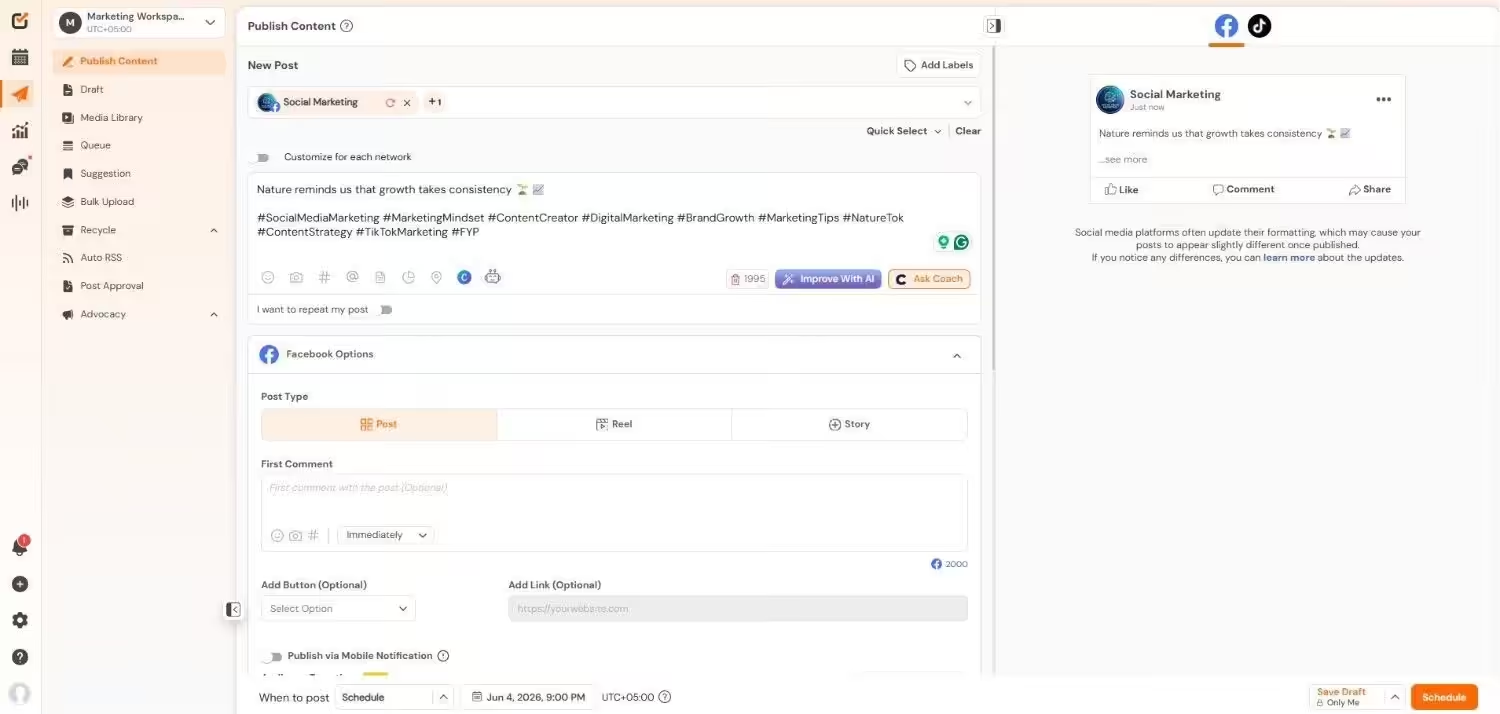
Social Champ’s Dashboard Best for: Small to medium teams and agencies that want enterprise-level features without the serious price tag.
Why I Picked Social Champ
I found Social Champ when I realized that Sprout’s $79 plan was basically a beautifully designed velvet rope. I’m not saying it’s not worth it, but with a $79 plan, I was expecting features such as adding a teammate or competitor tracking, which are behind the higher paywalls.
On the other hand, Social Champ can do a lot of my work and provide more advanced features without costing my kidneys. No matter how big your team’s size is, Social Champ doesn’t limit you to a single seat only.
Now, this tool has solved a lot of my problems. I can import my calendar, schedule my multi-platform campaigns, add up to 5 teammates, track my competitors, and a lot more, for under $50.
Features of Social Champ:
- Schedule and publish across 12+ social media platforms, including Facebook, Instagram, Threads, Pinterest, TikTok, Google Business Profile, X, LinkedIn, Mastodon, YouTube, and Bluesky.
- Create visual cues, generate content ideas, and write captions using built-in AI assistance directly in the composer.
- Plan weeks and months worth of content visually to keep your grid and posting schedule organized.
- Oversee all conversations from a single, unified inbox that collects messages and comments from various platforms.
- Use internal notes, customized approval steps, and role-based access to work seamlessly as a team.
- Create comprehensive performance reports breaking down engagement, reach, and content metrics into exportable, white-labeled PDFs.
- Keep an eye on your brand mentions, competitor activity, and industry trends to improve your social strategy.
Supported Platforms: Instagram, Facebook, TikTok, LinkedIn, YouTube, Threads, Pinterest, X, Google Business Profile, Bluesky, Mastodon, and WhatsApp Business
Pricing: Social Champ offers a Free plan. Its pay-per-profile plans start at $4/month, and flat-rate bundled plans start at $23/month.
Pros Cons Very affordable choice for small teams Some advanced features required upgrade Clean and easy-to-use interface The desktop version is more feature-rich than the mobile app Small Team, Small Budget, Big Features.
Enterprise looks without the enterprise price. Test Social Champ free and post like a pro. -
Hootsuite
Hootsuite’s Dashboard Best for: Large agencies and enterprises with deep pockets.
Why I Picked Social Champ
All of you definitely know Hootsuite. And I tested this platform because I had to. No doubt, it’s powerful and has features that every team wants, but it’s expensive.
If your budget is high and you want social listening, team management, and detailed analytics, this one might be your right fit.
Features of Hootsuite:
- Social listening and brand monitoring
- Integrated media library, draft management, and post editor.
- Team collaboration with role-based access
- Advanced analytics and custom reporting
- Ad campaign management for Facebook, Instagram, and LinkedIn directly within the dashboard.
Supported Platforms: Facebook, Instagram, TikTok, LinkedIn, X, YouTube, Pinterest, Threads, WhatsApp, Google Business Profile, and Bluesky.
Pricing: Hootsuite’s pricing plans start at $99/month per user.
Pros Cons Massive integration library Expensive for smaller teams Strong social listening Steep learning curve Since Hootsuite is a big name, you might want to know how it compares to other platforms. Check out these Hootsuite alternatives that I tested earlier.
-
Sendible
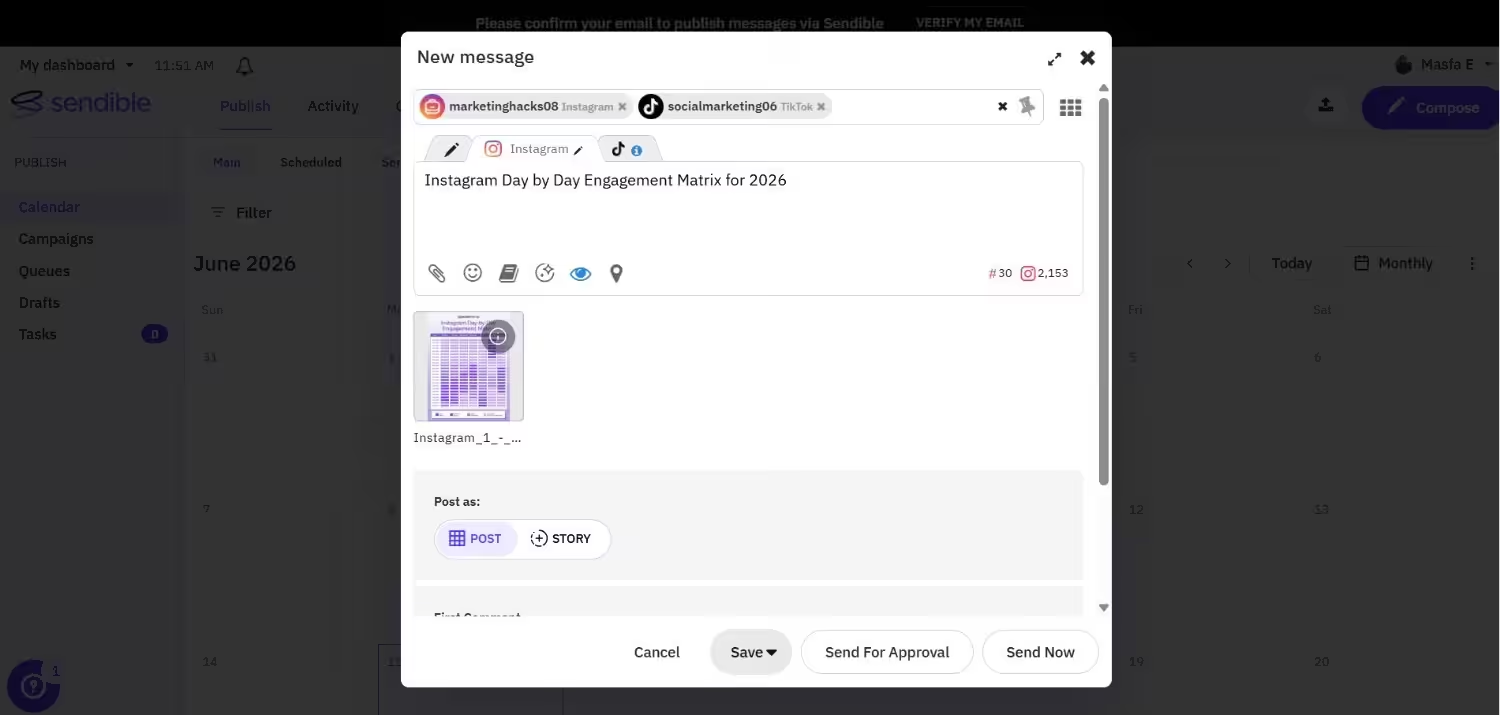
Sendible’s Dashboard Best for: Freelancers and agencies who manage multiple client accounts.
Why I Picked Sendible
I gave Sendible a try because one of the freelancers I know wouldn’t stop talking about it. And I think it’s really worth managing your multiple client dashboards.
You also get white-label reports and a content suggestion engine that saves you a lot of hours.
Features of Sendible:
- Client management dashboards
- Integrated tools for content curation to identify and distribute popular articles.
- Bulk scheduling, recurrent posts, and intelligent queues.
- White-label reporting
- Content suggestion engine
Supported Platforms: Facebook, Instagram, TikTok, X, LinkedIn, Google Business Profile, YouTube, Threads, and Bluesky
Pricing: Sendible’s pricing plans start at $25/month.
Pros Cons Great for client management No free plan to test out White-label reports The dashboard may feel overwhelming -
Buffer
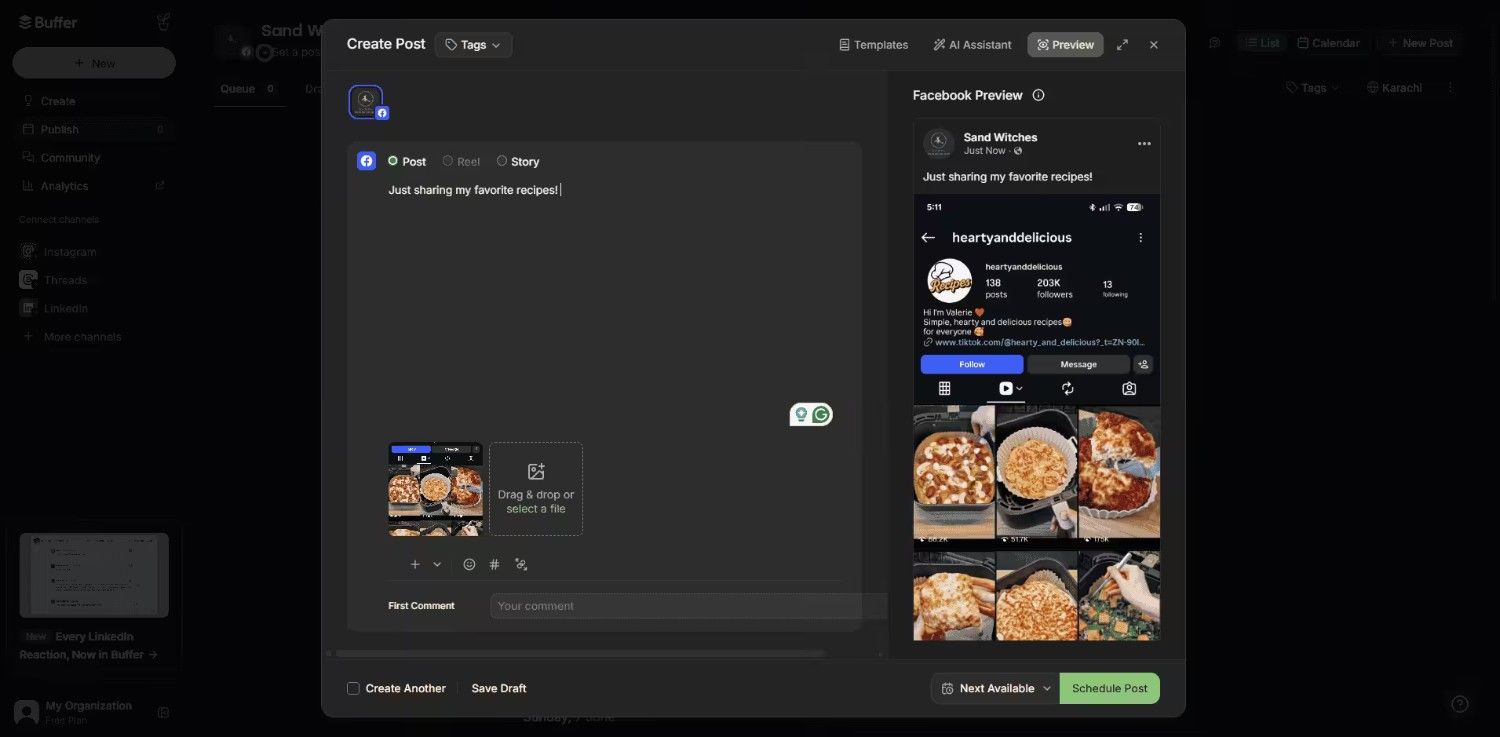
Buffer’s Dashboard Best for: Creators who work alone and small businesses who want simplicity.
Why I Picked Buffer
I used Buffer because of this comparison test, and it has made it clear why it’s one of the classic Sprout Social free alternatives.
Its interface is clean, easy to navigate, and simple to use. But you know that simple means limited, so the moment you need deep analytics or multi-person team review steps, you run into a wall, and you need another tool for advanced features.
Features of Buffer:
- Intuitive scheduling queue
- Basic analytics
- An engagement dashboard shows the tracking of interactions in real time.
- A link-in-bio tool for the Start Page that allows you to share important links in one location.
Supported Platforms: Facebook, Instagram, X, Bluesky, Google Business Profile, LinkedIn, Mastodon, Pinterest, Threads, TikTok, YouTube
Pricing: Buffer offers a Free plan, and its paid plans start at $5/month per channel.
Pros Cons The easiest tool to learn Doesn’t have advanced features Generous free plan Lacks team collaboration on the lower tiers If you want to know more about Buffer, you can see how it compares to other social media tools. I have also written about Buffer alternatives that go deeper into features.
-
Later
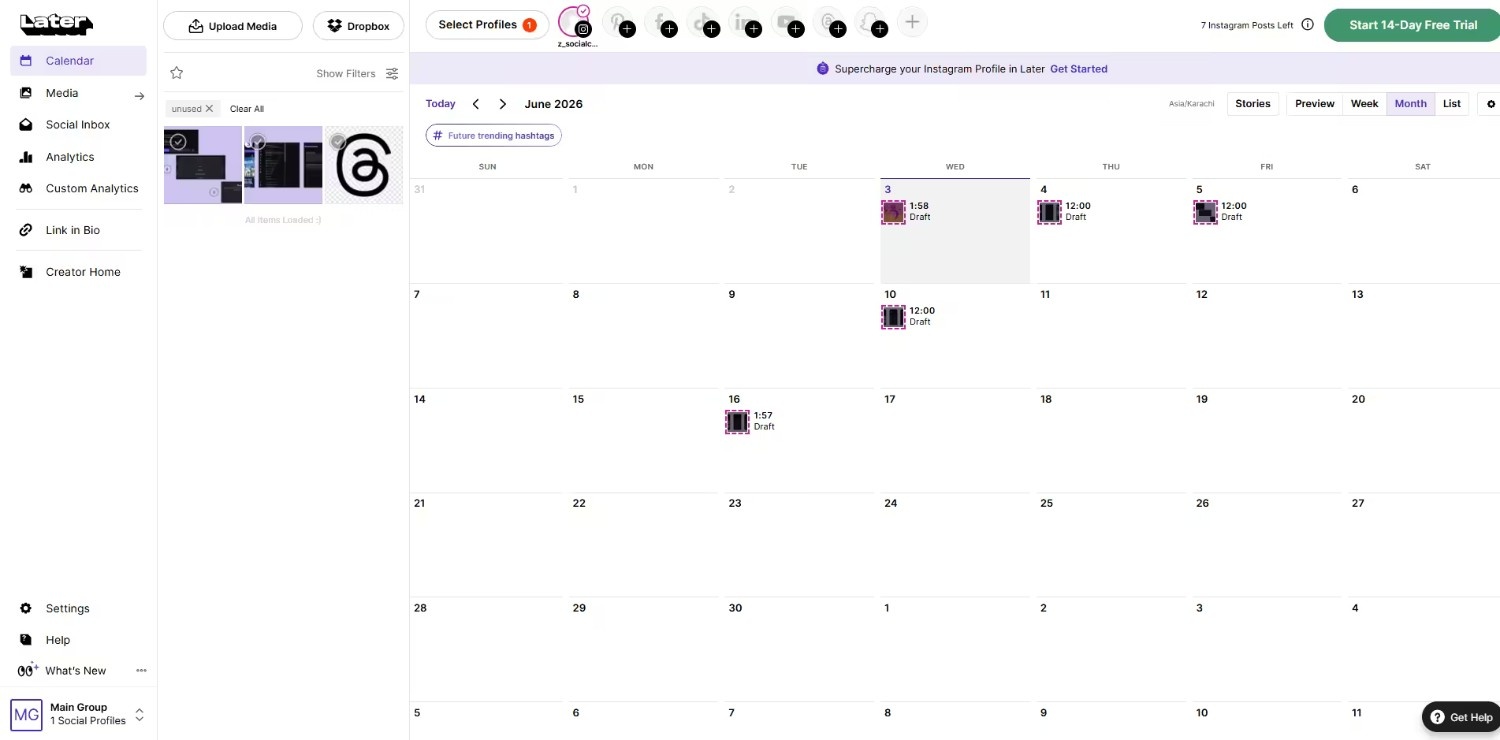
Later’s Dashboard Best for: Visual-first brands who live on Instagram and TikTok.
Why I Picked Buffer
I tested Later against Sprout Social when I had to manage a highly visual lifestyle brand, and after testing it, it’s clear now that Sprout’s data-heavy look didn’t work for me.
Later helps you drag, drop, and visually plan your feed before it goes live. Also, it’s a cheaper option than many Sprout Social alternatives.
Features of Later:
- Visual content calendar
- Reels and Stories scheduling
- Link in bio tool
Supported Platforms: Instagram, Facebook, Threads, Pinterest, TikTok, LinkedIn, YouTube, and Snapchat.
Pricing: Later has a Free plan with basic features. Its paid plans start at $18.75/month.
Pros Cons Best visual planner Supports limited social media platforms Works well for Reels and Stories Basic analytics Quick detour. I know you are hunting for Sprout Social alternatives, but it’s worth checking out these guides as well:
-
SocialPilot
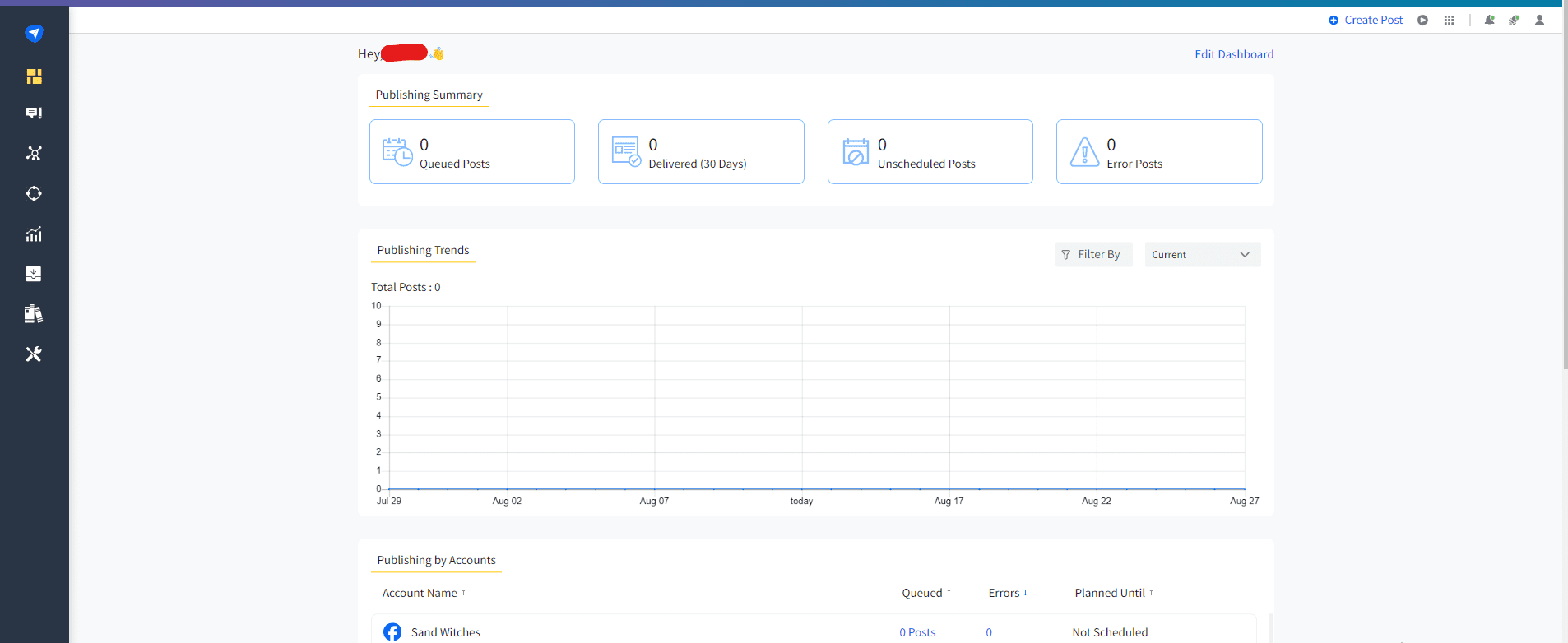
SocialPilot’s Dashboard Best for: Marketing teams who want to schedule in bulk and need client approvals.
Why I Picked SocialPilot
I tested SocialPilot because of its strong bulk scheduling. Although Sprout Social’s bulk scheduling feature does the job, you have to upgrade to the Professional or Advanced plan to schedule your content in bulk.
SocialPilot also offers its bulk scheduling feature in higher-tier plans, but they are still more reasonable than Sprout and don’t limit you to only one seat.
Features of SocialPilot:
- Bulk scheduling with CSV
- Client management and approvals
- Content curation and RSS feeds
Supported Platforms: Facebook, Instagram, TikTok, X, LinkedIn, Threads, YouTube, Pinterest, Google Business Profile, and Bluesky
Pricing: SocialPilot’s pricing plans start at $25.50/month.
Pros Cons Bulk scheduling beast No free plan available More affordable than other tools The interface may feel overwhelming -
Statusbrew
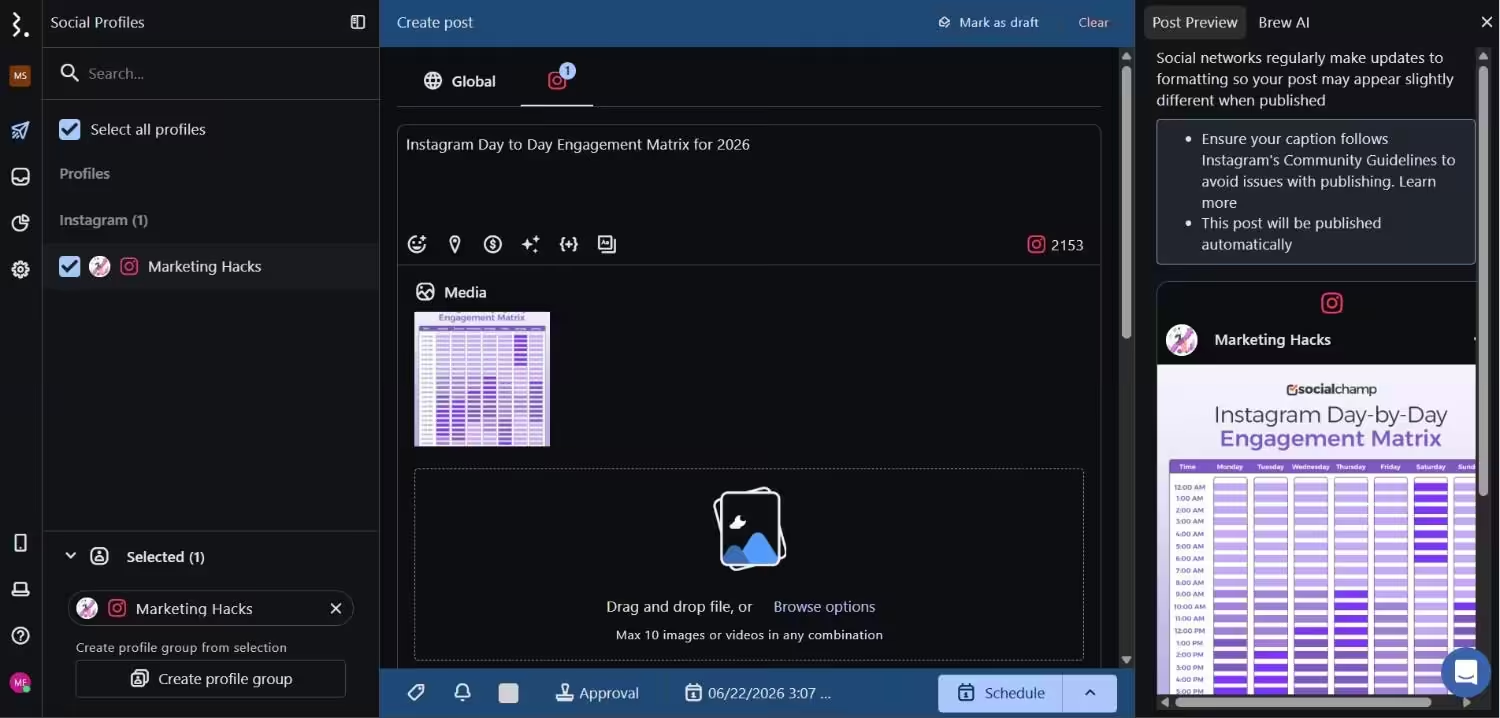
Statusbrew’s Dashboard Best for: Agencies that want Sprout-level features without per-seat pricing.
Why I Picked Statusbrew
When I found out that Statusbrew is one of the direct Sprout Social competitors, I wanted to test it out, and I did. The best thing is that it doesn’t offer per-seat pricing as Sprout does.
Along with that, you get features like publishing, engagement, and reporting all in one dashboard at a more reasonable price than Sprout.
Features of Statusbrew:
- Publishing and scheduling
- Unified social inbox
- Team collaboration
Supported Platforms: Facebook, Instagram, X. LinkedIn, TikTok, WhatsApp, YouTube, Reddit, Bluesky, Threads, Google Business Profile, and Pinterest
Pricing: Statusbrew’s pricing plans start at $69/month.
Pros Cons Strong team management features May feel expensive to individuals Good reporting The interface may feel overwhelming -
Planable
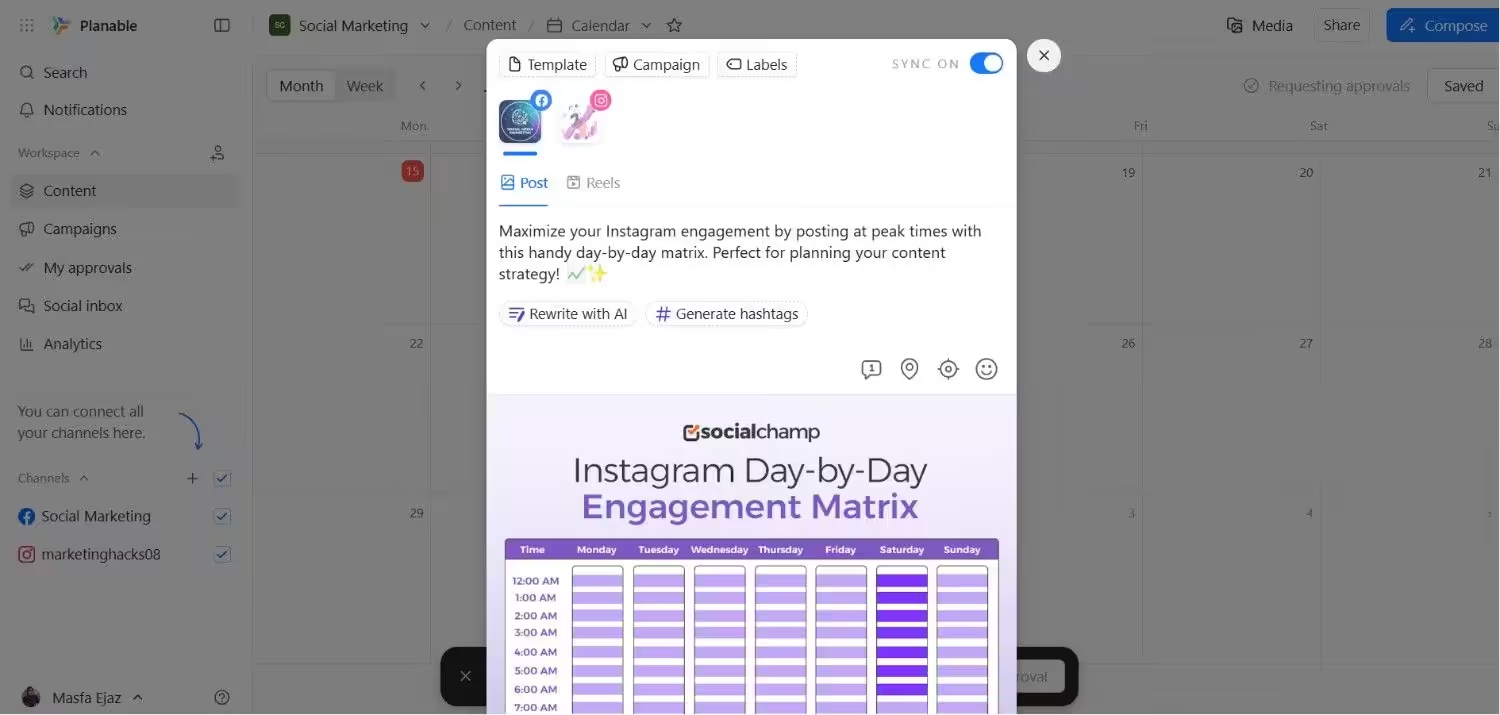
Planable’s Dashboard Best for: Teams who hate messy comment threads and email chains.
Why I Picked Planable
I tried Planable to test its approval process because with Sprout, my budget was draining super fast. And luckily, Planable fixed that.
You can mock up posts exactly as they will look. Also, your teammates can comment directly in context, and you can approve. But for more advanced scheduling features, you may need to look for other tools.
Features of Planable:
- Visual mockups for approvals
- Real-time collaboration
- Content calendar view
Supported Platforms: Instagram, Facebook, TikTok, LinkedIn, YouTube, Threads, Pinterest, X, and Google Business Profile
Pricing: There’s a Free plan available. Its paid plans start at $33/month.
Pros Cons Best approval workflow Limited analytics Clean interface Social inbox only as an add-on -
Mention by Agorapulse
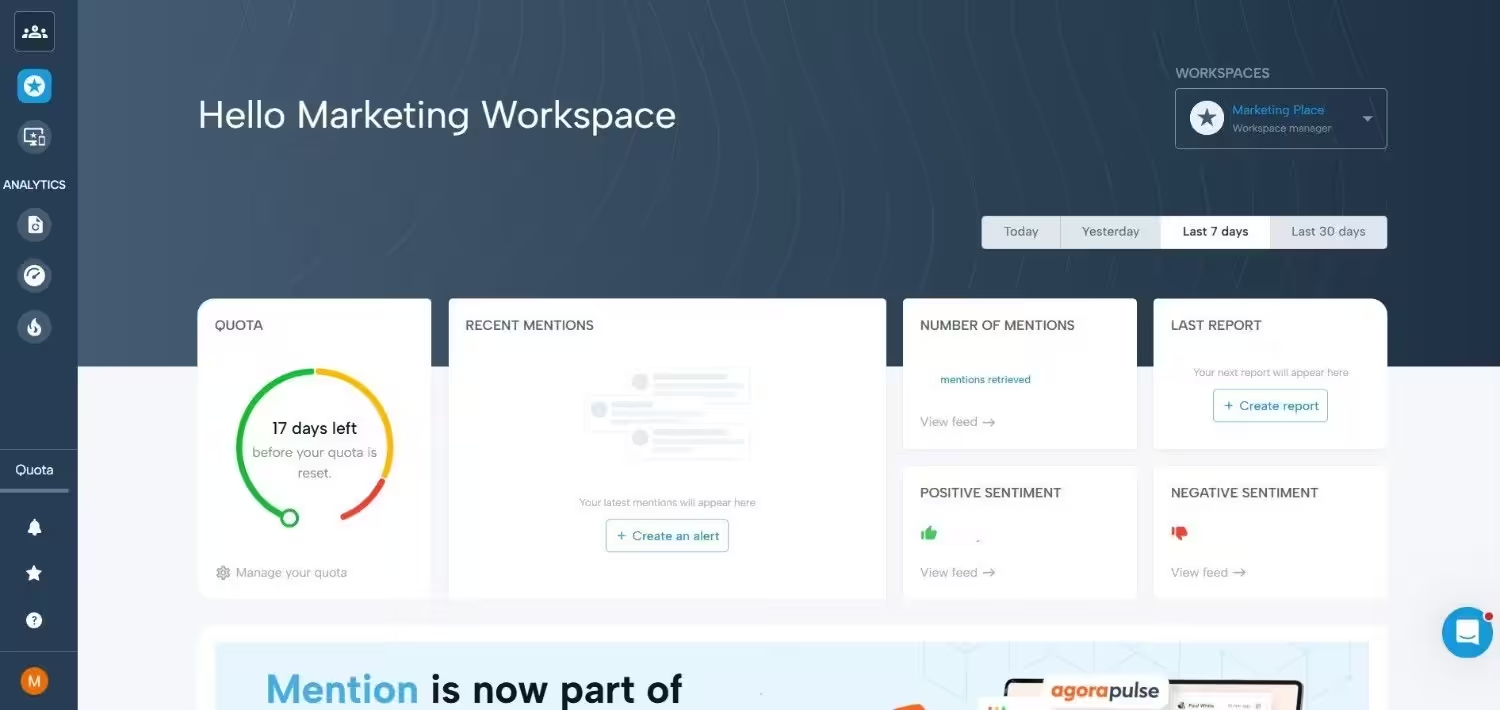
Mention’s Dashboard Best for: Brands that care about social listening and brand monitoring.
Why I Picked Mention
I tested Mention because this tool offers the same features as Sprout does, but I feel it’s very expensive for small and medium-sized businesses. Agorapulse has acquired this platform and turned it into a dedicated monitoring powerhouse.
If you give it a try, you can easily know what people are talking about your brand and when competitors are launching their campaigns. However, it’s not a full scheduling tool on its own.
Features of Mention:
- Brand mention tracking
- Competitor analysis
- Sentiment analysis
Supported Platforms: Facebook, Instagram, X, Reddit, and news sites.
Pricing: Mention’s pricing starts at $599.
Pros Cons Deep listening features More expensive than other options Works well for reputation management Not a standalone scheduler -
Zoho Social
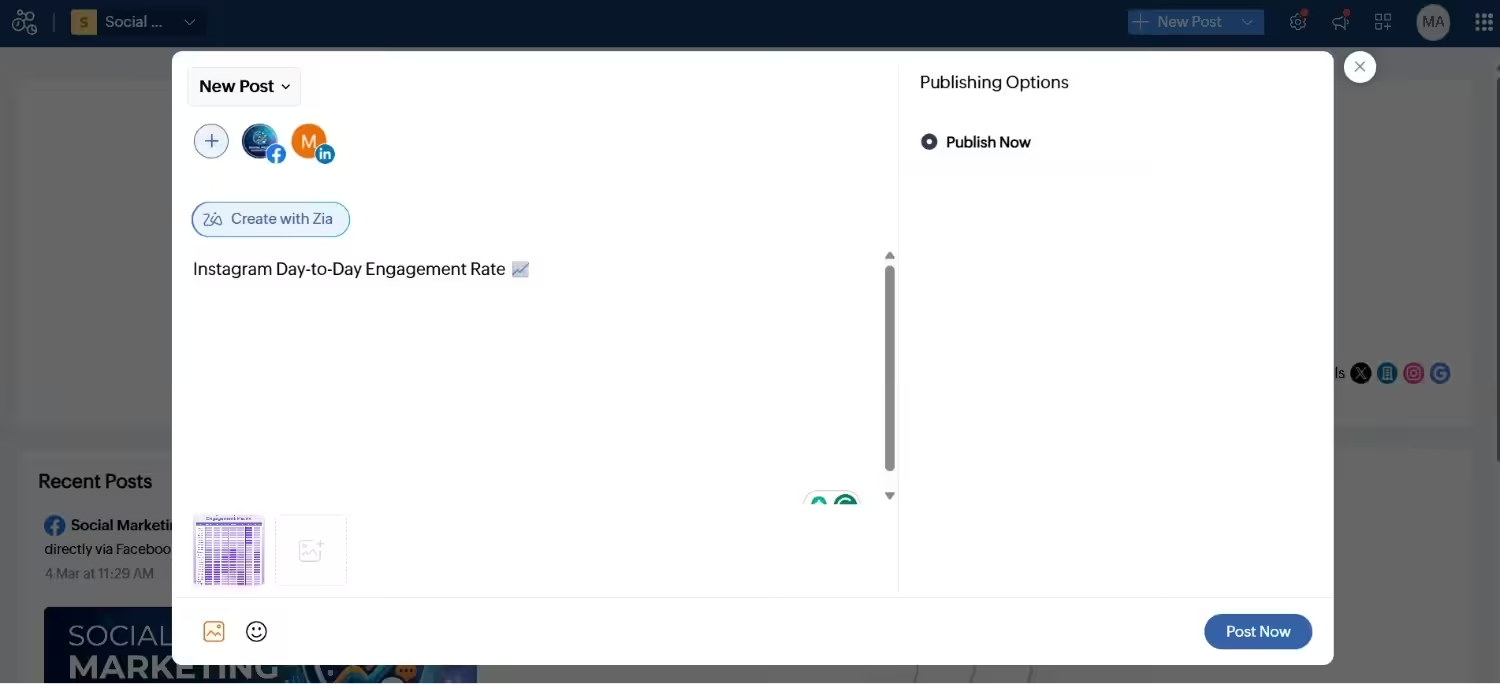
Zoho Social’s dashboard Best for: Teams already deep in the Zoho suite.
Why I Picked Zoho Social
I decided to stress-test Zoho Social because someone I know runs their business on Zoho. If you already use Zoho CRM, this tool is a perfect option.
It connects seamlessly. If you don’t use other Zoho tools, it’s just another scheduler with decent features and a low price. You may not call it a direct Sprout Social competitor, but an affordable option for small teams.
Features of Zoho Social:
- Scheduling and publishing
- Basic analytics
- CRM integration
Supported Platforms: Facebook, X, LinkedIn, Instagram, WhatsApp, Google Business Profile, YouTube, Pinterest, TikTok, Mastodon, Threads, and Bluesky
Pricing: You can get Zoho Social’s Free plan. Its paid plans start at $10/month.
Pros Cons Very affordable option Weak without Zoho CRM CRM integration Basic analytics
Before you scroll past, you may want to take a look at the full breakdown of Hootsuite vs Sprout Social. Check this out and see who wins.
Team Approval Workflows That Do Not Suck.
Why Do People Switch From Sprout Social?
No doubt, Sprout Social is a solid social media management tool and indeed better than many free social media schedulers. I even tested it out myself, but during my research on tools, I came across many Sprout Social reviews on the review platforms where users ranted about the tool.
What I’ve found out after my research is that there are some reasons that may push users to switch from other Sprout Social alternatives. Let’s take a look:
- The first thing that convinced me to write this guide is Sprout Social’s pricing. You all know that it’s an expensive tool and starts at $79 that too, very limited in features. You need to upgrade your plan to get access to more advanced features.
- The second thing is that the tool is overloaded with features such as social listening, deep analytics, and team workflows, which is good in some respects, but if you’re a small team that just wants to schedule posts and check engagement, you may feel like you’re piloting a spaceship to buy groceries.
- Sprout Social doesn’t have a free plan. It does offer a 30-day free trial, which is enough for testing out its features. But what happens when it ends? You need to pay for your bill, which is not easy for freelancers and small teams.
- Some users even complain about Sprout Social’s customer support service, and that’s obvious when your client campaign goes live, and something breaks, you need answers immediately.
I used Sprout Social, and I felt that pain myself. That’s when I realized the need to hunt for Sprout Social alternatives that can give me all the features I need while not draining my budget.
Sometimes you do not need a bigger social tool. You just need a better social media scheduler to clean up your workflow.
How to Choose the Right Alternative to Sprout Social
Now you have ten options, and it’s time to decide which one is the right option for you and how you can choose.
Let me tell you how I picked my winner without losing my mind.
The first step is to know how much you can spend on a tool. If you pay $79 or even $199 for a single seat, and not even the proper features open up, you should set a limit. Look for the tool that offers the same features (even more) within your budget.
The second step is to list down what features you need to get your work done. Start like I need bulk scheduling, a content calendar, or team approvals. If you see any tool that lacks any of these features, just don’t subscribe. You should do this before testing anything to save your time.
Now, what you can do in the third step is check if the tool offers a free plan or a free trial. I recommend that you never pay before you get familiar with the tool. Sign up for a free trial and try the tool; if it’s annoying you, drop it. If you find it good, go for it.
The fourth step is to check the mobile app of the tool. It’s an important step because you don’t always manage your social media from a laptop. Sometimes you’re at a coffee shop, and you need to approve the content. If the app crashes or is buggy, you will hate the tool by week two.
The fifth and last step is to count the integrations that the tool offers. Look for what integrations you use in your daily workflow. You probably use Canva, Google Drive, or a CRM. If any tool doesn’t offer these integrations, you create more work for yourself.
This is the exact checklist that I followed while deciding which one is the winner, and you know what? Social Champ won for me because it checked every box and didn’t empty my wallet. But everyone has different workflows and needs different features. So, pick the tool that solves your specific pain, not the one with the longest feature list.
